1. Bubuka
Welcome to the user manual for your new TCL 75P89K QLED 4K Google TV. This guide provides essential information for setting up, operating, and maintaining your television to ensure optimal performance and enjoyment. Please read this manual thoroughly before using your TV and keep it for future reference.
Produk Leuwihview
The TCL 75P89K is a 75-inch QLED 4K Ultra HD Google TV, featuring a 144Hz refresh rate, Dolby Vision, HDR10+, and HDMI 2.1 connectivity. It offers a stunning visual experience with vibrant colors and sharp details, powered by Google TV for smart functionality and seamless content access.
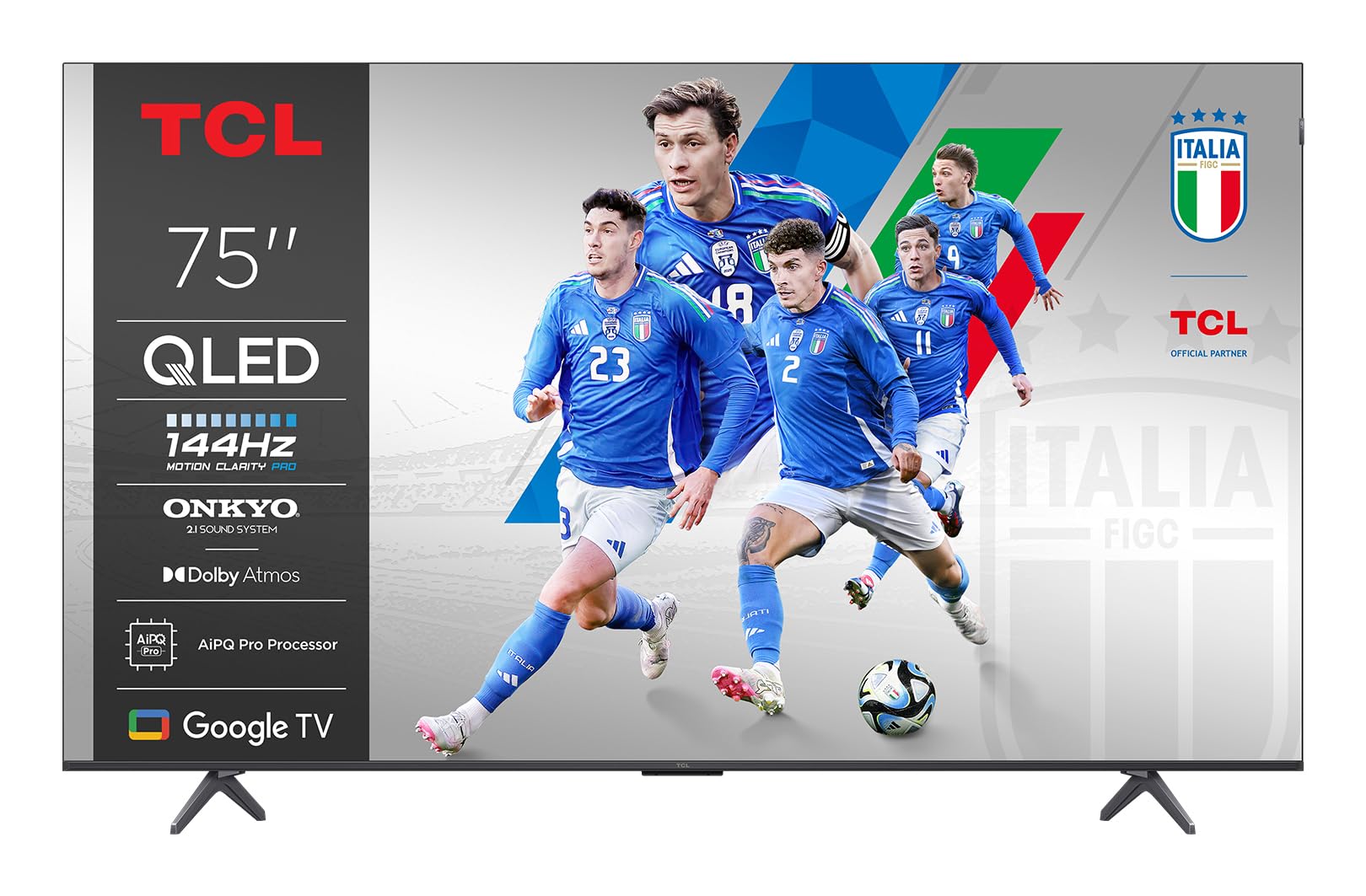
Gambar: Hareupeun view of the TCL 75P89K QLED 4K Google TV, showcasing desain ramping sarta tampilan vibrant.
2. Émbaran Kasalametan
Before operating the TV, please read all instructions carefully. Keep these instructions for future reference. Always follow basic safety precautions to reduce the risk of fire, electric shock, and injury to persons.
- Ulah meungpeuk sagala bukaan ventilasi.
- Ulah install deukeut sagala sumber panas.
- Nangtayungan kabel kakuatan tina keur leumpang dina atawa pinched.
- Ngan anggo kantétan/aksésori anu ditunjuk ku produsén.
- Cabut colokan alat ieu nalika badai kilat atanapi nalika henteu dianggo kanggo waktos anu lami.
- Rujuk sadayana jasa ka tanaga jasa anu mumpuni.
3. Setélan
3.1 Ngabongkar bungkusan
Carefully remove the TV from its packaging. It is recommended to keep the original packaging for future transport or servicing needs. Ensure all accessories are present.
3.2 Nangtung Instalasi atanapi témbok ningkatna
Your TV can be placed on a stand or mounted on a wall. Follow the instructions provided with your TV stand or wall mount kit.
Wall Mounting Instructions (Example for PERLESMITH TV Wall Mount)
If you are using a PERLESMITH wall mount (model PSPILFK1), the following video provides a detailed guide on how to install it. This video demonstrates the steps for attaching the TV brackets and mounting the assembly to the wall.
Video: Installation guide for PERLESMITH TV Wall Mount (PSPILFK1-E). This video demonstrates how to attach the TV brackets to the television and then securely mount the entire assembly onto a wall, ensuring proper alignment and stability.
3.3 Nyambungkeun périferal
Connect your external devices such as Blu-ray players, gaming consoles, sound systems, and cable/satellite boxes to the TV's ports.
- HDMI: Use HDMI cables for high-definition video and audio. Your TCL 75P89K supports HDMI 2.1 for advanced features like 4K@144Hz.
- USB: Sambungkeun alat USB pikeun muterkeun média atanapi apdet parangkat lunak.
- kakuatan: Colokkeun kabel listrik kana TV teras kana stop kontak témbok.
3.4 Setup Awal
Once powered on, the TV will guide you through the initial setup process. This includes selecting your language, connecting to a Wi-Fi network, and signing in to your Google account to access Google TV features.
4. Ngoperasikeun TV Anjeun
4.1 Jauh Control Leuwihview
Familiarize yourself with the TV's remote control. It typically includes buttons for power, volume, channel selection, input source, navigation, and direct access to smart TV apps.
4.2 Fungsi Dasar
- Hurungkeun/Pareuman: Pencét tombol daya dina rémot atawa TV.
- Kontrol volume: Paké tombol Volume Up/Turun.
- Pilihan Saluran: Anggo tombol Saluran Kaluhur/Turun atanapi pad angka.
- Sumber Input: Press the Input button to switch between connected devices (HDMI, AV, etc.).
4.3 Fitur Smart TV (Google TV)
Your TCL 75P89K runs on Google TV, providing access to a vast library of apps, streaming services, and personalized content recommendations.
- Layar Utama: Access personalized content, apps, and settings.
- Asistén Sora: Use the built-in Google Assistant for voice commands, content search, and smart home control.
- Aplikasi: Unduh sareng pasang aplikasi ti Google Play Store.
4.4 Setélan Gambar & Sora
Sesuaikeun Anjeun viewpangalaman dina jeung dengekeun ngaliwatan menu setelan TV.
- Modeu Gambar: Select from various preset picture modes (e.g., Standard, Movie, Sport, Vivid) or customize settings like brightness, contrast, color, and sharpness.
- Modeu sora: Choose sound modes (e.g., Standard, Music, Movie) or adjust equalizer settings.
- Dolby Vision/HDR10+: The TV automatically detects and optimizes content for Dolby Vision and HDR10+ for enhanced dynamic range and color.
4.5 Fitur kaulinan
The 75P89K is optimized for gaming with a 144Hz refresh rate and HDMI 2.1.
- Laju Refresh 144Hz: Nyadiakeun gerak ultra-lemes pikeun kaulinan gancang-paced.
- VRR (Variable Refresh Rate): Ngurangan layar anu robek sareng gagap pikeun midangkeun anu lancar.
- ALLM (Modeu Latency Lemah Otomatis): Otomatis ngarobah TV ka modeu latency rendah nalika konsol game dideteksi.
4.6 Casting/Screen Mirroring
Share content from your mobile devices to the TV using built-in casting features.
- Chromecast Diwangun-di: Cast videos, photos, and apps from your compatible smartphone or tablet.
- Air Play 2: Stream content directly from Apple devices.
5. Pangropéa
5.1 Ngabersihan TV Anjeun
- layar: Lap layar sacara saksama nganggo lawon anu lemes sareng henteu ngaganggu. Pikeun tanda-tanda anu bandel, anggo pembersih layar anu khusus dirancang pikeun TV.
- Pigura: Ngusap pigura jeung nangtung jeung lemes, lawon garing.
- Awas: Ulah nganggo pembersih, lilin, atanapi pangleyur anu kasar sabab tiasa ngaruksak lapisan TV. Salawasna cabut kabel TV sateuacan dibersihkeun.
5.2 Apdet parangkat lunak
TV anjeun tiasa nampi apdet parangkat lunak pikeun ningkatkeun kinerja sareng nambihan fitur énggal. Pastikeun TV anjeun nyambung ka internét pikeun nampi apdet ieu sacara otomatis atanapi parios sacara manual dina menu setélan.
6. Cara ngungkulan
Upami anjeun ngalaman masalah sareng TV anjeun, tingal masalah sareng solusi umum ieu:
| Masalah | Solusi anu mungkin |
|---|---|
| Taya kakuatan | Pariksa naha kabel listrik dicolokkeun aman kana TV sareng stop kontak témbok. Coba outlet béda. |
| Henteu aya gambar, tapi aya sora | Check the input source. Ensure the external device is powered on and connected correctly. |
| Henteu aya sora, tapi aya gambar | Pariksa tingkat volume sareng status bisu. Pariksa setélan kaluaran audio sareng sambungan alat audio éksternal. |
| Kadali jauh teu jalan | Ganti batréna. Pastikeun teu aya halangan antara remote sareng TV. |
| Masalah sambungan Wi-Fi | Balikan deui router sareng modem anjeun. Pariksa setélan jaringan TV. Pastikeun TV aya dina jangkauan jaringan Wi-Fi anjeun. |
For more complex issues, please contact TCL customer support.
7. Spésifikasi
| Fitur | Rincian |
|---|---|
| merek | TCL |
| Produsén | TCL |
| Ngaran modél | 75P89K |
| Model Taun | 2021 |
| Panganteur Hardware | HDMI |
| Resolusi tampilan | 4K |
| Téknologi tampilan | QLED |
| Ukuran layar | 75 inci |
| Babandingan Kontras Gambar | Luhur |
| Rasio Aspék | 16:9 |
| Input Audio | HDMI |
| Speaker Sakuliling Konfigurasi Channel Sora | 5.1 |
| Refresh Laju | 144 hz |
| Jumlah palabuhan USB | 1 |
| Tipe Panyambung | HDMI |
| Kasaluyuan dipasang | Tembok Gunung |
| Beurat produk | 9 kg |
| Software Apdet Dijamin Dugi | Teu kanyahoan |
| Dirojong jasa Internét | Google TV |
| Warna | Hideung |
8. Garansi jeung Rojongan
8.1 Émbaran jaminan
Kanggo inpormasi garansi anu lengkep, mangga tingali kartu garansi anu kalebet dina produk anjeun atanapi kunjungi situs resmi TCL. websitus. Simpen resi pameseran anjeun salaku bukti pameseran pikeun klaim garansi.
8.2 Rojongan Palanggan
If you require further assistance or have questions not covered in this manual, please contact TCL customer support. You can find contact details on the official TCL websitus atanapi dina dokuméntasi produk Anjeun.
Rojongan Online: nganjang www.tcl.com pikeun FAQ, artikel dukungan, sareng inpormasi kontak.