Bubuka
Welcome to the TECKNET WiFi Water Leak Detector user manual. This device is engineered to provide early warning of water leaks and drips in your home, helping to prevent potential water damage. It features instant app alerts, a loud 120dB adjustable siren, and easy wireless setup. This manual will guide you through the installation, operation, and maintenance of your new water leak detectors.
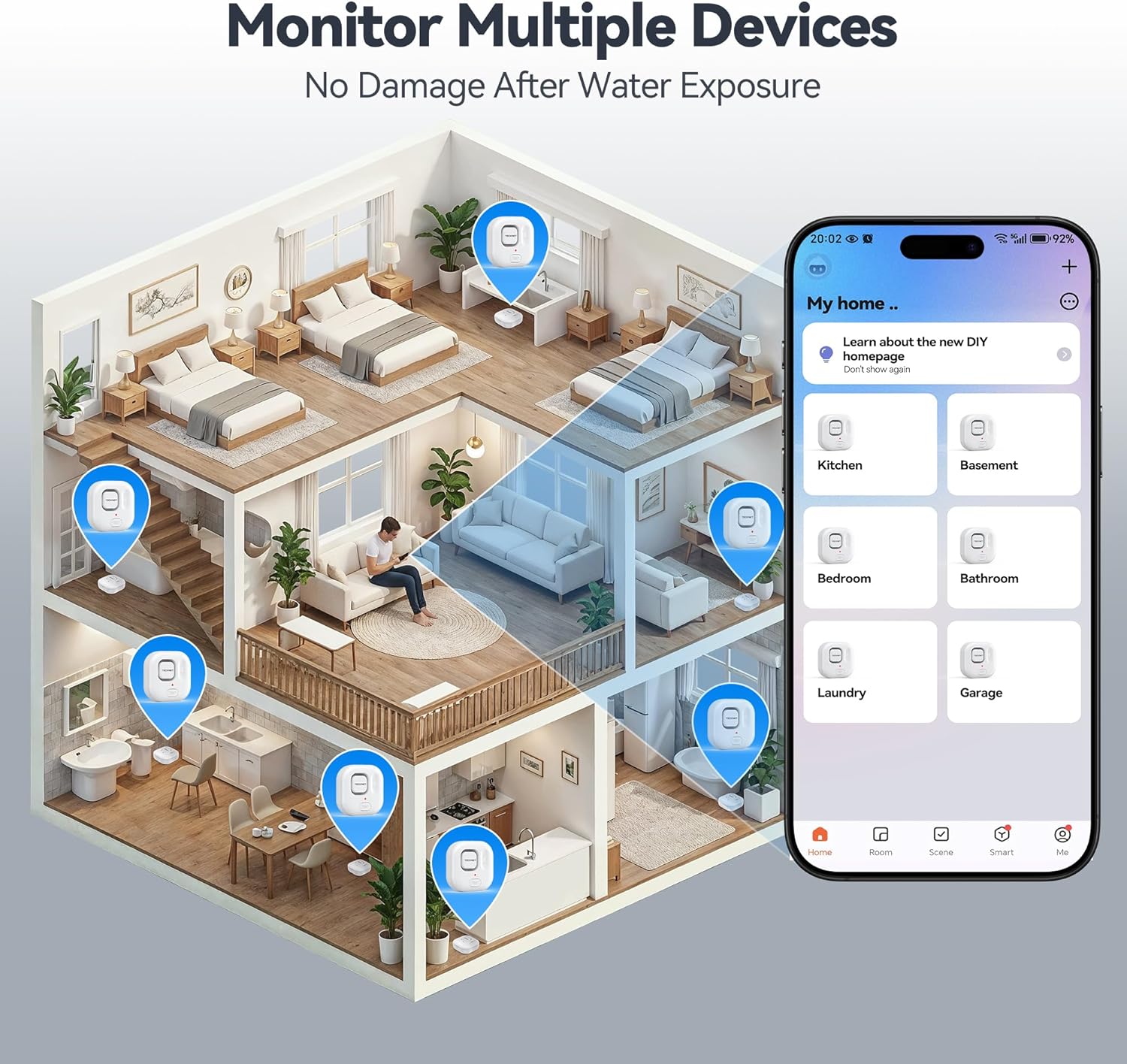
Image: Two TECKNET WiFi Water Leak Detectors, showcasing desain kompak maranéhna.
Pidéo: Pajabat parantos réngséview of the TECKNET WiFi Water Leak Detectors, highlighting key features and benefits.
Naon dina Box
- 2 x Water Detector Sensors
- 4 x Batré AAA
- 1 x Gancang Mimitian Guide
- 2 x Opening Tools (for battery compartment)

Image: The package contents, including two detectors, batteries, opening tools, and the user manual.
Parentah Setup
1. Pamasangan batré
Use one of the provided blue opening tools to gently pry open the detector casing. Insert two AAA batteries into each detector, ensuring correct polarity (+/-). Close the casing securely until it clicks into place. The device will power on automatically.
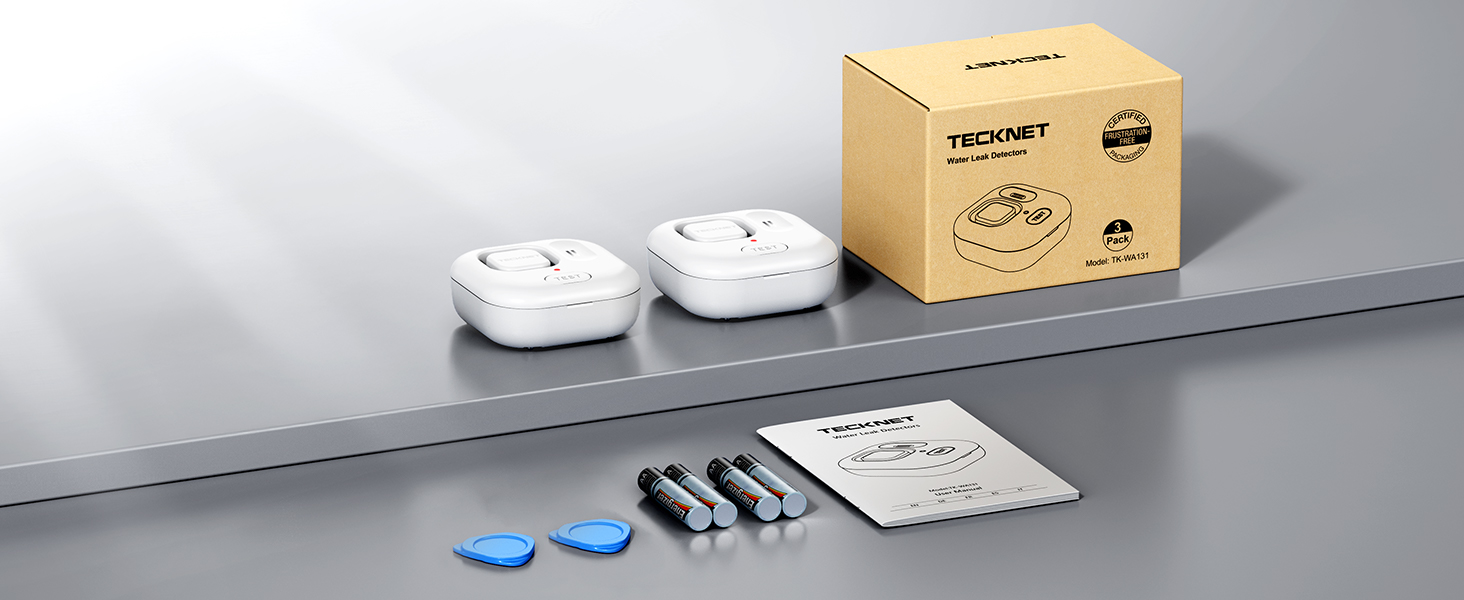
Image: A visual guide demonstrating how to open the detector with the tool, insert batteries, and close the cover.
2. App Pairing & Wi-Fi Connection
Download the Tuya Smart App from your smartphone's app store (available for iOS and Android). Ensure Bluetooth is enabled on your phone. Open the app and follow the on-screen instructions to add a new device. The app will automatically detect the sensor. Connect the device to your home's 2.4GHz Wi-Fi network (5GHz networks are not supported). A stable Wi-Fi connection is essential for receiving instant alerts.
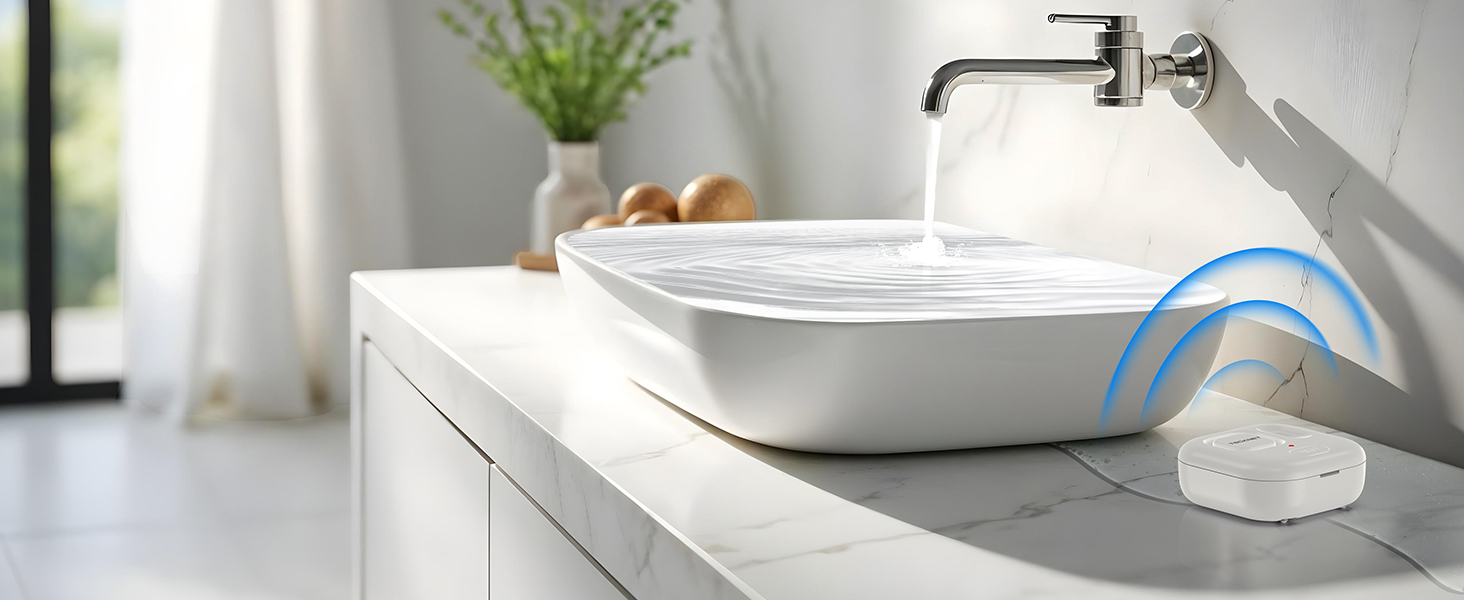
Image: Step-by-step screenshots illustrating how to pair the detector with the Tuya Smart App and connect to Wi-Fi.
Video: An official guide on how to connect the TECKNET Water Leak Detector to the Tuya Smart App.
Parentah Operasi
1. Panempatan
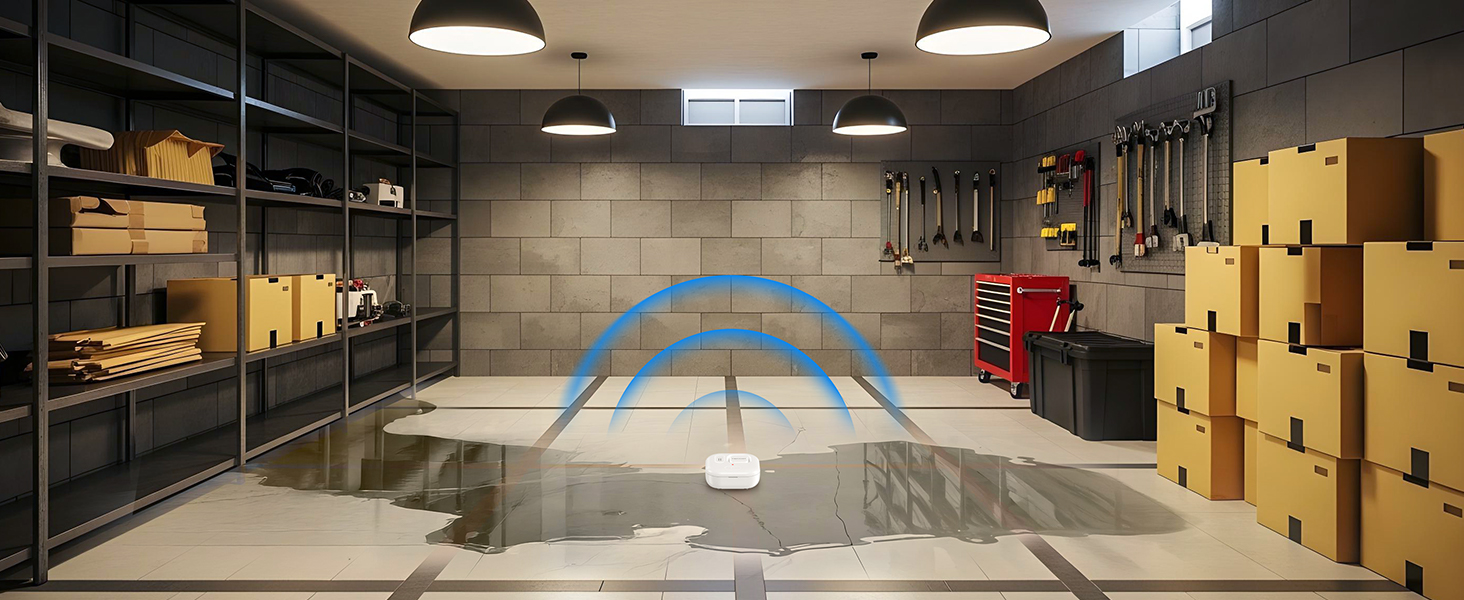
Place the water leak detectors in areas prone to water leaks. Common locations include under sinks, near water heaters, washing machines, dishwashers, toilets, or in basements. The detectors feature 2 top and 4 bottom water probes for comprehensive detection of both drips and pooling water.
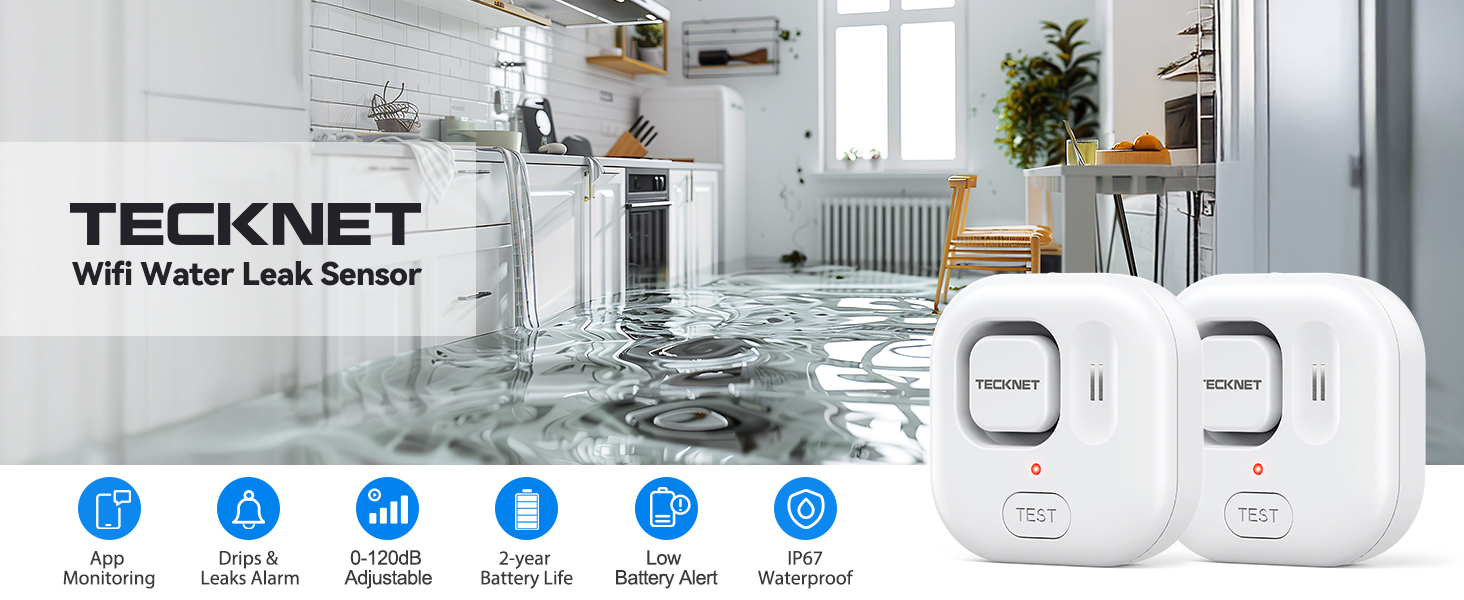
Image: A diagram illustrating various strategic placement points for the detectors within a home, such as kitchens, bathrooms, and basements.

Image: A water leak detector positioned under a sink, demonstrating its ability to detect both dripping water from above and pooling water on the floor.
2. Alarm Functionality
Upon detecting water, the device will trigger a loud 120dB siren. The alarm volume is adjustable via the Tuya Smart App or by pressing the 'TEST' button on the device. The device also features an indicator light that illuminates when water is detected, providing a visual alert.
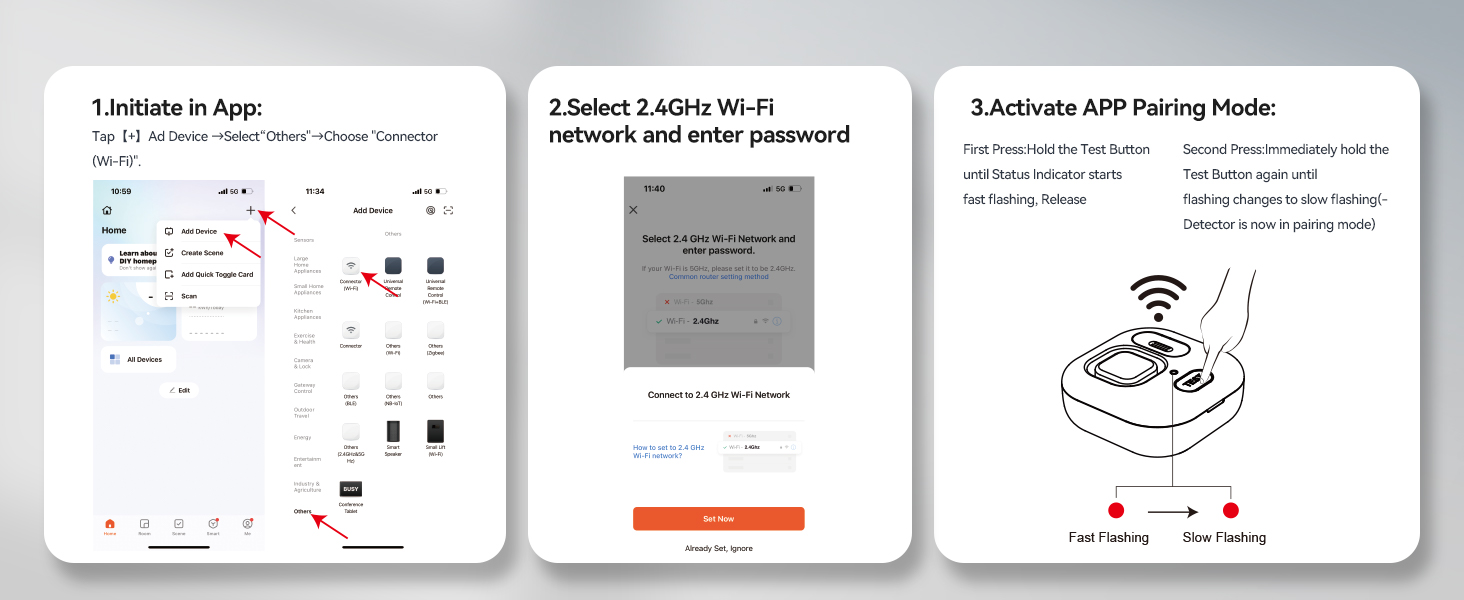
Image: A visual representation of the four adjustable volume levels (0dB, 40dB, 80dB, 120dB) for the alarm, controllable via the app or test button.
3. App Alerts
Receive instant notifications on your smartphone via the Tuya Smart App when a water leak is detected, regardless of your location. The app also provides a record of all detection events, allowing you to monitor your home's status remotely.
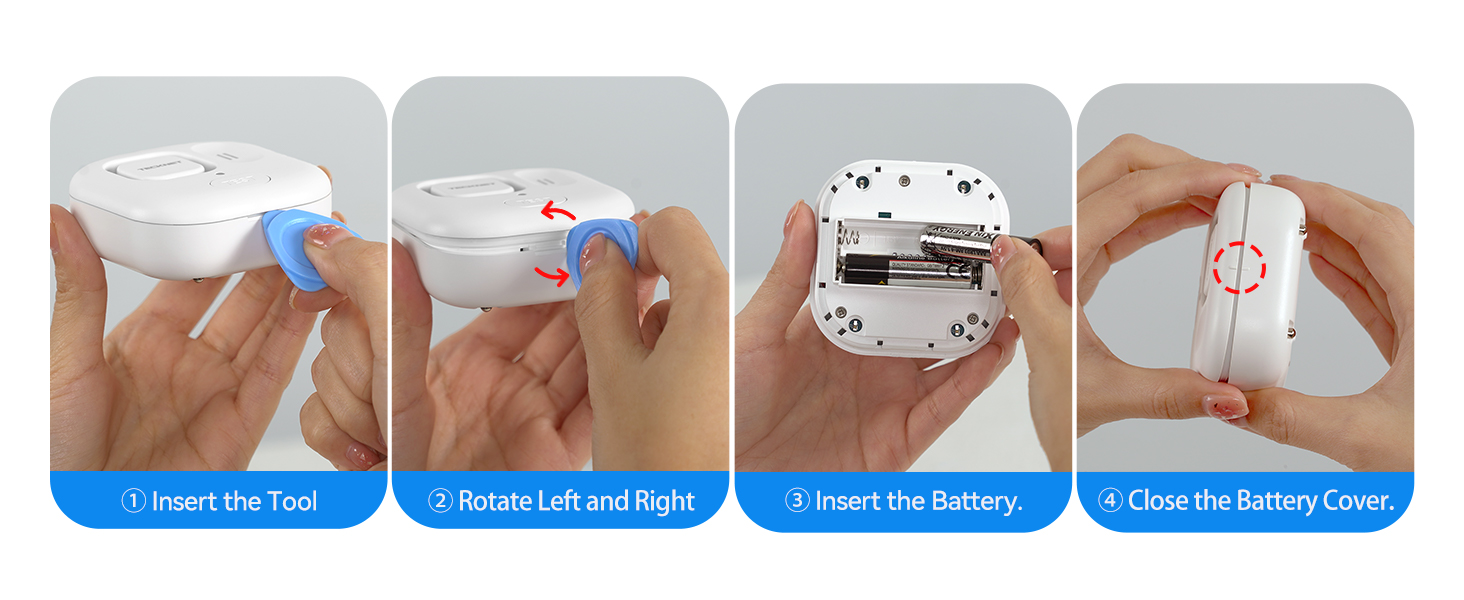
Image: A smartphone screen showing an alert notification for water detection, emphasizing remote monitoring capabilities.
Pangropéa
1. Kahirupan batré
The detectors are designed for ultra-low power consumption, providing up to two years of battery life on two AAA batteries. The app will send alerts when the battery level is low, indicating it's time for replacement. Always use fresh AAA alkaline batteries for optimal performance.
2. beberesih
If the detector triggers an alarm due to water exposure, carefully wipe off any moisture from the device, especially the water probes, using a soft, dry cloth. Ensure the device is completely dry before re-placement to prevent false alarms or damage.
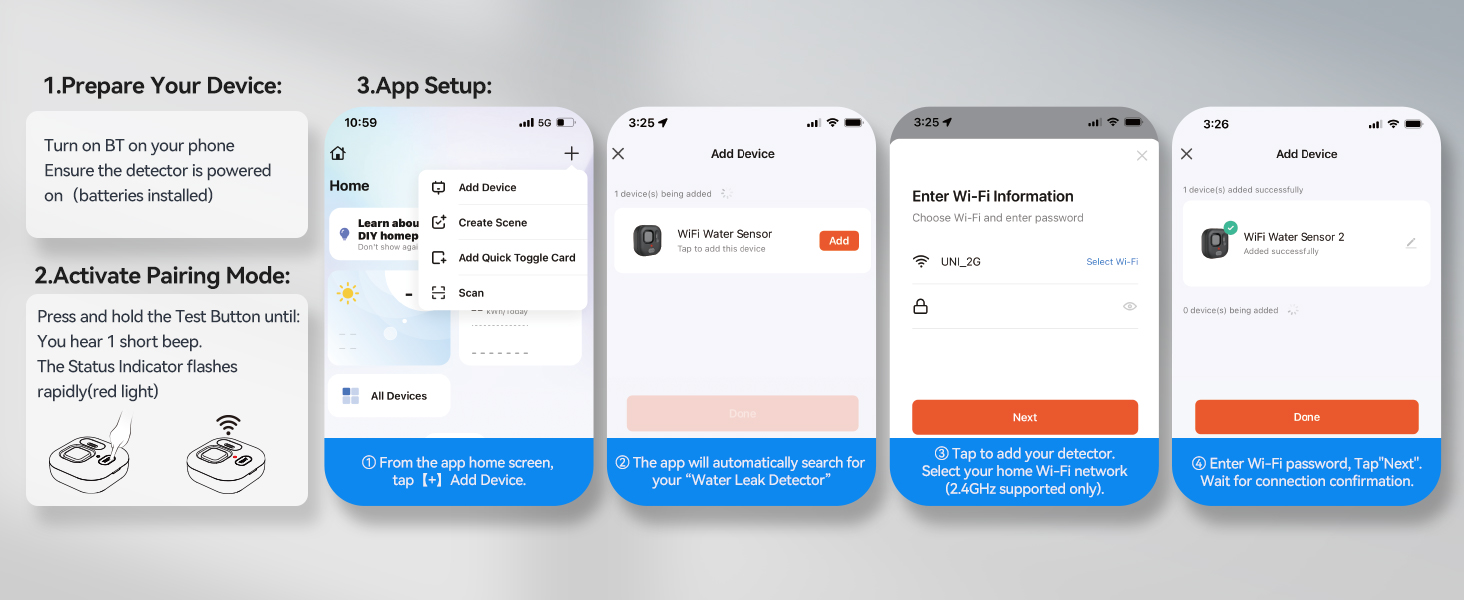
Image: The detector shown partially submerged in water, highlighting its IP67 waterproof rating for durability.
Pamérésan masalah
- Teu Aya Bewara Aplikasi: Ensure the device is properly connected to your 2.4GHz Wi-Fi network and that app notifications are enabled for the Tuya Smart App on your smartphone. Check your phone's notification settings.
- Alarm palsu: Check the placement of the detector to ensure it is not in an area prone to condensation or accidental water splashes. Wipe the probes dry if necessary.
- Alarm teu disada: Verify that the batteries are correctly installed and have sufficient charge. Check the alarm volume settings in the Tuya Smart App.
- Masalah konektipitas: Ensure your Wi-Fi network is stable and within range of the detector. Restart your router and the detector if problems persist. Confirm your Wi-Fi is 2.4GHz.
spésifikasi
| Fitur | Rincian |
|---|---|
| Nomer modél | TK-WA161 |
| merek | TAKEUN |
| Métode kontrol | App |
| Tingkat Noise | 120 desibel |
| Téknologi Sénsor | Capacitive/Conductive Sensor |
| Sumber Daya | Batré Powered (4 batré AAA kaasup) |
| Kahirupan batré | Nepi ka 2 taun |
| Kasaluyuan Wi-Fi | 2.4GHz wungkul |
| Dimensi produk | 0.39 x 0.39 x 0.39 inci |
| Item Beurat | 6.4 ons |
| Warna | Bodas |
Gambar: Hiji ngabeledug view or detailed diagram of the detector, labeling its key components like the buzzer, sensors, and battery compartment.
Garansi sareng Rojongan
TECKNET offers a 36-Month Warranty (Registered Only) for this product. To register your product and activate the warranty, please refer to the Quick Start Guide or visit the official TECKNET website. If you encounter any problems during the use of this product, please do not hesitate to contact our professional customer service team for assistance. Our team is dedicated to providing prompt and effective support.
For customer service inquiries, please refer to the contact information provided in your Quick Start Guide or on the TECKNET official websitus.


