
Bubuka
This manual provides detailed instructions for the Monster Open Ear AC220 Bluetooth Earbuds, Model E102. These clip-on, open-ear earbuds are designed for comfortable wear and clear audio, allowing you to stay aware of your surroundings while enjoying music or calls. Please read this manual carefully before using your earbuds to ensure proper operation and longevity.

Image: Monster AC220 Earbuds designed for comfort and versatility in various daily activities.
Naon dina Box
Saatos unboxing, mangga pariksa yen sakabeh komponen aya:
- Monster Open Ear AC220 Bluetooth Earbuds (Left and Right)
- Ngecas Case
- Kabel Ngecas USB-C
- Manual pangguna (dokumén ieu)
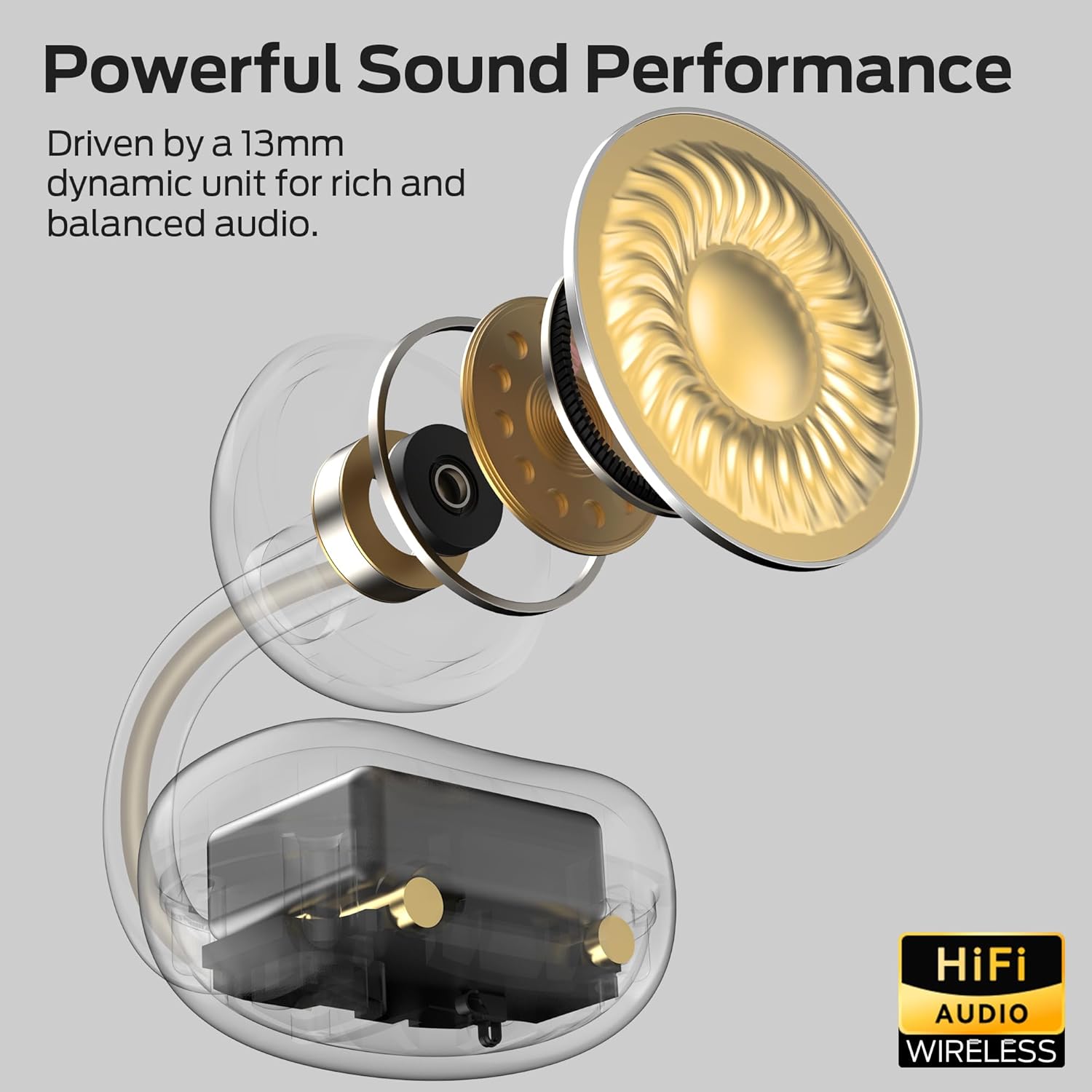
Image: The Monster AC220 Open Ear Earbuds securely placed within their charging case.
Disetél
1. Ngecas Earbuds jeung Case
Saméméh dipaké munggaran, eusian pinuh ku earbuds jeung wadah ngecas.
- Sambungkeun kabel ngecas USB-C ka port ngecas dina case jeung ka sumber kakuatan.
- Lampu indikator dina wadahna bakal némbongkeun status ngecas. Sakali dicas pinuh, lampu bakal nunjukkeun parantos réngsé.
- Place the earbuds into the charging case. Ensure they are correctly seated to begin charging.

Image: The Monster AC220 Earbuds in their charging case, illustrating the USB-C charging port and long-lasting battery life.
2. Nyapasangkeun sareng Alat Bluetooth
- Buka wadah ngecas. Earbuds bakal otomatis asup kana mode papasangan, dituduhkeun ku lampu LED nu kedip-kedip dina earbuds.
- Dina alat Anjeun (smartphone, tablet, jsb), aktipkeun Bluetooth.
- Milarian pikeun alat Bluetooth nu sadia tur pilih 'Monster AC220' ti daptar.
- Once connected, a voice prompt will confirm successful pairing, and the LED light on the earbuds will stop flashing.
- If pairing fails, turn off Bluetooth on your device, place the earbuds back in the case, close it, and then repeat the steps.

Image: Illustration of the Monster AC220 Earbuds featuring upgraded Bluetooth 6.0 technology for quick and stable pairing.
3. Ngagem Earbuds
- Identipikasi earbuds kénca (L) jeung katuhu (R).
- Gently clip the earbuds onto your ears, ensuring a secure and comfortable fit. The open-ear design allows for situational awareness.

Image: A user wearing the Monster AC220 Open Ear Earbuds, demonstrating the 'Hear Without Limits' design for situational awareness.

Gambar: Detil view of the Monster AC220 Earbuds' directional acoustic structure and secure, stable fit with an adjustable C-bridge.
Parentah Operasi
1. Daya Hurung / Pareum
- The earbuds power on automatically when removed from the charging case.
- They power off automatically when placed back into the charging case and the lid is closed.
2. Puterkeun Musik
- Puter / Reureuh: Ketok area kontrol toél dina salah sahiji earbud sakali.
- Lagu salajengna: Ketok dua kali earbud katuhu.
- Lagu Sateuacanna: Ketok dua kali earbud kénca.
3. Manajemén nelepon
- Ngajawab / mungkas Telepon: Ketok area kontrol toél dina salah sahiji earbud sakali.
- Nolak Telepon: Pencét terus tahan area kontrol toél dina salah sahiji earbud salami 2 detik.
4. Asisten sora
- Aktipkeun Asisten Sora: Triple-tap the touch control area on either earbud to activate your device's voice assistant (e.g., Siri, Google Assistant).
Pangropéa
1. beberesih
- Rutin ngabersihkeun earbuds sareng wadah ngecas ku lawon anu lemes, garing, teu aya lint.
- Ulah make bahan kimia kasar, pangleyur beberesih, atawa detergents kuat.
2. Panyimpenan
- Nalika henteu dianggo, simpen earbuds dina wadah ngecasna pikeun ngajagi sareng tetep dicas.
- Simpen di tempat anu tiis sareng garing, jauh tina suhu anu ekstrim.
3. Tahan cai
The Monster AC220 earbuds feature an IPX5 water-resistant rating, making them resistant to sweat and light splashes.
- Do not submerge the earbuds in water or expose them to heavy rain.
- Pastikeun yén earbuds garing sateuacan nempatkeun deui kana wadah ngecas pikeun nyegah karusakan.

Image: The Monster AC220 Earbuds are rated IPX5, indicating resistance to sweat and splashes, suitable for workouts.
Pamérésan masalah
If you encounter any issues with your Monster AC220 Earbuds, please refer to the following common solutions:
Earbuds teu dipasangkeun:
- Pastikeun Bluetooth diaktipkeun dina alat Anjeun.
- Pastikeun earbuds dieusi.
- Teundeun earbuds deui dina wadahna, tutup tutupna, antosan sababaraha detik, teras buka pikeun ngasupkeun deui mode papasangan.
- Try forgetting 'Monster AC220' from your device's Bluetooth list and re-pairing.
Taya sora tina hiji earbud:
- Pariksa naha duanana earbuds dicas.
- Coba nempatkeun kadua earbuds deui dina wadahna sareng cabut deui.
- Reset the earbuds (refer to the full user manual for specific reset instructions if available, or try the re-pairing steps).
Masalah ngecas:
- Pastikeun kabel ngecas disambungkeun aman ka duanana wadahna jeung sumber kakuatan.
- Coba kabel USB-C atanapi adaptor kakuatan anu sanés.
- Bersihkeun kontak anu ngecas boh dina earbuds sareng wadahna nganggo swab katun garing.
Volume lemah atawa kualitas sora goréng:
- Saluyukeun polumeu dina alat Anjeun disambungkeun.
- Pastikeun yén earbuds dipasang leres dina ceuli anjeun.
- Check for any obstructions on the earbud speakers.
spésifikasi
| merek | Raksasa |
| Ngaran modél | E102 (AC220) |
| Faktor Bentuk | Open Ear, Clip-On |
| Téhnologi konektipitas | Nirkabel (Bluetooth) |
| Téhnologi nirkabel | Bluetooth 6.0 |
| Warna | Bodas |
| Tahan cai | IPX5 |
| Kahirupan batré | Up to 22 hours with charging case (5 hours single earbud playback) |
| Ukuran supir | 13mm Dynamic Unit |
| Fitur husus | AI-enhanced clear calls, Directional Acoustic Structure |
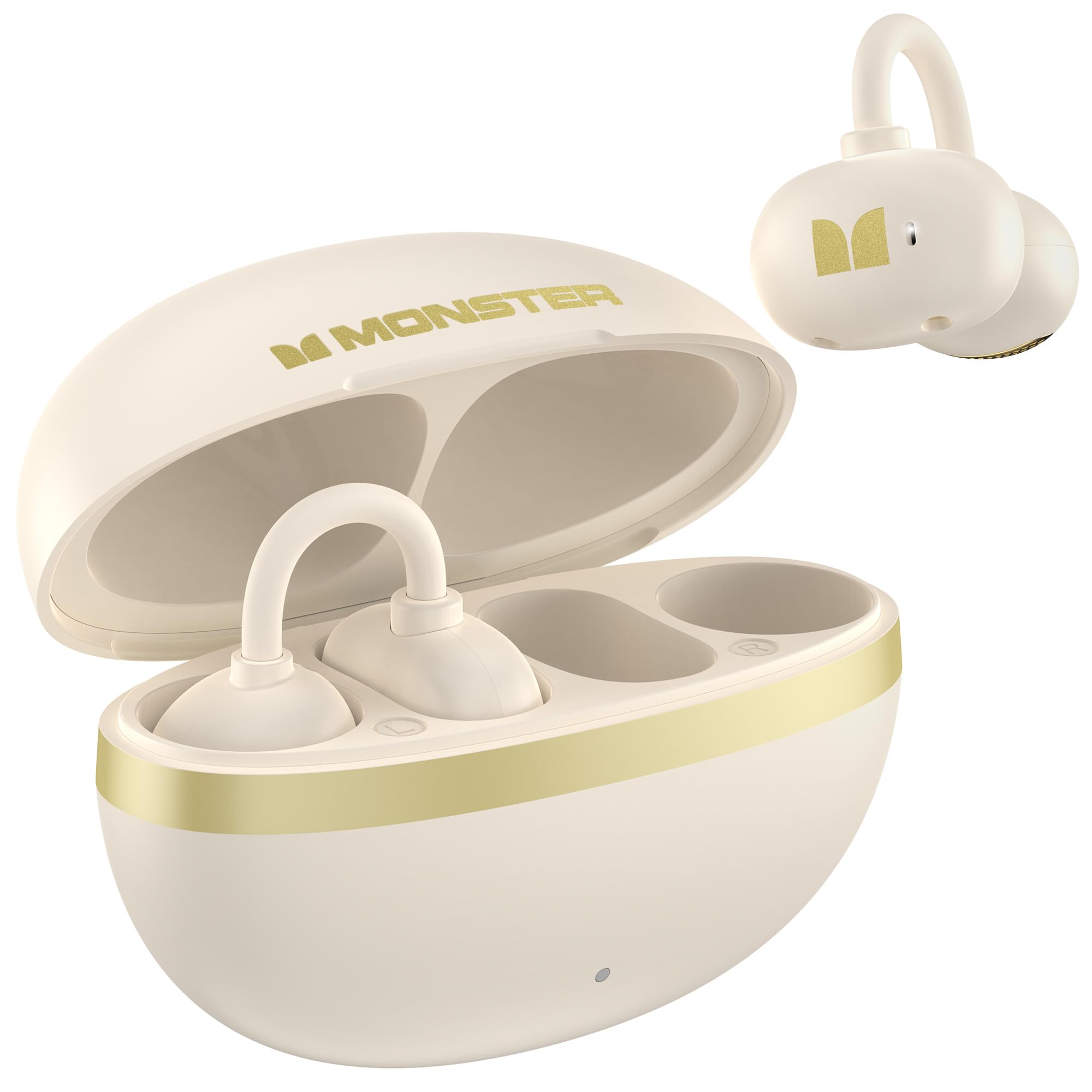
Gambar: internal view of the Monster AC220 Earbud, highlighting the 13mm dynamic unit for powerful sound performance.
Garansi sareng Rojongan
Monster products are designed and manufactured to the highest quality standards. For detailed warranty information and technical support, please visit the official Monster websitus atanapi ngahubungan layanan palanggan maranéhna.
Monster Resmi Websitus: Nganjang ka Toko Monster di Amazon