1. Bubuka
Thank you for choosing the UGREEN USB 3.0 to USB-C Link Cable. This cable is designed to provide a stable and high-speed connection between your Oculus Quest 2 or Quest 3 VR headset and a Windows PC, enabling an immersive PC VR gaming experience. It also supports fast data transfer and power delivery to keep your headset charged during extended use.
Please read this manual carefully to ensure proper setup and optimal performance of your cable.
2. Produk Langkungview
The UGREEN USB 3.0 to USB-C Link Cable (Model L314) is engineered for durability and performance, featuring a 16-foot (5-meter) length and a right-angle USB-C connector for user comfort and reduced port strain.
Fitur konci:
- Oculus Link Compatibility: Specifically designed for Oculus Quest 2 and Quest 3 to PC VR gaming.
- Panjangna diperpanjang: 16FT (5m) cable provides ample movement space.
- Right-Angle USB-C Connector: 90-degree design for comfortable headset connection.
- Transfer Data Kecepatan Tinggi: Supports USB 3.0 with up to 5Gbps for quick file mindahkeun.
- Ngecas gancang: Delivers up to 18W (9V/2A) Power Delivery to charge your headset during use.
- Konstruksi awét: Reinforced connectors and a robust cable jacket for longevity.
- Sinyal Diwangun-di Amplification Chip: Ensures stable performance over the full 5m length.
Naon anu aya dina Kotak:
- UGREEN USB 3.0 to USB-C Link Cable (16FT) × 1
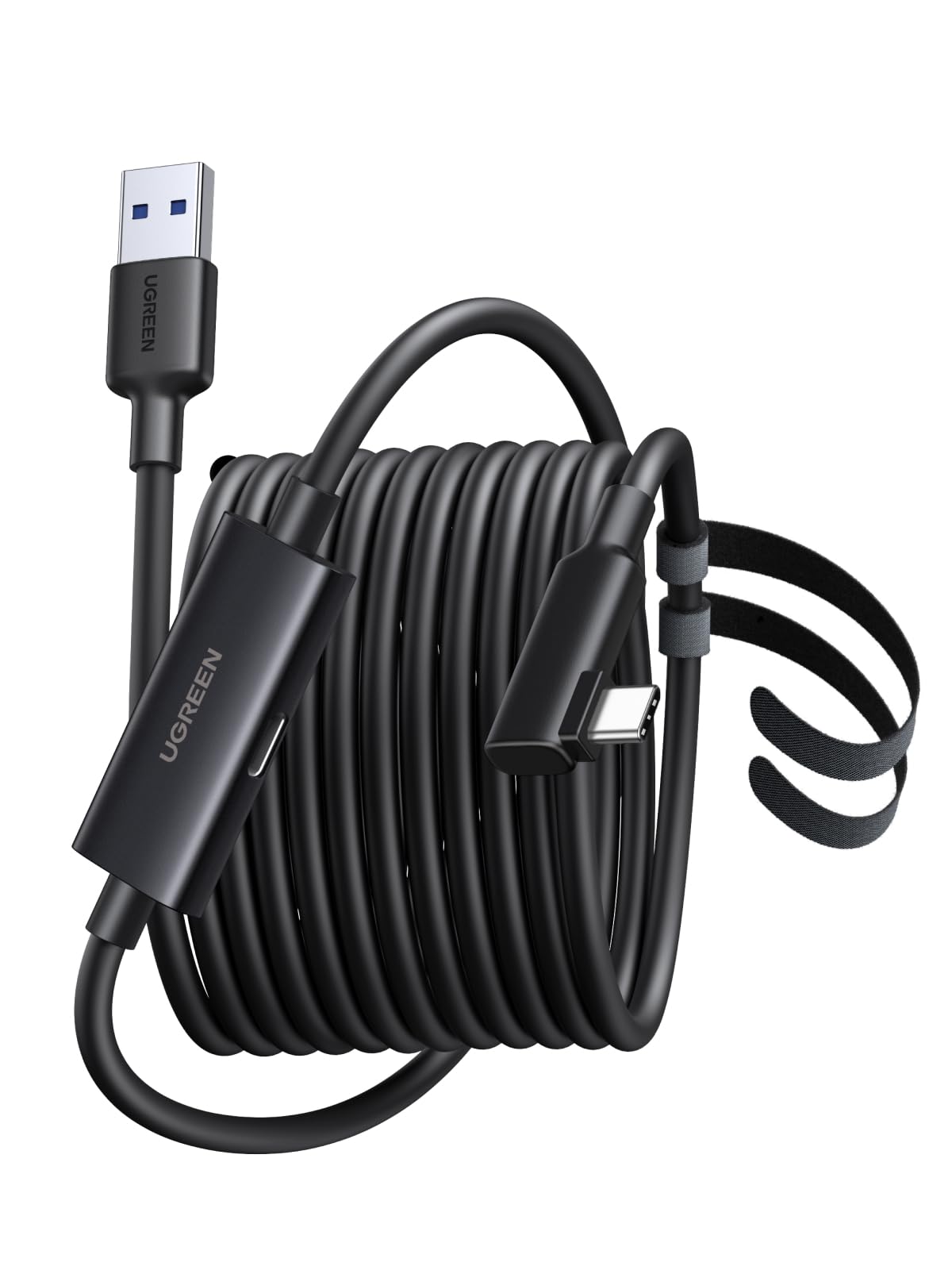
This image shows the UGREEN USB 3.0 to USB-C Link Cable, coiled, highlighting its black color and the UGREEN branding on the connectors.

This image illustrates the 90-degree L-shaped USB-C connector plugged into a VR headset, demonstrating how it sits flush against the device to prevent interference during gameplay.
3. Parentah Setup
Follow these steps to set up your UGREEN Link Cable for PC VR gaming with your Oculus Quest headset.
3.1 Daptar pariksa Pra-Pakéan
- Unduhan Parangkat Lunak: Download and install the latest version of the Oculus PC client from the official Oculus websitus.
- Recommended PC Specifications: Ensure your PC meets the minimum requirements for Oculus Link:
- Prosesor: Intel i5-4590 / AMD Ryzen 5 1500X or higher
- Mémori: 8GB RAM atanapi langkung luhur
- Sistem operasi: Windows 10 atanapi langkung luhur

This image outlines the essential steps and system requirements for preparing your PC and software before using the UGREEN Link Cable with your Oculus Quest headset.
3.2 Nyambungkeun kabel
- Locate the USB-A end of the UGREEN cable. This end connects to your PC.
- Plug the USB-A end into an available USB 3.0 port on your Windows PC. For optimal performance, use a dedicated USB 3.0 port (often blue-colored).
- Locate the L-shaped USB-C end of the UGREEN cable. This end connects to your Oculus Quest headset.
- Carefully plug the L-shaped USB-C end into the USB-C port on your Oculus Quest 2 or Quest 3 headset. Ensure it is fully inserted.
- Optional Charging Connection: The cable features an additional USB-C female port. To charge your headset while playing, connect a compatible 18W Power Delivery (PD) charger to this port.

This image displays the three connection points of the UGREEN Link Cable: the USB-C female port for optional charging, the L-shaped USB-C male connector for the VR headset, and the USB-A male connector for the PC.
4. Parentah Operasi
Once the cable is connected, you can begin using your Oculus Quest headset for PC VR gaming and other functions.
4.1 Initiating Oculus Link
- With the cable connected to both your PC and headset, put on your Oculus Quest headset.
- You should see a prompt within your headset asking to enable Oculus Link. Select "Enable" or "Allow" to proceed.
- If prompted, ensure that the Oculus PC client software is running on your computer.
- Your headset should now display the Oculus Link home environment, allowing you to access PC VR games and applications.

This image shows a person actively engaged in a VR game while connected to a PC via the UGREEN Link Cable, demonstrating the freedom of movement provided by the cable's length.
4.2 Transfer Data sareng Ngecas
- Mindahkeun Data: The cable supports USB 3.0 speeds (up to 5Gbps), allowing for fast transfer of large VR game files or other data between your PC and compatible USB-C devices.
- Ngecas: When connected to a compatible 18W PD charger via its dedicated USB-C female port, the cable will charge your Oculus Quest headset while you play, extending your VR sessions.

This image illustrates the UGREEN Link Cable connected to a VR headset and a power adapter, enabling simultaneous charging and gameplay.
5. Pangropéa
Proper care will extend the lifespan of your UGREEN USB 3.0 to USB-C Link Cable.
- Panyimpenan: When not in use, coil the cable loosely. Avoid tight coiling or sharp bends, which can damage internal wires.
- beberesih: Use a soft, dry cloth to wipe the cable and connectors. Do not use liquid cleaners or abrasive materials.
- Penanganan: Always grasp the connector head when plugging or unplugging the cable, not the cable itself, to prevent strain on the connection points.
- Lingkungan: Jauhkeun kabel tina suhu anu ekstrim, sinar panonpoé langsung, sareng kalembaban.
6. Cara ngungkulan
If you encounter issues with your UGREEN Link Cable, refer to the following common solutions:
6.1 Connection Issues (Oculus Link not detected)
- Pariksa sambungan: Ensure both the USB-A and USB-C ends are fully and securely plugged into their respective ports.
- Verify USB Port: Make sure you are using a USB 3.0 port on your PC. Try a different USB 3.0 port if available.
- Balikan deui Alat: Restart your PC and your Oculus Quest headset.
- Apdet parangkat lunak: Ensure your Oculus PC client software and headset firmware are up to date.
- Supir PC: Check that your PC's USB drivers are updated.
6.2 Slow Data Transfer or Charging
- Palabuhan USB 3.0: Confirm you are connected to a USB 3.0 port on your PC. USB 2.0 ports will result in slower speeds.
- Ngecas adaptor: If charging is slow, ensure your external charger connected to the cable's female USB-C port is a Power Delivery (PD) compatible adapter with at least 18W output.
- Kaayaan kabel: Pariksa kabel pikeun sagala karuksakan katempo atawa kinks.

This image visually compares the data transfer speeds of USB 3.2 Gen 1 (5Gbps) versus older USB 2.0 (480Mbps), emphasizing the importance of using a compatible USB 3.0 port for optimal performance.
7. Spésifikasi
| Fitur | Spésifikasi |
|---|---|
| merek | UGREEN |
| Nomer modél | L314 |
| Tipe Kabel | USB 3.0 to USB-C |
| Panjangna | 16FT (5 méter) |
| Laju Mindahkeun Data | Nepi ka 5Gbps (USB 3.0) |
| Pangiriman kakuatan | Nganti 18W (9V / 2A) |
| Connector Type (PC) | USB-A Lalaki |
| Connector Type (Headset) | USB-C Male (Right-Angle) |
| Port ngecas | USB-C Awéwé |
| Warna | Hideung |
| Item Beurat | 9.6 ons |
8. Garansi jeung Rojongan
UGREEN products come with a standard warranty. For specific warranty details, technical support, or customer service inquiries, please visit the official UGREEN websitus atanapi ngahubungan tim rojongan customer maranéhanana langsung.
Anjeun tiasa manggihan inpo nu leuwih lengkep sareng wincik kontak dina UGREEN Amazon Store.


