Bubuka
This manual provides essential information for setting up, operating, maintaining, and troubleshooting your Acer Aspire 3 Laptop (Model A325-42). Please read this guide thoroughly to ensure proper use and to maximize the performance and lifespan of your device.
The Acer Aspire 3 features an AMD Ryzen 7 7730U 8-Core Processor, AMD Radeon Graphics, a 15.6-inch Full HD display, 32GB DDR4 RAM, and a 4TB NVMe SSD, running on Windows 10 Pro. It is designed for efficient performance and versatile use.
Disetél
1. Unboxing sareng Inspeksi Awal
Sacara saksama miceun sadaya komponén tina bungkusan. Pastikeun aya item di handap ieu:
- Laptop Acer Aspire 3
- 65W AC adaptor
- 1 x 32GB USB Drive
Inspect the laptop for any physical damage. If any damage is found, contact your retailer immediately.
2. Nyambungkeun Adaptor Daya
Connect the 65W AC adapter to the laptop's power input port and then plug it into a power outlet. It is recommended to fully charge the battery before initial use.
3. Mimiti Power On jeung Windows Setup
Press the power button to turn on the laptop. Follow the on-screen instructions to complete the Windows 10 Pro setup process. This includes selecting your region, language, creating a user account, and connecting to a Wi-Fi network.

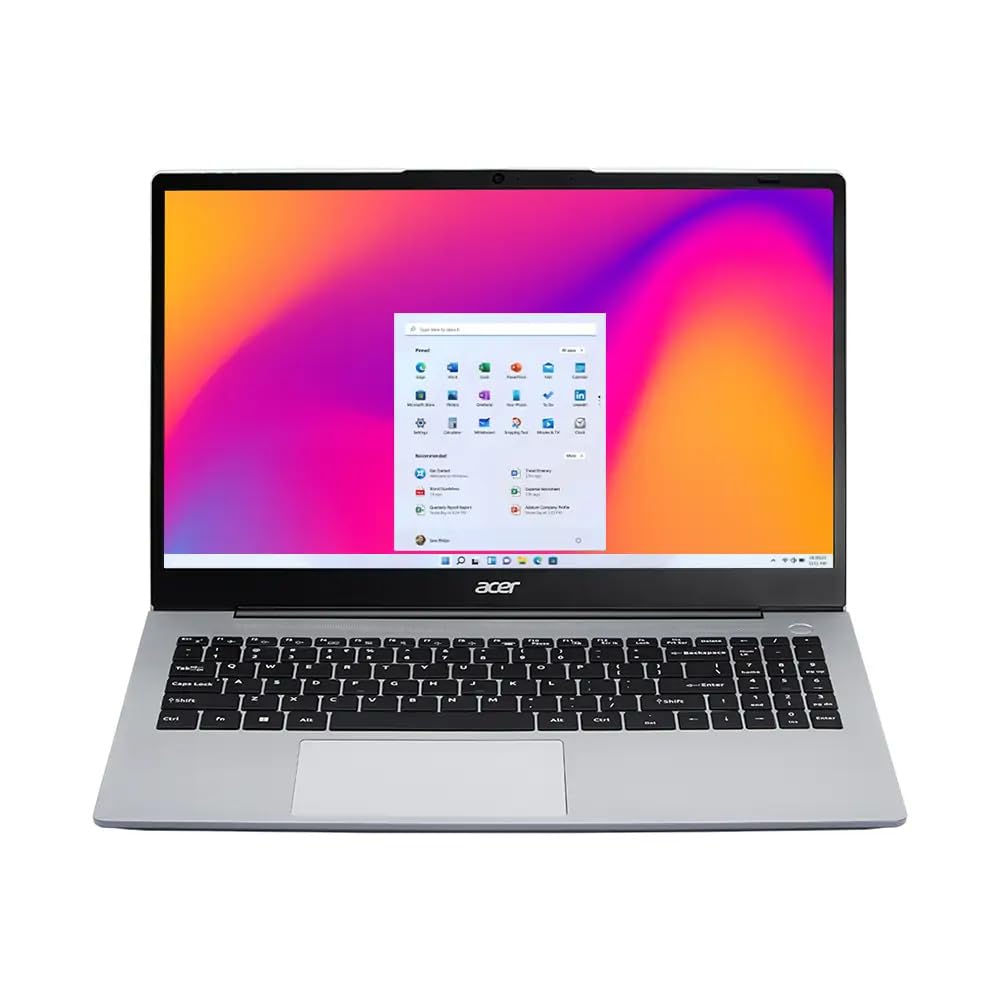
Gambar: The Acer Aspire 3 laptop in an open position, showcasing its display and keyboard. This image illustrates the general appearance of the laptop during initial setup.
Parentah Operasi
1. Fitur tampilan
Your laptop features a 15.6-inch Full HD (1920 x 1080) display with anti-glare properties and ComfyView technology for reduced eye strain. The display also supports a 180-degree hinge, allowing for versatile viewdina sudut.

Gambar: The laptop display showcasing vibrant, high-definition visuals, highlighting the Full HD resolution and ComfyView Fitur.

Gambar: The Acer Aspire 3 laptop demonstrating its 180-degree hinge, allowing the screen to lay flat for various viewing and sharing scenarios.
2. Keyboard jeung Touchpad
The laptop is equipped with a full-size backlit keyboard, including a Numpad for enhanced productivity. The integrated touchpad supports multi-touch gestures for navigation.
3. Konektipitas
The Acer Aspire 3 supports Realtek Wi-Fi 6 (802.11ax) for fast wireless internet access and Bluetooth 5.1 for connecting wireless peripherals.
Gambar: A visual representation of the laptop's fast and reliable wireless connectivity, indicating Wi-Fi 6 and Bluetooth 5.1 capabilities.
4. Ports and External Connections
The laptop provides a variety of ports for connecting external devices:
- 2x USB-C 3.2 Gen 2 (10Gbps)
- 2x USB 3.2 Gen 1 (5Gbps)
- 1x USB 2.0
- 1x HDMI v1.4
- 1x Jack kombinasi headphone/mikropon
5. Kaméra sareng Audio
The integrated 1080p FHD Camera with a privacy shutter, along with two built-in digital microphones and stereo speakers, ensures clear audio and video for conferencing and communication.

Gambar: The laptop screen showing a video conferencing application with multiple participants, illustrating the clarity of audio and video features.
Pangropéa
1. Ngabersihan Laptop Anjeun
- Anggo lawon anu lemes sareng henteu ngaganggu pikeun ngabersihkeun layar. Hindarkeun bahan kimia anu keras.
- Pikeun kibor sareng chassis, anggo rada damp lawon. Pastikeun teu aya cairan anu asup kana alat.
- Regularly clean the ventilation openings to prevent dust buildup, which can affect performance.
2. Apdet parangkat lunak
Keep your Windows 10 Pro operating system and drivers updated to ensure optimal performance and security. Check for updates regularly through Windows Update.
3. Kaperawatan batré
To prolong battery life, avoid extreme temperatures and do not leave the laptop plugged in at 100% charge for extended periods. For long-term storage, charge the battery to about 50-60%.
4. Manajemén gudang
Périodik ulangview jeung mupus teu perlu files to maintain sufficient free space on your 4TB SSD, which contributes to system performance.
Pamérésan masalah
If you encounter issues with your Acer Aspire 3 laptop, consider the following common troubleshooting steps:
- Henteu aya kakuatan: Pastikeun adaptor AC disambungkeun pageuh kana laptop sareng stop kontak anu tiasa dianggo. Cobi stop kontak anu sanés.
- Masalah tampilan: If the screen is blank, try connecting an external monitor to check if the issue is with the laptop's display or graphics card. Adjust brightness settings.
- Konektipitas Wi-Fi: Check if Wi-Fi is enabled in Windows settings. Restart your router and the laptop. Ensure drivers are updated.
- Performance Lambat: Close unnecessary applications. Check for malware. Ensure sufficient free storage space and update your operating system.
- Periferal Teu Dideteksi: Cobi sambungkeun periferal ka port USB anu béda. Pastikeun driver pikeun periferal parantos dipasang.
For more complex issues, refer to the Acer support websitus atanapi ngahubungan layanan palanggan.
spésifikasi
| Fitur | Rincian |
|---|---|
| Ngaran modél | Aspire 3 (A325-42) |
| Prosesor | AMD Ryzen 7 7730U (8-Core, up to 4.5 GHz) |
| Grafika | Grafis AMD Radeon (Terpadu) |
| tampilan | 15.6" FHD (1920 x 1080) 60Hz, Anti-glare, 250 nits, 45% NTSC, ComfyView |
| Ram | 32GB DDR4 SDRAM 3200 MHz |
| Panyimpenan | 4TB NVMe M.2 SSD |
| Sistem operasi | Windows 10 Pro |
| kibor | Backlit Keyboard with Numpad |
| Konéktipitas Wireless | Realtek Wi-Fi 6 (2x2), Bluetooth 5.1 |
| Palabuhan | 2x USB-C 3.2 Gen 2, 2x USB 3.2 Gen 1, 1x USB 2.0, 1x HDMI v1.4, 1x Headphone/Mic Combo |
| Webkaméra | 1080p FHD Camera |
| Batré | 55Wh Lithium-Ion (up to 6 hours) |
| Ukuran (L x W x H) | 14.22 x 10 x 0.77 inci |
| Beurat | 3.94 lbs (1.79 kg) |
| Warna | Pure Silver |

Gambar: The Acer Aspire 3 laptop from various angles, highlighting its sleek design, thickness (19.3mm), and overall dimensions and weight (1.79 kg).
Garansi sareng Rojongan
1. Garansi produk
Your Acer Aspire 3 laptop comes with a 12-month warranty. This warranty covers manufacturing defects and ensures your product functions as intended under normal use. For specific terms and conditions, please refer to the warranty card included with your product or visit the official Acer support websitus.
2. Rojongan Palanggan
For technical assistance, troubleshooting, or warranty claims, please contact Acer customer support. You can find contact information and additional resources on the official Acer websitus.
Dukungan Online: Nganjang www.acer.com/support for drivers, manuals, and FAQs.


