Bubuka
This instruction manual provides comprehensive guidance for the installation, operation, and maintenance of your AINAVI 15-inch Touchscreen Car Stereo Radio. Please read this manual thoroughly before using the product to ensure proper functionality and safety. Retain this manual for future reference.
1. Setélan
1.1 Unboxing jeung Eusi Paket
Carefully unpack all components and verify that all items listed below are present. If any items are missing or damaged, please contact customer support immediately.
- Car Head Unit with Frame for Toyota FJ Cruiser (x1)
- Buku Panduan Pamaké (x1)
- Kabel Daya (x1)
- AHD 1080P Rear View Kaméra (x1)
- GPS Antenna (x1)
- USB 4Pin Cable (x1)
- USB 6Pin Cable (x1)
- Mikropon (x1)
- Blue Frame Removal Tool (x1)

Gambar: All components included in the package, such as the head unit, cables, camera, and tools.
1.2 Daptar pariksa Pra-Pamasangan
Before beginning installation, ensure the following:
- The vehicle's ignition is off and the battery is disconnected.
- You have all necessary tools for vehicle panel removal and wiring.
- The installation environment is clean and well-lit.
- Confirm compatibility with your Toyota FJ Cruiser (2007-2021 models).
1.3 Léngkah-léngkah Instalasi
Installation of the AINAVI car stereo involves replacing the existing head unit and connecting the new components. Professional installation is recommended. The following steps provide a general overview:
- Using the blue frame removal tool, carefully remove the original car stereo and dashboard trim.
- Disconnect all wiring from the original unit.
- Connect the new power cable, GPS antenna, USB cables, and microphone to the AINAVI head unit.
- Route and connect the AHD 1080P Rear View Camera cable to the appropriate input on the head unit.
- Secure the AINAVI head unit with its frame into the dashboard opening.
- Reconnect the vehicle's battery and test the unit's functionality.
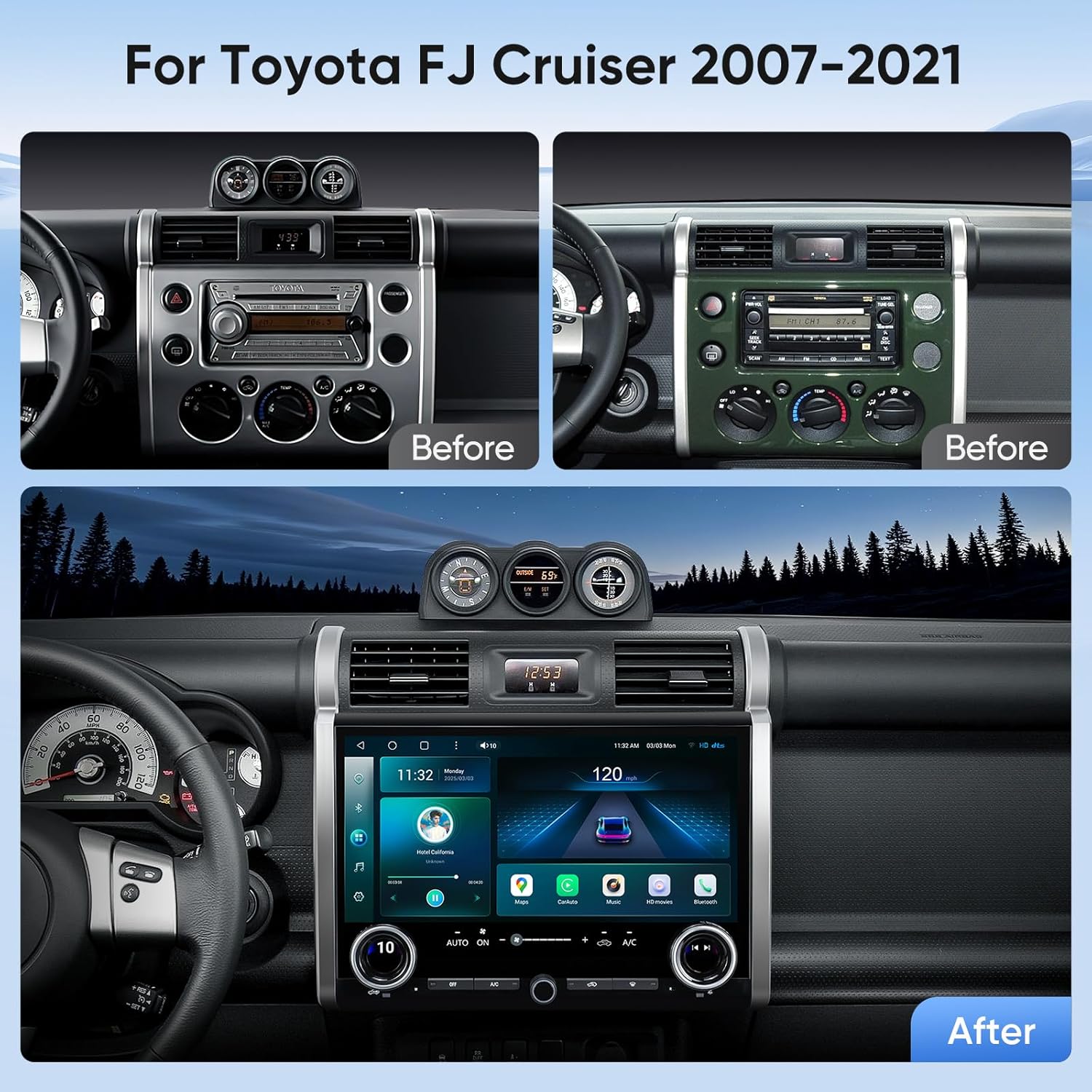
Gambar: Visual comparison of the dashboard before and after the installation of the AINAVI stereo.
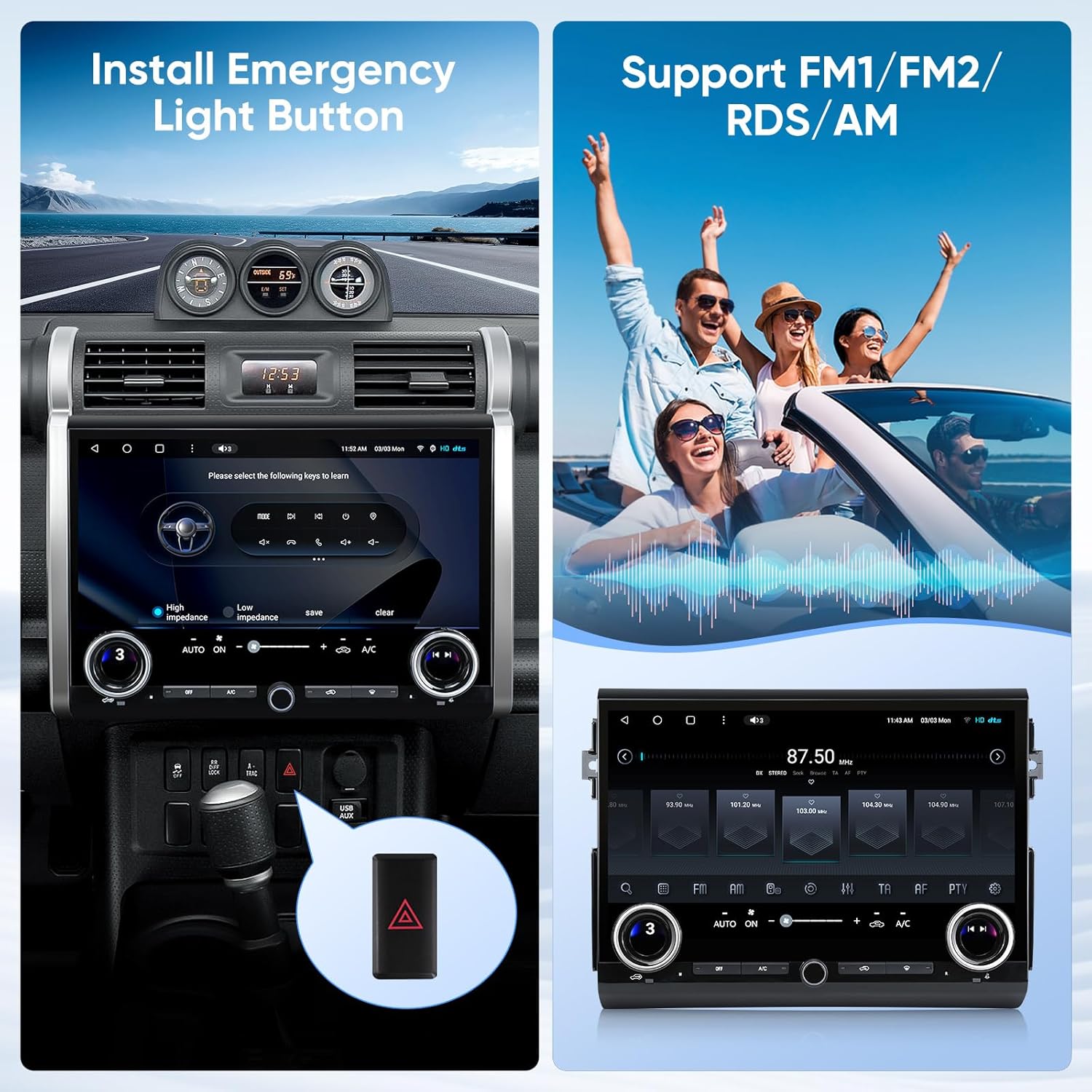
Gambar: Detail of the emergency light button integration during installation.
Video: A ringkes leuwihview of the 15-inch Touchscreen Car Stereo Radio for Toyota FJ Cruiser 07-21, showcasing its physical features and design.
2. Parentah Operasi
2.1 Daya Hurung/Pareuman
To power on the unit, ensure the vehicle's ignition is on. The unit will typically power on automatically. To power off, turn off the vehicle's ignition. The unit will enter standby mode or shut down completely depending on vehicle wiring.
2.2 Panganteur layar rampa
The 15-inch QLED touchscreen provides a high-resolution graphical user experience. Navigate through menus and applications by tapping, swiping, and pinching on the screen.

Gambar: The main interface of the 15-inch touchscreen car stereo.

Gambar: Key features of the HD 1080P touchscreen, highlighting resolution and viewdina sudut.
2.3 Knob and Button Controls
The unit features two large physical knobs and several physical buttons for convenient control of essential functions:
- Large Knobs: Adjust AC temperature and wind speed. Pressing the knob switches between these functions.
- Small Knob: Saluyukeun polumeu audio.
- Physical AC Buttons: Control various air conditioning functions directly.

Gambar: Demonstrating the use of manual knobs for climate control.
2.4 Connectivity (Wireless CarPlay & Android Auto, Bluetooth, Wi-Fi)
The stereo supports various connectivity options for seamless integration with your mobile devices and online services:
- CarPlay Nirkabel & Android Auto: Enjoy stable signal flow for navigation, music, and communication. Supports wired and wireless mirroring (Airplay + Android) with 1920x1080 resolution.
- Bluetooth: Sambungkeun smartphone anjeun pikeun nelepon tanpa nganggo leungeun sareng streaming audio.
- Wi-Fi (2.4GHz & 5GHz): Connect to a Wi-Fi hotspot for faster network speeds, real-time traffic information, and access to online applications.

Gambar: Display of Apple CarPlay and Android Auto functionality on the stereo screen.
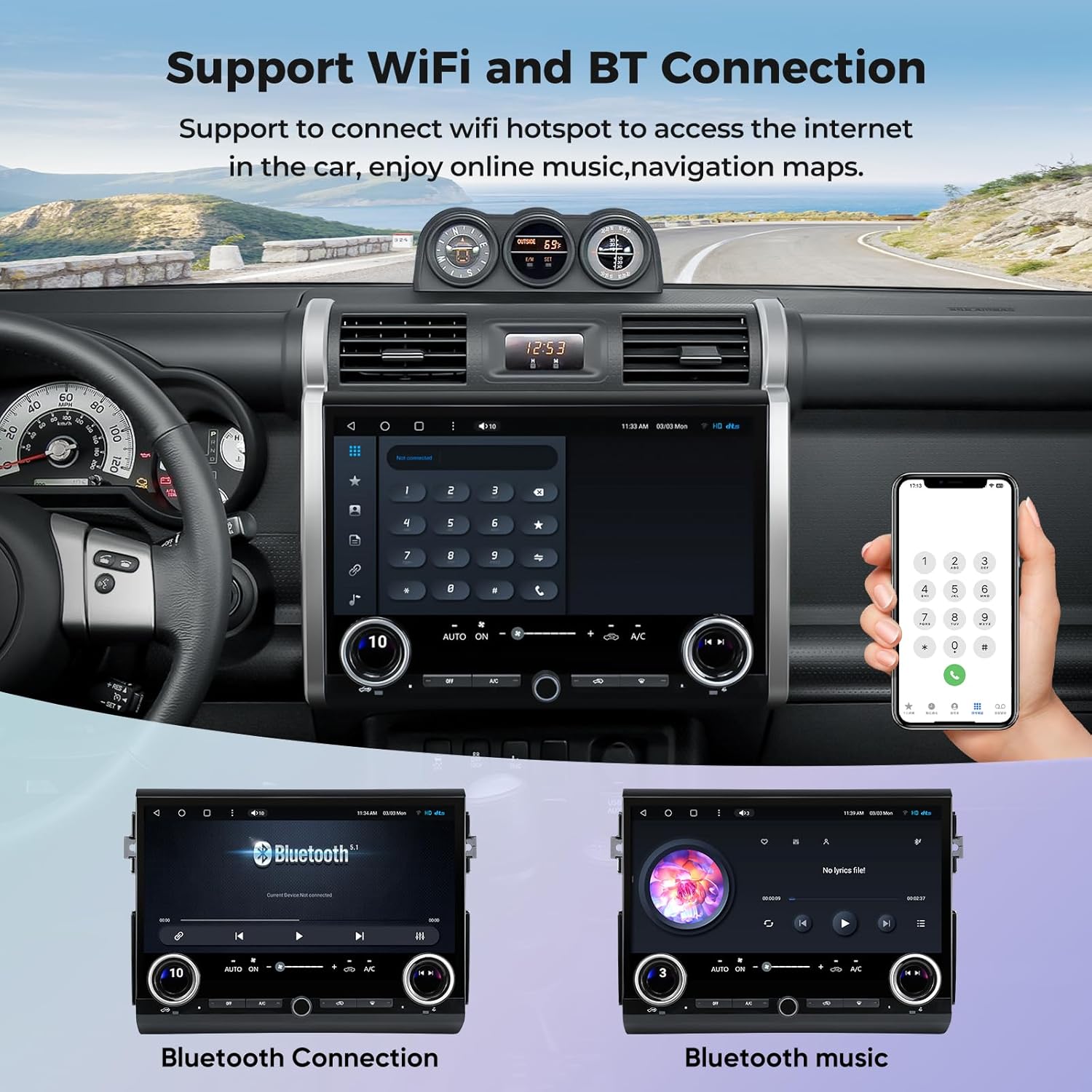
Gambar: Demonstrating Wi-Fi and Bluetooth connection capabilities.
2.5 Napigasi GPS
The unit supports most satellite services and features a built-in GPS module. With 5G WiFi, navigation is highly accurate. Utilize Google Maps for 2D and 3D perspectives, various route options (driving, cycling, pedestrian), obstacle alerts, and voice guidance for intelligent driving.

Gambar: GPS navigation interface with various map application options.
2.6 Audio Features (DSP, EQ)
Experience enhanced audio quality with the integrated Professional DSP (Digital Sound Processor) and 48-band EQ (Equalizer). Adjust the voice point according to seating position for optimal sound. Choose from 7 sound modes (Normal, Jazz, Pop, Classical, Heavy Metal, Vocal, Soft) and 6 surround sound patterns. Features include Bass Boost and individual speaker volume control for a powerful and customizable audio experience.

Gambar: DSP system interface showing equalizer and sound adjustment options.
2.7 Tukangeun View Kaméra
The included AHD 1080P Rear View Camera provides clear, high-definition reversing scenes. The astern ruler line assists with parking by indicating position, and if your car supports astern trajectory, it will also be displayed on the screen for added convenience and safety.
Gambar: Tukangeunview camera display with parking assistance features.
2.8 Split Screen Mode
The split-screen function allows you to run multiple applications simultaneously on the large display. For example, anjeun tiasa view navigation maps on one side while controlling music playback or browsing another application on the other side, enhancing multitasking capabilities.

Gambar: Example of split screen mode with two applications running concurrently.

Gambar: Further illustration of split screen and mirroring functions.
2.9 Control kabayang steering
The unit supports steering wheel controls, allowing you to manage audio, calls, and other functions without taking your hands off the wheel. This feature enhances driving safety and convenience.

Gambar: Steering wheel control integration for convenient operation.
2.10 Full RCA Output
The USB to RCA Output function allows you to connect external displays, such as headrest monitors, to the stereo. This enables independent video playback on multiple screens simultaneously, providing entertainment for passengers in the back seats during trips.

Gambar: Demonstration of full RCA output to external displays.
3. Pangropéa
3.1 beberesih
To maintain the clarity and responsiveness of the touchscreen, regularly wipe it with a soft, lint-free cloth. For stubborn smudges, slightly dampen the cloth with a screen cleaner specifically designed for electronics. Avoid abrasive materials or harsh chemicals.
3.2 Apdet parangkat lunak
Periodically check for software updates to ensure optimal performance, new features, and bug fixes. Refer to the manufacturer's website or contact support for instructions on how to check for and apply updates.
4. Cara ngungkulan
This section addresses common issues you might encounter with your AINAVI car stereo. For problems not listed here, or if solutions do not resolve the issue, please contact customer support.
| Masalah | Mungkin Cukang lantaranana | Solusi |
|---|---|---|
| Unit teu hurung. | Sambungan kakuatan leupas, sekering ditiup, ignition wahana pareum. | Check power cable connections. Inspect vehicle fuses. Ensure vehicle ignition is on. |
| Taya kaluaran audio. | Volume too low, incorrect audio source, speaker wiring issue. | Naékkeun volume. Pilih sumber audio anu leres. Pariksa sambungan spiker. |
| Sinyal GPS leungit atanapi teu akurat. | GPS antenna obstruction, poor satellite reception. | Pastikeun anteneu GPS boga jelas view of the sky. Move vehicle to an open area. |
| Layar rampa teu ngaréspon. | Software glitch, temporary freeze. | Pareuman terus hurungkeun deui unitna (pareuman jeung hurungkeun kandaraan). Upami masalahna masih aya, laksanakeun reset pabrik (tingali menu setélan). |
| Air conditioner issues after installation. | Wiring or compatibility issue. | Contact AINAVI technical support for assistance. |
5. Spésifikasi
| Fitur | Rincian |
|---|---|
| merek | AINAVI |
| Ngaran modél | 15" Touchscreen Car Stereo Radio for Toyota FJ Cruiser |
| ASIN | B0F8B943NK |
| Ukuran tampilan | 15 inci |
| Resolusi | 1920 x 1080 (QLED) |
| Prosesor | Qualcomm 8 Core CPU, Dual-Core GPU |
| Mémori (RAM) | 8GB |
| Panyimpenan (ROM) | 128GB |
| Sistem operasi | Android 13 |
| Konektipitas | Bluetooth, USB, Wi-Fi (2.4GHz & 5GHz), Wired, Wireless |
| Fitur husus | Wireless CarPlay, Android Auto Mirroring, DTS Sound Effect, Off-Road Intelligence, RDS, Split Screen Function, 48-EQ (Sound Point Control), Premium DSP, 1080P Rear View Camera Support, Physical Knobs for AC/Volume. |
| Mode Kaluaran Audio | Sakuliling stereo |
| Map Type Support | Europe, North America, South America, Worldwide |
| Tipe Pamasangan | Dasbor Gunung |
| Item Beurat | 6.83 pon |
| Ukuran Paket | 15.44 x 13.12 x 5.59 inci |
6. Garansi
The AINAVI 15-inch Touchscreen Car Stereo Radio comes with a 12 Months Manufacturer Guarantee. This warranty covers defects in materials and workmanship under normal use. Please retain your proof of purchase for warranty claims. For detailed warranty terms and conditions, refer to the product documentation or contact AINAVI customer support.
7. Rojongan
AINAVI is committed to providing excellent customer service and technical support. Our professional technical support team is available to assist with installation queries and any issues you may encounter, including air conditioner integration problems.
Inpormasi kontak:
- Telepon Layanan Pelanggan: +1 (833) 858-5016
- Jam Gawé: 3:00 PM to 12:00 PM PST
- Surélék: info@ainavi.com
You can also seek help via your order center on the platform where you purchased the product.

Gambar: Visual representation of customer support contact options.

Gambar: Steps to access customer installation support.

Gambar: Leuwihview of superior customer care process.

