1. Bubuka jeung Leuwihview
Thank you for choosing the Bagotte Robot Vacuum and Mop Combo, Model M2-4. This device is designed to provide efficient and convenient cleaning for your home, combining sweeping, vacuuming, and mopping functionalities. With its powerful 5000Pa suction and intelligent navigation, it effectively removes dust, debris, and pet hair from various floor types, including hard floors and carpets. The ultra-slim design allows it to clean under furniture, while smart obstacle avoidance ensures safe operation. This manual provides essential information for setup, operation, maintenance, and troubleshooting to ensure optimal performance and longevity of your robot cleaner.
2. Naon dina Box
Carefully unpack all components and verify that you have received all items listed below. If any items are missing or damaged, please contact Bagotte customer support.

Image: All components included in the Bagotte M2-4 Robot Vacuum and Mop Combo package.
- Bagotte Robotic Vacuum Cleaner (1)
- Electric Control Water Tank (1)
- Charging Station (1)
- Adaptor Daya (1)
- Sikat samping (2 pasang)
- Remote Controller (1)
- Kain pel (2)
- Mop Cloth Holder (1)
- Manual pamaké (1)
- HEPA Filter (Pre-installed in dustbin)
3. Setélan
3.1 Ngecas Station panempatan
Place the charging station against a wall in an open, uncluttered area. Ensure there is at least 1 meter (3 feet) of clear space to the front and 0.5 meters (1.5 feet) to each side of the charging station. Plug the power adapter into the charging station and then into a wall outlet. Ensure the indicator light on the charging station is on.
3.2 Ngecas Awal
Place the robot onto the charging station, ensuring the charging contacts on the robot align with those on the station. The robot will begin charging automatically. For first-time use, fully charge the robot for at least 6 hours. The indicator light on the robot will change to solid green when fully charged.
3.3 Masang Sikat Sikat
Attach the side brushes by pressing them onto the square posts at the bottom of the robot until they click into place. Ensure they are securely fastened.
3.4 App Connection (Wi-Fi Setup)
To utilize smart features, download the Bagotte app from your mobile device's app store. Follow the in-app instructions to connect your robot to your home 2.4GHz Wi-Fi network. This will enable remote control, scheduling, and mode selection via your smartphone.
4. Parentah Operasi
4.1 Powering on / Pareum
Press and hold the power button on the robot for 3 seconds to turn it on or off. A voice prompt will confirm the action.
4.2 Modeu beberesih
The Bagotte M2-4 offers multiple cleaning modes to suit different needs:

Image: Illustration of the various cleaning modes available on the Bagotte M2-4 robot vacuum.
- beberesih otomatis: The robot cleans in a systematic pattern, adjusting its path based on the environment.
- Beberesihan Tempat: The robot intensely cleans a specific area in a spiral pattern, ideal for concentrated dirt.
- Bersihan Tepi: Robot ieu ngabersihkeun sapanjang témbok sareng sisi parabot pikeun mastikeun panutupan anu lengkep.
- Zig-Zag Cleaning: The robot cleans in a back-and-forth pattern, suitable for large, open areas.
- Jadwal beberesih: Set specific times for the robot to start cleaning automatically via the app.
- Ngecas Otomatis: The robot automatically returns to its charging station when battery is low or cleaning is complete.
4.3 App Control
The Bagotte app provides comprehensive control over your robot vacuum. You can:

Image: The Bagotte app interface demonstrating control over cleaning modes, scheduling, suction power, and battery status.
- Select cleaning modes (Auto, Spot, Edge).
- Set cleaning schedules for specific days and times.
- Adjust suction power (Quiet, Standard, Strong, Max).
- Monitor battery level and cleaning status.
- View cleaning history and error messages.
4.4 Jauh Jauh
Use the included remote control for basic operations:
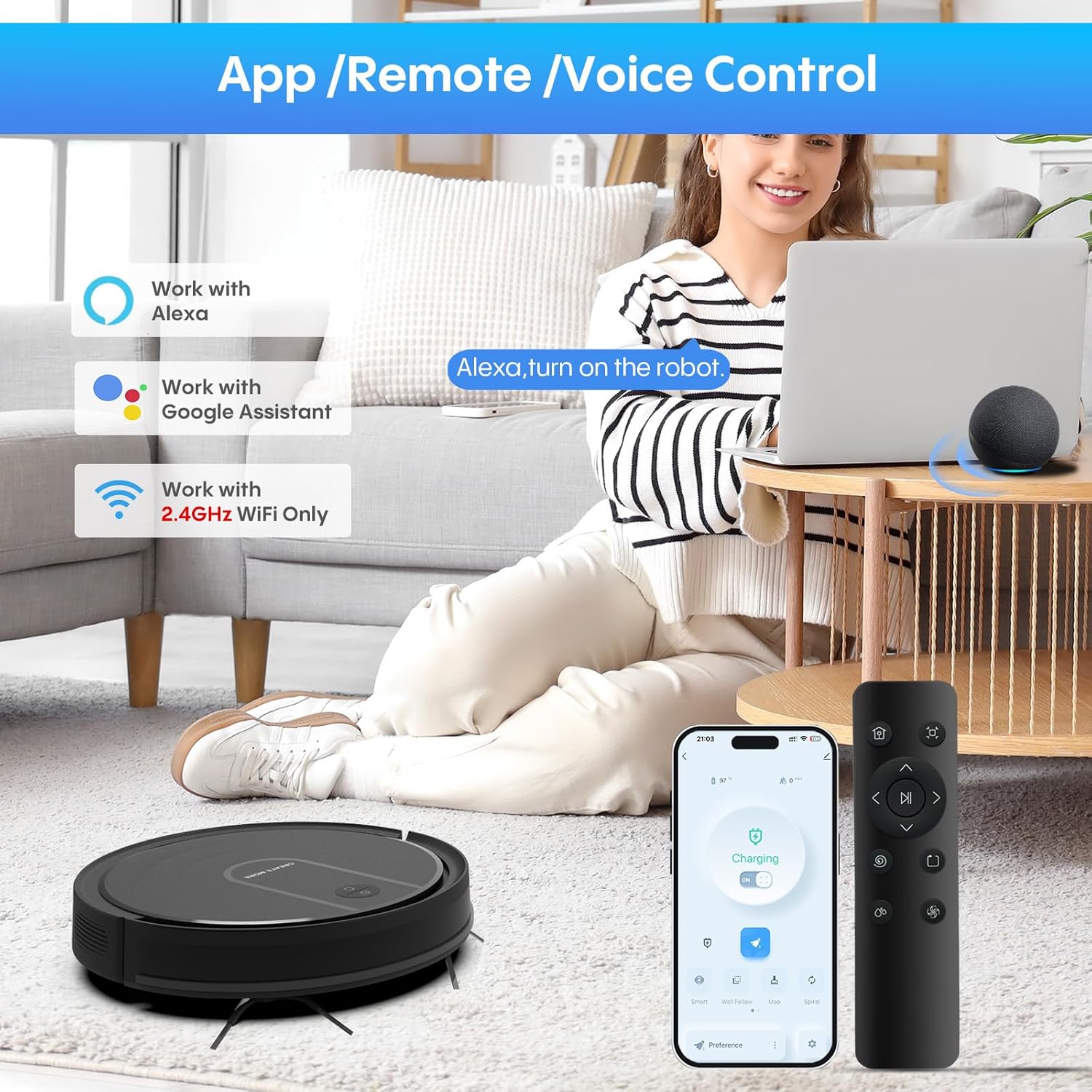
Image: The Bagotte M2-4 can be controlled via its dedicated app, remote control, or voice commands through smart assistants like Alexa and Google Assistant.
- Mimitian / Reureuh beberesih.
- Kirimkeun robot deui ka stasiun ngecas.
- Manually control direction.
- Pilih modeu beberesih.
4.5 Kontrol sora
The Bagotte M2-4 is compatible with Amazon Alexa and Google Assistant. Enable the Bagotte skill/action in your smart assistant app and link your account. You can then use voice commands such as:
Dokumén Patali - M2-4
 |
Bagotte BG600MAX Robot Vacuum Cleaner Manual Pamilik Buku panduan lengkep pikeun nu boga Robot Vacuum Cleaner Bagotte BG600MAX, anu ngawengku pitunjuk kaamanan penting, fitur produk, operasi, pangropéa, ngungkulan masalah, sareng spésifikasi. |
 |
Bagotte BG800 Robot Vacuum Cleaner Manual Pamilik Manual ieu nyayogikeun pitunjuk lengkep pikeun Robot Vacuum Cleaner Bagotte BG800, anu ngawengku setelan, operasi, pangropéa, ngungkulan masalah, sareng spésifikasi. Diajar kumaha ngagunakeun robot anjeun sacara efektif sareng ngajagana dina kaayaan optimal. |
 |
Pituduh Mimitian Gancang Robot Vacuum Cleaner Bagotte BG750 Diajar kumaha nyetél sareng nyambungkeun robot vacuum cleaner Bagotte BG750 anjeun nganggo pituduh ngamimitian gancang anu lengkep ieu. Ngawengku pitunjuk pikeun ngecas, sambungan aplikasi, sareng setelan Wi-Fi. |
 |
Manual Pamasangan Aplikasi Robot Bagotte BG750 Pituduh léngkah-léngkah pikeun masang sareng nyetél aplikasi robot vacuum cleaner Bagotte BG750, kalebet sambungan Wi-Fi, nyieun akun, sareng integrasi asisten sora sareng Amazon Alexa sareng Google Assistant. |
 |
Bagotte BG750 Robotic Vacuum Cleaner Manual Pamaké Manual pamaké komprehensif pikeun Bagotte BG750 Robotic Vacuum Cleaner, ngawengku setelan, operasi, pangropéa, ngungkulan, sarta spésifikasi. Diajar kumaha ngagunakeun BG750 anjeun pikeun beberesih lantai anu efisien sareng otomatis. |
 |
Bagotte BG750 Robotic Vacuum Cleaner Manual Pamaké Buku pituduh lengkep pikeun Robot Vacuum Cleaner Bagotte BG750, anu ngawengku parentah kaamanan, setelan, operasi, pangropéa, ngungkulan masalah, sareng spésifikasi. Diajar kumaha nyetél, nganggo, sareng ngarawat robot vacuum anjeun. |