1. Bubuka
The Thunderobot Radiant 16 is a high-performance gaming laptop designed for immersive gaming and demanding creative tasks. It features a powerful Intel Core i9-14900HX processor, NVIDIA GeForce RTX 5080 graphics, a high-refresh-rate QHD+ display, and advanced cooling solutions. This manual provides essential information for setting up, operating, maintaining, and troubleshooting your device.

Figure 1.1: Thunderobot Radiant 16 Gaming Laptop Overview
2. Ngamimitian: Setup Awal
2.1 Ngabongkar sareng Inspeksi
Carefully remove the laptop and all accessories from the packaging. Verify that all components listed in the 'What's in the Box' section are present and undamaged. If any items are missing or damaged, contact customer support immediately.
- Thunderobot Radiant Laptop
2.2 Nyambung kana Kakuatan
Before first use, ensure the laptop is fully charged. Connect the AC power adapter to the laptop's power input port and then to a wall outlet. The charging indicator light will illuminate.

Figure 2.1: AC Power Supply Port Location (refer to port labeled '8')
2.3 Mimiti Boot-up
Press the power button to turn on the laptop. Follow the on-screen instructions to complete the Windows 11 Home setup process, including language selection, network connection, and user account creation.
3. Ngoperasikeun Laptop Anjeun
3.1 Fitur tampilan
The Radiant 16 features a 16-inch QHD+ (2560 x 1600) display with up to a 300Hz refresh rate in discrete GPU mode. This provides ultra-crisp visuals and smooth motion, ideal for gaming and professional content creation.

Figure 3.1: Detailed Display Specifications
3.2 Keyboard and Input
The laptop is equipped with a full-score keyboard featuring three-zone RGB backlighting, 1.8mm key travel, and an independent numeric keypad for enhanced productivity and gaming control.
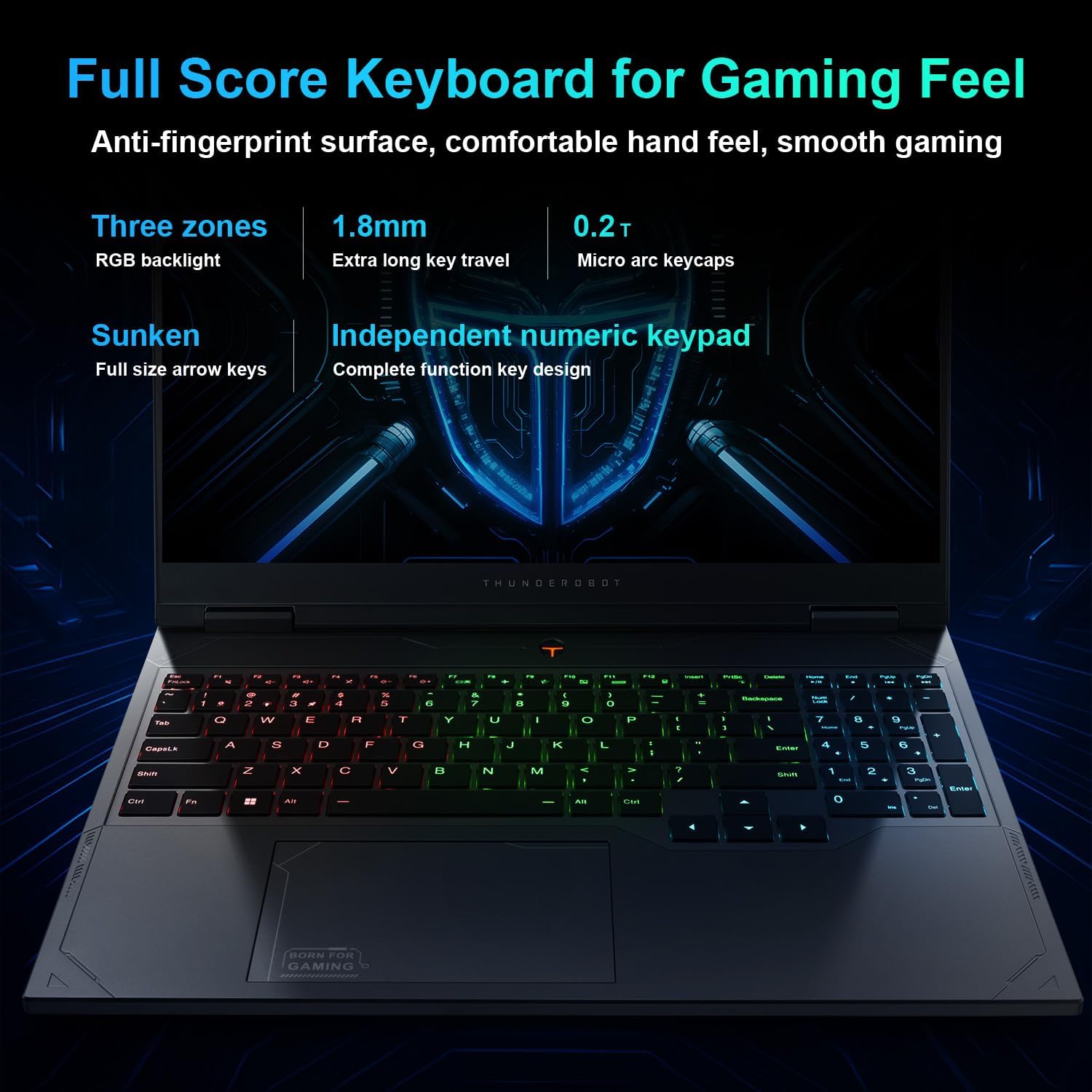
Figure 3.2: Keyboard Features and Design
3.3 Sistim Audio
Experience immersive sound with the Nahimic-powered audio system, delivering rich bass and crystal-clear highs for gaming and multimedia. Ensure audio drivers are up-to-date for optimal performance.
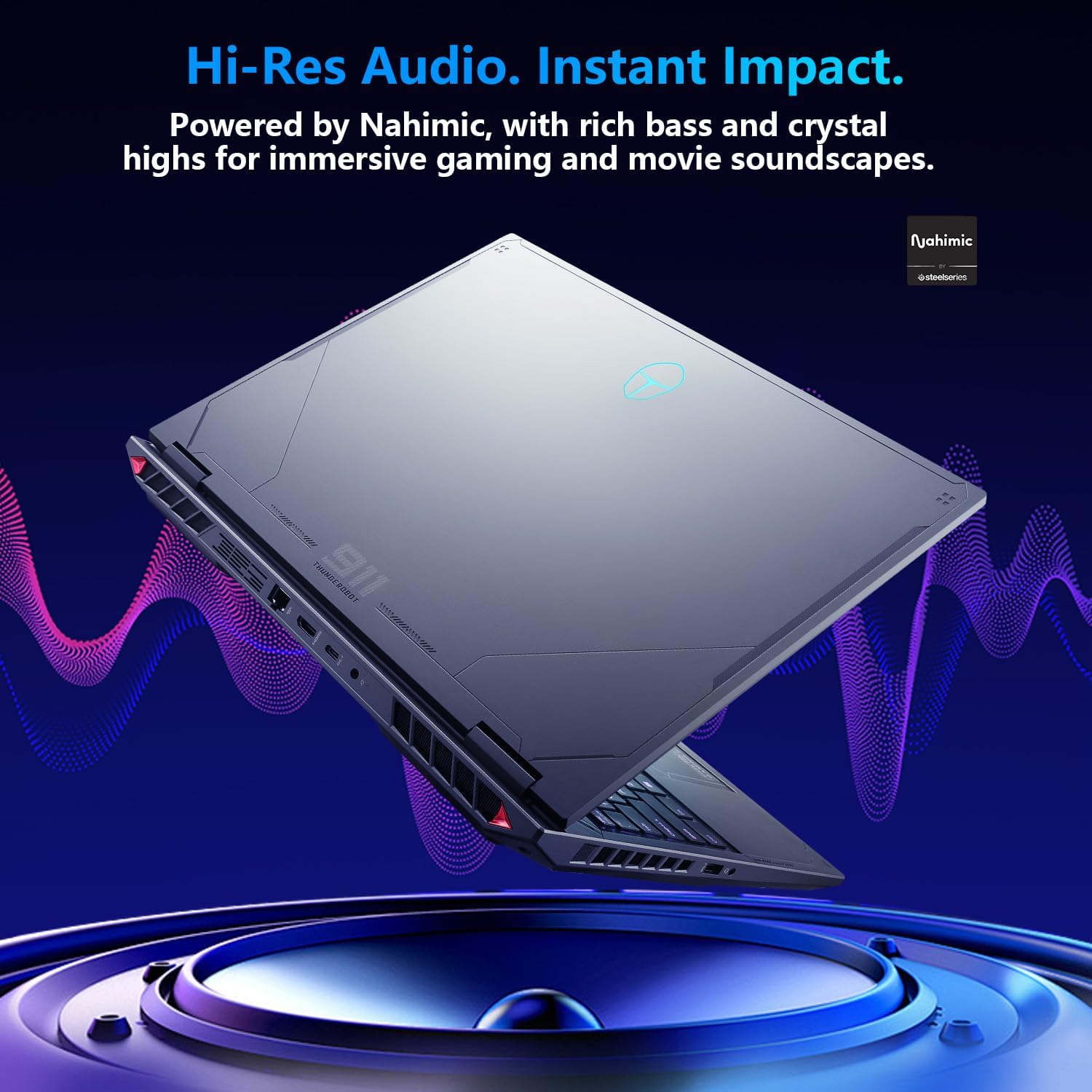
Figure 3.3: Nahimic Audio Integration
3.4 Performance Modes (Control Center)
The Control Center software allows you to adjust and switch between various performance modes, including Berserk mode for full performance, Game mode for balanced performance, and Audio/Video Office mode for power efficiency. Fan speed adjustments are also available.

Figure 3.4: Control Center User Interface for Performance Management
Note: System mode switching in Control Center requires the device to be connected to a power source.
4. Konektipitas
4.1 Palabuhan jeung Interfaces
The Radiant 16 offers a comprehensive selection of ports for various peripherals and external displays:
- 3 x USB 3.1 Gen1 Type-A ports
- 1 x USB 3.1 Gen2 Tipe-C port
- 1 x port HDMI 2.1
- 1 x port Ethernet RJ-45
- 1 x Audio Port (headphone/microphone combo)
- port catu daya AC
Gambar 4.1: Leuwihview of Laptop Ports and Connectors
4.2 Konéktipitas Wireless
The laptop supports Wi-Fi 6 for high-speed wireless internet access and Bluetooth for connecting wireless peripherals such as headphones and mice.

Figure 4.2: Wi-Fi 6 Connectivity Benefits
5. Kinerja sareng Pendinginan
5.1 Prosesor sareng Grafis
The Thunderobot Radiant 16 is powered by the 14th Gen Intel Core i9-14900HX processor (24 Cores, 32 Threads, up to 5.8 GHz) and an NVIDIA GeForce RTX 5080 graphics card. This combination delivers exceptional performance for gaming, content creation, and demanding applications.

Figure 5.1: Intel Core i9-14900HX and NVIDIA GeForce RTX 5080 Specifications
5.2 Sistim cooling canggih
To maintain optimal performance during intense workloads, the Radiant 16 incorporates a robust cooling system featuring Glacier Six Copper Tubes, reconstructing 3D heat pipes with ultra-thin cooling fins, and Night Owl Quick Cooling Fans that increase air volume by 40%.

Figure 5.2: Wind-Driven Thermal Mastery Components
6. Spésifikasi Téknis
Below are the detailed technical specifications for the Thunderobot Radiant 16 i9 5080 Gaming Laptop:
| Fitur | Spésifikasi |
|---|---|
| Ukuran Layar Ngadeg | 16 inci |
| Resolusi layar | 2560 x 1600 piksel (QHD+) |
| Resolusi layar Max | 2560x1600 Piksel |
| Prosesor | 5.8 GHz Intel Core i9-14900HX (24 Cores, 32 Threads) |
| Ram | 32 GB DDR5 |
| Laju mémori | 4800 MHz |
| Hard Drive | 1 TB SSD (PCIe M.2) |
| Grafik Coprocessor | NVIDIA GeForce RTX 5080 |
| Katerangan kartu | Dedicated |
| Tipe Wireless | 802.11ax (Wi-Fi 6) |
| Jumlah USB 3.0 palabuhan | 4 (3x USB 3.1 Gen1 Type-A, 1x USB 3.1 Gen2 Type-C) |
| Sistem operasi | Windows 11 Imah |
| Item Beurat | 12 pon |
| Ukuran produk (L x W x H) | 14.09 x 10 x 0.82 inci |
| Warna | Hideung |
| Sumber Daya | AC & Batré |
| Fitur husus | Keypad Angka |
7. Pangropéa sarta perawatan
Proper maintenance ensures the longevity and optimal performance of your Thunderobot Radiant 16 laptop.
7.1 beberesih
- layar: Make kaen nu lemes, teu aya lint rada dampdikumbah ku cai atawa solusi beberesih layar. Ulah nyemprot cairan langsung kana layar.
- Keyboard sareng Chassis: Paké lawon lemes, garing. Pikeun kokotor nekad, a rada damp lawon bisa dipaké, pikeun mastikeun euweuh cairan anu asup kana liangna. Udara anu dikomprés bisa dipaké pikeun ngabersihan lebu tina tombol sareng ventilasi kibor.
7.2 Perawatan Batré
- Hindarkeun sering-sering ngeusi batre.
- If storing the laptop for an extended period, charge the battery to about 50-60% and store in a cool, dry place.
- Use only the original Thunderobot power adapter.
7.3 Apdet parangkat lunak
Regularly update your operating system, drivers (especially graphics drivers), and Control Center software to ensure stability, security, and optimal performance.
8. Cara ngungkulan
Bagian ieu ngabahas masalah umum anu anjeun tiasa pendak sareng laptop anjeun.
8.1 Masalah kakuatan
- Laptop teu hurung: Pastikeun adaptor daya disambungkeun pageuh kana laptop sareng stop kontak anu tiasa dianggo. Pariksa naha lampu indikator daya hurung. Coba tahan tombol daya salami 15-20 detik pikeun ngalakukeun reset keras.
- Batré teu ngecas: Verify the power adapter is functioning. Check the charging port for any debris. Try restarting the laptop.
8.2 Masalah tampilan
- Henteu aya tampilan: Connect an external monitor to the HDMI port to check if the issue is with the laptop's internal display. Try pressing Fn + F10 (or similar function key for display toggle) to switch display outputs.
- Screen flickering: Update your graphics drivers. Adjust the display refresh rate in Windows settings.
8.3 Masalah Audio
- Teu aya sora: Check volume levels in Windows and ensure speakers/headphones are properly connected. Verify that audio drivers are installed and up-to-date in Device Manager.
- Audio distort: Update audio drivers. Try disabling audio enhancements in sound settings.
For more complex issues, refer to the official Thunderobot support websitus atanapi ngahubungan layanan palanggan maranéhna.
9. Garansi jeung Rojongan
Thunderobot is committed to providing excellent customer service and product support.
9.1 Garansi Produk
Every Thunderobot laptop includes a 12-month warranty, offering expert support, thorough diagnostics, and genuine parts if a repair is needed. A 90-day warranty is also provided on all warranty replacement parts, ensuring hassle-free repairs.

Figure 9.1: Warranty and Service Commitment
9.2 Rojongan Palanggan
For technical assistance, warranty claims, or general inquiries, please visit the official Thunderobot website or contact their customer support channels. Keep your product's serial number handy when contacting support.
Anjeun tiasa mendakan langkung seueur inpormasi sareng dukungan dina Thunderobot Store on Amazon.


