1. Bubuka
Hatur nuhun pikeun meuliasing the G Keni Elegant CD Player Alarm Clock Radio. This device combines a top-loading CD player, FM radio, Bluetooth speaker, MP3/USB music player, and an alarm clock with a wireless charging station. It is designed to provide versatile audio entertainment and convenience for your home. Please read this manual thoroughly before use to ensure proper operation and to maximize your experience with the product.
2. Naon dina Box
- 1x G Keni Elegant CD Player Alarm Clock Radio (Model LC-10W)
- 1x Owner's Manual
- 1x Kabel Listrik AC
- 1x Remote Control (2*AAA dry batteries NOT INCLUDED)
3. Produk Langkungview
Familiarize yourself with the main components and controls of your G Keni device.

Gambar 3.1: Hareupeun view of the G Keni CD Player Alarm Clock with a smartphone charging wirelessly on top and the remote control.
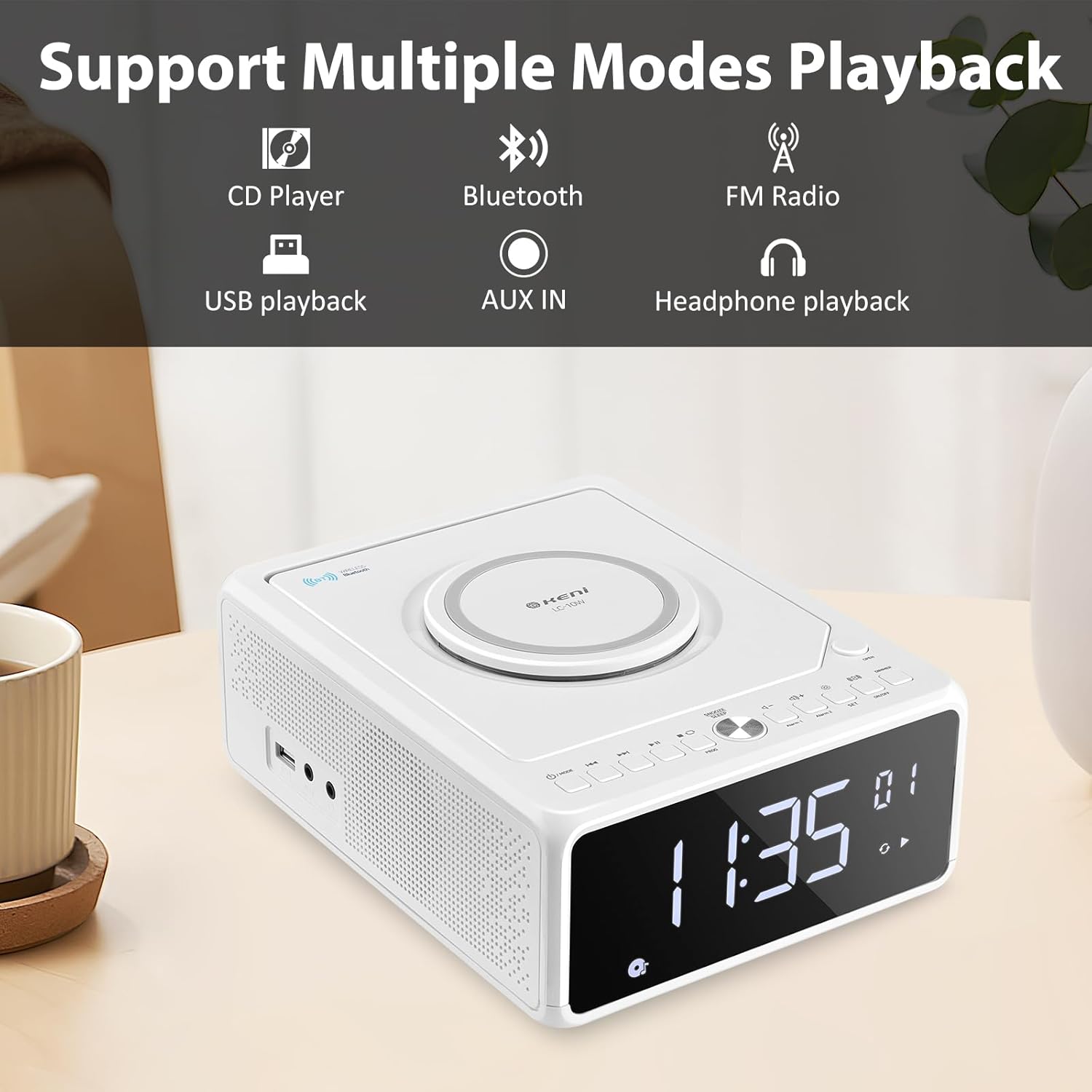
Gambar 3.2: Leuwihview of supported playback modes: CD Player, Bluetooth, FM Radio, USB playback, AUX IN, and Headphone playback.
3.1 Front Panel & Display
- Tampilan LED ageung: Shows time, FM frequency, mode, and alarm status.
- Tombol kontrol: Power, Mode, Set, Volume, Skip/Tune, Alarm 1/2, Snooze/Dimmer.
3.2 Panel Top
- Kompartemen CD: Top-loading mechanism for CDs.
- Pad ngecas nirkabel: Pikeun smartphone anu cocog.
3.3 Rear/Side Panels
- Input Daya AC: Nyambung ka adaptor kakuatan.
- Anteneu FM: Extendable wire antenna for radio reception.
- Port USB: For MP3/WMA playback from USB drives.
- Input AUX: 3.5mm jack pikeun alat audio éksternal.
- Kaluaran headphone: 3.5mm jack pikeun déngékeun swasta.
- Kompartemen batré: For backup batteries (2*AAA, not included) to retain time settings during power outages.
4. Setélan
4.1 Sambungan Daya
- Insert 2 AAA batteries (not included) into the battery compartment on the bottom of the unit. These batteries serve as a backup for time settings during power interruptions.
- Connect the AC power cord to the AC input on the back of the unit, then plug the other end into a standard wall outlet (100V-240V).
- Unit bakal hurung, sareng layar bakal hurung.
4.2 Nyetél Waktos
- Pencét jeung tahan tombol SET button until the hour digits begin to blink.
- Pencét éta Forward (▶▶I) or Rewind (I◀◀) button to adjust the hour. Ensure the correct AM/PM indicator is selected if using 12-hour format.
- Pencét éta SET button again. The minute digits will begin to blink.
- Pencét éta Forward (▶▶I) or Rewind (I◀◀) tombol pikeun ngaluyukeun menit.
- Pencét éta SET pencét tombol sakali deui pikeun mastikeun sareng ngahémat waktos.
- Pikeun pindah antara format 12-jam jeung 24-jam, pencét tombol Forward (▶▶I) button while the hour digits are blinking during time setting.
4.3 Anteneu FM
For optimal FM radio reception, fully extend the wire antenna located on the back of the unit. Adjust its position for the best signal.
5. Parentah Operasi
5.1 Playback CD

Figure 5.1: Inserting a CD into the top-loading compartment.
- Buka panutup kompartemen CD di luhur unit.
- Place a CD (CD, CD-R/RW, MP3, audio-book) onto the spindle with the label side facing up.
- Tutup panutup kompartemen CD.
- Pencét éta MODÉ button until 'CD' mode is selected. The unit will begin playing automatically.
- Ngagunakeun éta Play/Pause (▶II) tombol pikeun ngareureuhkeun atawa neruskeun playback.
- Ngagunakeun éta Forward (▶▶I) or Rewind (I◀◀) buttons to skip tracks. Press and hold to fast forward or rewind within a track.
- Saluyukeun polumeu nganggo VOL+ or VOL- kancing.
5.2 Nyapasangkeun Bluetooth
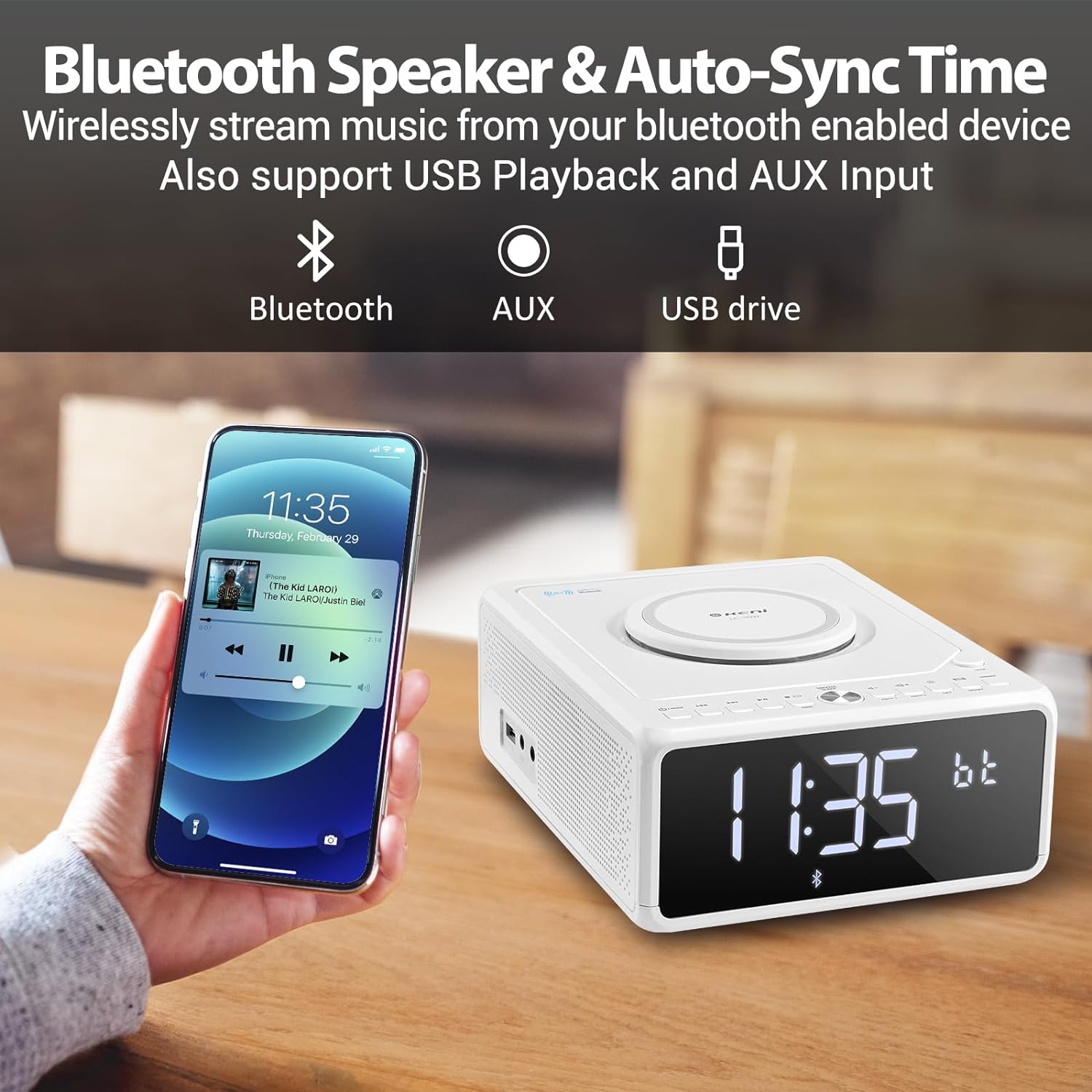
Figure 5.2: Streaming music from a smartphone via Bluetooth.
- Pencét éta MODÉ button until 'BT' (Bluetooth) mode is selected. The display will show 'BT' and blink, indicating it's in pairing mode.
- Dina telepon pinter anjeun atanapi alat Bluetooth anu sanés, aktipkeun Bluetooth teras milarian alat anu sayogi.
- Select 'G Keni' from the list of devices.
- Once paired, the 'BT' indicator on the display will stop blinking and remain solid. You can now stream audio from your device.
5.3 Operasi Radio FM

Figure 5.3: Enjoying FM radio with the G Keni unit.
- Pencét éta MODÉ button until 'FM' mode is selected.
- Scan Otomatis: Pencét jeung tahan tombol Play/Pause (▶II) tombol pikeun otomatis nyeken tur nyimpen stasiun FM sadia.
- Tuning Manual: Pencét éta Forward (▶▶I) or Rewind (I◀◀) tombol pikeun nyetel frékuénsi anu khusus sacara manual.
- Stasion prasetél: Ngagunakeun éta CH+ or CH- buttons on the remote control to navigate through saved preset stations.
5.4 Playback USB
- Selapkeun USB flash drive nu ngandung audio MP3/WMA files kana port USB.
- Pencét éta MODÉ button until 'USB' mode is selected. The unit will automatically detect and begin playing audio files.
- Ngagunakeun éta Play/Pause (▶II), Forward (▶▶I), jeung Rewind (I◀◀) tombol pikeun ngadalikeun playback.
5.5 Input AUX
- Sambungkeun alat audio éksternal (contona, pamuter MP3, smartphone) kana port AUX IN nganggo kabel audio 3.5mm (teu kaasup).
- Pencét éta MODÉ tombol nepi ka modeu 'AUX' dipilih.
- Kontrol puteran tina alat éksternal anjeun anu nyambung.
5.6 Fungsi Jam Alarm

Figure 5.4: The alarm clock on a bedside table, also showing wireless charging.
The unit features dual alarms (Alarm 1 and Alarm 2).
- Nyetel waktos Alarm:
a. Pencét jeung tahan tombol ALARMA 1 or ALARMA 2 tombol nepi ka angka jam kedip-kedip.
b. Anggo éta Forward (▶▶I) or Rewind (I◀◀) buttons to set the desired hour.
c. Pencét éta ALARMA 1 or ALARMA 2 button again. The minute digits will blink.
d. Anggo éta Forward (▶▶I) or Rewind (I◀◀) buttons to set the desired minutes.
e. Pencét dina ALARMA 1 or ALARMA 2 tombol deui pikeun mastikeun waktos alarm. - Milih Sumber Alarm:
a. After setting the alarm time, the display will show options for the alarm sound (e.g., BB for Buzzer, TUNE for Radio, CD, USB, BT for Bluetooth).
b. Anggo éta Forward (▶▶I) or Rewind (I◀◀) buttons to select your preferred alarm source.
c. Pencét éta ALARMA 1 or ALARMA 2 button to confirm the alarm source. - Setting Alarm Volume:
a. After selecting the alarm source, 'V' will blink on the display.
b. Anggo éta Forward (▶▶I) or Rewind (I◀◀) buttons to adjust the alarm volume.
c. Pencét éta ALARMA 1 or ALARMA 2 button to confirm the alarm volume. - Ngaktipkeun/Nonaktipkeun Alarm: Pencét sakeudeung ALARMA 1 or ALARMA 2 tombol pikeun ngaktipkeun atanapi mareuman alarm. Ikon alarm bakal muncul dina tampilan nalika aktip.
5.7 Snooze and Sleep Timer
- Hususkeun: Sawaktos alarm disada, pencét tombol SNOOZE / DIMMER button to temporarily silence the alarm for 9 minutes. The alarm will sound again after 9 minutes. This can be repeated within an hour.
- Timer Saré: While playing audio (Radio, CD, USB, Bluetooth), press the SARE button on the remote control repeatedly to cycle through sleep timer options (e.g., 10, 20, 30, 60, 90 minutes, or OFF). The unit will automatically turn off after the selected duration.
5.8 Kacaangan tampilan
Pencét éta SNOOZE / DIMMER tombol (atawa DIMMER button on the remote) repeatedly to adjust the brightness of the LED display. There are 5 levels of dimmable settings, including an option to turn the display off completely.
5.9 Ngecas Nirkabel

Figure 5.5: A smartphone being charged wirelessly on the unit's charging pad.
Place your Qi-enabled smartphone directly onto the wireless charging pad located on the top of the unit. Ensure the phone is centered for optimal charging. The unit supports fast wireless charging (Max 7.5W for iOS, 10W for Android).
5.10 Pamakéan Remote Control
The included remote control provides convenient access to all functions. Insert 2 AAA batteries (not included) into the remote before use. Buttons on the remote mirror most functions available on the unit's front panel, including Power, Mode, Volume, Skip/Tune, Alarm settings, Snooze, Sleep, and Dimmer.
6. Pangropéa
- beberesih: Ngusap unit ku kaén anu lembut sareng garing. Ulah make cleaners abrasive atawa pangleyur.
- Perawatan CD: Nanganan CD ku edges maranéhanana. Tetep beresih jeung bébas tina goresan.
- panempatan: Place the unit on a stable, flat surface away from direct sunlight, heat sources, and moisture. Ensure adequate ventilation.
7. Cara ngungkulan
If you encounter issues with your G Keni device, please refer to the following common problems and solutions:
| Masalah | Mungkin Cukang lantaranana | Solusi |
|---|---|---|
| Unit teu hurung. | Kabel listrik teu nyambung leres. | Pastikeun kabel listrik AC dicolokkeun sacara aman kana unit sareng stop kontak témbok anu tiasa dianggo. |
| CD ngaluncat atanapi henteu diputer. | CD kotor, calar, atanapi teu leres dipasangna. | Clean the CD with a soft, lint-free cloth. Ensure the CD is placed correctly in the compartment. Try a different CD. |
| panarimaan radio FM goréng. | Antenna not extended or positioned poorly. | Fully extend the FM wire antenna and adjust its position for better signal. |
| Alat Bluetooth teu dipasangkeun. | Unit not in BT mode or device too far. | Ensure the unit is in 'BT' mode and blinking. Keep your Bluetooth device within 10 meters (33 feet) of the unit. Restart both devices. |
| Ngecas nirkabel teu jalan. | Phone not Qi-enabled, misaligned, or case too thick. | Ensure your phone supports Qi wireless charging. Realign the phone on the charging pad. Remove thick phone cases. |
| Alarm did not sound. | Alarm teu diaktipkeun atanapi teu leres disetel. | Verify that the alarm is set and activated (alarm icon visible on display). Check alarm time and volume settings. |
8. Spésifikasi
- Jumlah modél: LC-10W
- Ukuran produk: 8.46 x 6.69 x 3.15 inci
- Beurat barang: 2.6 pon
- Téknologi konektipitas: Auxiliary, Bluetooth, USB
- Tipe Speaker: Speaker Dual
- Input kakuatan: AC 100V-240V
- Kaluaran Ngecas Nirkabel: Max 7.5W (iOS), Max 10W (Android)
- Range Frékuénsi FM: 87.5-108MHz
9. Garansi jeung Rojongan
G Keni provides a one-year warranty for this product from the date of purchase. This warranty covers manufacturing defects and workmanship. It does not cover damage caused by misuse, accidents, unauthorized modifications, or normal wear and tear.
For technical assistance, warranty claims, or customer service inquiries, please contact G Keni customer support. Refer to the contact information provided on the product packaging or the official G Keni websitus pikeun detil rojongan paling up-to-date.


