1. Bubuka
Thank you for choosing the Nuwave Gold Pro Precision Induction Cooktop. This manual provides essential information for the safe and efficient operation of your new appliance. Please read all instructions carefully before use and retain this manual for future reference.
2. Émbaran Kasalametan penting
WARNING: To reduce the risk of fire, electric shock, injury to persons, or damage to the appliance, read and follow all instructions.
- Always place the cooktop on a stable, level, heat-resistant surface.
- Pastikeun ventilasi anu cekap di sakitar unit. Ulah ngahalangan ventilasi hawa.
- Ulah neuleumkeun cooktop dina cai atawa cairan séjén.
- Anggo ngan ukur alat masak anu cocog sareng induksi. Alat masak anu henteu cocog moal panas.
- Do not touch the cooking surface immediately after use, as it may retain residual heat.
- Jauhkeun barudak jeung piaraan ti cooktop salila operasi.
- Unplug the cooktop when not in use and before cleaning.
- Ulah ngoperasikeun alat ieu upami kabel atanapi colokanna rusak, atanapi upami alatna teu tiasa dianggo atanapi parantos ruksak ku cara naon waé.
- Individuals with pacemakers or similar medical devices should consult their physician before using an induction cooktop.
3. Produk Langkungview
Komponén
- Nuwave Gold Pro Precision Induction Cooktop
- Meat Thermometer (included)
Panel kontrol sareng tampilan
The Nuwave Gold Pro features a digital touch screen control panel and an enhanced cool white LED display for clear visibility of time and temperature settings.

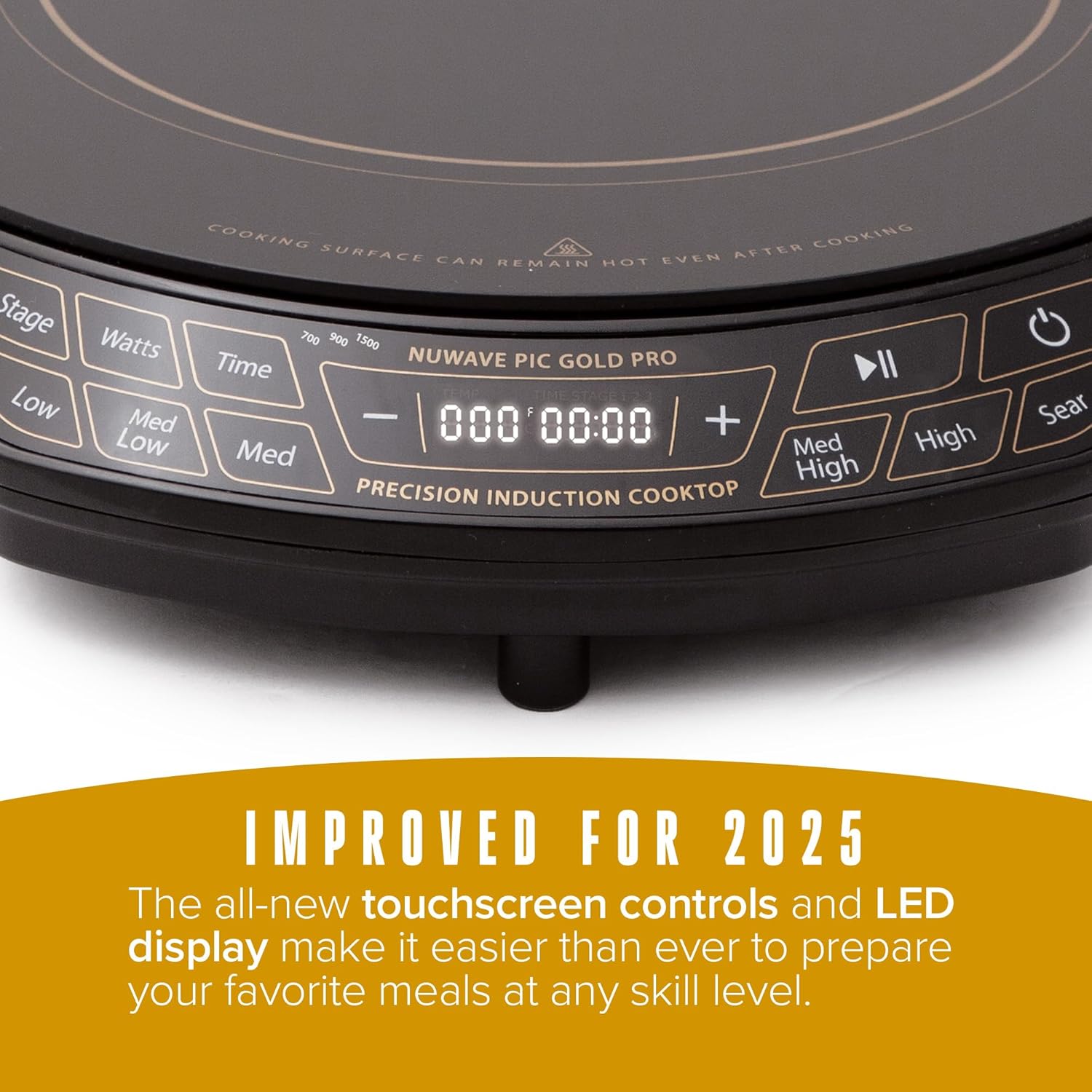
Kadali konci:
- Tombol Daya: Ngahurungkeun atanapi mareuman unit.
- Kontrol Suhu: Adjusts cooking temperature from 100°F to 575°F in 5-degree increments. Pre-set temperature buttons (Low, Med Low, Med, Med High, High, Sear) are also available.
- Wattage Kontrol: Adjusts power output between 700W, 900W, and 1500W.
- Tombol waktos: Nyetél pangatur waktu masak.
- Stage Tombol: For advanced multi-stage program masak.
- Tombol Puter/Reureuh: Pauses or resumes cooking.
4. Setélan
- Ngabongkar bungkusan: Carefully remove all packaging materials from the cooktop. Inspect the unit for any damage.
- panempatan: Place the cooktop on a dry, stable, and level surface. Ensure there is at least 6 inches of clear space around all sides for proper ventilation. Do not place on or near hot gas or electric burners, or in a heated oven.
- Sambungan Daya: Colokkeun kabel listrik kana stop kontak listrik 120V AC standar.
5. Parentah Operasi
5.1 Ngahurungkeun sareng mareuman
- Pikeun ngahurungkeun, pencét éta Kakuatan tombol. Layar bakal hurung.
- Pikeun mareuman, pencét éta Kakuatan tombol deui.
5.2 Operasi Masak Dasar
- Place induction-compatible cookware with food on the center of the cooktop.
- Pencét éta Kakuatan tombol pikeun ngahurungkeun unit.
- Select your desired temperature using the Suhu buttons (Low, Med Low, Med, Med High, High, Sear) or adjust precisely using the + jeung - buttons. Temperatures can be set from 100°F to 575°F in 5-degree increments.
- Optionally, adjust the wattage ku mencét tombol Watt button to cycle between 700W, 900W, and 1500W.
- Optionally, set a cooking time using the Waktos tombol jeung + jeung - buttons. The cooktop will automatically shut off when the timer expires.
- Pikeun ngareureuhkeun masak, pencét tombol Play / Reureuh tombol. Pencét deui pikeun nuluykeun.
5.3 Fitur Kasalametan
- Cookware Detection: The cooktop will not activate if no compatible cookware is placed on the surface. If cookware is removed during operation, the unit will pause and automatically shut off after 1 minute if the cookware is not returned.
- Pareum Otomatis: The unit will automatically shut off after 2 hours of continuous operation unless the timer is set for a longer duration or adjusted during cooking.


6. Kasaluyuan Cookware
The Nuwave Gold Pro Precision Induction Cooktop requires cookware with a magnetic base. To test if your cookware is compatible, hold a household magnet to the bottom of the pot or pan. If the magnet sticks, the cookware is induction compatible.
Compatible Cookware Materials:
- All Nuwave Cookware
- Enameled Iron & Steel
- Stainless Steel with a magnetic base
- Cast Iron & Carbon Steel
Incompatible Cookware Materials:
- Tambaga
- Kaca
- alumunium
- Urugan tanah

7. beberesih sarta Pangropéa
Beberesih rutin mastikeun kinerja anu optimal sareng manjangkeun umur kompor anjeun.
- Salawasna cabut colokan kompor teras antepkeun tiis sagemblengna sateuacan dibersihkeun.
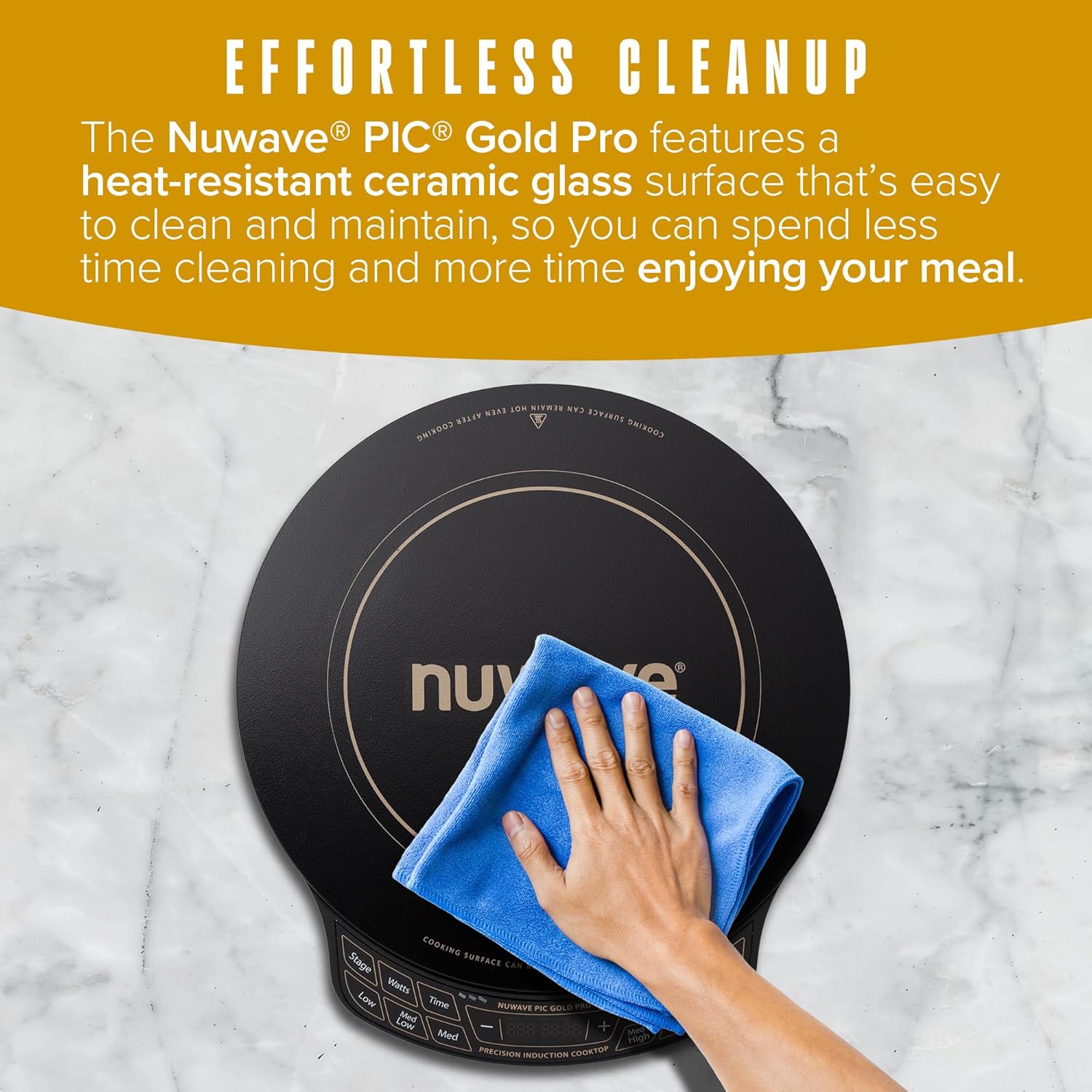
- Ngusap beungeut kaca keramik jeung adamp cloth and mild detergent. For stubborn stains, use a non-abrasive cleaner specifically designed for ceramic cooktops.
- Do not use abrasive pads, harsh chemicals, or steel wool, as these can scratch or damage the surface.
- Ngusap panel kontrol ku lemes, damp lawon. Pastikeun euweuh cairan asup kana wewengkon kontrol.
- Pastikeun komporna garing pisan sateuacan dipasang deui atanapi disimpen.
8. Cara ngungkulan
If you encounter issues with your Nuwave Gold Pro, please refer to the following common problems and solutions:
| Masalah | Mungkin Cukang lantaranana | Solusi |
|---|---|---|
| Kompor teu hurung atawa teu bisa dipanaskeun. | Teu plugged di; kakuatan outage; incompatible cookware; cookware not centered. | Check power connection; ensure compatible cookware is used and centered; check household circuit breaker. |
| Display shows 'C' instead of 'F' for temperature. | Temperature unit accidentally switched to Celsius. | Long press the 'Med High' button to toggle between Celsius and Fahrenheit. |
| Kompor eureun dipanaskeun nalika dioperasikeun. | Cookware removed; automatic shut-off activated; overheating. | Return cookware to surface; reset unit if auto-shutoff occurred; ensure proper ventilation and allow to cool if overheating. |
| Unusual noises (e.g., humming). | Normal operation with certain cookware; fan noise. | A slight humming sound is normal with induction technology. The internal fan operates to cool the unit. |
9. Spésifikasi
| Fitur | Rincian |
|---|---|
| Nomer modél | PIC Emas Pro |
| merek | Nuwave |
| Warna | Hideung |
| Bahan | Kaca Keramik |
| Unsur pemanasan | 1 |
| Ukuran produk (D x W x H) | 13.75" x 12.38" x 2.25" |
| Wattage | Adjustable (700W, 900W, 1500W) |
| Rentang Suhu | 100°F nepi ka 575°F (dina paningkatan 5°F) |
| Kontrol Tipe | Layar cabak |
| Tipe Burner | Induksi |
| Komponén Kaasup | 1 x Termométer Daging |
| Sumber Daya | Listrik |
| Item Beurat | 7.04 pon (3.2 Kilogram) |
| UPC | 652185302129 |
10. Garansi jeung Rojongan
The Nuwave Gold Pro Precision Induction Cooktop comes with a manufacturer's warranty. Please refer to the warranty card included with your product for specific terms and conditions. For technical support, replacement parts, or any inquiries, please contact Nuwave customer service.
Nuwave Customer Service:
- Contact information can typically be found on the official Nuwave websitus atanapi dina bungkusan produk.


