1. Bubuka
This manual provides essential information for the safe and efficient operation of your new TCL 55P89K 55-inch QLED 4K Google TV. Please read this manual thoroughly before using the television and retain it for future reference. Your TCL 55P89K television features a 55-inch QLED display with 4K Ultra HD resolution, Google TV operating system, HDR, Dolby Vision, Wi-Fi, and Bluetooth connectivity.
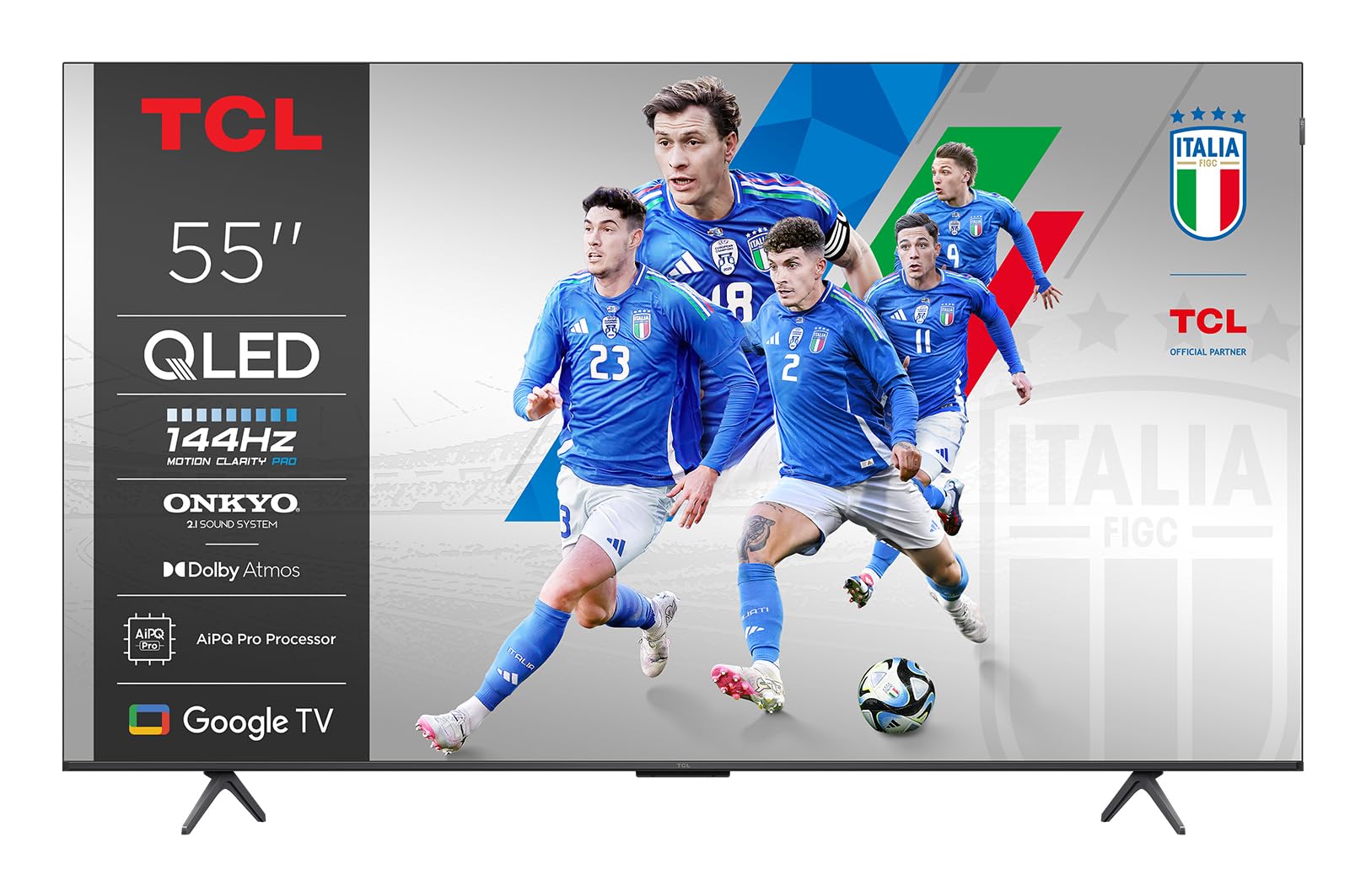
Gambar 1.1: Hareupeun view of the TCL 55P89K 55-inch QLED 4K Google TV. This image displays the television's slim bezel design and central stand, highlighting its modern aesthetic.
2. Émbaran Kasalametan
Salawasna perhatikeun pancegahan kaamanan di handap ieu pikeun nyegah kahuruan, kejutan listrik, atanapi tatu.
- Sumber Daya: Sambungkeun TV ngan ka stop kontak AC tina vol nu ditangtukeuntage. Pastikeun kabel listrik teu ruksak atanapi kajepit.
- Ventilasi: Ulah meungpeuk bukaan ventilasi. Ngidinan spasi nyukupan sabudeureun TV pikeun aliran hawa ditangtoskeun.
- Cai sareng Uap: Ulah ngalaan TV ka hujan atawa beueus. Ulah nempatkeun barang-barang anu dieusi cairan, sapertos vas, dina TV.
- Panas: Jauhkeun TV tina sumber panas sapertos radiator, pancatat panas, kompor, atanapi alat-alat sanésna (kalebet ampLiifiers) anu ngahasilkeun panas.
- beberesih: Cabut TV tina stop kontak témbok sateuacan beberesih. Paké lawon lemes, garing. Ulah make cleaners cair atawa cleaners aerosol.
- Pamasangan: When mounting the TV on a wall, ensure the wall mount is compatible with the TV's weight and VESA standards. Follow the wall mount manufacturer's instructions carefully.
- Barudak: Do not allow children to climb on the TV or stand. Ensure the TV is securely installed to prevent tipping.
3. Eusi Paket
Sateuacan nyetel televisi anyar anjeun, mangga cék kotak pikeun item di handap ieu:
- TCL 55P89K 55-inch QLED 4K Google TV
- Kadali jauh
- Kabel listrik
- Stand TV (2 buah)
- Screws pikeun TV Stand
- Gancang Mimitian Guide
- Kartu Garansi
Note: The actual contents may vary slightly depending on the region. Please refer to the packaging for exact details.
Gambar 3.1: Illustration of typical package contents for the TCL 55P89K TV. This image would typically show the TV, remote control, power cord, and stand components laid out.
4. Setélan
4.1 Ngagantelkeun TV Stand
- Place the TV face-down on a soft, flat surface (e.g., a blanket or foam) to prevent screen damage.
- Sejajarkeun unggal potongan nangtung sareng slot anu cocog dina handapeun TV.
- Ngamankeun unggal sapotong nangtung kalawan screws disadiakeun. Pastikeun aranjeunna tightened pageuh.
Gambar 4.1: Diagram illustrating the process of attaching the stand to the TCL 55P89K television. This image would show the stand pieces being screwed into the TV's base.
4.2 Pamasangan Tembok (Pilihan)
The TCL 55P89K is compatible with VESA wall mounts. Refer to your wall mount's instructions for installation. Ensure the wall mount can support the TV's weight of approximately 14.8 kg (32.6 lbs).
- Remove the TV stand if already attached.
- Attach the wall mount bracket to the TV's VESA mounting holes on the back.
- Mount the TV to the wall according to the wall mount manufacturer's instructions.
4.3 Nyambungkeun périferal
Sambungkeun alat éksternal anjeun ka TV nganggo port anu saluyu.
- HDMI: Pikeun pamaén Blu-ray, konsol kaulinan, kabel / kotak satelit.
- USB: For USB drives to play media or connect accessories.
- kakuatan: Sambungkeun kabel listrik ka input kakuatan TV lajeng ka stop kontak témbok.
Gambar 4.2: Pahareup-hareup view of the rear connection ports on the TCL 55P89K TV, showing HDMI, USB, and power input locations.
4.4 Daya Awal Hurung sareng Setup Kahiji-Waktos
- Colokkeun TV kana colokan listrik.
- Pencét tombol Daya dina kadali jauh atanapi dina TV.
- Turutan parentah dina layar pikeun ngalengkepan setelan awal, kalebet pilihan basa, sambungan jaringan (Wi-Fi), sareng asup akun Google.
5. Nyuping
5.1 Jauh Control Leuwihview
Remot kontrol ngamungkinkeun anjeun pikeun ningali fitur-fitur TV. Biasakeun diri anjeun sareng tombol-tombolna:
- kakuatan: Ngahurungkeun atawa mareuman TV.
- Asisten Google: Ngaktipkeun paréntah sora.
- Pad Navigasi (Kaluhur/Turun/Kénca/Katuhu/OK): Navigates ménu jeung milih item.
- Balik: Mulih ka layar saméméhna.
- imah: Ngaksés layar utama Google TV.
- Volume +/-: Nyaluyukeun polumeu.
- Saluran +/-: Robah saluran TV.
- Input: Milih sumber input (HDMI 1, HDMI 2, jsb.).
- Tombol Aplikasi: Aksés langsung ka layanan streaming populér (contona, Netflix, YouTube).
Gambar 5.1: Layout of the TCL 55P89K remote control, indicating key buttons and their functions.
5.2 Napigasi Antarmuka TV Google
The Google TV interface organizes your content from various apps and subscriptions. Use the navigation pad and OK button on your remote to browse:
- Layar Utama: Displays personalized recommendations, recently watched content, and installed apps.
- Aplikasi: Access the Google Play Store to download and manage applications like Netflix, YouTube, and Google Play Movies & TV.
- Perpustakaan: Find your purchased movies and shows.
- Pilarian: Use the search function or Google Assistant for voice search to find content across all your services.
5.3 Fitur konektipitas
- Wifi: Connect to your home wireless network for internet access and streaming. Navigate to Setélan> Jaringan & Internét pikeun ngonpigurasikeun.
- Bluetooth: Pair Bluetooth devices such as headphones, soundbars, or game controllers. Go to Settings > Remotes & Accessories pikeun ngatur sambungan Bluetooth.
- Chromecast Diwangun-di: Cast content from your compatible mobile devices or computer directly to the TV.
6. Pangropéa
6.1 Ngabersihan TV
- Sok cabut TV samemeh beberesih.
- Paké lawon lemes, garing, lint bébas ngusap layar tur kabinet.
- Pikeun tanda nekad dina layar, enteng dampen the cloth with water or a specialized screen cleaner (ensure it's safe for QLED displays) and wipe gently. Do not spray liquid directly onto the screen.
- Ulah make cleaners abrasive, lilin, atawa pangleyur.
6.2 Apdet parangkat lunak
Your TCL Google TV may receive software updates to improve performance and add new features. Ensure your TV is connected to the internet. Updates are typically downloaded and installed automatically. You can manually check for updates by going to Setelan > Sistem > Ngeunaan > Apdet sistem.
7. Cara ngungkulan
Upami anjeun ngalaman masalah sareng TV anjeun, tingal masalah sareng solusi umum ieu:
| Masalah | Solusi anu mungkin |
|---|---|
| Taya kakuatan | Ensure the power cord is securely plugged into both the TV and a working wall outlet. Try a different outlet. Check if the power indicator light is on. |
| Henteu aya gambar, tapi aya sora | Pariksa sumber input. Pencét éta Input tombol dina remot pikeun ngalingkung sumber. Pastikeun alat éksternal dihurungkeun sareng disambungkeun kalayan leres. |
| Henteu aya sora, tapi aya gambar | Check the volume level. Ensure the TV is not muted. Check audio cables for external sound systems. If using an external sound system, ensure the TV's audio output is correctly configured in settings. |
| Kadali jauh teu jalan | Replace the batteries. Ensure there are no obstructions between the remote and the TV's IR sensor. Re-pair the Bluetooth remote if applicable (refer to the remote's specific instructions). |
| Teu bisa nyambung ka Wi-Fi | Ensure your router is on and working. Check the Wi-Fi password. Try restarting your router and the TV. Go to Setélan> Jaringan & Internét to re-scan for networks. |
| Gambarna kabur atawa robah warna | Check the resolution settings of the input source. Ensure the cables are securely connected. Try adjusting picture settings in the TV menu. |
For more detailed troubleshooting, please refer to the full user manual available on the TCL support websitus.
8. Spésifikasi
| Fitur | Spésifikasi |
|---|---|
| Ngaran modél | 55P89K |
| Ukuran layar | 55 inci |
| Téknologi tampilan | QLED |
| Resolusi | 4K Ultra HD (3840 x 2160) |
| Refresh Laju | 120 Hz |
| Sistem operasi | Google TV |
| Rojongan HDR | HDR, Dolby Vision |
| Konektipitas | Wi-Fi, Bluetooth, HDMI, USB |
| Kaluaran Audio | 5.1 or 7.1 Surround Sound Channel Configuration (via external system) |
| Beurat (Produk) | 14.8 kg (kira-kira 32.6 lbs) |
| Kasaluyuan dipasang | Wall Mount (VESA compatible) |
| Dirojong jasa Internét | Netflix, YouTube, Google Play Movies & TV |
9. Garansi jeung Rojongan
Inpormasi Garansi: Your TCL 55P89K television comes with a limited manufacturer's warranty. Please refer to the warranty card included in your package for specific terms, conditions, and duration applicable to your region. Keep your proof of purchase for warranty claims.
Rojongan Palanggan: For technical assistance, troubleshooting beyond this manual, or warranty service, please contact TCL Customer Support. You can find contact information (phone numbers, email, or live chat) on the official TCL websitus pikeun nagara atawa wewengkon Anjeun.
Sumberdaya Online: Nganjang ka rojongan TCL resmi website for updated manuals, FAQs, software downloads, and additional support resources. www.tcl.com/global/en/support


