1. Bubuka
This manual provides essential information for the setup, operation, and maintenance of your ASUS ROG Strix XG34WCDG 34-inch Ultrawide QD-OLED HDR Gaming Monitor. Please read this guide thoroughly to ensure proper usage and to maximize your monitor's performance and longevity.

Figure 1.1: ASUS ROG Strix XG34WCDG Monitor
2. Eusi Paket
Pastikeun yén sadaya item aya dina pakét produk anjeun:
- ASUS ROG Strix XG34WCDG Monitor
- Kabel DisplayPort
- USB Type-B to A cable
- Kabel listrik
- kantong ROG
- Stiker ROG
- Pituduh ngamimitian gancang
- Kartu Garansi

angka 2.1: Asesoris kaasup
3. Setélan
3.1 Ngarakit Stand
- Taliti cabut monitor jeung nangtung komponén tina bungkusan.
- Ngagantelkeun dasar nangtung kana beuheung nangtung ngagunakeun screws disadiakeun.
- Secure the assembled stand to the back of the monitor until it clicks into place. Ensure it is firmly attached.
3.2 Nyambungkeun Kabel
- Sambungan Daya: Sambungkeun kabel listrik ka input daya monitor teras ka stopkontak.
- Sambungan Video: Use the DisplayPort cable to connect your computer's graphics card to the monitor's DisplayPort input.
- Sambungan USB: Connect the USB Type-B to A cable from your computer to the monitor's USB upstream port to enable the monitor's USB 3.0 ports.
4. Parentah Operasi
4.1 Powering on / Pareum
Pencét tombol daya anu aya dina bezel monitor pikeun ngahurungkeun atanapi mareuman monitor. Lampu indikator daya bakal hurung nalika monitor aktip.
4.2 Napigasi Menu dina Layar (OSD).
The OSD menu allows you to adjust various monitor settings. Use the joystick and buttons on the monitor's rear or bottom bezel to navigate the menu. Press the joystick to enter the menu, move it up/down/left/right to select options, and press again to confirm.
4.3 Pusat ASUS DisplayWidget
The exclusive ASUS DisplayWidget Center application provides a convenient way to adjust monitor settings and access OLED Care Pro functions directly from your computer using a mouse. Download and install the software from the official ASUS support websitus pikeun modél Anjeun.

Figure 4.1: ASUS DisplayWidget Center Interface
5. Fitur Leuwihview
The ASUS ROG Strix XG34WCDG monitor is equipped with advanced technologies for an exceptional visual experience:
- Panel QD-OLED: Enjoy vibrant colors, true blacks, and exceptional contrast with the 34-inch 3440 x 1440 QD-OLED panel.
- Laju Refresh Tinggi & Waktu Tanggapan: Experience ultra-smooth gameplay with a 175Hz refresh rate and a rapid 0.03ms response time.
- OLED Care Pro: Advanced features including a Neo Proximity Sensor, Pixel Cleaning, Screen Save, Pixel Move, and more to prevent OLED burn-in. The Neo Proximity Sensor detects user presence and switches to a black screen when no user is detected.
- VESA DisplayHDR 400 True Black: Delivers astonishing HDR performance with deep blacks and bright highlights.
- Akurasi Warna: Features 99.3% DCI-P3 gamut, true 10-bit color, and Delta E < 2 color difference, making it suitable for professional content creation.
- G-SYNC Cocog: Ensures tear-free and stutter-free gaming by synchronizing the monitor's refresh rate with your GPU.
- Kabur Gerakan Leutik Ekstrim (ELMB): Reduces motion blur for clearer visuals in fast-paced scenes.
- Custom Heatsink & Graphene Film: Efficient thermal design to maintain optimal performance and panel longevity.
- Caang seragam: Helps maintain consistent brightness levels across the screen for a better viewpangalaman.

Figure 5.1: Immersive Gameplay on XG34WCDG
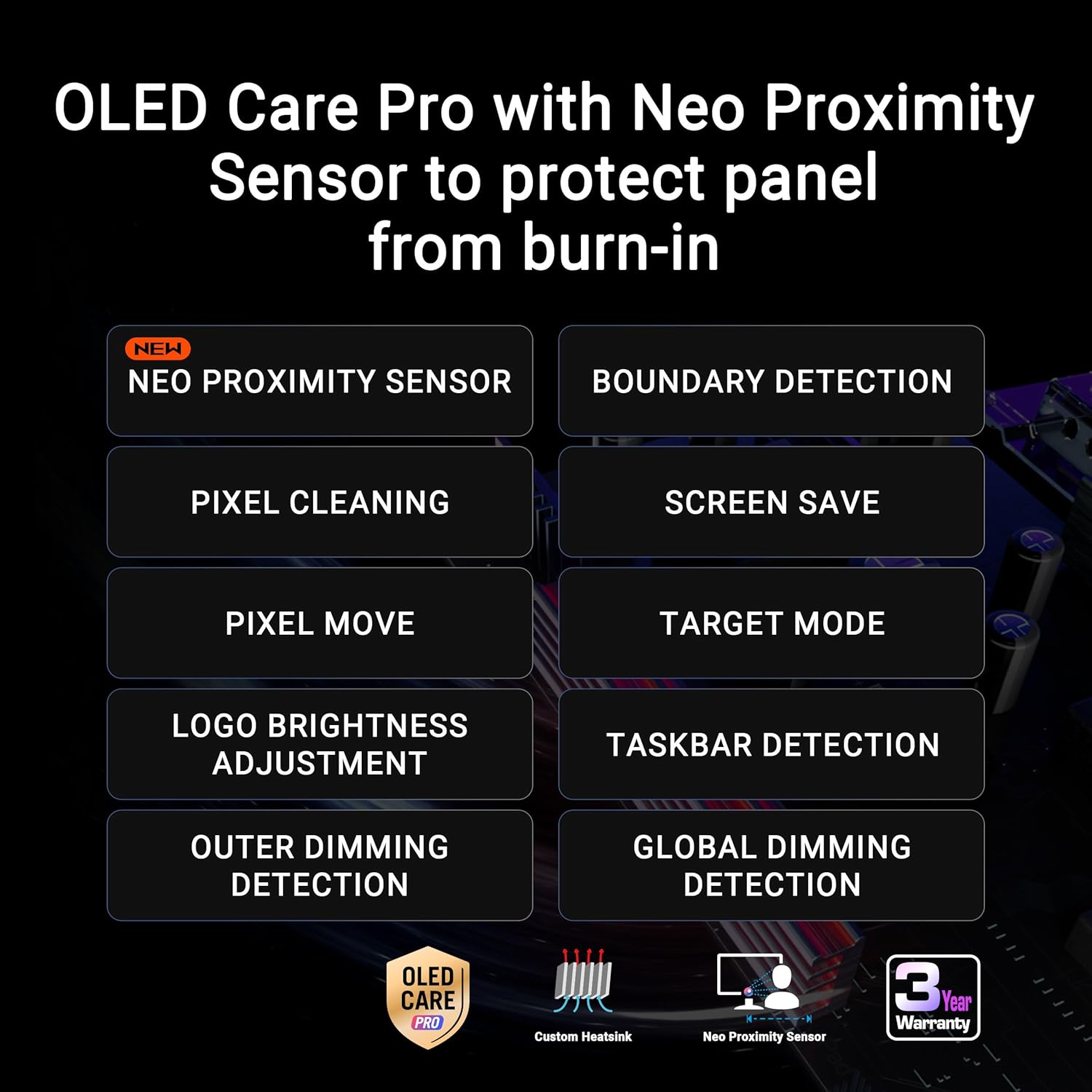
Figure 5.2: OLED Care Pro Features

Figure 5.3: Custom Heatsink Technology

Figure 5.4: Uniform Brightness Feature

Figure 5.5: Product Design Elements

Figure 5.6: Key Features Displayed on Monitor

Figure 5.7: QD-OLED Technology Overview
6. Pangropéa
6.1 OLED Care Pro Functions
To prolong the lifespan of your QD-OLED panel and prevent burn-in, utilize the OLED Care Pro functions:
- Sénsor Neo Proximity: Automatically detects when you step away from the monitor and switches to a black screen to reduce burn-in risk.
- Ngabersihan piksel: A periodic process that recalibrates the pixels to prevent image retention.
- Simpen layar: Activates a screensaver after a period of inactivity.
- Pindah Piksel: Shifts pixels slightly to prevent static images from causing burn-in.
- Pangaluyuan Kacaangan Logo: Reduces the brightness of static logos to minimize burn-in risk.
- Deteksi Taskbar: Automatically dims or hides the Windows taskbar to prevent image retention.
These functions can be accessed and configured via the OSD menu or the ASUS DisplayWidget Center software.
6.2 beberesih umum
Pikeun ngabersihkeun layar monitor, usap sacara lembut nganggo kaén anu lemes sareng teu aya serat. Pikeun tanda pengkuh, enteng dampBilas lawon ku cai atanapi pembersih layar anu hampang sareng henteu abrasif. Hindarkeun nganggo bahan kimia anu keras atanapi bahan abrasif.
7. Cara ngungkulan
- Henteu aya kakuatan: Ensure the power cord is securely connected to both the monitor and the power outlet. Check if the power outlet is functional.
- Taya Sinyal Video: Verify that the DisplayPort cable is correctly connected to both the monitor and your computer's graphics card. Ensure your computer is powered on and the correct input source is selected on the monitor.
- Layar kedip-kedip: Check your graphics card drivers and ensure they are up to date. Adjust the refresh rate in your operating system's display settings. If using a long cable, try a shorter, higher-quality cable.
- Image Retention/Burn-in: Utilize the OLED Care Pro functions regularly. Avoid displaying static images for extended periods. Run the Pixel Cleaning function if image retention is observed.
- Warna Kaciri Salah: Adjust color settings via the OSD menu or ASUS DisplayWidget Center. Ensure the correct color profile dipilih dina sistem operasi anjeun.
8. Spésifikasi
| Fitur | Spésifikasi |
|---|---|
| Ngaran modél | XG34WCDG |
| Ukuran layar | 34 inci |
| Tipe Panel | QD-OLED |
| Resolusi | 3440 x 1440 (UWQHD) |
| Refresh Laju | 175Hz |
| Waktu Tanggapan | 0.03ms (GtG) |
| Rojongan HDR | VESA DisplayHDR 400 Hideung Leres |
| Warna Gamut | 99.3% DCI-P3 |
| Jerona Warna | Leres 10-bit |
| Kompatibilitas G-SYNC | Sumuhun |
| Konektipitas | DisplayPort, USB Type-B to A, USB 3.0 ports |
| Ukuran (L x W x H) | 7.8 x 31.9 x 21.5 inci |
| Beurat | 18.3 pon |
9. Garansi jeung Rojongan
9.1 Garansi Produk
This ASUS ROG Strix XG34WCDG monitor comes with a garansi 3 taunMangga tingali Kartu Garansi anu kalebet pikeun syarat sareng katangtuan anu lengkep. Simpen bukti pameseran anjeun pikeun klaim garansi.
9.2 Additional Software Offer
A complimentary Adobe Creative Cloud 3 bulan access is included with the purchase of this product (valid until 8/31/2026). Follow the instructions provided in your product packaging to redeem this offer.
9.3 Rojongan Palanggan
For technical assistance, troubleshooting, or further information, please visit the official ASUS support website or contact ASUS customer service. You can find contact details and support resources on the ASUS websitus: www.asus.com/support/
10. Fitur Perawatan Panon
The ASUS ROG Strix XG34WCDG monitor incorporates several features designed to protect your eyes during extended use:
- Filter Cahaya Biru: Reduces harmful blue light emissions, which can be adjusted through various levels in the OSD menu or DisplayWidget Center.
- Téknologi Tanpa Flicker: Eliminates screen flickering at all brightness levels, reducing eye strain and fatigue.
- Layar Anti-silau: Minimizes reflections from ambient light, providing a more comfortable viewpangalaman.
Video 10.1: This video demonstrates the eye care features of ASUS monitors, including anti-glare, blue light filter, and flicker-free technology, showcasing how they contribute to a more comfortable viewing experience for various users.


