
1. Parentah Kasalametan penting
Please read these instructions carefully before using the Audizio Canzo DAB+ Internet Radio. Keep this manual for future reference.
- Ulah ngalaan alat ka hujan atawa Uap pikeun nyegah seuneu atawa shock listrik.
- Ulah muka casing. Henteu aya bagian anu tiasa dilayanan ku pangguna di jero. Rujuk sadayana jasa ka tanaga anu mumpuni.
- Ngan ukur nganggo adaptor kakuatan anu disayogikeun sareng alat.
- Pastikeun ventilasi anu leres di sabudeureun unit. Ulah meungpeuk bukaan ventilasi.
- Hindarkeun nempatkeun unit caket sumber panas atanapi dina sinar panonpoé langsung.
- Clean the unit only with a dry, soft cloth. Do not use liquid cleaners.
2. Produk Langkungview
The Audizio Canzo is a versatile DAB+ Internet Radio designed for high-quality audio reception and playback. It features multiple connectivity options including Wi-Fi, Bluetooth 5.3, AUX, and USB, along with a remote control for convenient operation. The elegant wooden finish and clear display make it suitable for various home environments.
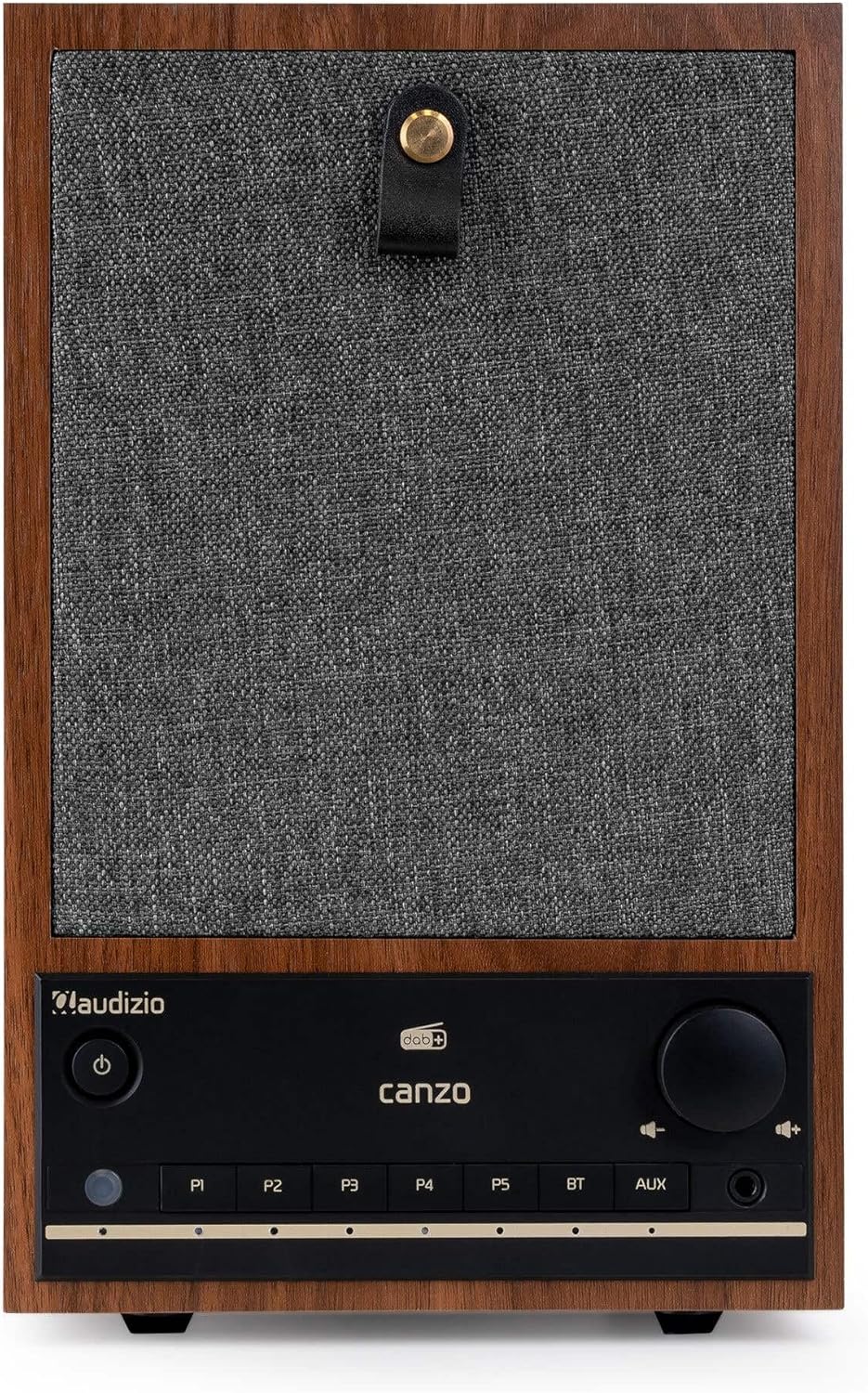
Gambar 2.1: Hareupeun view of the Audizio Canzo DAB+ Internet Radio in walnut finish.

Gambar 2.2: Hareupeun view with speaker grille removed, highlighting the speaker, display, and control panel.
3. Naon dina Box
Buka bungkus kotak sareng pastikeun sadaya barang aya:
- Audizio Canzo DAB+ Internet Radio
- Adaptor kakuatan
- Kadali jauh
- Gancang Mimitian Guide
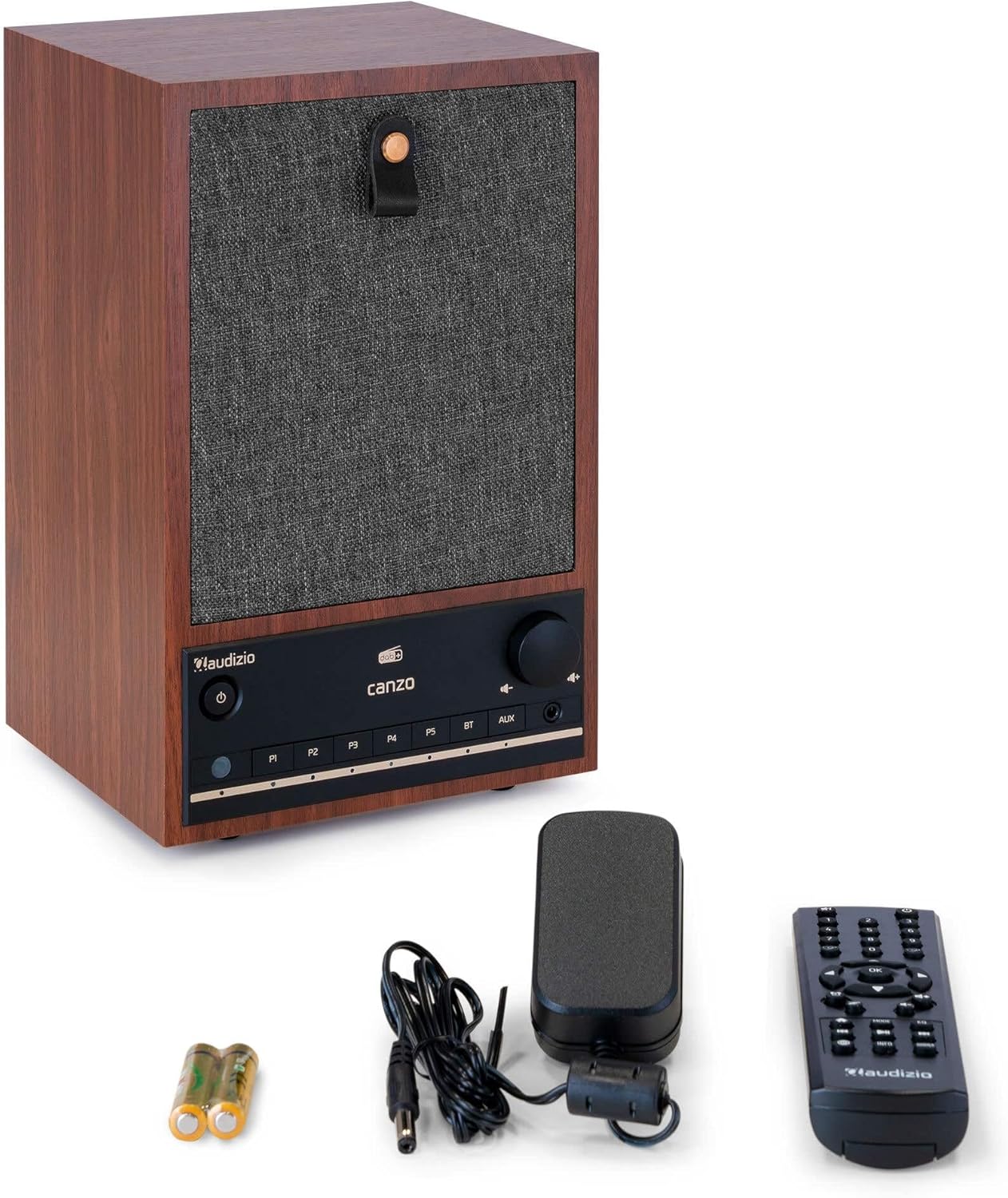
Figure 3.1: Audizio Canzo radio with its accessories.
4. Setélan
4.1 Nyambungkeun Daya
- Insert the DC plug of the power adapter into the DC IN port on the back of the radio.
- Plug the power adapter into a standard wall outlet (220V).
- Balikkeun ON/OFF switch on the back of the unit to the ON posisi.
4.2 Sambungan anteneu
For optimal DAB+ and FM reception, extend the telescopic antenna located on the back of the unit. Adjust its position for the best signal.

Figure 4.1: Rear panel with power input, audio ports, USB, LAN, and antenna.
4.3 Daya Awal Hurung sareng Setup Jaringan
- Pencét éta Kakuatan button on the front panel or remote control to turn on the radio.
- The display will show the Audizio logo and then guide you through the initial setup wizard.
- Pilih basa anu anjeun pikaresep.
- The radio will prompt you to connect to a network. Choose Wifi or LAN.
- Pikeun Wi-Fi: Select your Wi-Fi network from the list and enter the password using the navigation buttons and OK kancing.
- For LAN: Connect an Ethernet cable from your router to the LAN port on the back of the radio. The connection should be established automatically.
- Once connected, the radio will update the time and date automatically.
5. Parentah Operasi
5.1 Kadali Dasar
The front panel features a power button, preset buttons (P1-P5), Bluetooth (BT) and AUX input buttons, a volume knob, and navigation controls. The remote control provides full access to all functions.
5.2 Pamilihan Mode
Pencét éta MODÉ button on the radio or remote control to cycle through available modes: Internet Radio, DAB+, FM, Bluetooth, AUX, and USB Playback.
5.3 Internét Radio
- Pilih Internét Radio modus.
- Use the navigation buttons to browse stations by location, genre, or search.
- Pencét OK pikeun milih stasiun.
- Pikeun nyimpen stasiun salaku prasetél, pencét terus tahan salah sahiji P1-P5 buttons until the display confirms.
5.4 DAB + Radio
- Pilih DAB+ modus.
- Radio bakal otomatis nyeken stasiun DAB+ anu sayogi.
- Use the navigation buttons to scroll through the list of found stations.
- Pencét OK pikeun milih stasiun.
- Pikeun nyimpen stasiun salaku prasetél, pencét terus tahan salah sahiji P1-P5 kancing.
5.5 Radio FM
- Pilih FM modus.
- Pencét jeung tahan tombol Nyeken button (usually on the remote or via menu) to auto-scan for FM stations.
- Use the navigation buttons to tune manually or select from scanned stations.
- Pikeun nyimpen stasiun salaku prasetél, pencét terus tahan salah sahiji P1-P5 kancing.
5.6 Playback Bluetooth
- Pilih Bluetooth mode. The radio will enter pairing mode, indicated on the display.
- Dina smartphone atanapi tablet anjeun, aktipkeun Bluetooth sareng milarian alat anu sayogi.
- Select "Audizio Canzo" from the list to pair.
- Once paired, you can play audio from your device through the radio.
5.7 Input AUX
- Sambungkeun alat audio éksternal (contona, pamuter MP3) ka NGARÉMÉ DI port on the back of the radio using a 3.5mm audio cable.
- Pilih AUX modus.
- Audio from the connected device will now play through the radio.
5.8 Playback USB
- Selapkeun USB flash drive nu ngandung audio files kana USB PLAYBACK port on the back of the radio.
- Pilih USB modus.
- Paké tombol napigasi pikeun ngotektak tur pilih audio files pikeun playback.
5.9 Jam Alarm sareng Pangatur Waktu Sare
- Alarm: Access the Alarm settings via the menu. Set up to two alarms with desired time, source (buzzer, radio), and volume.
- Timer Saré: Access the Sleep Timer settings via the menu. Set a duration (e.g., 15, 30, 60 minutes) after which the radio will automatically turn off.
- Hususkeun: Sawaktos alarm disada, pencét tombol Tunda button on the remote or radio to temporarily silence it.
6. Pangropéa
6.1 beberesih
To clean the radio, use a soft, dry, lint-free cloth. Do not use abrasive cleaners, waxes, or solvents as they may damage the finish or internal components.
6.2 Panyimpenan
Upami nyimpen unit kanggo waktos anu lami, cabut tina stop kontak teras simpen di tempat anu tiis, garing, sareng jauh tina sinar panonpoé langsung sareng suhu anu ekstrim.
7. Cara ngungkulan
| Masalah | Mungkin Cukang lantaranana | Solusi |
|---|---|---|
| Taya kakuatan | Adaptor daya teu nyambung; saklar ON/OFF pareum. | Ensure power adapter is securely connected and ON/OFF switch is ON. |
| Taya sora | Volume teuing leutik; sumber anu dipilih salah; headphone nyambung. | Naékkeun volume; pilih modeu input anu leres; pegatkeun sambungan headphone. |
| Teu bisa nyambung ka Wi-Fi | Sandi salah; router jauh teuing; masalah jaringan. | Verifikasi kecap akses Wi-Fi; pindahkeun radio langkung caket kana router; restart router. |
| Miskin DAB + / panarimaan FM | Anteneu teu dipanjangkeun; daérah sinyal lemah. | Fully extend and adjust the telescopic antenna; try repositioning the radio. |
| Kadali jauh teu jalan | Batteries depleted; obstruction between remote and radio. | Replace remote control batteries; ensure clear line of sight to the radio's sensor. |
8. Spésifikasi
| Fitur | Spésifikasi |
|---|---|
| Nomer modél | Canzo |
| Dimensi produk | 22.5 x 20.5 x 34 cm |
| Item Beurat | 2.9 kg |
| Warna | Walnut |
| Ukuran layar | 2.4 inci |
| Téhnologi konektipitas | Aux, Bluetooth, Wi-Fi, LAN |
| Vérsi Bluetooth | 5.3 |
| Band Radio Dirojong | DAB+, FM, Radio Internét |
| Sumber Daya | Corded Electric (220 Volt) |
| Fitur husus | Integrated Clock, Sleep Timer, Alarm, Remote Control, Preset Stations |
| Alat nu cocog | Smartphone, Tablet, Headphones, MP3 Player, USB Storage Device |
9. Garansi jeung Rojongan
For warranty information and technical support, please refer to the warranty card included with your product or contact your retailer. Keep your proof of purchase for any warranty claims.