1. Bubuka
This user manual provides comprehensive instructions for the safe and efficient operation of your pTron Dynamo Bolt 20000mAh Power Bank. Please read this manual thoroughly before using the device to ensure optimal performance and longevity.
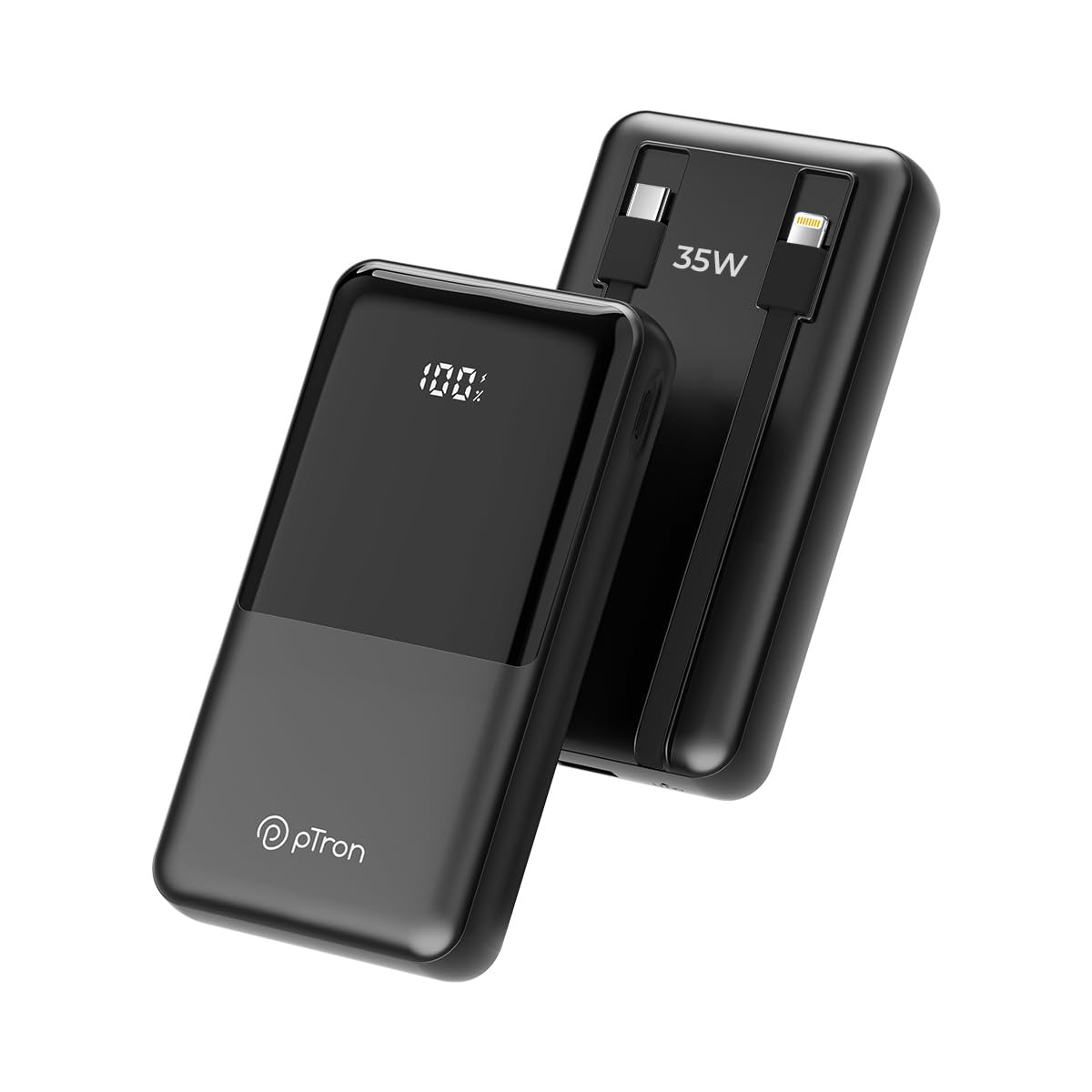
Gambar 1.1: Hareupeun view of the pTron Dynamo Bolt 20000mAh Power Bank.
2. Eusi Paket
Pastikeun yén sadaya item aya dina bungkusan:
- 1N pTron Dynamo Bolt 20000mAh Power Bank
- 1N Charging Cable (USB-A to USB-C)
- Manual pangguna (dokumén ieu)
3. Produk Langkungview
The pTron Dynamo Bolt is a high-capacity power bank designed for fast and efficient charging of multiple devices. It features built-in cables and a digital display for convenience.

Image 3.1: Diagram illustrating the multiple input and output ports of the power bank.
- A. 22.5W USB-A Output: Port USB standar pikeun ngecas alat.
- B. 35W Type-C Input & Output: Versatile Type-C port for both charging the power bank and charging devices.
- C. 10W iOS Output Cable: Built-in cable for Apple devices.
- D. 35W Type-C Output Cable: Built-in cable for Type-C devices.
- E. Digital Display: Némbongkeun persén batré anu pastitage.

Gambar 3.2: Leuwihview of key features including 35W Type-C Fast Charging, QC3.0 and PD3.0 compatibility, 20000mAh capacity, Digital LED Indicator, ability to charge 4 devices simultaneously, multiple layers of protection, and travel-friendly design.
4. Setup jeung Pamakéan Awal
4.1 Ngecas Bank Daya
Before first use, fully charge the power bank. Connect the provided charging cable to the Type-C Input/Output port (B) on the power bank and the other end to a compatible USB wall adapter (not included). The digital display (E) will show the charging progress. Charging is complete when the display shows "100%".
- Use a 35W PD compatible adapter for fastest charging.
- Charging time may vary based on the adapter's output.
5. Parentah Operasi
5.1 Ngecas Alat Anjeun
The pTron Dynamo Bolt offers multiple ways to charge your devices:
- Ngagunakeun Kabel Terpasang:
- For iOS devices, connect the built-in iOS cable (C) to your device.
- For Type-C devices, connect the built-in Type-C cable (D) to your device.
- Ngagunakeun Port USB:
- Connect your device's charging cable to the 22.5W USB-A Output port (A) or the 35W Type-C Input & Output port (B).
The power bank will automatically detect the connected device and begin charging. The digital display will show the remaining battery percentage.

Image 5.1: The power bank simultaneously charging three different mobile devices using its various output options.
5.2 Mariksa Level Batré
The digital display (E) on the power bank shows the precise remaining battery percentage. Briefly press the power button (if available, otherwise it activates automatically upon connection) to illuminate the display and check the battery status.

Image 5.2: The compact design of the pTron Dynamo Bolt makes it highly portable and easy to carry in a bag.

Image 5.3: The power bank is compatible with a wide range of devices including Android smartphones, iPhones, tablets, iPads, TWS earbuds, and smartwatches.
6. Pangropéa sarta perawatan
- Tetep bank kakuatan garing. Ulah kakeunaan ka beueus atawa cair.
- Bersihkeun alat ku kaen anu lemes sareng garing. Ulah make bahan kimia kasar atawa bahan abrasive.
- Simpen bank daya di tempat anu tiis sareng garing jauh tina sinar panonpoé langsung sareng suhu anu ekstrim.
- Hindarkeun ngaragragkeun atanapi matuhkeun bank daya kana dampak anu kuat.
- For optimal battery life, fully charge and discharge the power bank at least once every three months if not in regular use.

Image 6.1: The power bank incorporates multiple safety features including Overcharge Protection, Short Circuit Protection, Overload Protection, and Advanced Temperature Control, and is BIS Certified.
7. Cara ngungkulan
| Masalah | Mungkin Cukang lantaranana | Solusi |
|---|---|---|
| Power bank teu ngecas | Loose cable connection, faulty adapter, damaged cable. | Ensure cables are securely connected. Try a different charging cable or wall adapter. |
| Alat teu ngecas tina bank daya | Power bank battery low, incorrect cable, device not compatible, loose connection. | Check power bank battery level. Ensure correct cable is used. Reconnect the device. Try a different port. |
| Ngecas lalaunan | Non-fast charging cable/adapter, device not supporting fast charging. | Use original or certified fast-charging cables. Ensure your device supports fast charging protocols (QC3.0/PD3.0). |
| tampilan digital teu jalan | Power bank is off, temporary glitch. | Press the power button briefly. If problem persists, contact customer support. |
8. Spésifikasi
| Fitur | Rincian |
|---|---|
| Nomer modél | Dynamo Bolt |
| Kapasitas batré | 20000 mah |
| Input (Tipe-C) | 35W PD |
| Kaluaran (Port Tipe-C) | 35W PD |
| Kaluaran (Port USB-A) | 22.5W |
| Kaluaran (Kabel Tipe-C Terintegrasi) | 35W |
| Output (Built-in iOS Cable) | 10W |
| Fitur husus | Digital Display, Short Circuit Protection, Built-in Cables, Fast Charging, Pocket Size |
| Diménsi | 15.6 x 10.5 x 3.8 cm |
| Beurat | 422 g |
| Warna | Jet Hideung |
| Produsén | Palred Electronics Pvt. Ltd. |
| Negara asal | India |
9. Émbaran jaminan
The pTron Dynamo Bolt Power Bank comes with a 1-taun jaminan produsén from the date of purchase. This warranty covers manufacturing defects only. Please retain your purchase receipt as proof of purchase for warranty claims.
Garansi henteu nutupan karusakan anu disababkeun ku:
- Accidental damage, misuse, abuse, neglect, or improper installation.
- Perbaikan atanapi modifikasi anu teu sah.
- Biasa pakean.
- Ruksakna disababkeun ku bencana alam atawa kalakuan Allah.
10. Rojongan Palanggan
For any queries, technical support, or warranty claims, please contact pTron customer service:
- Telepon: 040-67138888
- Surélék: rojongan@ptron.in
- Alamat Pabrikan: SY.NO. 56, 1ST FLOOR, GUNDLAPOCHAMPDésa Ally, Gunung Taman Téknologi, TSIIC-IALA NACHARAM, Hyderabad - 500076, Telangana, India
Mangga siapkeun nomer modél produk sareng detail pameseran anjeun nalika ngahubungi dukungan.


