1. Bubuka
Thank you for choosing the AINAVI 10-inch Car Radio Stereo. This advanced head unit is designed to enhance your driving experience with its Android 13 operating system, QLED touchscreen, and a wide array of features including wireless CarPlay, Android Auto, GPS navigation, Bluetooth 5.0, and 5G Wi-Fi connectivity. This manual provides detailed instructions for installation, operation, and maintenance to ensure optimal performance and longevity of your device.
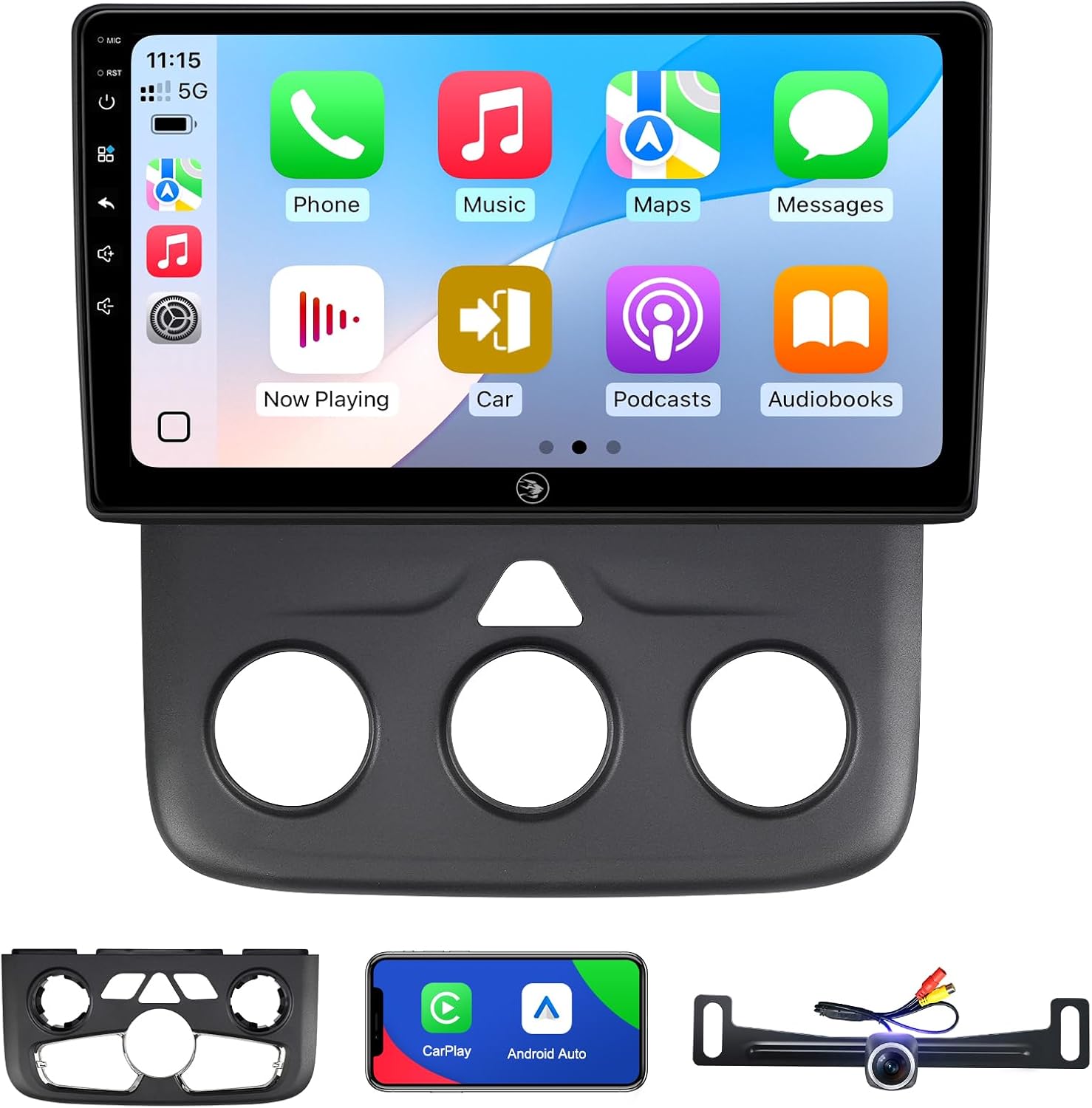
Image: The AINAVI 10-inch Car Radio Stereo unit with its display showing the CarPlay interface, alongside the included dash kit and rearview kaméra.
2. Kasaluyuan Kandaraan
This AINAVI Android radio is specifically designed for the following vehicle models:
- Dodge Ram Pickup Truck 1500, 2500, 3500 (Model Years: 2013, 2014, 2015, 2016, 2017, 2018)
- Dodge Ram Classic (Model Years: 2019-2023)
It supports both manual AC and automatic AC versions of these vehicles. Please ensure your vehicle's model and year match the compatibility list for proper fitment and functionality.

Image: Comparison of Dodge Ram dashboards before and after installing the AINAVI stereo, illustrating compatibility with both manual and automatic climate control systems.
3. Setup & Instalasi
3.1. Naon Kaasup
Sateuacan ngamimitian pamasangan, pariksa yén sadaya komponén aya:
- 1x Android Car Stereo with Frame for Dodge Ram Pickup Truck 1500 2500 3500
- Wiring Harness Power Cable, CANbus Decoder
- 1x Radio Antenna Adaptor, 1 x Speaker
- 1 x RCA cable, 2 x USB cable, 1 x GPS Antenna
- 1 x Belakang View Camera, 1 x Microphone, User Manual

Image: A visual representation of all items included in the product package, such as the head unit, wiring harnesses, GPS antenna, rearview camera, and installation tools.
3.2. Pedoman instalasi
Installation of this car stereo requires basic knowledge of automotive electronics. If you are unfamiliar with car stereo installation, it is recommended to seek professional assistance.
- Persiapan: Cabut batré kendaraan sateuacan ngamimitian padamelan listrik naon waé.
- Hapus Unit anu Aya: Carefully remove the factory radio and dashboard trim. Refer to your vehicle's service manual for specific instructions on trim removal.
- Sambungkeun Wiring Harness: Connect the provided wiring harness and CANbus decoder to the vehicle's existing wiring. Ensure all connections are secure. Soldering connections for the backup camera wires is recommended for better reliability.
- Pasang Antena GPS: Pasang anteneu GPS dina lokasi anu jelas view langit, ilaharna dina dasbor atawa handapeun kaca.
- Pasang Rearview Kaméra: If included, install the rearview camera according to its separate instructions and route the video cable to the head unit.
- Mount New Head Unit: Secure the AINAVI head unit into the dashboard opening using the provided frame and mounting brackets.
- Reconnect Battery & Test: Reconnect the vehicle's battery and power on the unit to test all functions (radio, audio, touchscreen, CarPlay/Android Auto, GPS, camera).
- Majelis ahir: Reinstall all dashboard trim pieces.
4. Parentah Operasi
4.1. Basic Functions & Interface
The unit features an Android 13 operating system with a responsive 10-inch QLED touchscreen (1280x720 resolution, 178° viewing angle). Navigate through menus by tapping and swiping. Volume control is typically available via physical buttons or on-screen controls.
4.2. CarPlay & Android Auto
Enjoy seamless smartphone integration with built-in wireless and wired CarPlay and USB connection Android Auto.
- Sambungan: Connect your iPhone via USB or wirelessly for CarPlay. Connect your Android phone via USB for Android Auto.
- Fitur: Access GPS navigation, make calls, send/receive messages, and listen to music directly from your phone's interface on the stereo screen.
- Paréntah sora: Activate voice assistants by saying “Hey Siri” or “Hey Google” for hands-free control.

Image: The car stereo displaying both Apple CarPlay and Android Auto interfaces, demonstrating smartphone integration.
4.3. GPS Napigasi
The unit includes a built-in GPS module for navigation.
- Peta Online: Connect to a network via Wi-Fi to receive real-time traffic information and use online mapping services.
- Peta Offline: Download offline maps to use GPS navigation without an internet connection.

Image: The car stereo screen showing a detailed GPS navigation map with route guidance.
4.4. Bluetooth 5.0 & Wi-Fi Connectivity
- Bluetooth: Connect your phone via Bluetooth 5.0 for hands-free calls, music streaming, and phonebook synchronization.
- Wifi: Supports dual-band 2.4Ghz & 5Ghz Wi-Fi for high-speed internet access, allowing app downloads, online music, and navigation updates.

Image: The car stereo interface demonstrating Wi-Fi connection setup and Bluetooth music playback.
4.5. DSP & Sound Quality
The unit features a built-in Digital Sound Processor (DSP) with a max output of 4*45W.
- Penyesuaian EQ: Customize your audio experience with various equalizer presets and graphic EQ options.
- Koréksi Waktos: Digitally adjust the sound timing for individual speakers to optimize the sound field position within your vehicle.
4.6. Split Screen Mode & Steering Wheel Control
- Layar pamisah: Run two applications simultaneously on the screen, such as navigation and music playback.
- Kontrol setir: The unit supports your vehicle's original steering wheel controls for convenient operation of audio and other functions.

Image: The car stereo operating in split-screen mode, displaying two applications concurrently, and an illustration of steering wheel controls.
4.7. Tukangeunview Camera & RCA Output
- Tukangeunview Kaméra: Supports 1080P AHD rearview cameras with a 170-degree wide angle and waterproof design to assist with safe parking.
- Full RCA Output: The unit provides full RCA output, allowing connection to external monitors (e.g., headrest screens) for passenger entertainment.

Image: The car stereo screen showing the clear 1080P rearview camera feed with parking assistance lines.
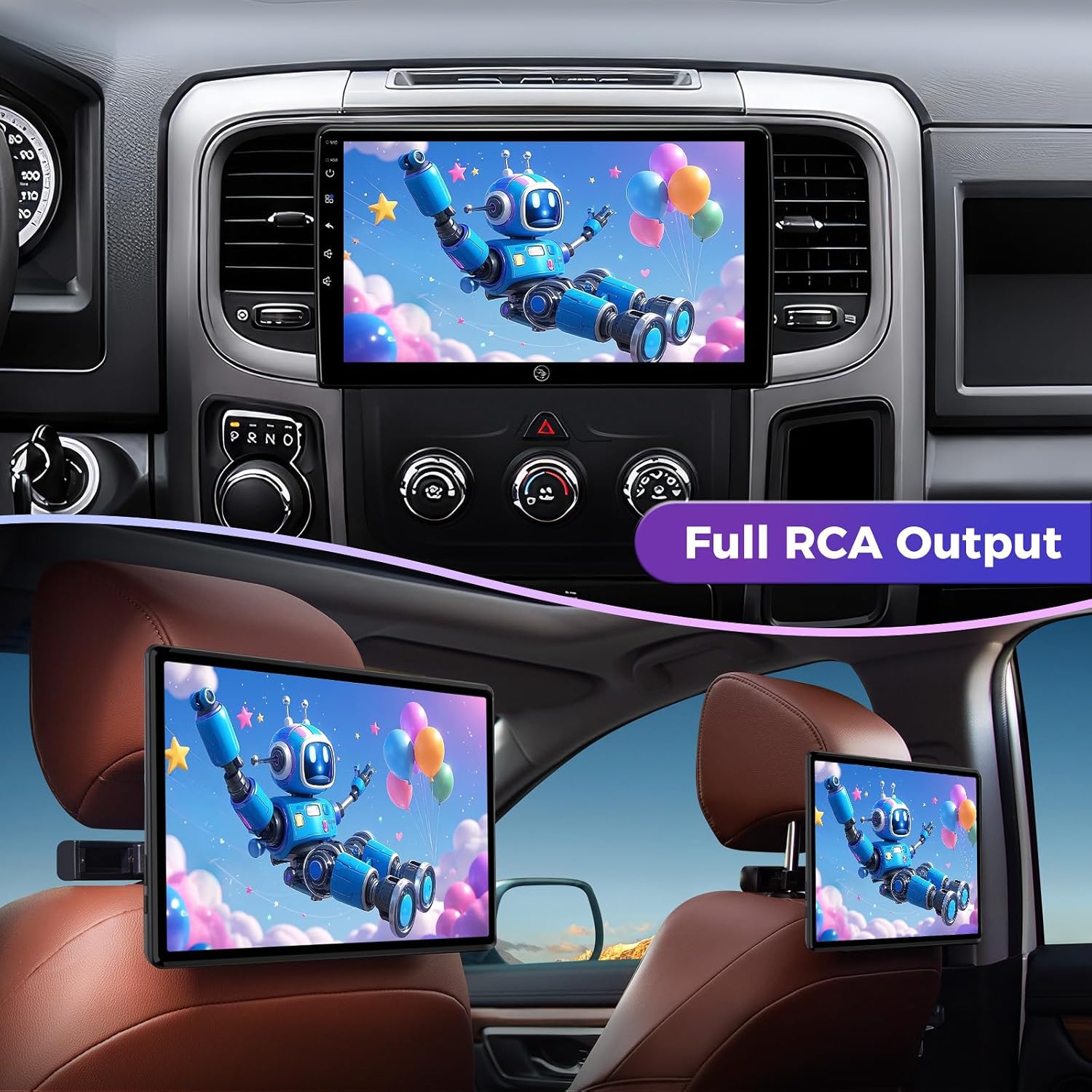
Image: The car stereo displaying video content, with an example of the full RCA output mirroring the display to rear headrest screens.
5. Pangropéa
To ensure the longevity and optimal performance of your AINAVI car stereo, follow these maintenance guidelines:
- Ngabersihan layar: Make kaen nu lemes, teu aya lint rada dampened with water or a screen cleaner specifically designed for electronic displays. Avoid harsh chemicals or abrasive materials.
- Ngaleungitkeun lebu: Regularly wipe down the unit and surrounding dashboard area to prevent dust buildup, which can affect performance and appearance.
- Apdet parangkat lunak: Periodically check for available software updates to ensure you have the latest features and bug fixes. Follow the on-screen prompts or instructions provided by AINAVI for updating.
- Hindarkeun Suhu Ekstrim: While designed for automotive use, prolonged exposure to extreme heat or cold can affect electronic components.
6. Cara ngungkulan
If you encounter issues with your AINAVI car stereo, refer to the following common problems and solutions:
| Masalah | Mungkin Cukang lantaranana | Solusi |
|---|---|---|
| Unit teu hurung | Loose power connection, blown fuse, vehicle battery issue | Check wiring harness connections. Inspect vehicle fuses. Ensure vehicle battery is charged. |
| Taya kaluaran sora | Speaker wires disconnected, incorrect audio settings, ampmasalah liifier | Verify speaker wire connections. Check audio settings (volume, mute, balance/fade). |
| Sinyal GPS leungit atanapi teu akurat | GPS antenna obstruction, faulty antenna, no network connection for online maps | Pastikeun anteneu GPS boga jelas view of the sky. Check antenna connection. Connect to Wi-Fi for online map data. |
| CarPlay/Android Auto teu nyambung | Loose USB cable, phone settings, software incompatibility | Ensure USB cable is securely connected. Check phone's CarPlay/Android Auto settings. Try a different USB cable. Restart phone and head unit. |
| Layar rampa teu ngaréspon | Software glitch, screen calibration issue | Restart the head unit. If issue persists, perform a factory reset (refer to settings menu). |
| Slow startup or UI lag | Background apps, system overload | Close unnecessary background applications. Ensure sufficient storage space. Perform a system restart. |
If these solutions do not resolve the issue, please contact AINAVI customer support for further assistance.
7. Spésifikasi
| Fitur | Rincian |
|---|---|
| Sistem operasi | Android 13 |
| RAM + ROM | 2GB RAM + 64GB ROM |
| Ukuran tampilan | 10 inci |
| Tipe Layar | QLED Touchscreen |
| Resolusi | 1280x720 |
| Viewdina Angle | 178° pinuh-Viewdina Angle |
| CarPlay | Built-in Wireless & Wired |
| Android Auto | Built-in USB Connection |
| Bluetooth | Vérsi 5.0 |
| Wifi | Dual-band 2.4Ghz & 5Ghz |
| GPS Napigasi | Built-in (supports offline maps) |
| Kaluaran Audio | 4*45W Max. Output, Built-in DSP with Time Correction & EQ |
| Tukangeunview Kaméra | Supports 1080P AHD (camera included) |
| Fitur husus | Split Screen Function, Steering Wheel Control, AM FM RDS Radio, Panel light and Four Themes, USB (4Pin+6Pin), Full RCA Output |
| Item Beurat | 4.33 pon |
| Ukuran Paket | 13.86 x 9.65 x 5.12 inci |
8. Jaminan & Dukungan
8.1. Garansi produk
The AINAVI 10-inch Car Radio Stereo comes with a 12-garansi sasih from the date of purchase. This warranty covers manufacturing defects and ensures the product meets its specified performance standards. Please retain your proof of purchase for warranty claims.
8.2. Rojongan Téknis
For any technical assistance, installation questions, or troubleshooting not covered in this manual, please contact AINAVI customer support:
- Email Amazon: Contact us via the Amazon messaging system through your order details.
- Hotline: +1 (833) 858-5016 (Working hours: 01:00 PM to 00:00 AM PST)
- Surélék: info@ainavi.com
Our professional technical support team is available to provide prompt assistance.

Image: Information on superior customer care, detailing how to seek help via order center or hotline.

Image: A customer service representative with contact information including phone number and email for support.


