1. Bubuka
Thank you for choosing TOZO T6 Wireless Earbuds. This manual provides essential information for setting up, operating, maintaining, and troubleshooting your new earbuds. Please read it carefully before use and retain it for future reference.
2. Naon dina Box
- Earbuds nirkabel TOZO T6
- Kasus Ngecas Nirkabel
- Eartips (sababaraha ukuran)
- Kabel Ngecas USB A ka C
- Manual pamaké
3. Produk Langkungview
The TOZO T6 earbuds are designed for an immersive audio experience with advanced features and comfortable wear.
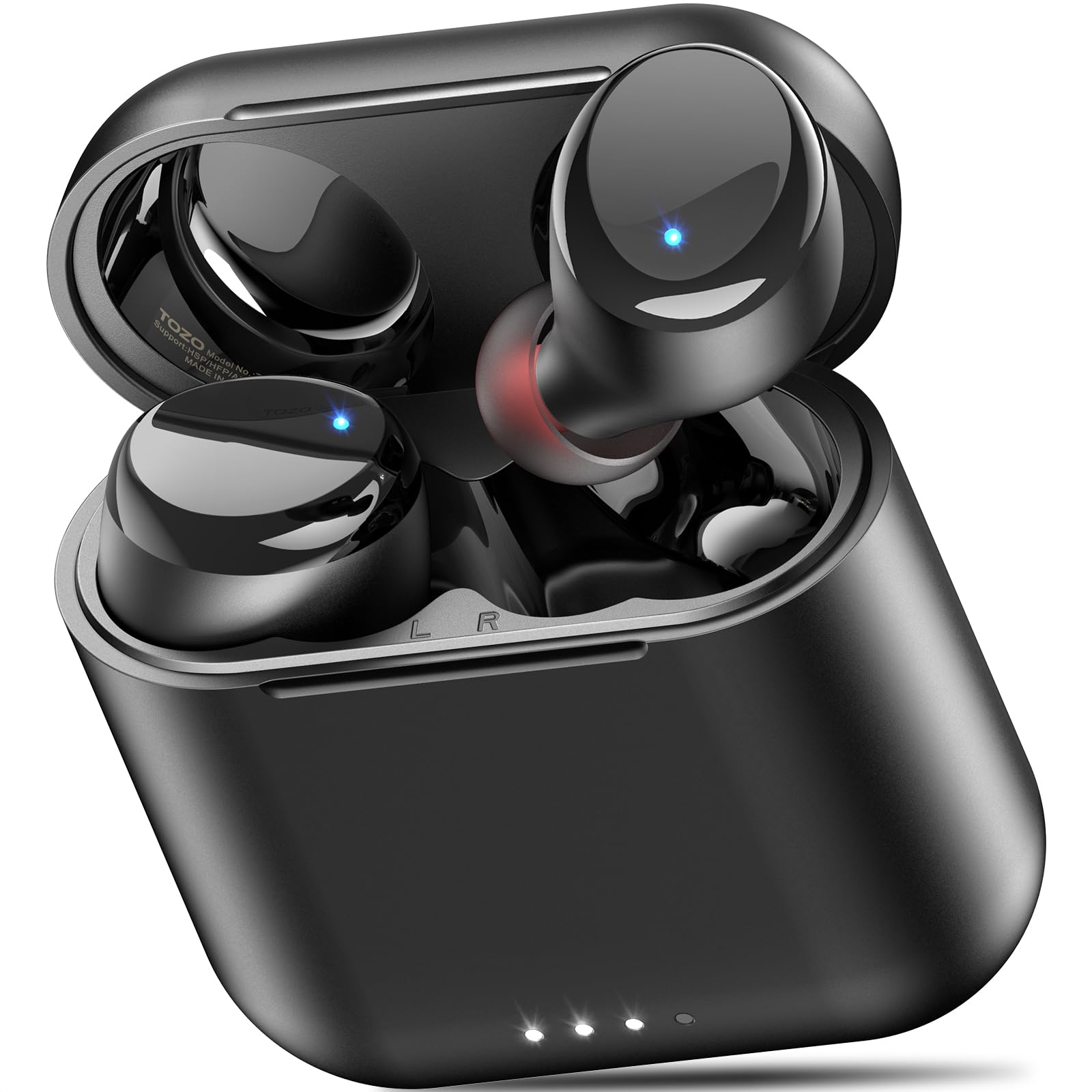
Figure 1: TOZO T6 Wireless Earbuds and Charging Case.

Figure 2: TOZO T6 Earbud highlighting OrigX 2.0 Acoustics for powerful bass and clear audio.

Figure 3: TOZO T6 Earbuds with a selection of ultra-soft silicone ear tips for a secure and comfortable fit.
4. Setélan
4.1. Papasangan awal
- Buka wadah ngecas. Earbuds bakal otomatis asup kana mode papasangan.
- Dina alat Anjeun (smartphone, tablet, jsb), aktipkeun Bluetooth.
- Milarian pikeun "TOZO-T6" in the list of available Bluetooth devices and select it to connect.
- Sakali disambungkeun, anjeun bakal ngadéngé ajakan audio confirming pasangan suksés.
4.2. Nyocogkeun Earbuds
For optimal sound quality and comfort, choose the correct ear tip size. The TOZO T6 comes with multiple sizes of silicone ear tips. Experiment to find the size that provides a snug fit and good seal in your ear canal.
- Lembut selapkeun earbud kana saluran ceuli anjeun.
- Puterkeun earbud saeutik nepi ka karasana aman sareng nyaman.
- Ensure a good seal to maximize bass response and noise isolation.
5. Parentah Operasi
5.1. Toél Kontrol
The TOZO T6 earbuds feature intuitive touch controls for easy management of music and calls.

Figure 4: Visual guide to TOZO T6 Smart Touch Controls.
- Puter / Reureuh: Tap L or R earbud once.
- Volume Up: Hold R earbud for 2 seconds.
- Volume Turun: Hold L earbud for 2 seconds.
- Lagu salajengna: Tap R earbud twice.
- Lagu saméméhna: Tap L earbud twice.
- Ngajawab / mungkas Telepon: Tap L or R earbud once.
- Nolak Telepon: Hold L or R earbud for 2 seconds.
5.2. Ngecas
The TOZO T6 earbuds and charging case offer both wireless and USB-C charging options.

Figure 5: The TOZO T6 charging case being charged wirelessly.
- Ngecas Earbud: Place the earbuds into the charging case. They will automatically begin charging. The indicator lights on the earbuds will show their charging status.
- Case Charging (USB-C): Connect the provided USB A to C charging cable to the charging port on the case and a power source. The case fully charges in approximately 55 minutes.
- Case Charging (Wireless): Place the charging case on a compatible wireless charging pad. The case fully charges in under 2 hours wirelessly.
- Kahirupan batré: Enjoy up to 12 hours of listening time on a single charge, with a total of 50 hours using the charging case.
5.3. TOZO APP Compatibility
Enhance your audio experience by connecting your TOZO T6 earbuds to the TOZO app.

Figure 6: The TOZO App interface showing customizable EQ settings.
- Download the TOZO app from the App Store or Google Play.
- Connect your earbuds via the app to access 32 preset EQ modes or create your own custom sound profiles.
- The app also offers over 100 white noise tracks and AI-powered features for productivity.
6. Pangropéa
6.1. beberesih
Pembersihan rutin ngabantosan ngajaga kinerja sareng kabersihan anu optimal.
- Ngusap earbuds sareng wadah ngecas ku lawon anu lemes, garing, teu aya serat.
- Cabut tip ceuli sareng bersihkeun ku sabun sareng cai anu hampang, teras garing sateuacana dipasang deui.
- Gently clean any debris from the charging contacts on the earbuds and inside the case using a dry cotton swab.
6.2. Tahan cai (IPX8)
The TOZO T6 earbuds are IPX8 waterproof, offering protection against water immersion.

Figure 7: TOZO T6 Earbuds demonstrating IPX8 waterproof protection.
- IPX8 rating means the earbuds can withstand complete immersion in water under specific laboratory conditions (up to 1.5 meters for 30 minutes).
- They are designed to handle heavy sweat, rain, and daily water exposure.
- Pastikeun earbuds garing sateuacan nempatkeun deui kana wadah ngecas pikeun nyegah karusakan.
7. Cara ngungkulan
If you encounter any issues with your TOZO T6 earbuds, try the following steps:
- Henteu aya sora: Ensure earbuds are paired correctly and volume is turned up on both the earbuds and your device. Check if the earbuds are charged.
- Masalah pasangan: Turn off Bluetooth on your device, then turn it back on. Reset the earbuds by placing them in the case, closing it, and then reopening. Try pairing again.
- Sora anu teu saimbang: Ensure both earbuds are properly seated in your ears and that the ear tips provide a good seal. Check for debris in the earbud nozzles.
- Masalah ngecas: Ensure the charging cable is securely connected or the wireless charging pad is properly aligned. Clean the charging contacts.
- Touch Control Unresponsive: Ensure your fingers are clean and dry. Try resetting the earbuds.
For persistent issues, refer to the TOZO official websitus atanapi ngahubungan rojongan customer.
8. Spésifikasi
| Fitur | Spésifikasi |
|---|---|
| Ngaran modél | T6 |
| Vérsi Bluetooth | 5.3 |
| Rentang Bluetooth | 20 méter |
| Kahirupan Batré (Earbuds) | Nepi ka 12 Jam |
| Total Playtime (kalawan Case) | Nepi ka 50 Jam |
| Charging Time (Case via USB-C) | Kira-kira. 55 menit |
| Charging Time (Case via Wireless) | Dina 2 Jam |
| Peunteun Résistansi Cai | IPX8 |
| Kontrol bising | Isolasi sora |
| Ukuran Supir Audio | 6 milimeter |
| Item Beurat | 0.2 ons |
9. Garansi jeung Rojongan
TOZO products are designed for durability and performance. For warranty information and customer support, please visit the official TOZO websitus atanapi hubungi tim layanan palangganna. Simpen resi pameseran anjeun kanggo klaim garansi.
Pikeun sumber tambahan sarta FAQs, mangga buka TOZO Brand Store.


