1. Bubuka
This manual provides detailed instructions for the installation, operation, and maintenance of your DIGITEN WTC1001 Wireless Thermostat Outlet. This device is designed to control heating and cooling appliances by maintaining a desired temperature, offering a convenient and energy-efficient solution for various environments.
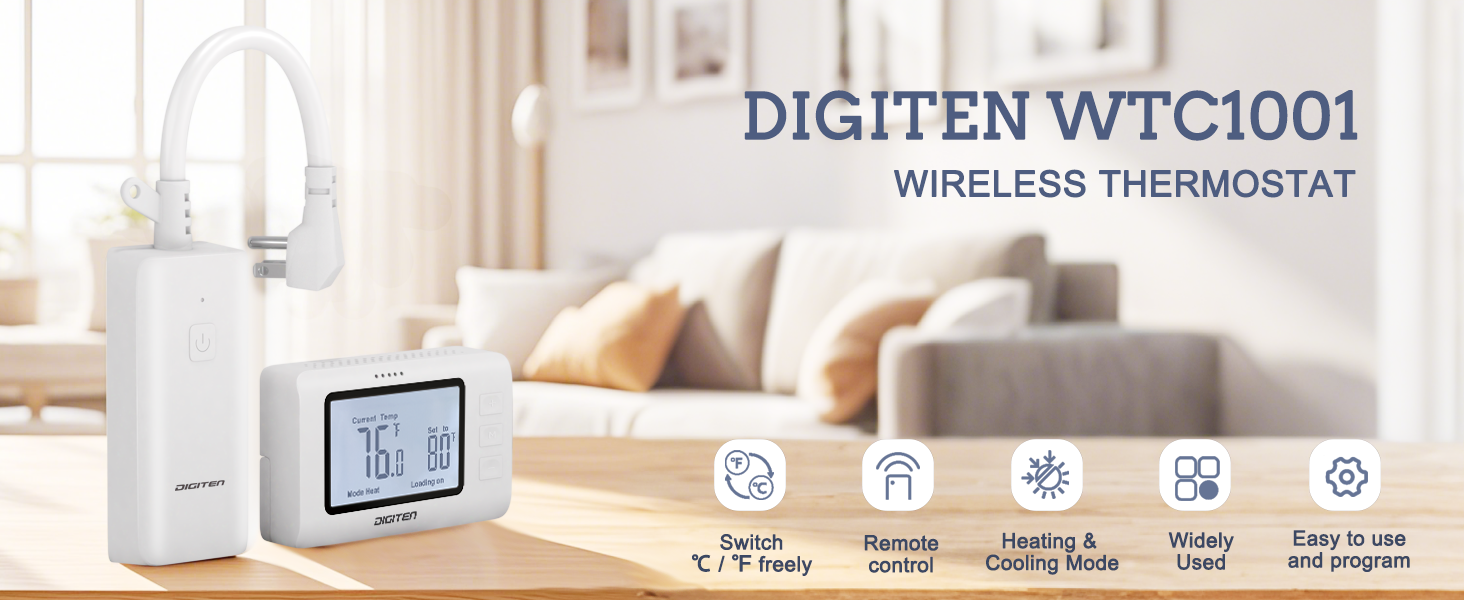
Image 1.1: The DIGITEN WTC1001 Wireless Thermostat Outlet and its remote control unit, highlighting key features like temperature unit switching, remote control, heating/cooling modes, wide applicability, and ease of use.
Fitur konci:
- Operasi gampang: Simple setup with heating or cooling mode selection and target temperature adjustment.
- Desain Hemat Spasi: Power cord plug design prevents blocking adjacent outlets.
- Sénsor terpadu: Remote controller includes a high-precision temperature sensor for accurate readings.
- Aplikasi serbaguna: Suitable for controlling various appliances in homes, greenhouses, and for pet care.
- Kasalametan: Features a separate input and output socket design to reduce current temperature rise and protect circuits, and is FCC certified.
2. Eusi Paket
Pastikeun yén sadaya item aya dina bungkusan:
- 1 x Wireless Thermostat Outlet Receiver
- 1 x Remote Controller with built-in temperature sensor
- 1 x Wall Mounted Panel for Remote Controller
- 1 x Manual Pamaké (dokumén ieu)
Catetan: 2x AAA 1.5V batteries for the remote controller are not included and must be purchased separately.
3. Produk Langkungview
3.1 Komponén

Image 3.1: The main components of the DIGITEN WTC1001 system: the wireless thermostat outlet receiver and the remote control unit.

Gambar 3.2: Detil view of the receiver unit, showing the power plug with cord, the signal receive key, the power outlet, and the loading indicator light.
3.2 Remote Controller Display and Buttons
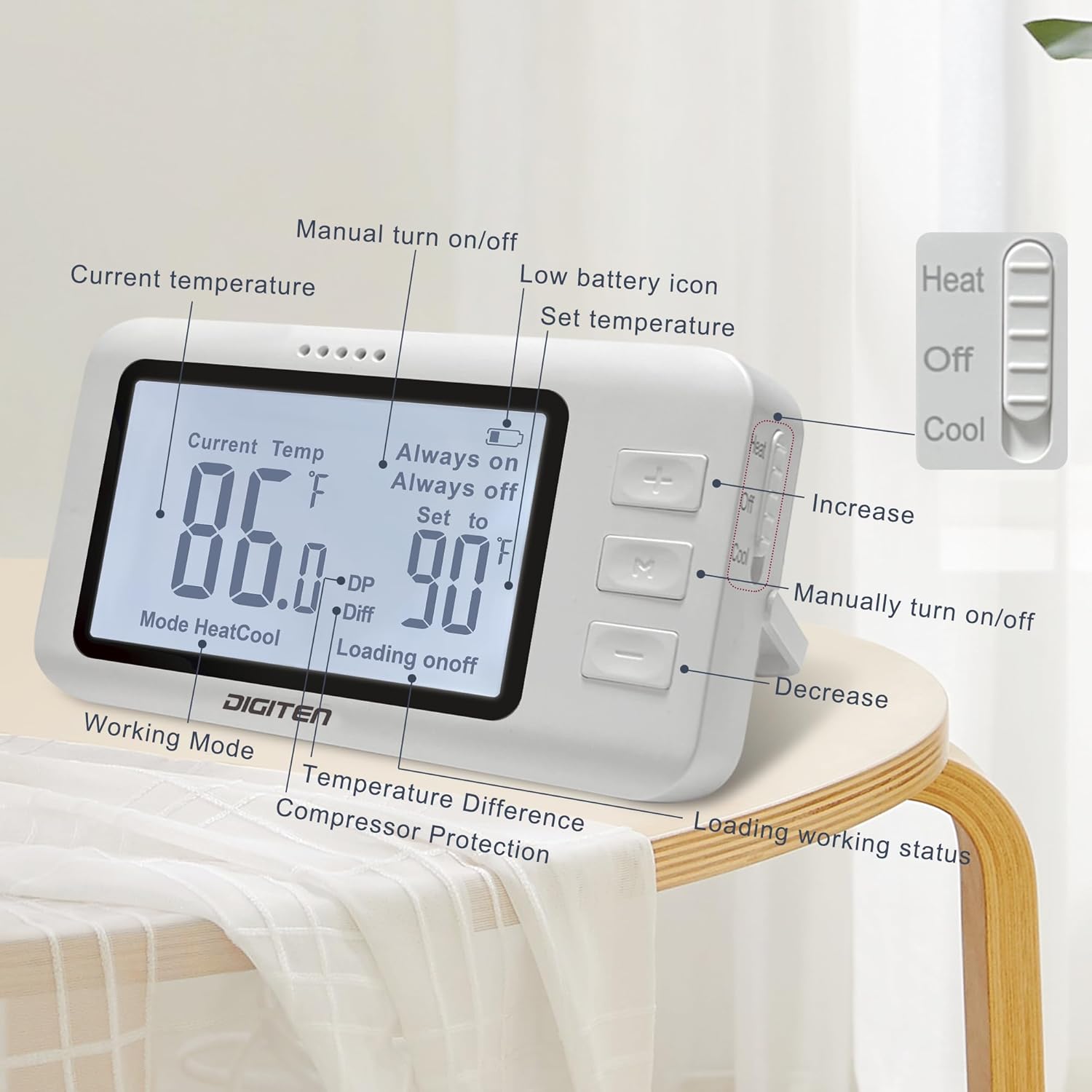
Image 3.3: The remote controller's LCD screen and buttons. Labels indicate Current Temperature, Set Temperature, Working Mode (Heat/Cool), Temperature Difference (Diff), Compressor Protection (DP), Loading Status (on/off), Low Battery Icon, Increase/Decrease buttons, and a Manual Turn On/Off button. A slide switch on the side selects Heat, Off, or Cool modes.
4. Setup jeung Instalasi
4.1 Masang Batré Kontroler Jarak Jauh
The remote controller requires 2x AAA 1.5V batteries (not included). Open the battery compartment on the back of the remote controller and insert the batteries, ensuring correct polarity.
Video 4.1: This video demonstrates how to install the batteries into the remote control unit and how to place it on a surface or mount it to a wall using the provided bracket.
4.2 Mounting the Remote Controller
The remote controller can be placed on any flat surface or mounted to a wall using the included wall-mounted panel.
- panempatan permukaan: Extend the kickstand on the back of the remote controller to stand it upright on a table or desk.
- Pamasangan témbok:
- Secure the wall-mounted panel to your desired wall location using screws (not included).
- Slide the remote controller onto the mounted panel until it clicks into place.
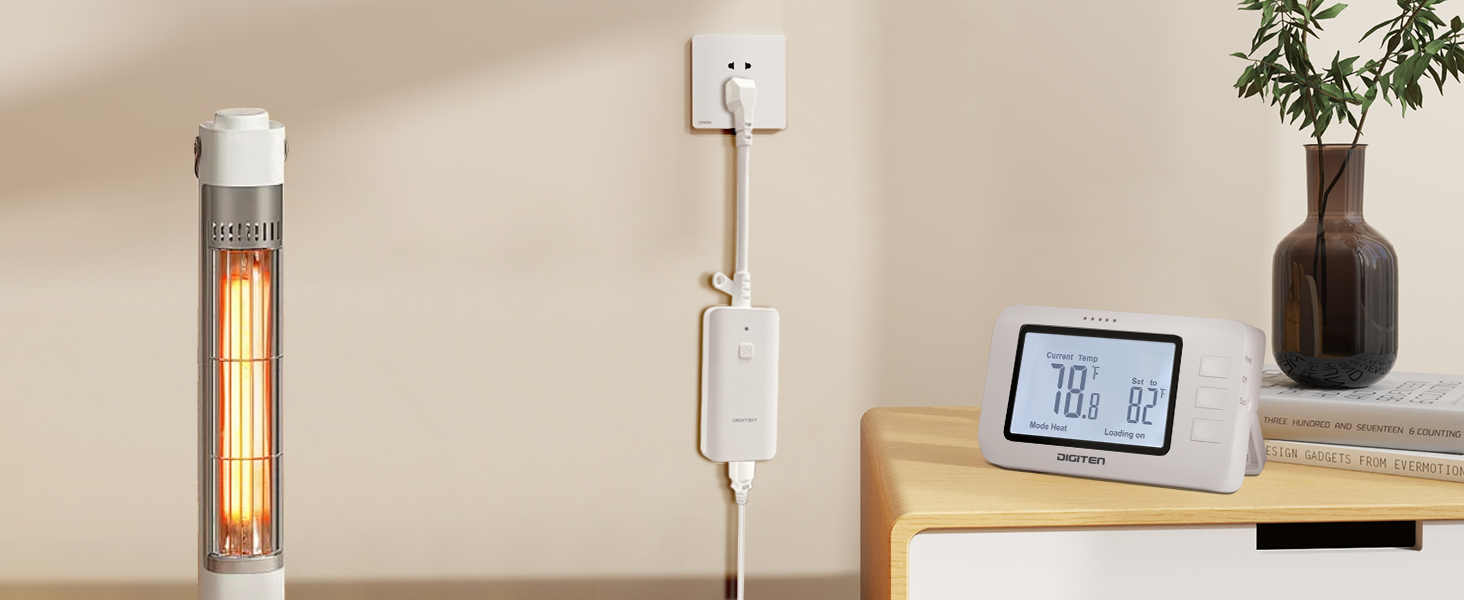
Image 4.2: Illustration showing the remote controller mounted on a wall, demonstrating the wall hanging option.
4.3 Nyambungkeun panarima
Plug the receiver unit into a standard 110V AC wall outlet. The unique power cord design ensures that adjacent outlets remain accessible.
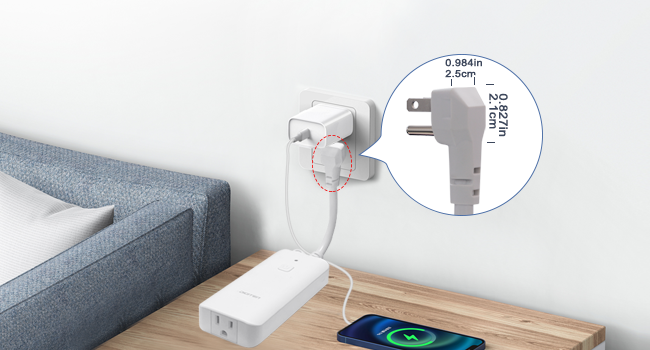
Gambar 4.3: Deukeut view of the receiver's plug, illustrating its compact design that allows other devices to be plugged into adjacent wall sockets without obstruction.
Plug your heating or cooling appliance into the outlet on the receiver unit.
5. Parentah Operasi
The DIGITEN WTC1001 is designed for straightforward operation. Follow these steps to control your appliance:
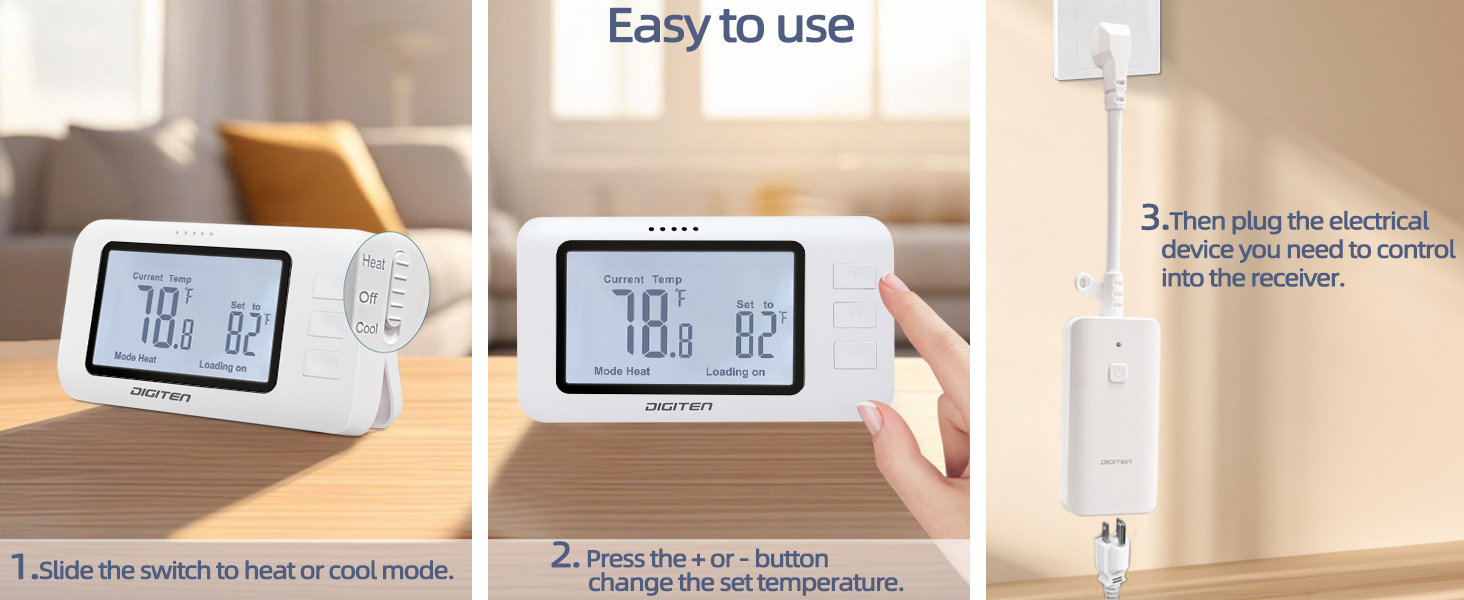
Image 5.1: Visual guide for basic operation: 1. Slide the switch to Heat or Cool mode. 2. Press the + or - buttons to change the set temperature. 3. Plug the electrical device into the receiver.
5.1 Selecting Operating Mode (Heat/Cool)
On the side of the remote controller, locate the slide switch. Move the switch to:
- Panas: For controlling heating appliances (e.g., space heaters).
- keren: For controlling cooling appliances (e.g., fans, air conditioners).
- Pareum: To turn off temperature control.

Gambar 5.2: Examples of the thermostat in use, showing a space heater connected for heating mode and a fan connected for cooling mode.
5.2 Nyetel Suhu Target
After selecting the mode:
- Pencét éta + button to increase the target temperature.
- Pencét éta - button to decrease the target temperature.
The remote controller will display the current temperature and the set target temperature. The receiver will automatically activate or deactivate the connected appliance to maintain the set temperature.
5.3 Ngaganti Antara Celsius (°C) jeung Fahrenheit (°F)
The remote controller allows you to switch between Celsius and Fahrenheit units. Refer to the remote controller's display details (Image 3.3) for the specific button or combination to toggle units.
5.4 Manual On/Off
The remote controller has a dedicated button (often labeled 'M' or a power icon) to manually turn the connected appliance on or off, overriding the temperature control temporarily.
6. Pangropéa
6.1 beberesih
Wipe the thermostat outlet and remote controller with a soft, dry cloth. Do not use abrasive cleaners or immerse the units in water.
6.2 Ngagantian batré
When the low battery icon appears on the remote controller's display, replace the 2x AAA 1.5V batteries. Ensure correct polarity during replacement.
7. Cara ngungkulan
| Masalah | Mungkin Cukang lantaranana | Solusi |
|---|---|---|
| Appliance not turning on/off as expected. | Incorrect mode selected (Heat/Cool). Target temperature not set correctly. Remote controller out of range or low battery. | Verify the slide switch is in the correct mode. Adjust the target temperature using the + and - buttons. Move the remote controller closer to the receiver (within 100m/328ft open space). Replace remote batteries. |
| Taya tampilan dina controller jauh. | Batré pareum atawa salah dipasang. | Ganti batréna ku batré AAA 1.5V nu anyar, pastikeun polaritasna bener. |
| Lampu indikator panarima teu hurung. | Receiver not plugged in or no power to the outlet. | Ensure the receiver is securely plugged into a working wall outlet. Check the circuit breaker. |
| Bacaan suhu sigana teu akurat. | Remote controller placed in an area with drafts, direct sunlight, or near heat sources. | Relocate the remote controller to a more stable temperature environment, away from direct influences. |
8. Spésifikasi

Gambar 8.1: Detil view of the product dimensions and key technical specifications for the receiver and remote control.
| spésifikasi umum | |
|---|---|
| merek | DIGITEN |
| Ngaran modél | WTC1001 |
| Tipe Controller | RF (Frékuénsi Radio) |
| Téhnologi konektipitas | RF |
| Warna | Bodas |
| Bahan | palastik |
| Tipe tampilan | LCD |
| Tipe Pamasangan | Tembok Gunung, Surface Mount |
| Item Beurat | 11.3 ons |
| Spésifikasi panarima | |
|---|---|
| Sasayogian tanaga | AC 100-240V |
| Kapasitas beban | 15A, 1800W (at 110V AC) |
| Spésifikasi kadali jauh | |
|---|---|
| Sarat batré | 2 x 1.5V AAA (Teu kaasup) |
| Jarak Pangiriman | Up to 100m / 328ft (open space) |
| Ngukur Rentang Suhu | -10.0 °C nepi ka 80 °C (14 °F nepi ka 176.0 °F) |
| Kontrol Range Suhu | 0 °C nepi ka 70 °C (32 °F nepi ka 158.0 °F) |
| Resolusi Suhu | ±0.1 °C / °F |
| Kontrol Akurasi | ±1 °C / °F |
| Frékuénsi Refresh | 20 Detik |
9. Garansi jeung Rojongan
DIGITEN provides a one-year warranty for any product issues. For technical support or warranty claims, please contact DIGITEN customer service through the retailer where the product was purchased or visit the official DIGITEN websitus.


