Bubuka
Thank you for choosing the IRRADIO IR-GT710V Portable Speaker. This manual provides essential information for the safe and efficient operation of your device. Please read it carefully before use and retain it for future reference.
Émbaran Kasalametan
- Ulah ngalaan speaker ka suhu ekstrim, sinar panonpoé langsung, atawa seuneu kabuka.
- Hindarkeun lungsur atanapi nahan panyatur kana tabrakan anu kuat.
- Ulah ngabongkar, ngalereskeun, atanapi ngarobih speaker nyalira. Hubungi petugas servis anu mumpuni pikeun perbaikan naon waé.
- Jauhkeun spéker tina alat médis.
- Pastikeun port ngecas garing sateuacan nyambungkeun carjer.
- This speaker has an IPX6 water resistance rating, meaning it is protected against high-pressure water jets from any direction. It is not designed for submersion.
Eusi pakét
- IRRADIO IR-GT710V Portable Speaker
- Charger
- Manual pamaké
Produk Leuwihview
Familiarize yourself with the various parts and controls of your IRRADIO IR-GT710V speaker.

Gambar 1: Hareupeun view of the IRRADIO IR-GT710V speaker. The speaker features a black mesh grille covering the front, with the IRRADIO logo illuminated by RGB lights on the left side. A sturdy handle is visible on top.

Gambar 2: Puncak view of the IRRADIO IR-GT710V speaker. This image highlights the integrated carrying handle and the control panel located on the top surface. The control panel includes buttons for power, Bluetooth pairing, volume control, play/pause, and LED light modes.
Fungsi Panel Control
- Tombol Daya (⏻): Pencét jeung tahan pikeun mareuman/nonaktipkeun.
- Bluetooth Pairing Button (🔂): Pencét pikeun ngasupkeun mode papasangan Bluetooth.
- Volume Turun (−): Ngurangan volume.
- Naékkeun Volume (+): Ningkatkeun volume.
- Tombol Puter/Reureuh (▶): Puter atanapi ngareureuhkeun playback audio.
- Tombol Modeu Lampu LED (✴): Cycle through different RGB LED light modes.
- Tombol Bass Booster: Activate or deactivate enhanced bass.
Palabuhan jeung sambungan
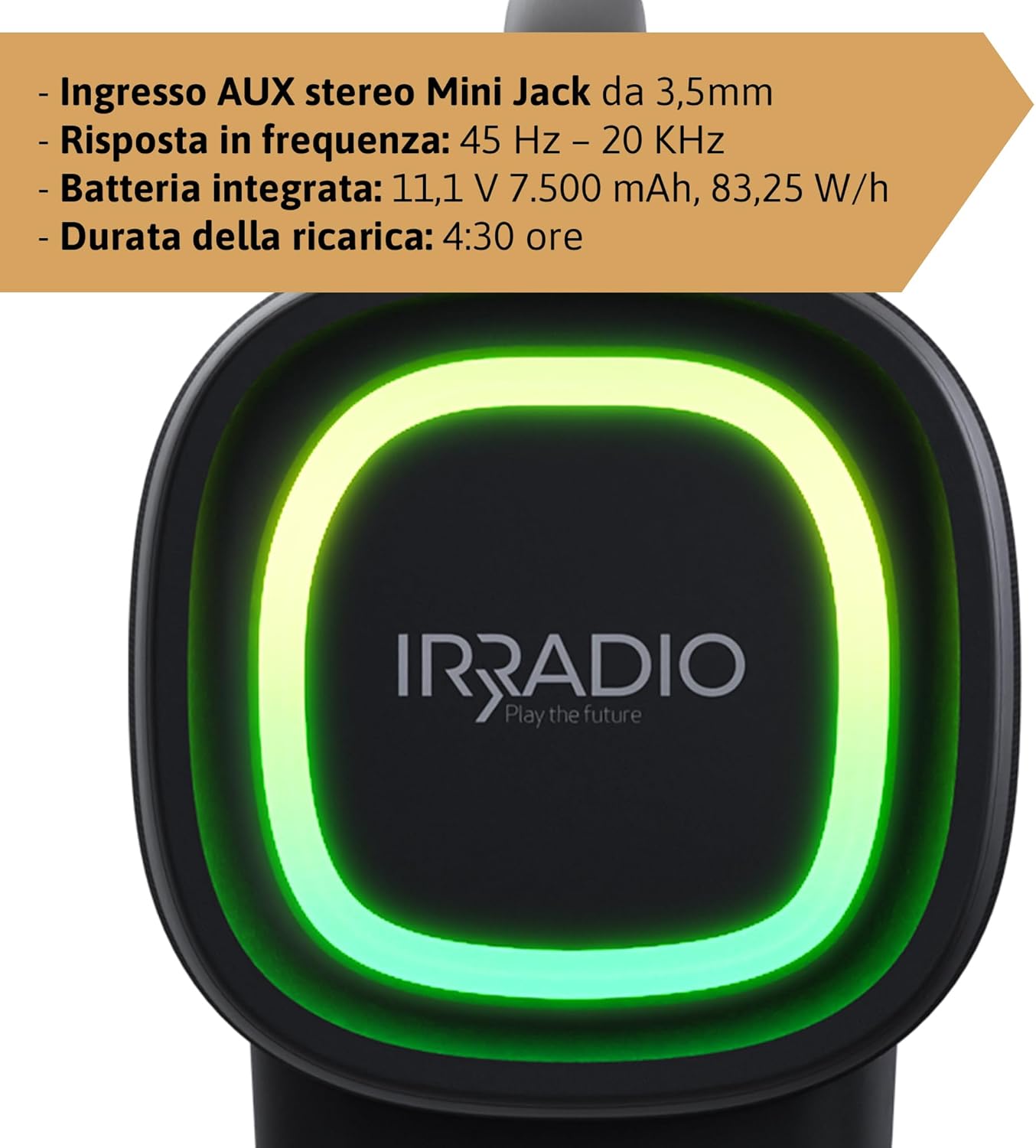
Gambar 3: Rear panel of the IRRADIO IR-GT710V speaker. This image shows the various input ports, including a 3.5mm AUX input, a USB port for media playback, and the DC 5V 3A charging port.
- DC 5V 3A Charging Port: For connecting the power adapter to charge the speaker.
- Port USB: Pikeun muter audio files langsung ti USB drive.
- AUX 3.5mm Input: Pikeun nyambungkeun alat audio éksternal liwat kabel audio 3.5mm.
Disetél
Ngecas Speaker
- Connect the provided charger to the DC 5V 3A charging port on the speaker.
- Colokkeun carjer ka colokan listrik.
- Lampu indikator ngecas bakal hurung.
- Ngecas pinuh peryogi waktos sakitar 4.5 jam. Lampu indikator bakal robih atanapi pareum saatos ngecas réngsé.
The integrated 7500 mAh battery provides up to 12 hours of continuous playback at 50% volume.
Daya Hurung/Pareuman
- Pikeun ngahurungkeun, pencét terus tahan tombol Daya (⏻) for a few seconds until you hear an audible prompt or see the indicator lights activate.
- Pikeun mareuman, pencét terus tahan tombol Daya (⏻) deui salami sababaraha detik dugi ka speaker pareum.
Parentah Operasi
Papasangan Bluetooth
- Pastikeun speaker dihurungkeun sareng aya dina jarak 10 méter ti alat Bluetooth anjeun.
- The speaker will automatically enter Bluetooth pairing mode, indicated by a flashing Bluetooth indicator light. If not, press the Bluetooth Pairing button (🔂).
- Aktipkeun Bluetooth dina alat Anjeun (smartphone, tablet, jsb) jeung neangan alat nu sadia.
- Select "IRRADIO IR-GT710V" from the list of devices.
- Once paired, the Bluetooth indicator light will stop flashing and remain solid, and you will hear a confirmation sound.
Papasangan Stereo Nirkabel Sejati (TWS)
The TWS function allows you to connect two IRRADIO IR-GT710V speakers for a more immersive stereo sound experience.
- Ensure both IR-GT710V speakers are powered on and not connected to any Bluetooth device.
- On one of the speakers (this will be the primary speaker), press and hold the Bluetooth Pairing button (🔂) salami sababaraha detik dugi ka anjeun ngadangu paréntah pasangan TWS.
- Spéker primér bakal otomatis milarian spéker sékundér.
- Once successfully paired, you will hear a confirmation sound, and the Bluetooth indicator lights on both speakers will synchronize.
- Now, connect your Bluetooth device to the primary speaker as described in the "Bluetooth Pairing" section. Both speakers will play audio in stereo.
Audio Playback (USB & AUX)
USB Playback
- Insert a USB flash drive containing MP3 or WAV audio files kana port USB.
- The speaker will automatically detect the USB drive and begin playing audio.
- Use the Play/Pause and Volume buttons on the speaker to control playback.
AUX Playback
- Connect one end of a 3.5mm audio cable to the AUX input port on the speaker.
- Sambungkeun tungtung kabel anu sanésna kana colokan kaluaran audio alat éksternal anjeun (contona, pamuter MP3, komputer).
- Spéker bakal otomatis pindah ka modeu AUX.
- Kontrol putereun sareng volume utamina tina alat éksternal anjeun.
Modeu Lampu LED
The IR-GT710V features dynamic RGB LED lighting. Press the LED Light Mode button (✴) to cycle through various lighting effects. The lights can synchronize with the music or display ambient patterns.

Gambar 4: The IRRADIO IR-GT710V speaker shown outdoors, emphasizing its key features. These include True Wireless Stereo functionality, IPX6 water resistance, vibrant RGB LED lighting, and a powerful 100W audio output.
Bass Booster Function
Press the Bass Booster button to enhance the bass output for a deeper, more impactful sound. Press it again to deactivate the function.
Pangropéa
- Ngabersihan spéker nganggo kaén anu lemes sareng garing. Ulah make cleaners abrasive atawa pangleyur.
- If the speaker gets wet, wipe it dry thoroughly before charging or using it again.
- Simpen spéker dina tempat anu tiis sareng garing upami henteu dianggo kanggo waktos anu lami.
- Charge the battery at least once every three months to maintain its lifespan.
Pamérésan masalah
| Masalah | Mungkin Cukang lantaranana | Solusi |
|---|---|---|
| Speaker teu hurung. | Batré béak. | Ngecas spéker sahenteuna 30 menit. |
| Teu bisa masangkeun via Bluetooth. | Speaker teu aya dina mode papasangan atawa geus disambungkeun ka alat sejen. | Ensure the speaker is in pairing mode (flashing indicator). Disconnect from other devices. Restart both speaker and Bluetooth device. |
| Taya sora salila playback. | Volumena leutik teuing atawa teu pati jelas. Sumber inputna salah. | Increase volume on both the speaker and the connected device. Ensure the correct input mode (Bluetooth, USB, AUX) is selected. |
| Papasangan TWS gagal. | Speakers are too far apart or already paired. | Ensure both speakers are close to each other and not connected to any other Bluetooth device. Try resetting both speakers. |
| playback USB teu jalan. | Teu dirojong file format or corrupted USB drive. | Mastikeun files are MP3 or WAV format. Try a different USB drive or reformat the current one. |
spésifikasi
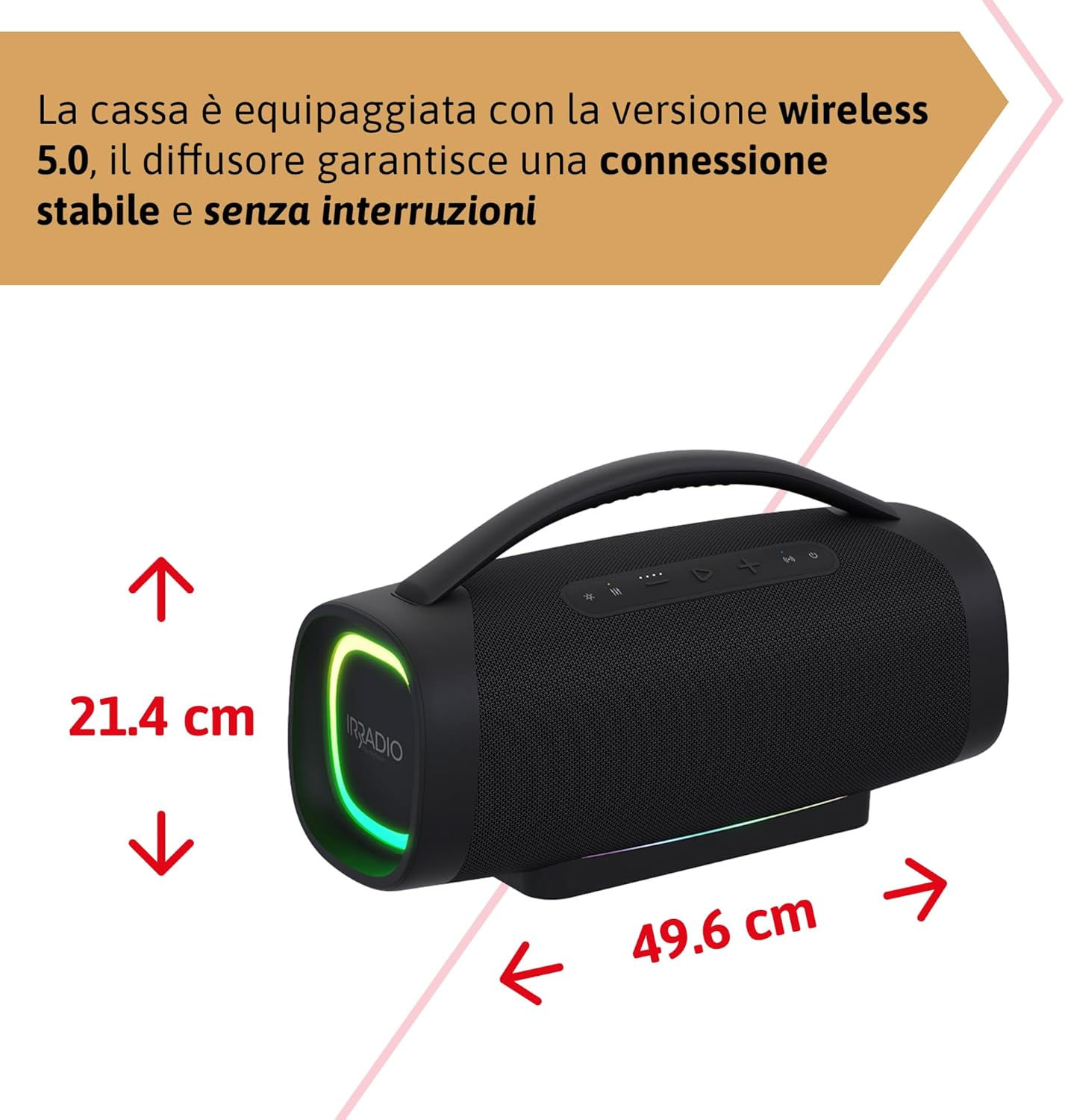
Gambar 5: Dimensions of the IRRADIO IR-GT710V speaker. The speaker measures 49.6 cm in width and 21.4 cm in height.
| Fitur | Spésifikasi |
|---|---|
| merek | IRRADIO |
| Modél | IR-GT710V |
| Tipe Speaker | Boombox |
| Kaluaran kakuatan | 100W RMS |
| Konektipitas | Bluetooth 5.0, USB, AUX 3.5mm |
| Rentang Bluetooth | Nepi ka 10 méter (33 suku) |
| Tahan cai | IPX6 |
| Kapasitas batré | 11.1V 7500 mah (83.25 Wh) |
| Waktu Playback | Nepi ka 12 jam (dina volume 50%) |
| Waktu Ngecas | Kurang leuwih 4.5 jam |
| Réspon Frékuénsi | 45 Hz - 20 KHz |
| Format Audio Dirojong | MP3, WAV |
| Ukuran produk (L x W x H) | 49.6 x 21.4 x 21.4 cm (19.5 x 8.4 x 8.4 inci) |
| Beurat bersih | 6.22 kg (13.7 lbs) |
| Komponén Kaasup | Charger |
| Tipe Colokkeun Daya | Type D – 3-pin (India) |
Garansi sareng Rojongan
IRRADIO products are designed and manufactured to the highest quality standards. For warranty information, technical support, or service inquiries, please refer to the warranty card included with your product or visit the official IRRADIO websitus. Punten tahan bukti pameseran anjeun pikeun klaim garansi.


