Bubuka
Thank you for choosing the iKF T1 Max Wireless Bluetooth Over Ear Headphones. These headphones are designed to provide a premium audio experience with features like Active Noise Cancellation, HiFi sound, and extended battery life. This manual will guide you through the setup, operation, and maintenance of your new headphones to ensure optimal performance and enjoyment.
Gambar: Hareupeun view of the iKF T1 Max Wireless Bluetooth Over Ear Headphones.
Naon dina Box
Mangga parios eusi pakét pikeun mastikeun yén sadaya barang aya:
- iKF T1 Max Wireless Bluetooth Over Ear Headphones
- Manual pamaké
- Kabel Ngecas
- Audio Cable (3.5mm AUX)

Image: The iKF T1 Max headphones and included accessories.
Fitur produk
Premium HiFi Sound with 40mm Drivers
The iKF T1 Max headphones feature 40mm HiFi speakers, engineered to deliver deep bass, rich mids, and crisp highs. This ensures a studio-quality audio performance for music, movies, and podcasts.

Image: Illustration of the 40mm dynamic driver for HiFi sound.
Nepi ka 100 Jam Playtime
Enjoy extended listening sessions with a long-lasting battery. The headphones offer up to 100 hours of wireless playtime with Active Noise Cancellation (ANC) off, and 75 hours with ANC on. This makes them suitable for long commutes, travel, or remote work without frequent recharging.

Image: Battery life details for iKF T1 Max headphones.
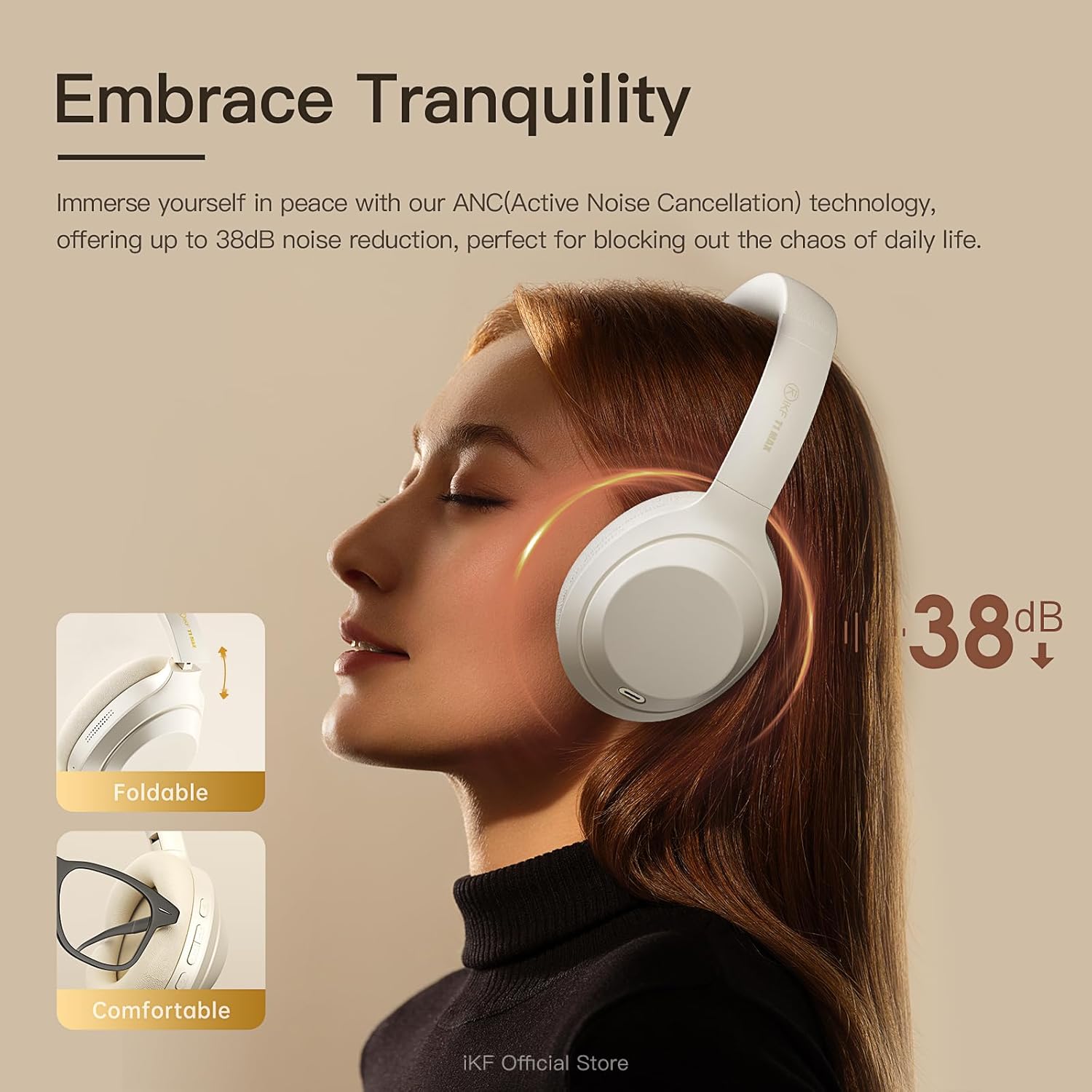
Active Noise Cancelling with Adjustable Levels
Immerse yourself in your audio with advanced Active Noise Cancellation (ANC) technology, providing up to 38dB noise reduction. Customize ANC levels through the iKF app to effectively block out distractions in various environments such as flights, offices, or public spaces.

Image: Active Noise Cancellation feature of the iKF T1 Max headphones.
Dual Device Bluetooth Connection
Connect your headphones to two Bluetooth devices simultaneously. This allows for seamless switching between your phone and laptop for calls, meetings, or music without the need to disconnect and reconnect. This feature is ideal for multitasking professionals.

Image: Dual device connection capability of the headphones.
Wireless and Wired Modes
The iKF T1 Max offers both wireless Bluetooth 5.4 connectivity and a wired mode via the included 3.5mm AUX audio cable. This ensures continuous listening even if the battery runs low, providing flexibility for various usage scenarios.

Image: Wireless and wired connection options.
Customization via iKF App
Connect to the iKF-APP to personalize your listening experience. Adjust ANC levels, create custom sound profiles, and fine-tune settings to match your unique preferences and lifestyle.

Image: iKF App interface for personalized settings.
Disetél
1. Ngecas Headphone
Before first use, fully charge your iKF T1 Max headphones. Connect the provided charging cable to the USB-C port on the headphones and to a USB power source (e.g., computer, wall adapter). The charging time is approximately 2 hours for a full charge.

Image: Charging port location on the headphones.
2. Powering on / Pareum
- Pikeun Ngahurungkeun: Pencét jeung tahan tombol Daya salila kurang leuwih 3 detik nepi ka lampu indikator hurung.
- Pikeun mareuman: Pencét jeung tahan tombol Daya salila kurang leuwih 5 detik nepi ka lampu indikator pareum.
3. Papasangan Bluetooth
- Pastikeun headphone dipareuman.
- Press and hold the Power button for about 5-7 seconds until the indicator light flashes blue and red, indicating pairing mode.
- Dina alat anjeun (smartphone, laptop, jsb.), aktipkeun Bluetooth sareng milarian alat anu sayogi.
- Select "iKF T1 Max" from the list of found devices.
- Sakali nyambung, lampu indikator bakal robah jadi biru polos atawa biru kedip-kedip laun.
4. Sambungan Kabel (Modeu AUX)
To use the headphones in wired mode, connect one end of the 3.5mm audio cable to the AUX port on the headphones and the other end to your audio source. The headphones will automatically switch to wired mode, and Bluetooth will be disabled.
Parentah Operasi

Gambar: Leuwihview of headphone control buttons.
Puterkeun Musik
- Puter / Reureuh: Press the Multi-function button (usually the power button or a dedicated play/pause button) once.
- Lagu salajengna: Press and hold the Volume Up button or a dedicated "Next" button. (Refer to specific button layout in the included manual for exact controls).
- Lagu Sateuacanna: Press and hold the Volume Down button or a dedicated "Previous" button. (Refer to specific button layout in the included manual for exact controls).
- Volume Up: Pencét pondok tombol Volume Up.
- Volume Turun: Pencét pondok tombol Volume Turun.
Manajemén Telepon
- Ngajawab / mungkas Telepon: Pencét tombol Multi-fungsi sakali.
- Nolak Telepon: Pencét jeung tahan tombol Multi-fungsi salila 2 detik.
- Asistén Sora: Double-press the Multi-function button to activate your device's voice assistant (Siri, Google Assistant).
Kontrol Noise Aktif (ANC).
- Togél Modeu ANC: Press the ANC button once to cycle through ANC On, Ambient Sound Mode, and ANC Off.
- Customize ANC: Use the iKF app to fine-tune ANC levels and ambient sound settings.
Sambungan Alat Ganda
When connected to two devices, the headphones will intelligently switch audio sources. For example, if you are listening to music on your laptop and receive a call on your phone, the headphones will automatically switch to the phone call. After the call, they will return to the laptop audio.
Pangropéa
- beberesih: Anggo lawon anu lembut sareng garing pikeun ngabersihan headphone. Ulah make cleaners abrasive atawa pangleyur.
- Panyimpenan: Store the headphones in a cool, dry place, away from direct sunlight and extreme temperatures. When not in use for extended periods, ensure they are fully charged.
- Paparan cai: Headphone ieu henteu tahan cai. Hindarkeun paparan ka cai atanapi kalembaban anu kaleuleuwihan.
- Perawatan batré: Pikeun manjangkeun umur batre, ulah miceun headphone sacara sering. Ngeusi batre aranjeunna rutin, sanajan teu di pamakéan konstan.
Pamérésan masalah
| Masalah | Solusi anu mungkin |
|---|---|
| Headphone teu hurung. | Pastikeun headphone dicas. Sambungkeun aranjeunna ka sumber listrik nganggo kabel ngecas. |
| Teu bisa masangkeun via Bluetooth. |
|
| Taya sora atawa volume low. |
|
| ANC teu efektif. |
|
| Kualitas sora henteu saé. |
|
spésifikasi
| Fitur | Rincian |
|---|---|
| Ngaran modél | iKF T1 Max |
| Téhnologi konektipitas | Bluetooth, Wired (3.5mm Jack) |
| Komunikasi Nirkabel | Bluetooth 5.4 |
| Panempatan Ceuli | Leuwih Ceuli |
| Kontrol bising | Active Noise Cancellation, Environmental Noise Cancellation |
| Ukuran supir | 40 mm |
| Kahirupan Batré (ANC Pareum) | Nepi ka 100 Jam |
| Kahirupan Batré (ANC Hurung) | Nepi ka 75 Jam |
| Waktu Ngecas | Kurang leuwih 2 Jam |
| Bahan | Plastik, Poliuretana (PU) |
| Komponén Kaasup | Headphones, Charging Cable, Audio Cable, User Manual |
| Alat nu cocog | Android Phone, Laptops, Smart Watch, Tablets, iPhone/iPad/Macbook |
Émbaran jaminan
The iKF T1 Max headphones come with a standard manufacturer's warranty. Please refer to the warranty card included in your product packaging or visit the official iKF websitus pikeun istilah jeung kaayaan jaminan lengkep. Simpen bukti pameseran anjeun pikeun klaim garansi.
Ngarojong
For further assistance, technical support, or customer service inquiries, please visit the official iKF store or contact their customer support team:
- iKF Official Store: Visit iKF Store on Amazon
- Dukungan Online: Refer to the official iKF websitus kanggo FAQ sareng inpormasi kontak.


