1. Bubuka
This manual provides detailed instructions for the installation, operation, and maintenance of your MiBOXER MG5-06F-ZL or MG5-12F-ZL RGB+CCT Foldable Magnetic Grille Light. This intelligent lighting solution offers dynamic and flexible illumination for various indoor environments. Please read this manual thoroughly before use to ensure proper functionality and safety.
2. Émbaran Kasalametan
- Pastikeun catu daya dipegatkeun samemeh dipasang atawa diropéa.
- Pamasangan kedah dilakukeun ku tukang listrik anu mumpuni atanapi saluyu sareng kode listrik lokal.
- Ulah ngoperasikeun lampu dina kaayaan baseuh atawa garingamp kaayaan.
- Hindarkeun paparan panon langsung kana sumber cahaya nalika dicaangan.
- Do not disassemble or modify the product, as this will void the warranty and may cause electrical hazards.
- Jauhkeun produk ti barudak.
3. Produk Langkungview
3.1 Fitur konci
- Dual-Mode Wireless Control: Supports both Zigbee 3.0 and 2.4GHz RF for broad compatibility with smart home ecosystems and MiBOXER remotes.
- RGB+CCT Lighting: Offers 16 million colors and tunable white temperature (2700K–6500K) for personalized illumination.
- Desain anu tiasa dilipat: Adjustable beam angle with a foldable head for targeted accent lighting or ambient glow.
- Magnetic Track Mounting: Instantly attachable to 48V magnetic track systems without the need for tools.
- Kontrol pinter: App and voice control (via compatible Zigbee gateway) with scene, group, and schedule functions.
- Energy-Efficient & Compact: Powerful output in a slim, low-profile awak.
3.2 Naon dina Box
Saatos ngabongkar bungkusan, pariksa yén sadaya komponén aya sareng henteu ruksak:
- 1 x MiBOXER MG5-06F-ZL or MG5-12F-ZL Foldable Magnetic Grille Light
Note: Magnetic track system, Zigbee gateway, and 2.4G RF remote control are sold separately.

Figure 1: MiBOXER MG5-12F-ZL Foldable Magnetic Grille Light (Unfolded)

Figure 2: MiBOXER MG5-12F-ZL Foldable Magnetic Grille Light (Folded)
4. Setup jeung Instalasi
4.1 Magnetic Track Installation
- Ensure the 48V magnetic track system is properly installed and powered off.
- Align the magnetic base of the grille light with the track.
- Gently place the light onto the track. The strong magnets will secure it in place.
- Verify that the security clips on both sides are engaged for dual protection.
- The light can be moved freely along the track to adjust its position.

Figure 3: Magnetic Track Installation

Figure 4: Dual Lock and Movement on Track
4.2 Zigbee 3.0 Pairing (Requires Zigbee Gateway)
- Power on the magnetic track system.
- Ensure your Zigbee gateway (e.g., Tuya Smart gateway) is powered on and connected to your network.
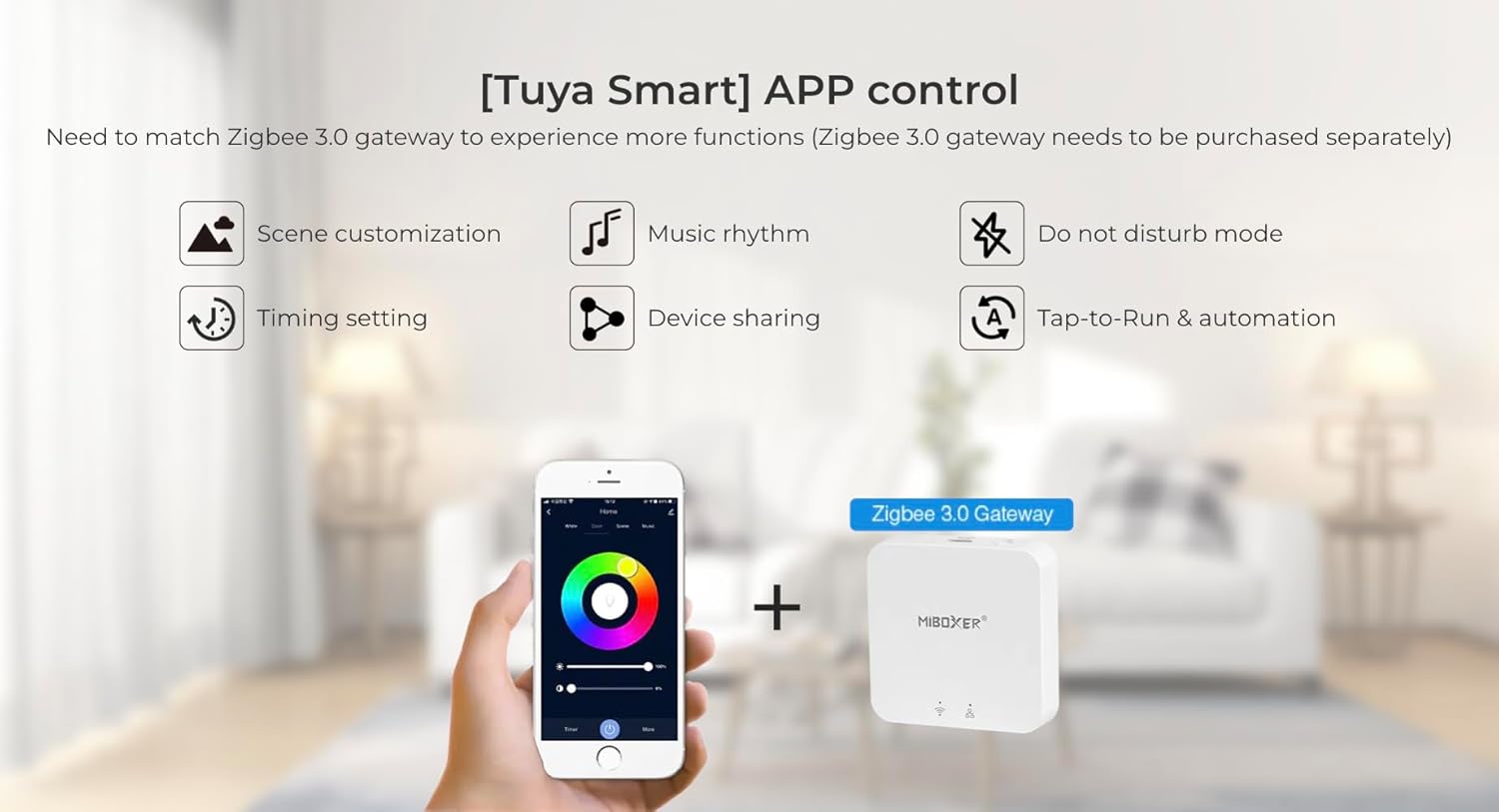
- Open your smart home app (e.g., Tuya Smart app) and initiate the device discovery or pairing process.
- The light should automatically enter pairing mode when first powered on. If not, power cycle the light (turn off and on) a few times until it blinks, indicating pairing mode.
- Once discovered, follow the app's instructions to add the light to your smart home system.

Figure 5: Tuya Smart App Control Interface
4.3 2.4G RF Remote Control Pairing (Optional)
- Ensure the light is powered on.
- On your Mi-Light / MiBoxer 2.4GHz remote control, press and hold the "ON" button for the desired zone within 3 seconds of powering on the light.
- The light will blink several times to confirm successful pairing.
- To unpair, press and hold the "OFF" button for the desired zone within 3 seconds of powering on the light. The light will blink rapidly to confirm unpairing.
5. Parentah Operasi
5.1 Basic Control (via App or Remote)
- Hurungkeun/Pareuman: Use the designated power button on your remote or within the smart app.
- Penyesuaian Caang: Adjust the light intensity using the brightness slider or buttons.
- Penyesuaian Suhu Warna: Change the white light from warm white (2700K) to cool white (6500K).
- Pilihan Warna: Choose from 16 million RGB colors using the color wheel in the app or dedicated color buttons on the remote.
5.2 Foldable Head Adjustment
The grille light features a foldable design, allowing you to adjust the direction of the light output. Gently pivot the light head to achieve your desired beam angle for accent lighting or general illumination.

Figure 6: Foldable Head Mechanism
5.3 Advanced App Functions (with Zigbee Gateway)
When connected to a Zigbee gateway and controlled via a smart app (e.g., Tuya Smart), you can access advanced features:
- Kustomisasi Adegan: Create and save custom lighting scenes for different moods or activities.
- Wirahma Musik: Synchronize light effects with music.
- Modeu Ulah Ganggu: Prevent automatic light activation during specific times.
- Setélan waktos: Jadwalkeun lampu hurung/pareum dina waktos anu khusus.
- Bagikeun alat: Share control of the light with family members.
- Tap-to-Run & Automation: Set up automated actions based on triggers (e.g., turn on when motion is detected).
6. Pangropéa
- beberesih: Disconnect power before cleaning. Use a soft, dry cloth to wipe the surface of the light. Do not use abrasive cleaners or solvents.
- Pamariksaan: Periodically check the magnetic connection and track for any signs of wear or damage.
- Henteu aya Bagian anu Bisa Dilayanan Pamaké: The LED light source is integrated and not user-replaceable. Do not attempt to open the fixture.
7. Cara ngungkulan
| Masalah | Mungkin Cukang lantaranana | Solusi |
|---|---|---|
| Lampu henteu hurung. | No power to the track; loose connection; faulty light. | Check power supply to the track. Ensure the light is securely seated on the magnetic track. Test with another light if available. |
| Teu tiasa dipasangkeun sareng Zigbee gateway. | Light not in pairing mode; gateway too far; interference. | Power cycle the light to re-enter pairing mode. Ensure the light is within range of the Zigbee gateway. Check for other 2.4GHz devices causing interference. |
| Cannot pair with 2.4G RF remote. | Incorrect pairing procedure; remote battery low. | Repeat the pairing steps carefully (Section 4.3). Replace remote batteries if necessary. |
| Colors or brightness not responding. | Connectivity issue; app/remote malfunction. | Check Zigbee/RF connection. Restart the app or replace remote batteries. Power cycle the light. |
8. Spésifikasi
| Parameter | Nilai |
|---|---|
| Nomer modél | MG5-06F-ZL (6W), MG5-12F-ZL (12W) |
| Kakuatan | 6W / 12W (gumantung kana modélna) |
| Tipe Sumber Cahaya | LED |
| Tipe Warna | RGB+CCT (16 Million Colors + Tunable White) |
| Suhu Warna | 2700K - 6500K |
| Kontrol Protokol | Zigbee 3.0, 2.4G RF |
| Zigbee Control Jarak | 50m (area terbuka) |
| 2.4G RF Jauh Control Jarak | 25m |
| Sumber Daya | Corded Electric (48V Magnetic Track System) |
| Bahan | palastik |
| Product Dimensions (MG5-12F-ZL) | 4.5"L x 3"W x 2.4"H (approx. 114mm L x 76mm W x 61mm H) |
| Produsén | Miboxer |
Gambar 7: Diagram Dimensi Produk

Figure 8: EU Energy Label for MG5-12F-ZL. For more details, visit https://eprel.ec.europa.eu/qr/1204626
9. Garansi jeung Rojongan
This product comes with a standard manufacturer's warranty. For specific warranty terms and conditions, please refer to the documentation provided with your purchase or contact your retailer. For technical support or inquiries, please visit the official MiBOXER websitus atanapi ngahubungan departemén layanan palanggan maranéhna.
Note: Warranty may be voided by improper installation, unauthorized modifications, or misuse of the product.


