
1. Bubuka
The Sony WH-1000XM6 are over-ear wireless Bluetooth headphones designed to provide an immersive audio experience with advanced noise-cancelling capabilities. This manual provides essential information for the proper setup, operation, and maintenance of your headphones.
Key features include the HD Noise Cancelling Processor QN3, Multi Noise Sensor Technology, High-Resolution Audio support, DSEE Extreme, and a foldable design for portability. The headphones also offer up to 30 hours of battery life and support multipoint connection.
2. Naon dina Box
Pastikeun yén sadaya barang aya dina bungkusan:
- Headphone Sony WH-1000XM6
- Compact Protective Carrying Case
- Kabel USB-C
- Dokuméntasi (manual ieu sareng pituduh sanésna)
3. Produk Langkungview
The WH-1000XM6 headphones feature a lightweight design with soft, cushioned ear pads and an adjustable headband for comfort during extended listening sessions. The headphones are foldable for easy storage and transport in the included carrying case.
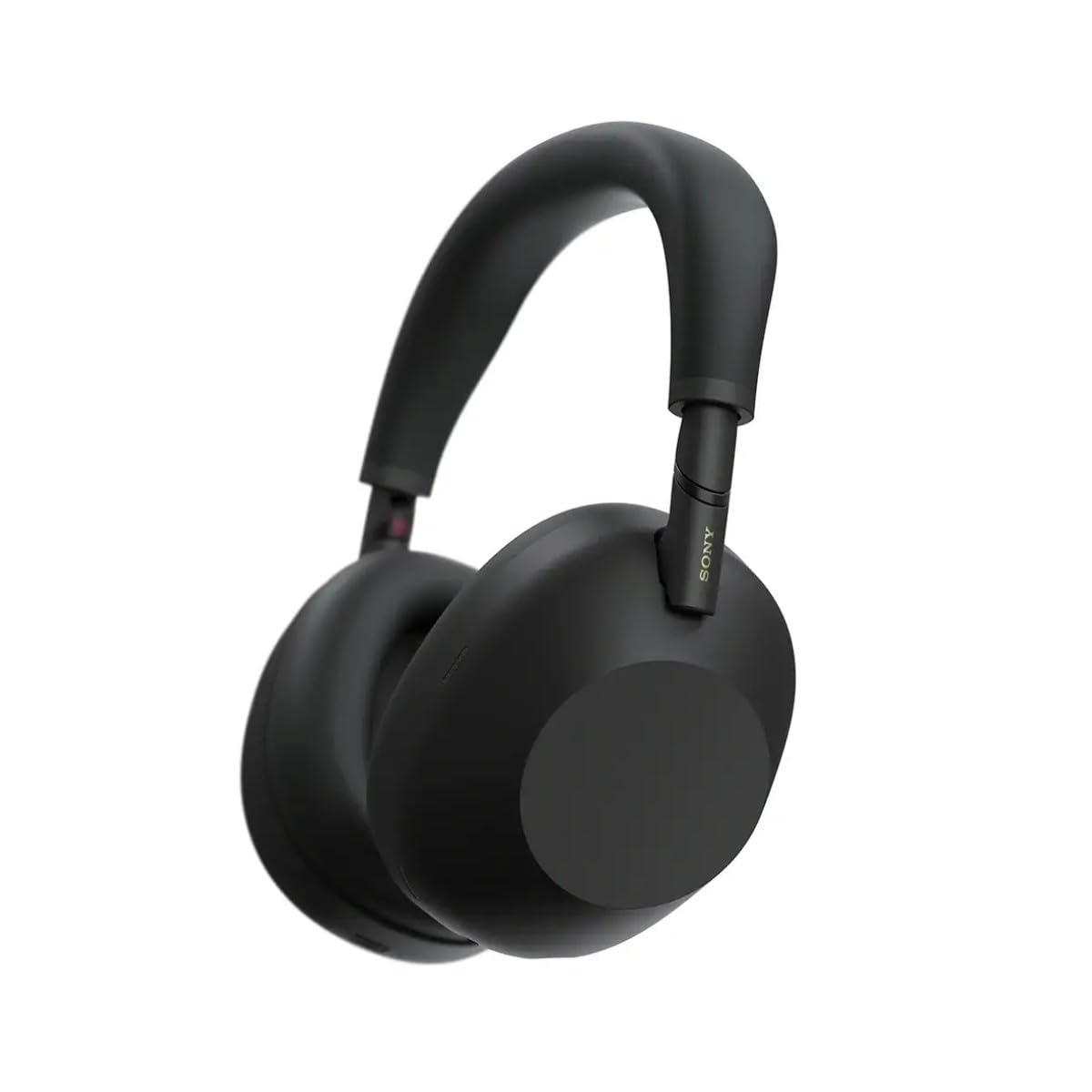
Gambar 3.1: Hareupeun view of the Sony WH-1000XM6 headphones in black.
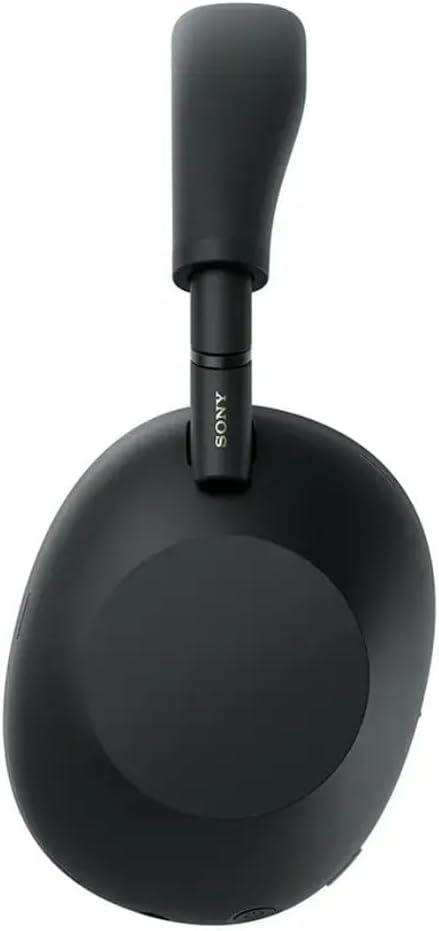
Gambar 3.2: Sisi view of the Sony WH-1000XM6 headphones.

Figure 3.3: WH-1000XM6 headphones stored in their protective carrying case.
4. Setélan
4.1. Ngecas Headphone
Before initial use, fully charge the headphones. Connect the supplied USB-C cable to the charging port on the headphones and to a USB power source. A full charge provides up to 30 hours of playback. A quick 3-minute charge can provide approximately 3 hours of playback. The headphones can be used while charging.
4.2. Daya Hurung / Pareum
- Pikeun ngahurungkeun: Pencét terus tahan tombol daya dugi ka lampu indikator hurung.
- Pikeun mareuman: Pencét terus tahan tombol daya dugi ka lampu indikator pareum.
4.3. Papasangan Bluetooth
Pikeun nyambungkeun headphone anjeun ka alat Bluetooth:
- Pastikeun headphone dipareuman.
- Press and hold the power button for approximately 7 seconds until the indicator light flashes blue rapidly and a voice guidance announces "Bluetooth pairing mode."
- Dina alat anjeun (smartphone, tablet, komputer), aktipkeun Bluetooth sareng milarian alat anu sayogi.
- Pilih "WH-1000XM6" tina daptar alat anu kadeteksi.
- Once connected, the indicator light will flash slowly, and a voice guidance will announce "Bluetooth connected."
4.4. Sony | Headphones Connect App
Download the Sony | Headphones Connect app from your device's app store. This app allows you to customize sound settings, manage noise cancellation, update firmware, and access additional features for your WH-1000XM6 headphones.
5. Parentah Operasi
5.1. Noise Cancelling and Ambient Sound Mode
The WH-1000XM6 features advanced noise cancellation powered by the HD Noise Cancelling Processor QN3 and Multi Noise Sensor Technology. The Auto NC Optimizer adapts to your environment for optimal performance.
- Noise Cancelling: Ngurangan noise ambient pikeun pangalaman déngékeun immersive.
- Modeu Sora Sakuliling: Allows you to hear surrounding sounds while listening to music, enhancing situational awareness. The Auto Ambient Sound Mode adjusts the level based on your environment.
- Quick Attention Mode: Cover the right earcup with your hand to instantly lower music volume and allow ambient sound in, useful for quick conversations.
5.2. Puterkeun Audio
The headphones feature 30mm driver units, support High-Resolution Audio, and include DSEE Extreme for upscaling compressed digital music files. Audio playback can be controlled via the touch panel on the right earcup:
- Puter / Reureuh: Ketok dua kali panel rampa.
- Lagu salajengna: Gesek ka hareup.
- Lagu Sateuacanna: Gesek ka tukang.
- Volume Up: Gesek ka luhur.
- Volume Turun: Gesek ka handap.
Sesuaikeun pro sora anjeunfile using the 10-band equalizer in the Sony | Headphones Connect app.
5.3. Fungsi Telepon
The WH-1000XM6 features 6 AI-powered beam-forming microphones and AI Noise Reduction for clear call quality, even in noisy environments.
- Ngajawab / mungkas Telepon: Ketok dua kali panel rampa.
- Nolak Telepon: Press and hold the touch panel.
- Mikropon bisu: Double-press the ANC button during a call.
5.4. Sambungan Multipoint
The Multipoint Connection feature allows you to connect the headphones to two Bluetooth devices simultaneously. This enables seamless switching between devices, such as a smartphone and a laptop, without needing to manually reconnect.
5.5. Adaptive Sound Control
Adaptive Sound Control automatically detects your activity (e.g., sitting, walking, traveling) and adjusts the noise cancellation or ambient sound settings accordingly. This feature can be configured via the Sony | Headphones Connect app.
5.6. Specialized Audio Features
- 360 Upmix for Cinema: Transforms stereo content into an immersive surround sound experience.
- Game EQ: Enhances clarity and detail in gaming audio.
- Personalized Spatial Sound: Available through the app for an optimized listening experience.
6. Pangropéa
6.1. beberesih
- Ngusap headphone ku lawon lemes, garing.
- Ulah nganggo alkohol, bénzéna, pangencer, atanapi bahan kimia pembersih anu sanés, sabab éta tiasa ngaruksak lapisan akhir.
- Clean the ear pads and headband gently to remove any buildup.
6.2. Panyimpenan
When not in use, store the headphones in their compact protective carrying case to prevent damage from dust, scratches, and impacts. Avoid storing in direct sunlight or in excessively hot or humid environments.
7. Cara ngungkulan
If you encounter issues with your WH-1000XM6 headphones, try the following steps:
- Henteu aya kakuatan: Pastikeun headphone dicas. Sambungkeunana ka sumber listrik nganggo kabel USB-C.
- Henteu aya sora: Check the volume level on both the headphones and the connected device. Ensure the headphones are properly paired via Bluetooth.
- Kualitas Sora goréng: Verify that the audio source is of good quality. Try moving closer to the connected device to avoid interference. Check equalizer settings in the Sony | Headphones Connect app.
- Masalah Nyapasangkeun Bluetooth: Ensure the headphones are in pairing mode. Turn off and on Bluetooth on your device. Delete the headphones from your device's Bluetooth list and attempt to pair again.
- Noise Cancelling Teu Éféktif: Ensure the headphones are properly seated on your ears. Use the Auto NC Optimizer feature via the app.
- Headphones Unresponsive: Perform a factory reset if available (refer to the Sony | Headphones Connect app or Sony support websitus pikeun parentah husus).
For further assistance, refer to the Sony | Headphones Connect app or the official Sony support websitus.
8. Spésifikasi
| merek | Sony |
| Ngaran modél | WH-1000XM6 |
| Warna | Hideung |
| Panempatan Ceuli | Leuwih Ceuli |
| Téhnologi konektipitas | Nirkabel (Bluetooth 5.1) |
| Kontrol bising | Pembatalan Noise aktip |
| Tipe Supir Audio | Supir dinamis |
| Réspon Frékuénsi | 20 Hz - 40,000 Hz |
| Impedansi | 48 ohm |
| Batré Rata Kahirupan | 30 Jam |
| Waktu Ngeusi batre | 3 menit pikeun 3 jam playback |
| Item Beurat | 250 gram |
| Bahan | Aluminum (Enclosure) |
| Tipe Kontrol | Voice Control, App |
| Tingkat Résistansi Cai | Henteu Tahan Cai |
9. Garansi jeung Rojongan
Kanggo inpormasi garansi anu lengkep, mangga tingali kartu garansi anu kalebet dina produk anjeun atanapi kunjungi dukungan resmi Sony. website. For technical support, product registration, or service inquiries, please contact Sony customer service or visit their online support resources.