Bubuka
This manual provides essential information for the safe and efficient operation, maintenance, and troubleshooting of your Macap LEO 55 Touch Burr Coffee Grinder. Please read these instructions thoroughly before using the appliance and retain them for future reference.
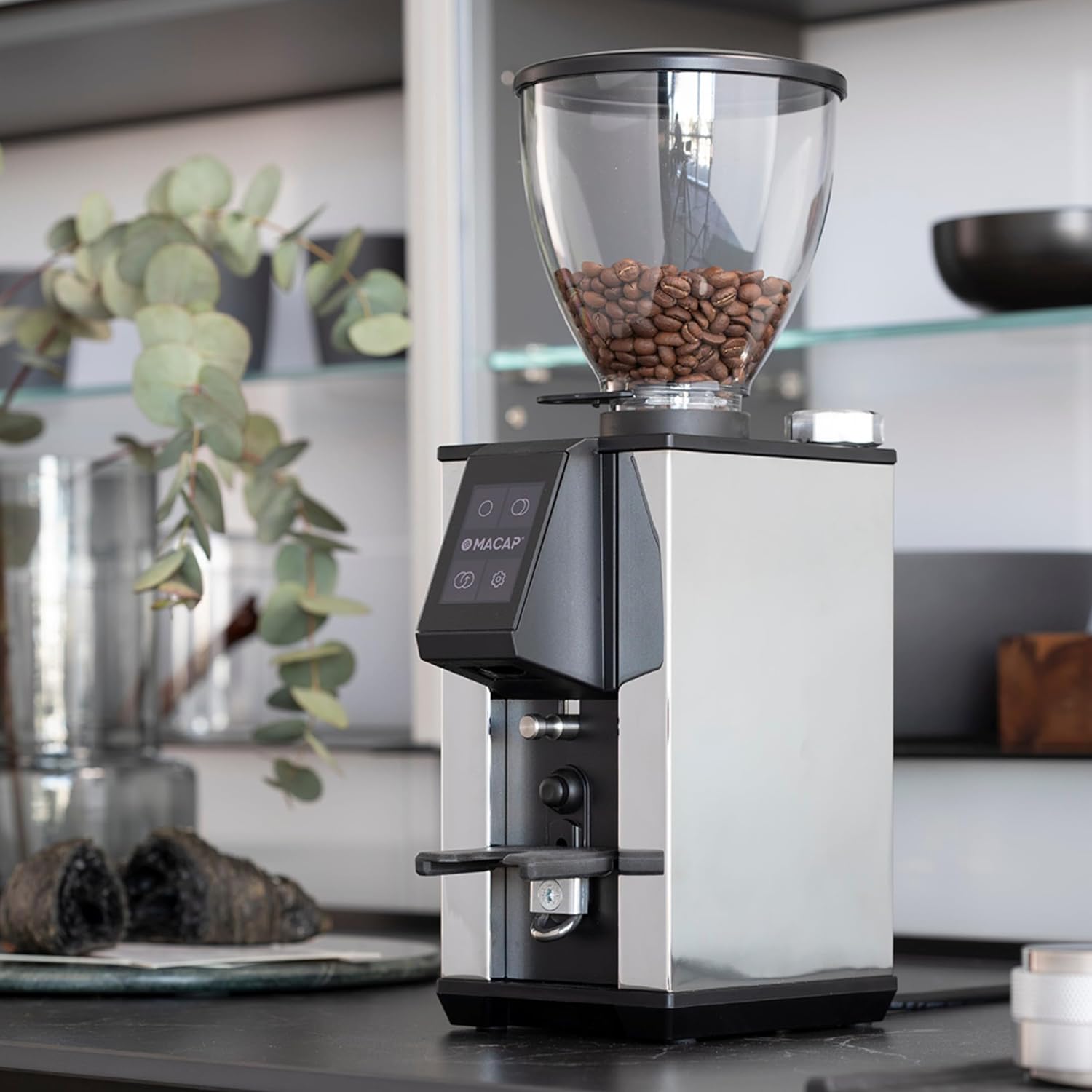
The Macap LEO 55 Touch Burr Coffee Grinder, featuring a sleek design and a hopper filled with coffee beans.
The LEO 55 Touch is designed for precision grinding, featuring 55mm flat burrs, stepless micrometric adjustment, and a modern touchscreen interface for optimal control over grind size and dose. Its quiet operation and low retention design make it suitable for home use, compatible with various brewing methods from espresso to French press.
Fitur konci
- Exclusive Blind Flat Burrs: Improves grind consistency and reduces retention.
- Modern Touchscreen Interface: 2.4'' color display for precise control over grind size and dose.
- Operasi Ultra-Tepi: Minimal noise for quiet environments.
- Hands-Free Auto Grinding: Activates grinding upon portafilter insertion for consistent dosing.
- Infinite Grind Precision: Stepless micrometric adjustment for various brewing methods.
- Low Retention Design: Reduces grind waste and static.

Leuwihview of the LEO 55 Touch's primary features, highlighting its advanced technology and user-friendly design.
Disetél
- Ngabongkar bungkusan: Carefully remove the grinder from its packaging. Retain all packaging materials for future transport or storage.
- panempatan: Teundeun coét dina permukaan anu stabil, datar, sareng garing. Pastikeun ventilasi nyukupan di sabudeureun unit.
- Pamasangan Hopper: Place the bean hopper onto the grinder body. Ensure it is securely seated.
- Sambungan Daya: Colokkeun kabel listrik kana stop kontak listrik anu cocog.
- Bersihan awal: Sateuacan dianggo anu munggaran, usap bagian luarna ku adamp cloth. Run a small amount of old coffee beans through the grinder to season the burrs and remove any manufacturing residues. Discard these initial grounds.

The LEO 55 Touch grinder positioned on a countertop, demonstrating its compact size and integration with a home espresso setup.
Parentah Operasi
1. Filling the Hopper
Lift the hopper lid and pour fresh, roasted coffee beans into the hopper. Replace the lid securely.
2. Adjusting Grind Size
The LEO 55 Touch features stepless micrometric adjustment for precise grind size control. Rotate the adjustment knob (typically located near the hopper) to achieve the desired fineness. Turning clockwise generally results in finer grounds, while counter-clockwise makes them coarser.

A hand precisely adjusting the stepless micrometric grind size knob on the LEO 55 Touch.
3. Ngagunakeun Antarbeungeut Layar Toél
The 2.4'' color touchscreen allows for dose selection and other settings.
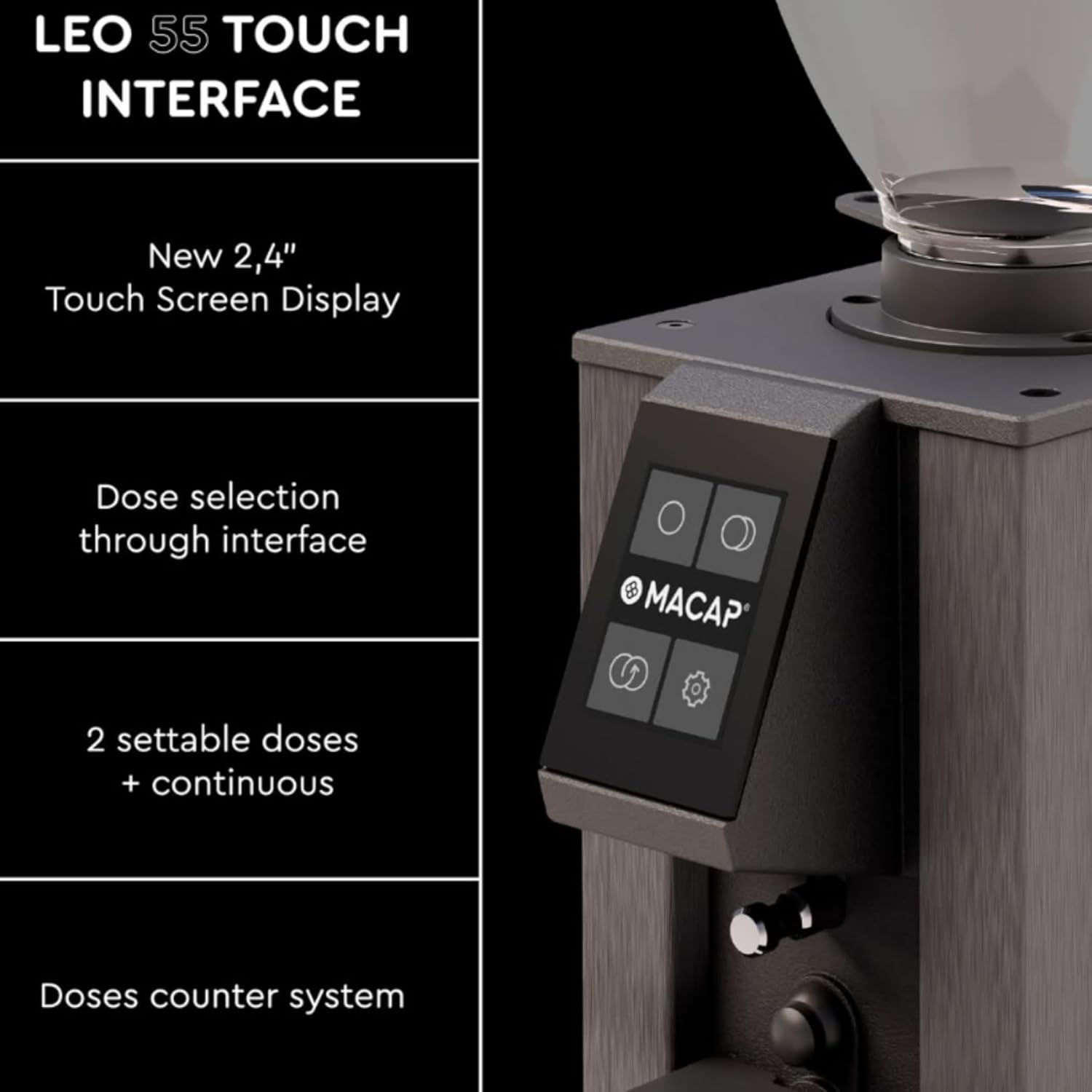
The intuitive 2.4-inch touchscreen display of the LEO 55 Touch, showing dose selection options.
- Dose Selection: The interface typically offers two settable doses and a continuous grinding option. Tap the desired dose icon on the screen.
- Adjusting Doses: Refer to the on-screen menu for instructions on how to program and save your preferred dose settings.
- Doses Counter: The system includes a doses counter for tracking usage.
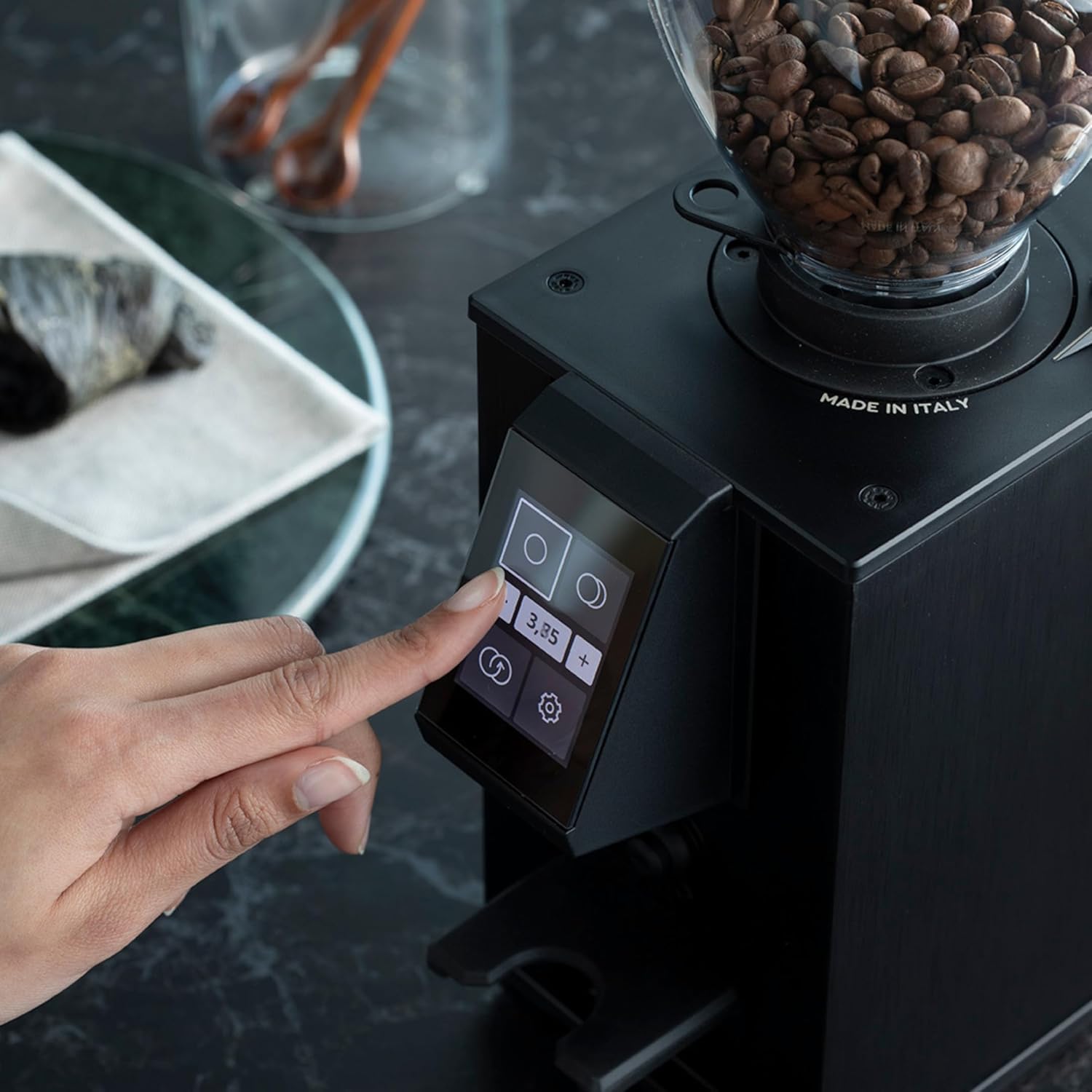
A user interacting with the LEO 55 Touch screen to select a grinding dose.
4. Ngagiling Kopi
Once the grind size and dose are selected:
- Operasi Hands-Free: Insert your portafilter into the portafilter holder. The grinder will automatically detect the portafilter and begin grinding the selected dose.
- Continuous Grinding: For continuous grinding, select the continuous option on the touchscreen and hold the portafilter in place until the desired amount is dispensed.

Freshly ground coffee being prepared in a portafilter after dispensing from the LEO 55 Touch grinder.
Pangropéa
1. beberesih poean
- Luar: Lap bagian luar panggiling ku lawon lemes,amp lawon. Ulah make cleaners abrasive atawa neuleumkeun unit dina cai.
- Hopper: Kosongkeun sésa kacang teras usap jero hopper nganggo lawon garing.
- Grind Chute: Use a brush or vacuum to clear any residual coffee grounds from the grind chute.
2. Burr Cleaning and Removal
Regular cleaning of the burrs is crucial for consistent grind quality. The LEO 55 Touch features a no-screw system for burr removal, simplifying maintenance.
- Pareum listrik: Always unplug the grinder from the power outlet before performing any maintenance.
- Remove Hopper: Leupaskeun hopper kacang.
- Burr Aksés: Follow the specific instructions in your product manual for accessing the burrs without screws. This typically involves rotating a collar or releasing a latch.
- Burrs beresih: Use a stiff brush or a vacuum cleaner to remove all coffee residues from both the stationary and rotating burrs. Do not wash burrs with water.
- Pasang deui: Carefully reassemble the burrs and hopper, ensuring all components are correctly aligned and secured.

Demonstration of removing a burr from the LEO 55 Touch grinder for cleaning, highlighting the no-screw system.
Pamérésan masalah
| Masalah | Mungkin Cukang lantaranana | Solusi |
|---|---|---|
| Coét teu hurung. | Teu plugged di; kakuatan switch off; circuit breaker tripped. | Check power cord connection; ensure power switch is on; reset circuit breaker. |
| No coffee grinding. | No beans in hopper; hopper not correctly seated; grind chute clogged. | Fill hopper with beans; ensure hopper is securely in place; clean grind chute. |
| Ngagiling anu teu konsisten. | Burrs are dirty or worn; grind setting too coarse/fine. | Clean burrs thoroughly; adjust grind setting incrementally; consider burr replacement if worn. |
| Excessive noise during grinding. | Foreign object in burrs; burrs loose or damaged. | Unplug and inspect burrs for foreign objects; ensure burrs are securely fastened. Contact support if noise persists. |
spésifikasi
| Fitur | Rincian |
|---|---|
| merek | Macap |
| Nomer modél | LEO 55 Touch |
| Warna | Bodas |
| Dimensi produk | 5.1 "L x 7.2" W x 14.9" H |
| Capacity (Hopper) | 0.3 Kilograms (approx. 300g) |
| Tipe Burr | 55mm Flat Burrs (Blind Burr Design) |
| Penyesuaian | Stepless Micrometric |
| tampilan | 2.4'' Color Touchscreen |
| Bahan | Beusi sténless |
| Item Beurat | 13.7 Pon (kira-kira 6.2 kg) |
| Produsén | MACAP |
Garansi sareng Rojongan
For warranty information, please refer to the documentation included with your purchase or visit the official Macap websitus. Simpen bukti pameseran anjeun pikeun klaim garansi.
If you encounter any issues not covered in the troubleshooting section, or require further assistance, please contact Macap customer support or your authorized dealer. Contact details can typically be found on the manufacturer's websitus atanapi dina bungkusan produk Anjeun.
Catetan: Perbaikan atanapi modifikasi anu teu sah tiasa ngabatalkeun garansi anjeun.
About Macap
Macap has a rich history in crafting precision coffee equipment. Learn more about the brand's journey and commitment to quality.
Video: A brief history of Macap, detailing the brand's heritage and evolution in coffee grinding technology.


