1. Bubuka
Thank you for choosing DOQAUS Life 4 Bluetooth Headphones. This manual provides instructions for the proper setup, operation, and maintenance of your headphones. Please read this manual thoroughly before use to ensure optimal performance and longevity of your device.
Eusi pakét
- DOQAUS Life 4 Bluetooth Headphones
- Kabel Ngecas USB-C
- Kabel Audio 3.5mm
- Manual pamaké
2. Émbaran Kasalametan
Pikeun nyegah karusakan kana headphone anjeun atanapi tatu ka diri anjeun, mangga perhatoskeun tindakan pencegahan kaamanan ieu:
- Ulah ngalaan headphone ka suhu ekstrim, kalembaban, atawa lingkungan korosif.
- Hindarkeun leupaskeun atanapi nahan headphone kana dampak anu kuat.
- Ulah ngabongkar atanapi nyobian ngalereskeun headphone sorangan. Ieu bakal ngabatalkeun jaminan.
- Bersihkeun headphone ngan ukur nganggo lawon anu lemes sareng garing. Tong nganggo pembersih cair.
- Dengekeun anu berkepanjangan dina tingkat polumeu anu luhur tiasa nyababkeun karusakan dédéngéan. Saluyukeun polumeu ka tingkat anu aman.
- Jauhkeun tina jangkauan barudak.
3. Produk Langkungview
The DOQAUS Life 4 headphones are designed for comfort and high-quality audio. They feature 40mm drivers for clear sound and Bluetooth 5.4 technology for stable wireless connectivity.
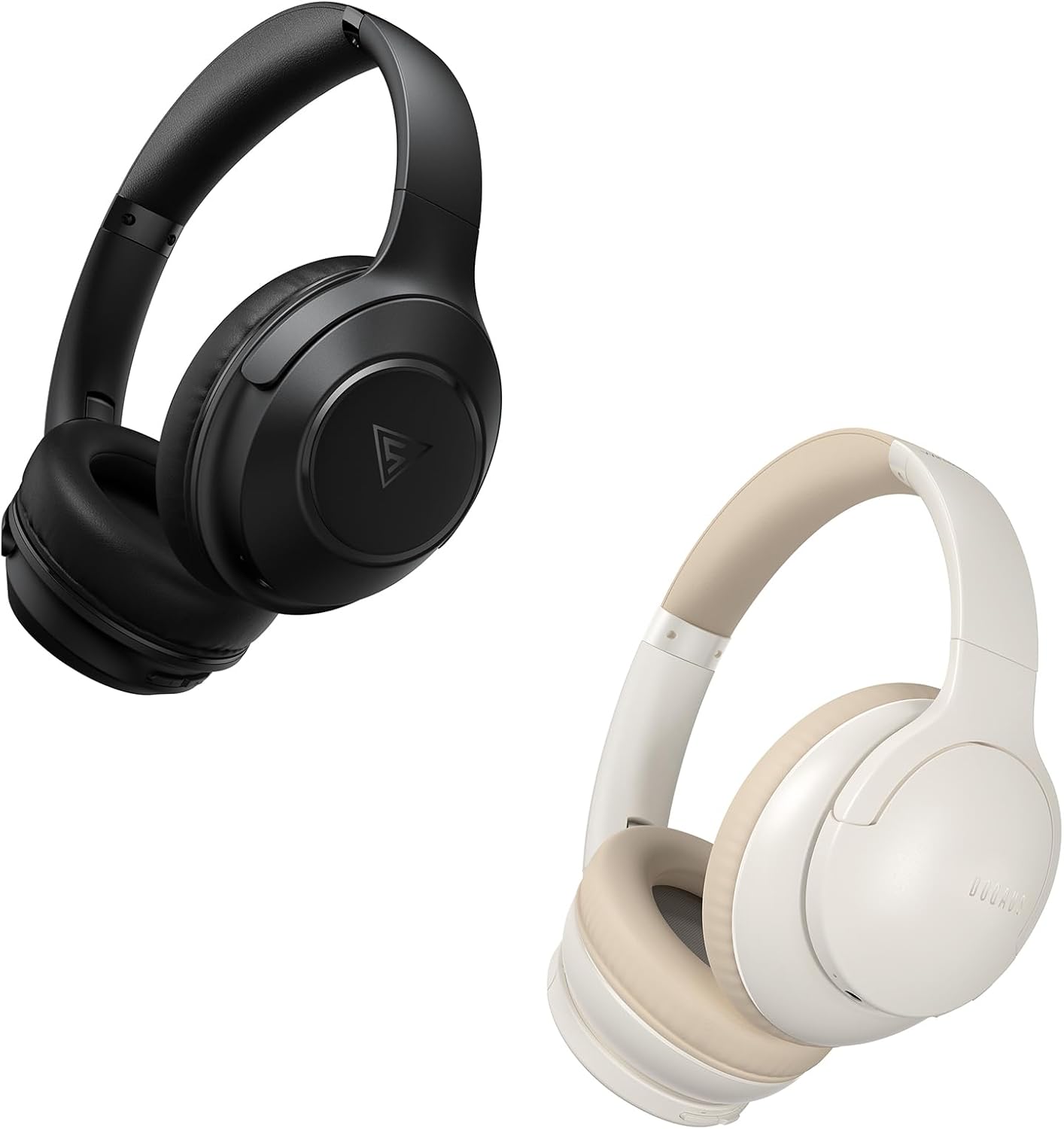
Image: DOQAUS Life 4 Bluetooth Headphones, showing both black and white color variants. These over-ear headphones feature soft earcups and an adjustable headband for comfortable wear.

Gambar: Hiji internal view of the DOQAUS Life 4 headphone, highlighting the advanced Bluetooth 5.4 wireless technology chip for stable and fast connections.

Image: A close-up of the DOQAUS Life 4 headphone earcup, illustrating the 40mm large-aperture driver responsible for powerful HD sound quality.

Image: A person wearing the DOQAUS Life 4 headphones, illustrating their comfortable design suitable for all-day wear.
4. Setélan
4.1 Ngecas Awal
Before first use, fully charge your headphones. Connect the USB-C charging cable to the charging port on the headphones and the other end to a USB power source (e.g., computer, wall adapter). The LED indicator will show charging status.
- A full charge provides up to 90 hours of playtime in Bluetooth mode.
- Ngecas gancang 10 menit tiasa nyayogikeun sakitar 5 jam waktos ngadangukeun.

Image: The DOQAUS Life 4 headphones displayed with text indicating "90-HOURS PLAYTIME" and "10 minutes of charging for 5 hours of listening," highlighting the extended battery life.
4.2 Nyapasangkeun Bluetooth
- Pastikeun headphone dipareuman.
- Pencét jeung tahan tombol Daya nepi ka indikator LED hurung biru jeung beureum silih ganti, nuduhkeun mode papasangan.
- Dina alat anjeun (smartphone, tablet, komputer), aktipkeun Bluetooth sareng milarian alat anu sayogi.
- Select "DOQAUS Life 4" from the list of found devices.
- Once connected, the LED indicator will slowly flash blue.
Konektipitas Multi-titik: The DOQAUS Life 4 headphones support connecting to two Bluetooth devices simultaneously. After connecting to the first device, disable Bluetooth on that device, then pair with the second device. Re-enable Bluetooth on the first device, and the headphones should connect to both.
4.3 Sambungan Kabel (Modeu AUX)
To use the headphones in wired mode, connect one end of the 3.5mm audio cable to the AUX port on the headphones and the other end to your audio source. The headphones will automatically switch to wired mode, and Bluetooth functionality will be disabled.

Image: The DOQAUS Life 4 headphones demonstrating both wireless Bluetooth connectivity with a smartphone and a wired connection using a 3.5mm audio cable, illustrating versatile connection options.
5. Parentah Operasi
5.1 Kadali Dasar
- Hurungkeun/Pareuman: Pencét jeung tahan tombol Daya salila 3 detik.
- Puter / Reureuh: Pencét tombol Multi-fungsi sakali.
- Volume Up: Pencét tombol "+".
- Volume Turun: Pencét tombol "-".
- Lagu salajengna: Pencét sareng tahan tombol "+" salami 2 detik.
- Lagu Sateuacanna: Pencét sareng tahan tombol "-" salami 2 detik.
- Ngajawab / mungkas Telepon: Pencét tombol Multi-fungsi sakali.
- Nolak Telepon: Pencét jeung tahan tombol Multi-fungsi salila 2 detik.
- Aktipkeun Asisten Sora: Pencét dua kali tombol Multi-fungsi.
5.2 Modeu EQ
The DOQAUS Life 4 headphones feature three equalizer (EQ) modes to optimize your listening experience for different music styles. Press the EQ button to cycle through the modes:
- Heavy Bass Mode: Enhances low-frequency sounds for a deeper bass experience.
- Mode Vokal: Optimizes mid-range frequencies for clearer vocals.
- Modeu Saimbang: Nyadiakeun pro sora nétralfile suitable for various genres.

Image: A collage demonstrating the three EQ music modes of the DOQAUS Life 4 headphones: Heavy Bass, Vocal, and Balanced. The image shows the headphones and individuals enjoying music, indicating the versatility of sound profiles.
6. Pangropéa
6.1 beberesih
- Ngusap headphone ku lawon lemes, garing, tanpa lint.
- Ulah make cleaners abrasive, alkohol, atawa pangleyur kimiawi.
- Ensure charging ports and audio jacks are free of dust and debris.
6.2 Panyimpenan
- Simpen headphone dina tempat anu tiis sareng garing jauh tina sinar panonpoé langsung sareng suhu anu ekstrim.
- If storing for an extended period, charge the headphones periodically to maintain battery health.
7. Cara ngungkulan
| Masalah | Mungkin Cukang lantaranana | Solusi |
|---|---|---|
| Headphone teu hurung. | batré lemah. | Ngecas headphone pinuh. |
| Teu tiasa dipasangkeun sareng alat. | Headphone henteu dina mode papasangan; Bluetooth ditumpurkeun dina alat; alat jauh teuing. | Pastikeun headphone aya dina modeu pairing (kedip-kedip biru/beureum). Aktipkeun Bluetooth dina alat anjeun. Pindahkeun alat langkung caket kana headphone. |
| Taya sora. | Volume teuing leutik; headphone teu nyambung; sumber audio salah. | Increase volume. Verify Bluetooth connection or 3.5mm cable connection. Check audio output settings on your device. |
| Kualitas sora henteu saé. | Weak Bluetooth signal; incorrect EQ mode. | Move closer to your device. Try switching EQ modes. |
8. Spésifikasi
- model: Kahirupan 4
- Vérsi Bluetooth: 5.4
- Ukuran supir: 40 mm
- Waktu maén: Up to 90 hours (Bluetooth mode)
- Ngecas gancang: 10 menit ngecas pikeun 5 jam playtime
- Format Audio anu Dirojong: A2DP, AVRCP, HSP, HFP, SBC, AAC
- Konektipitas: Bluetooth, 3.5mm AUX
9. Garansi jeung Rojongan
DOQAUS Life 4 headphones come with a 30-day return policy and an 18-month replacement warranty. For any inquiries or support needs, please contact our customer service team. All inquiries are typically processed within 24 hours.
For further assistance, please refer to the contact information provided with your purchase or visit the official DOQAUS websitus.


