1. Bubuka
This manual provides essential information for setting up, operating, and maintaining your Philips 24B2U3301 24-inch Full HD monitor. This monitor is designed for business efficiency, offering a 120 Hz refresh rate, SoftBlue technology, Flicker-Free viewing, and a versatile VESA mount compatible stand. Please read this manual thoroughly before using your monitor to ensure proper installation and operation.
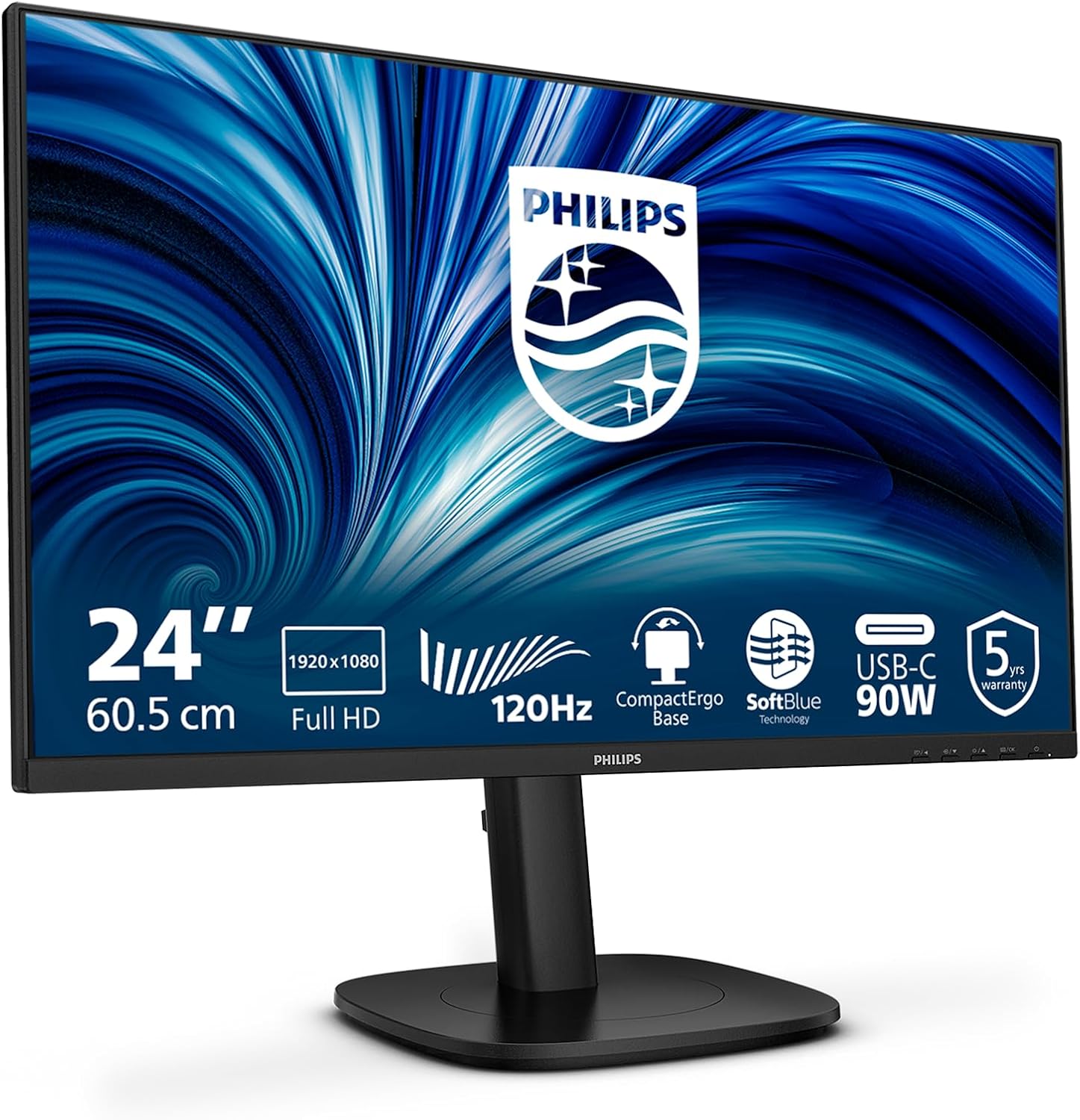
Gambar 1.1: Hareupeun view of the Philips 24B2U3301 monitor, showcasing desainna anu ramping sareng bezel anu heureut.
2. Émbaran Kasalametan
Observe the following safety precautions to prevent damage to the monitor and ensure your personal safety:
- Salawasna simpen monitor dina permukaan anu stabil sareng rata.
- Entong meungpeung lawang angin.
- Paké ngan adaptor kakuatan jeung kabel disadiakeun ku produsén.
- Jauhkeun monitor tina cai, kalembaban, sareng suhu anu ekstrim.
- Do not attempt to open or service the monitor yourself. Refer all servicing to qualified personnel.
- Cabut monitor tina stop kontak sateuacan beberesih.
3. Eusi Paket
Pastikeun yén sadaya item aya dina pakét anjeun:
- Philips 24B2U3301 Monitor
- Stand Monitor (Dasar sareng Beuheung)
- Kabel Daya
- Kabel HDMI
- Kabel DisplayPort (DP)
- USB-C ka USB-C Cable
- Gancang Mimitian Guide
4. Setélan
4.1 Ngarakit Stand
- Taliti cabut monitor jeung nangtung komponén tina bungkusan.
- Pasang beuheung nangtung ka panel monitor. Pastikeun éta ngaklik aman kana tempatna atanapi dipasang ku sekrup upami disayogikeun.
- Gantelkeun dasar stand kana beuheung nangtung tur tighten screw jempol di handap dasarna.

Gambar 4.1: Ilustrasi prosés perakitan stand monitor.
4.2 Nyambungkeun Monitor
Connect the necessary cables to the monitor and your computer. Refer to the port diagram below for connection points.
- Sambungan Daya: Connect the power cable to the monitor's AC input and then to a power outlet.
- Sambungan Video: Pilih salah sahiji pilihan di handap ieu:
- HDMI: Connect one end of the HDMI cable to the monitor's HDMI input and the other end to your computer's HDMI output.
- DisplayPort (DP): Connect one end of the DP cable to the monitor's DP input and the other end to your computer's DP output.
- USB-C: Connect the USB-C cable to the monitor's USB-C input and your computer's USB-C port. This single cable can provide video, data, and power delivery (up to 90W).
- Sambungan Hub USB: If using HDMI or DP for video, connect a USB-A to USB-B cable (not always included, check package contents) from your computer to the monitor's USB upstream port to enable the monitor's USB hub. If using USB-C, this connection is automatic.
- Ethernet RJ45: Connect an Ethernet cable from your router/modem to the monitor's RJ45 port to provide network connectivity to your connected laptop via USB-C.
- Audio Kaluar: Connect external speakers or headphones to the Audio Out jack if desired.

Gambar 4.2: Tukangeun view of the monitor, highlighting the various input and output ports.

Image 4.3: Close-up diagram illustrating the HDMI, DisplayPort, USB-C, RJ45, USB Hub, and Audio Out ports.
5. Parentah Operasi
5.1 Daya Hurung/Pareuman
Press the power button located on the monitor's bezel to turn the monitor on or off.
5.2 Menu dina layar (OSD).
The OSD menu allows you to adjust various monitor settings. Use the control buttons (usually located on the bottom right or rear of the monitor) to navigate the menu.
- Tombol Menu: Muka menu OSD.
- Tombol Napigasi: Used to move up/down or left/right through menu options.
- OK / Pilih Tombol: Confirms pilihan.
- Tombol Kaluar: Kaluar tina menu atanapi OSD ayeuna.
5.3 Setélan OSD Umum
- Gambar: Saluyukeun kacaangan, kontras, seukeutna gambar, sareng suhu warna.
- Audio: Control volume and mute settings for built-in speakers or audio output.
- Input: Manually select the video input source (HDMI, DP, USB-C).
- Setélan OSD: Saluyukeun basa OSD, transparansi, sareng seep waktos.
- Disetél: Access factory reset options and information about the monitor.
5.4 Pangaluyuan ergonomic
The monitor stand offers multiple adjustments for optimal viewkanyamanan:
- Penyesuaian Jangkungna: Naékkeun atanapi turunkeun monitor dugi ka 130mm.
- Dengdekkeun: Adjust the screen's vertical angle (-5° to 30°).
- Putar: Rotate the monitor horizontally (-/+ 180°).
- Pangsi: Puterkeun layar 90° pikeun modeu potret viewing (-/+ 90°).
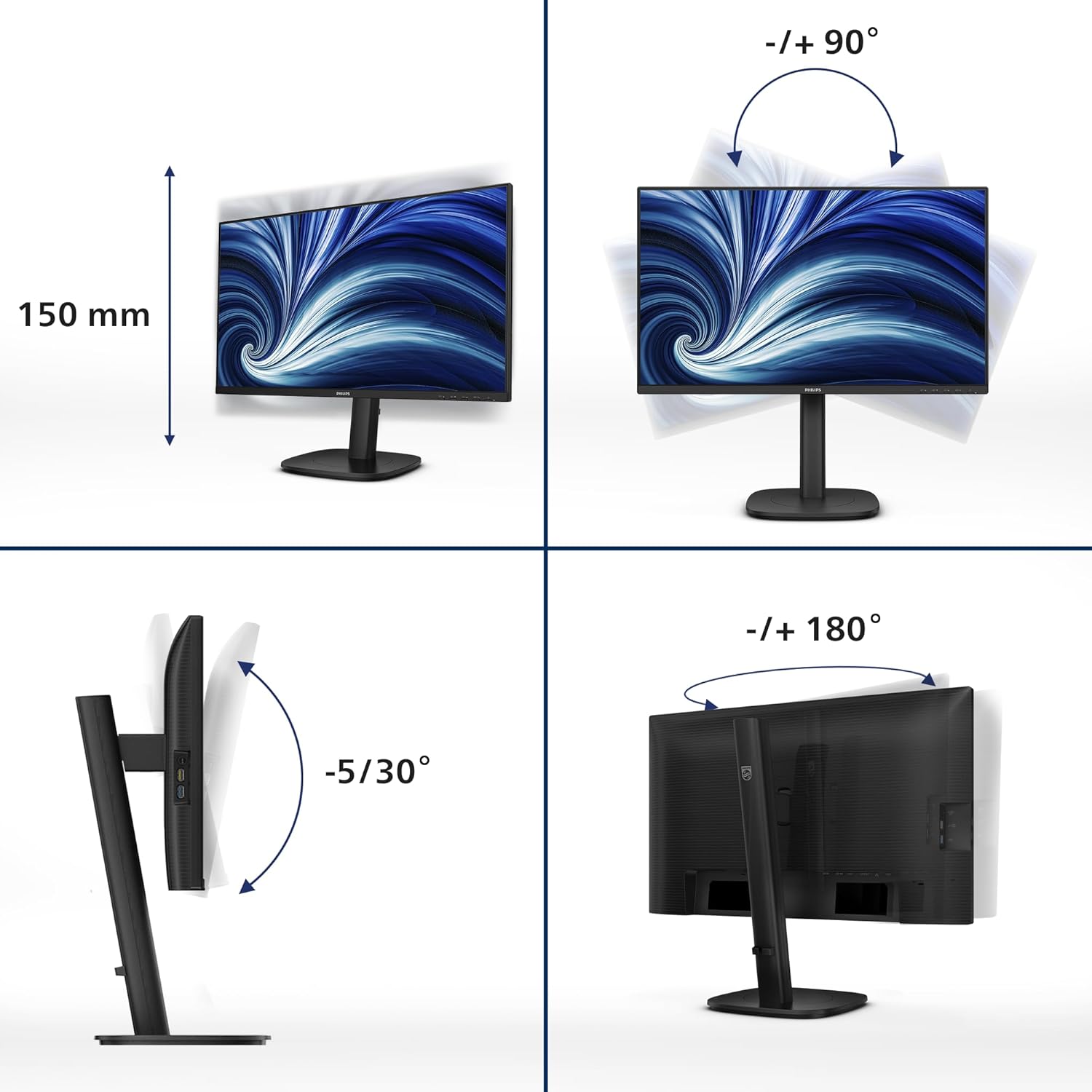
Image 5.1: Demonstrates the monitor's height, tilt, swivel, and pivot adjustments for ergonomic positioning.
6. Fitur konci
- Laju Refresh 120Hz: Provides ultra-smooth and brilliant images, reducing motion blur for a more fluid visual experience.
- 1ms MPRT Fast Response: Delivers crisp images and smooth gameplay, minimizing ghosting and blurring in fast-paced scenes.
- Téknologi SoftBlue: Reduces harmful blue light emissions without compromising color accuracy, helping to minimize eye strain during extended use.
- Téknologi Tanpa Flicker: Regulates brightness and reduces screen flickering, further enhancing eye comfort.
- USB-C with 90W Power Delivery: A single USB-C cable provides video, data transfer, and powers/charges your compatible laptop (up to 90W).
- USB Hub: Integrated USB hub with multiple ports allows for easy connection of peripherals like keyboards, mice, and external drives.
- Port Ethernet RJ45: Provides a stable wired network connection to your connected laptop via the USB-C cable, eliminating the need for additional adapters.
- DisplayPort kaluar: Allows for daisy-chaining multiple monitors from a single DisplayPort connection on your computer.
7. Pangropéa
7.1 Ngabersihan Layar
To clean the monitor screen:
- Pareuman monitor sareng cabut kabel daya.
- Ngusap layar nganggo kaén anu lembut sareng teu aya serat.
- Pikeun tanda nekad, dampen the cloth lightly with a mild, non-abrasive screen cleaner. Do not spray cleaner directly onto the screen.
7.2 Ngabersihkeun Casing
Ngusap monitor casing ku lawon anu lemes sareng garing. Ulah make detergents kuat atawa cleaners abrasive.
8. Cara ngungkulan
Upami anjeun mendakan masalah sareng monitor anjeun, tingal masalah sareng solusi umum ieu:
| Masalah | Solusi anu mungkin |
|---|---|
| Henteu aya gambar dina layar |
|
| Gambar buram atanapi menyimpang |
|
| No sound from speakers/audio out |
|
| Ngawas kedip-kedip |
|
9. Spésifikasi
| Fitur | Rincian |
|---|---|
| Nomer modél | 24B2U3301 |
| Ukuran layar | 23.8 inci |
| Tipe Panel | IPS |
| Resolusi | 1920 x 1080 (HD lengkep) |
| Refresh Laju | 120 Hz |
| Waktu Tanggapan | 1 ms (MPRT) |
| Rasio Aspék | 16:9 |
| Konektipitas | 1x HDMI 1.4, 1x DisplayPort 1.4, 1x USB-C (90W PD), 1x DisplayPort Out, 1x USB Hub (USB 3.2 Gen 1), 1x RJ45 Ethernet, 1x Audio Out |
| Pangaluyuan Ergonomic | Height (130mm), Tilt (-5°/30°), Swivel (-/+ 180°), Pivot (-/+ 90°) |
| Diwangun-di Speaker | Sumuhun |
| Konsumsi Daya | Refer to product label for specific values |
| Dimensi (kalayan stand) | 8.98 x 21.34 x 19.65 inci (PxLxT) |
| Beurat (kalayan stand) | 12.58 pon |
10. Garansi jeung Rojongan
10.1 Émbaran jaminan
This Philips monitor comes with a 5-Taun Garansi, ensuring peace of mind regarding its quality and performance. Please retain your proof of purchase for warranty claims.

Image 10.1: The TCO Certified Edge 5 Year Warranty logo, indicating extended product assurance.
10.2 Rojongan Palanggan
For technical assistance, warranty service, or further inquiries, please visit the official Philips support website or contact their customer service. You can typically find contact information and support resources on the Philips website or in the documentation included with your monitor.
Dukungan Online: www.philips.com/support


