
1. Setélan
This section guides you through the initial setup of your Hisense 55U72Q PRO TV, from unboxing to first power-on.
1.1 Unboxing sareng Inspeksi Awal
Sacara saksama miceun sadaya komponén tina bungkusan. Pastikeun yén sadaya item aya:
- Hisense 55U72Q PRO Television
- Kabel Daya
- Kadali jauh
- Manual pamaké
1.2 Nangtung Instalasi atanapi témbok ningkatna
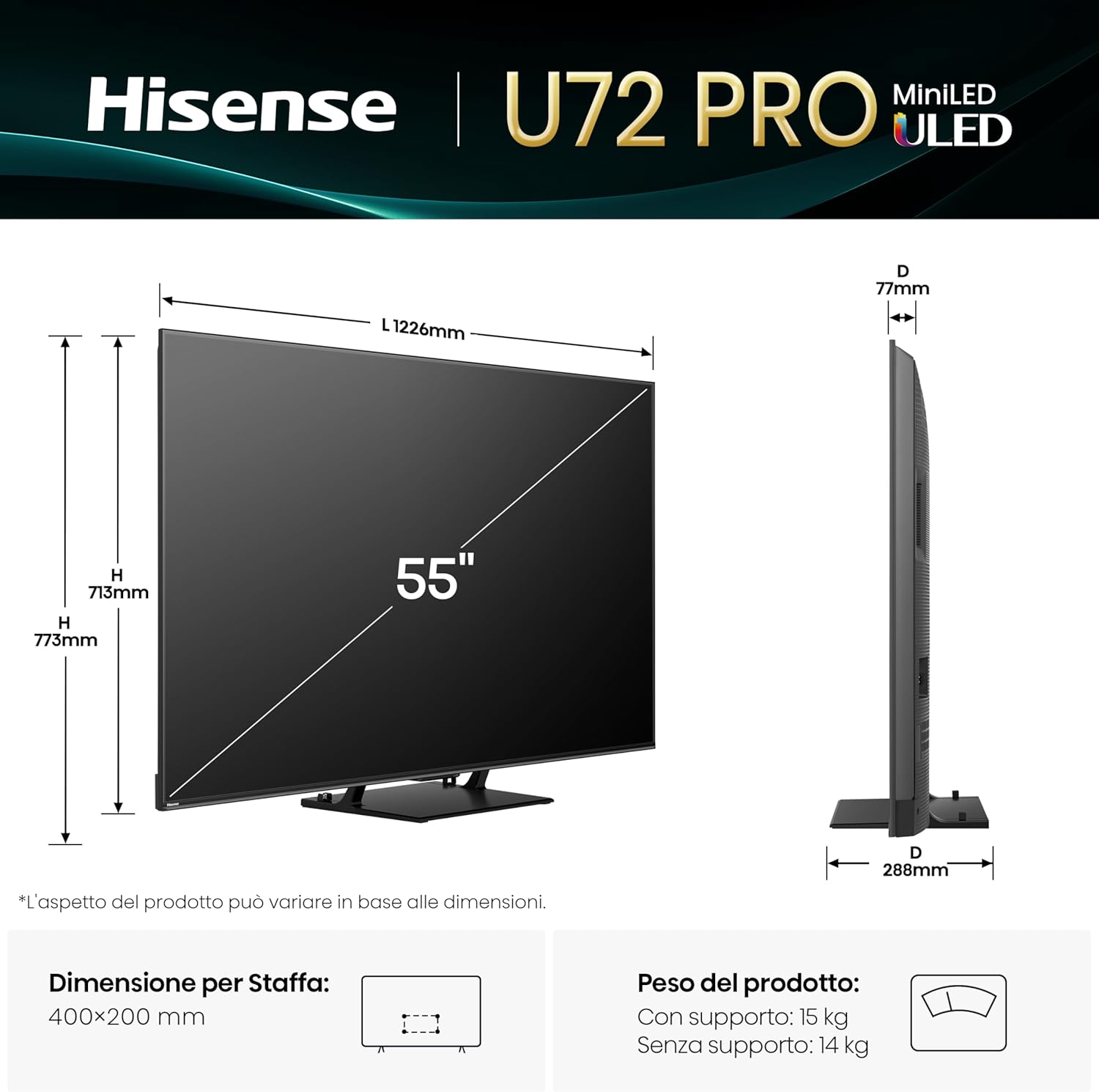
For stand installation, attach the included feet to the television using the provided screws. The process is designed for quick and easy assembly. If wall mounting, ensure you use a VESA-compatible bracket (VESA standard: 400 x 200 mm) and follow the bracket manufacturer's instructions.
1.3 Nyambungkeun périferal
Connect your external devices to the appropriate ports on the back of the TV. The Hisense 55U72Q PRO features:
- Port HDMI: 4 total, including HDMI 2.1 (eARC) and two additional HDMI 2.1 ports for high-bandwidth devices.
- Port USB: 2 total (1x USB 2.0, 1x USB 3.0) for media playback or connecting accessories.
- Konektipitas Jaringan: Ethernet port for wired internet, built-in Wi-Fi for wireless connection.
- Kaluaran Audio: 3.5mm audio jack and optical audio output for external sound systems.
- Input anteneu: 2 ANT inputs for terrestrial or cable signals.
- Bluetooth: Pikeun alat audio nirkabel atanapi asesoris anu cocog anu sanés.

1.4 Daya Awal Hurung sareng Konfigurasi
After connecting the power cable, press the power button on the remote control or TV. The TV will guide you through the initial setup process, including language selection, network connection (Wi-Fi or Ethernet), and channel scanning. The VIDAA U9 operating system facilitates a quick setup, often utilizing QR codes for easy internet connection.
2. Ngoperasikeun TV Anjeun
Learn how to navigate your Hisense 55U72Q PRO TV and utilize its smart features.
2.1 Fungsi Remote Control
The Hisense Eco Smart remote control offers intuitive navigation and advanced features:
- Kontrol sora: Use the built-in Alexa or VIDAA VOICE for hands-free commands.
- Tombol Aksés Gancang: Dedicated buttons for popular streaming services like Netflix, YouTube, Prime Video, Disney+, NOW, DAZN, and Paramount+.
- Eco Smart Design: The remote features solar charging and a USB-C port for convenient power.

2.2 Fitur TV Smart (VIDAA U9)
Your TV runs on the VIDAA U9 operating system, providing access to over 1000 applications. The system is highly responsive, ensuring smooth navigation and quick app launches.
- Aksés Aplikasi: Browse and download a wide range of apps from the VIDAA store.
- Pangeunteungan layar: Easily share content from your smartphone or computer using AirPlay 2, Google Cast, Miracast, or Smart View.
- Asisten sora: Integrated Alexa Built-in and VIDAA VOICE for smart home control and content search.
2.3 Gambar jeung Sora Setélan
Optimalkeun anjeun viewing experience with various picture and sound modes:
- Modeu Gambar: Choose from pre-set modes like Dynamic, Cinema, or Sport, or customize settings to your preference.
- Advanced Display Technologies: Benefit from Mini-LED PRO with Full Array Local Dimming, Quantum Dot technology for vibrant colors, and Anti-Reflection screen for reduced glare.
- Rojongan HDR: Enjoy enhanced contrast and color with Dolby Vision IQ, HDR10+ Adaptive, and HLG formats.
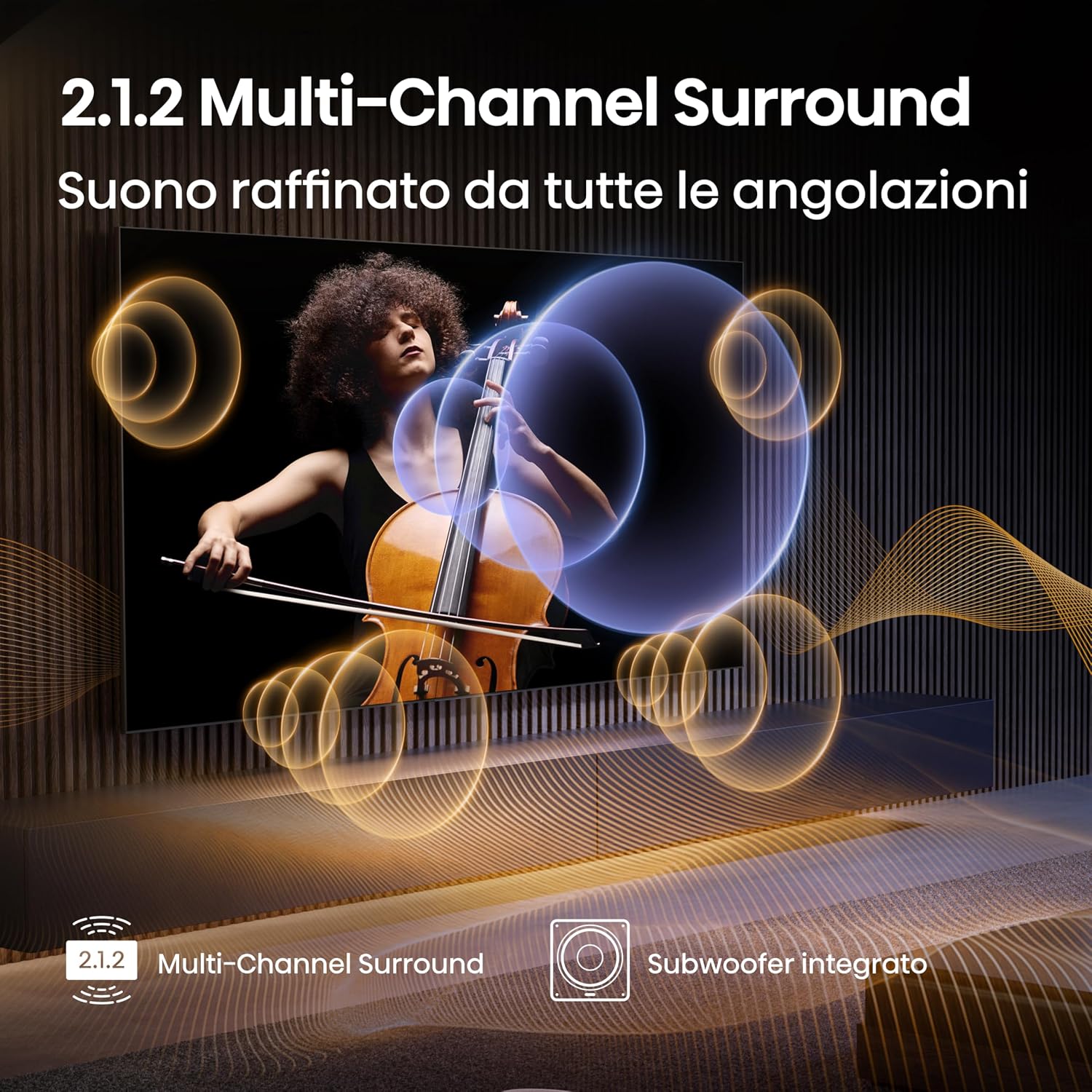
- Sistem Audio: The integrated 2.1.2 multi-channel sound system with a subwoofer and Dolby Atmos delivers immersive audio.
- Peningkatan AI: The Hi-View AI Engine PRO and AI Chroma Light Sensor dynamically optimize image, sound, and energy based on content and environment.


2.4 Fitur kaulinan
The Hisense 55U72Q PRO is designed for an optimal gaming experience:
- 165Hz Game Mode Ultra: Provides native 165 Hz Variable Refresh Rate (VRR) for ultra-smooth gameplay.
- ALLM & AMD FreeSync Premium Pro: Ensures low input lag and tear-free gaming.

Short video demonstrating the smooth gameplay experience with the 165Hz Game Mode Ultra feature on the Hisense 55U72Q PRO TV.
3. Pangropéa
Pangropéa anu leres mastikeun umur panjang sareng kinerja optimal TV anjeun.
3.1 Ngabersihan TV
- layar: Lembut usap layar nganggo lawon anu lemes, garing, teu aya serat. Pikeun tanda nekad, rada dampen kaen nganggo cai atanapi pembersih layar khusus (ngahindarkeun bahan kimia anu kasar).
- Pigura jeung Stand: Anggo lawon anu lembut sareng garing pikeun ngabersihan pigura TV sareng nangtung.
- Kadali jauh: Wipe with a soft, dry cloth. Ensure the solar panel is clean for efficient charging.
Salawasna cabut TV tina stop kontak sateuacan beberesih.
3.2 Apdet parangkat lunak
Your Hisense TV may receive periodic software updates to improve performance, add new features, or fix bugs. Ensure your TV is connected to the internet to receive these updates. The TV will typically prompt you when an update is available. Follow the on-screen instructions to complete the update process.
4. Cara ngungkulan
This section addresses common issues you might encounter with your Hisense 55U72Q PRO TV.
4.1 Taya Daya
- Pariksa naha kabel daya disambungkeun sacara aman ka TV sareng stopkontak.
- Ensure the power outlet is functioning by plugging in another device.
- Coba pencét tombol daya dina TV sorangan, teu ngan jauh.
4.2 Taya Gambar atawa Kualitas Gambar Miskin
- Pastikeun sumber input anu bener dipilih (contona, HDMI 1, Antena).
- Pariksa sadaya sambungan kabel (HDMI, anteneu) pikeun looseness atawa ruksakna.
- Saluyukeun setelan gambar (kacaangan, kontras, warna) dina menu TV.
- Upami nganggo alat éksternal, pastikeun éta diaktipkeun sareng jalanna leres.
4.3 Taya Sora atawa Kualitas Sora Miskin
- Ensure the TV is not muted and the volume is turned up.
- Check audio output settings in the TV menu (e.g., internal speakers, optical, HDMI ARC).
- Upami nganggo spiker éksternal, pastikeun aranjeunna disambungkeun leres sareng diaktipkeun.
- Verify that the audio cables are securely connected.
4.4 Kadali Jauh Teu Ngabales
- Pastikeun teu aya halangan antara jauh sareng sénsor IR TV.
- Check if the remote's solar panel is receiving light or if it needs charging via USB-C.
- If the issue persists, try resetting the remote (refer to the full user manual for specific instructions).
4.5 Masalah Sambungan Jaringan
- For Wi-Fi, ensure your router is on and functioning. Try restarting the router.
- Lebetkeun deui kecap akses Wi-Fi anjeun dina setélan jaringan TV.
- Pikeun Ethernet, pastikeun kabel disambungkeun aman ka duanana TV jeung router dina.
- If problems persist, consult your internet service provider.
For more detailed troubleshooting steps, please refer to the comprehensive user manual included with your product.
5. Spésifikasi
Key technical specifications for the Hisense 55U72Q PRO 55-inch Mini-LED 4K Smart TV.
| Fitur | Spésifikasi |
|---|---|
| Ngaran modél | TV Mini-LED 165Hz 55" 4K - 55U72Q PRO |
| Nomer modél | 55U72Q PRO |
| Ukuran layar | 55 inci |
| Téhnologi layar | Mini LED, Quantum Dot |
| Resolusi | 4K (3840x2160) |
| Refresh Laju | 165 Hz |
| Max Display Brightness | 1600 niis |
| Dukungan Format HDR | Dolby Vision IQ, HDR10+ Adaptif, HLG |
| Sistim Audio | 2.1.2 with Subwoofer, 50W Max Output, Dolby Atmos |
| Sistem operasi | VIDA U |
| Konektipitas | Bluetooth, Ethernet, HDMI, USB, Wi-Fi |
| Palabuhan HDMI | 4 (including HDMI 2.1 with eARC) |
| palabuhan USB | 2 (1x USB 2.0, 1x USB 3.0) |
| VESA Gunung Standar | 400 x 200 mm |
| Ukuran produk (kalayan stand) | 28.8P x 122.6l x 77.3T cm |
| Konsumsi Daya | 180 Watts (operating) |
| Kelas Éfisiensi Énergi (SDR) | E |
| Kelas Éfisiensi Énergi (HDR) | G |

6. Jaminan & Dukungan
Information regarding your product's warranty and how to obtain support.
6.1 Garansi Produsén
The Hisense 55U72Q PRO TV comes with a 2-taun jaminan produsén urang. Garansi ieu nyertakeun cacad dina bahan sareng pagawean dina panggunaan normal. Punten tahan bukti pameseran anjeun pikeun klaim garansi.
6.2 Rojongan Palanggan
For technical assistance, troubleshooting beyond this manual, or warranty inquiries, please contact Hisense customer support. Refer to the contact information provided in your product packaging or visit the official Hisense websitus pikeun wewengkon Anjeun.


