
1. Produk Langkungview
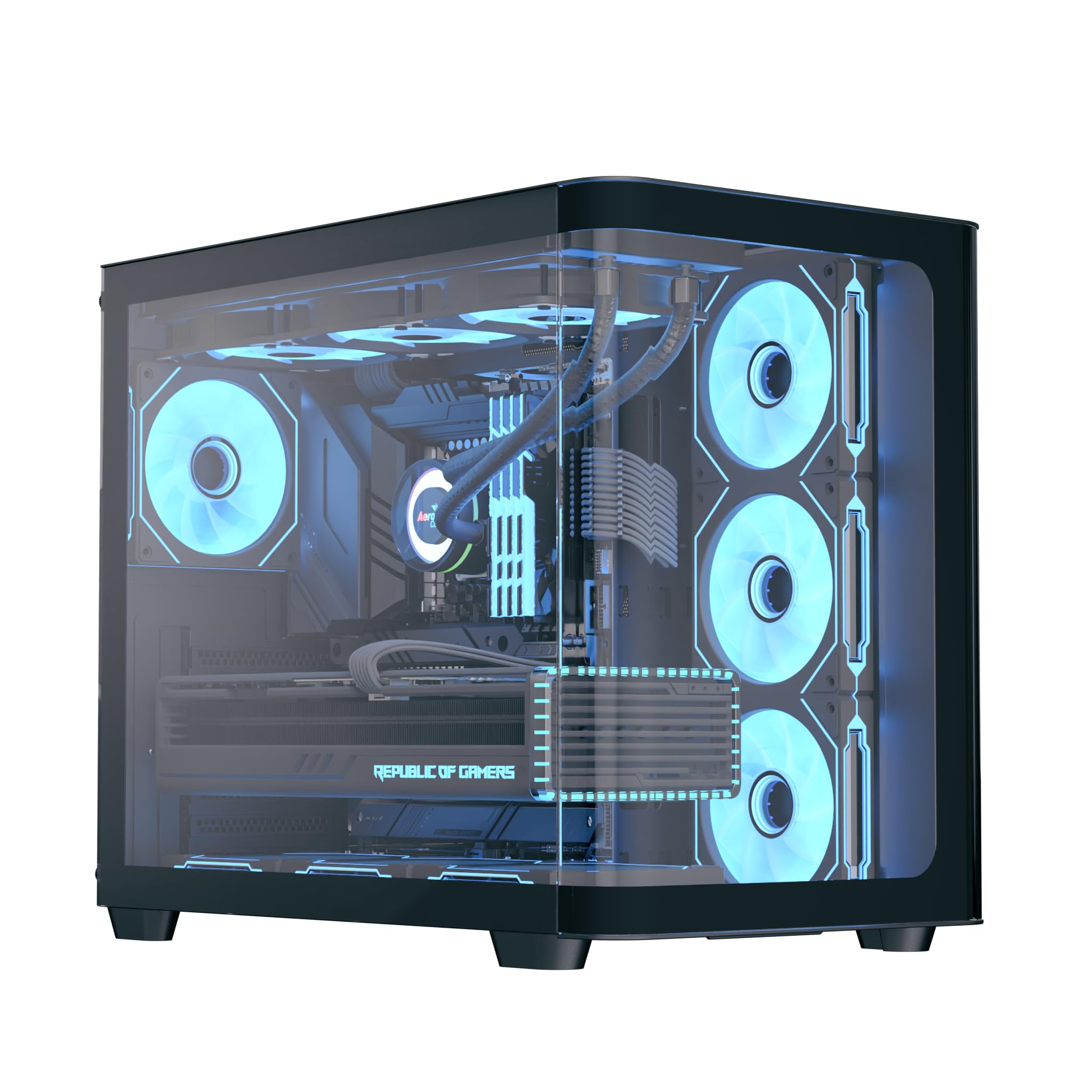
The AeroCool P500C is a mid-tower PC case designed with a dual-chamber layout. It features full tempered glass panels on the front and side, providing a clear view of internal components. The case includes four pre-installed ARGB fans, with three reverse-blade fans on the side and one standard fan at the rear, all featuring a "mirage" infinity mirror lighting effect. This case supports various cooling configurations, including air and liquid cooling systems up to 360mm radiators. It is compatible with ATX, micro-ATX, and mini-ITX motherboards, and accommodates high-end graphics cards up to 450mm in length and CPU coolers up to 162mm in height. Storage options include three SSD slots and two HDD drive bays. For ease of maintenance, the case is equipped with magnetic dust filters on the top and bottom.
2. Fitur konci
- Mid-tower dual chamber design with full tempered glass front and side panels.
- Four pre-installed ARGB fans: three 12cm reverse-blade fans on the side and one 12cm fan at the rear.
- "Mirage" infinity mirror lighting effect on all included fans.
- Extensive cooling support for radiators up to 360mm (top and bottom) and up to 10 total fan slots.
- Compatibility with high-end graphics cards up to 450mm in length.
- Supports ATX, micro-ATX, and mini-ITX motherboards.
- Includes a 4-port PWM ARGB fan hub for centralized control.
- Equipped with top and bottom magnetic dust filters for easy maintenance.
3. Eusi Paket
Punten parios yén sadaya komponén aya dina bungkusan:
- AeroCool P500C Mid-Tower PC Case
- Four pre-installed 12cm ARGB fans (3 reverse-blade, 1 standard)
- 4-port PWM ARGB fan hub
- Kotak asesoris nganggo sekrup, standoff, sareng beungkeut kabel
- Manual pangguna (dokumén ieu)
4. Setup jeung Instalasi
This section provides general guidelines for installing components into your AeroCool P500C PC case. Always refer to the specific manuals for your motherboard, power supply, and other components for detailed installation instructions.
4.1 Nyiapkeun Pasualan
- Leupaskeun Panel Sisi: Carefully remove the tempered glass side panel(s) by unscrewing the thumb screws and gently sliding them off. Place them on a soft, flat surface to prevent scratches.
- Kotak aksésori: Panggihan kotak asesoris di jero wadahna, anu ngandung sadaya sekrup sareng perangkat keras anu diperyogikeun.
4.2 Pamasangan motherboard
- Pasang Standoffs: Ensure the correct standoffs are installed for your motherboard form factor (ATX, micro-ATX, mini-ITX). The P500C typically has pre-installed standoffs for ATX. Adjust as needed.
- Pasang I/O Shield: If your motherboard requires a separate I/O shield, install it into the rear opening of the case before mounting the motherboard.
- Gunung Motherboard: Carefully align your motherboard with the standoffs and I/O shield, then gently lower it into place. Secure it with the provided screws.
4.3 Pamasangan Alat Panyimpenan
The P500C supports three SSDs and two HDDs.
- 2.5" SSDs: Mount 2.5" SSDs onto the dedicated SSD trays, typically located behind the motherboard tray or in the PSU shroud area. Secure with screws.
- 3.5" HDDs: Install 3.5" HDDs into the drive bays, usually found in the lower chamber. Slide the drives into the trays and secure them.
4.4 Pamasangan Kartu Grafika (GPU).
Kasus ngadukung kartu grafik dugi ka 450mm panjangna.
- Cabut Panutup Slot PCIe: Remove the necessary PCIe slot covers from the rear of the case corresponding to your GPU's size.
- Lebetkeun GPU: Align your graphics card with the PCIe slot on the motherboard and press firmly until it clicks into place. Secure it with screws.

4.5 Pamasangan Sistim cooling
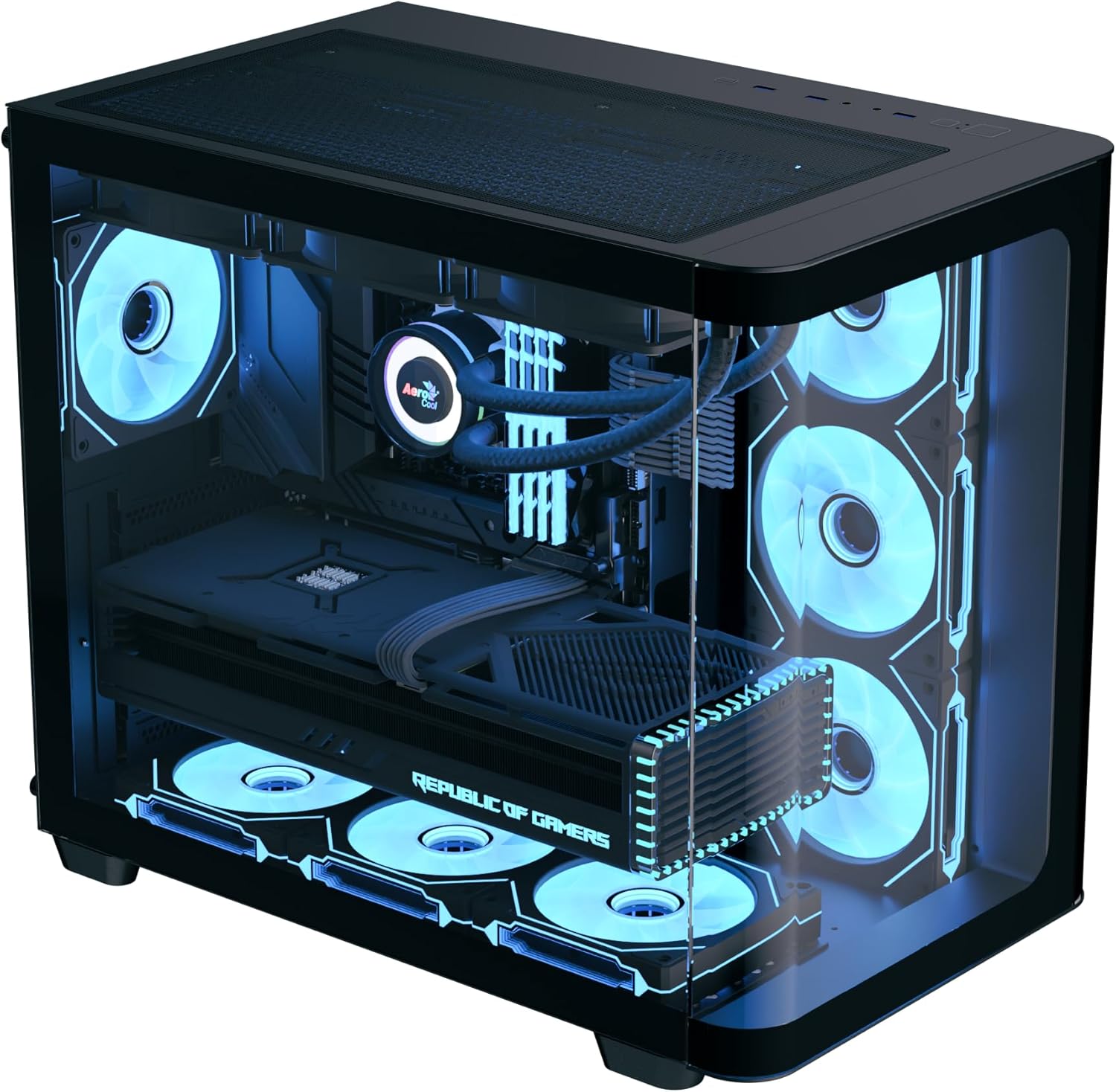
The P500C supports up to 360mm radiators at the top and bottom, and a total of 10 fans.
- Radiator: Mount radiators to the designated top or bottom brackets using the appropriate screws.
- Kipas Tambahan: Install any additional fans in available slots (e.g., front, top, bottom, rear) as needed for optimal airflow.
- Fan Hub: Connect the pre-installed fans and any additional ARGB/PWM fans to the included 4-port PWM ARGB fan hub. Connect the hub to your motherboard's ARGB header and a PWM fan header for control.
4.6 Manajemén kabel
Mangpaatkeun potongan rute kabel sareng titik pangiket di tukangeun baki motherboard pikeun ngatur kabel. Ieu ningkatkeun aliran hawa sareng estetika.
4.7 Sambungan Panel I/O Hareup
Sambungkeun kabel panel hareup (USB, audio, saklar daya, saklar reset, indikator LED) kana header anu saluyu dina motherboard anjeun. Tingali manual motherboard anjeun pikeun lokasi header.

5. Parentah Operasi
- Daya Hurung: After all components are installed and cables connected, close the side panels. Connect your power supply to a wall outlet and flip the PSU switch to the ON position. Press the power button on the front panel of the case to start your system.
- Kontrol Lampu ARGB: The pre-installed ARGB fans are connected to a 4-port PWM ARGB fan hub. If this hub is connected to your motherboard's ARGB header, you can control the lighting effects using your motherboard's RGB software (e.g., ASUS Aura Sync, MSI Mystic Light Sync, Gigabyte RGB Fusion, ASRock Polychrome Sync).
- Kontrol Laju Kipas: The PWM functionality of the fan hub allows your motherboard to control fan speeds based on system temperatures, optimizing cooling performance and noise levels.
6. Pangropéa
Pangropéa rutin ngabantosan mastikeun kinerja optimal sareng umur panjang komponén PC anjeun.
- Saringan debu: The AeroCool P500C is equipped with magnetic dust filters on the top and bottom. Regularly remove and clean these filters to prevent dust buildup inside the case, which can impede airflow and component cooling.
- beberesih internal: Buka wadahna périodik sareng nganggo hawa anu dikomprés pikeun ngaleungitkeun lebu tina kipas, heatsink, sareng komponén sanésna. Pastikeun sistem dipareuman sareng dicabut colokan sateuacan beberesih.
- Manajemén Kabel: Pariksa rute kabel sacara berkala pikeun mastikeun teu aya kabel anu ngahalangan aliran hawa atanapi operasi kipas.
7. Cara ngungkulan
Upami anjeun mendakan masalah, pertimbangkeun léngkah-léngkah ngungkulan umum ieu:
- Sistem Henteu Diaktipkeun:
- Ensure the power supply is properly connected to the wall outlet and the PSU switch is ON.
- Verify all power cables (24-pin ATX, 8-pin CPU, PCIe power) are securely connected to the motherboard and components.
- Pariksa yén kabel saklar daya panel hareup parantos disambungkeun kalayan leres kana header motherboard.
- Kipas Teu Muter/ARGB Teu Nyala:
- Confirm that the fans are properly connected to the fan hub.
- Ensure the fan hub is connected to a power source (e.g., SATA power) and the motherboard's ARGB/PWM headers.
- Check your motherboard's BIOS/UEFI settings or RGB software for fan control and lighting settings.
- Masalah overheating:
- Verify that all case fans are spinning and oriented correctly for optimal airflow (intake/exhaust).
- Clean dust filters and internal components to ensure unrestricted airflow.
- Ensure CPU cooler and GPU fans are functioning correctly.
8. Spésifikasi
| Fitur | Spésifikasi |
|---|---|
| merek | AeroCool |
| Jenis Kasus | Pertengahan Menara |
| Ngaran modél | P500C |
| Warna | Hideung |
| Rojongan motherboard | ATX, Micro ATX, Mini ITX |
| Kipas anu tos dipasang | 4 x 12cm ARGB (3 reverse-blade side, 1 rear) |
| Rojongan Radiator | Up to 360mm (Top, Bottom) |
| Max GPU Panjangna | 450 mm |
| Max CPU Cooler Jangkungna | 162 mm |
| Drive Bays | 3 x 2.5" SSD, 2 x 3.5" HDD |
| I / O palabuhan | USB, Audio (specifics not detailed in source) |
| Item Beurat | 9.12 kg |
| UPC | 810189570009 |
9. Garansi jeung Rojongan
The AeroCool P500C PC Case comes with a Garansi kawates. Punten tahan bukti pameseran anjeun pikeun klaim garansi.
For technical support, warranty inquiries, or further assistance, please visit the official AeroCool website or contact their customer service department. Contact information can typically be found on the AeroCool websitus atanapi dina bungkusan produk.