Bubuka
Thank you for choosing the Haier 55S800QT-P 55-inch 4K Ultra HD Smart QLED Google TV. This manual provides essential information for the safe and efficient use of your new television. Please read these instructions thoroughly before operating the device and retain them for future reference.
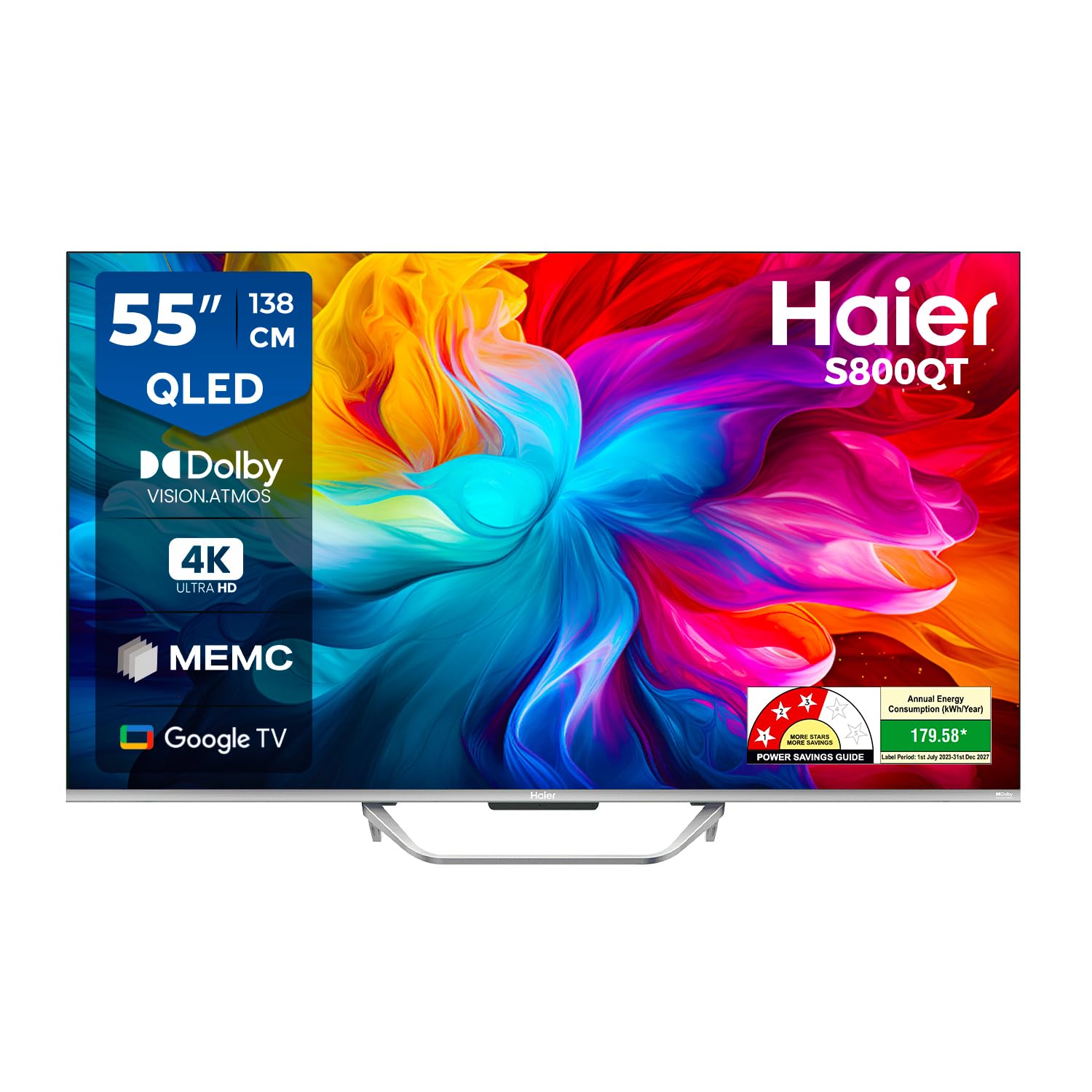
Image: The Haier 55S800QT-P TV showcasing its vibrant QLED display.
Naon dina Box
Please check the contents of your product packaging. Ensure all items listed below are present and undamaged.
- 1 LED TV
- 2 Méja Stand Bases
- 1 Jauh Jauh
- 1 AV IN Adapter
- 1 AC Cord
- 2 Batré AAA (pikeun kadali jauh)

Image: Contents of the Haier 55S800QT-P TV packaging.
Guide Setup
1. Instalasi fisik
Choose a suitable location for your TV. Ensure proper ventilation and avoid direct sunlight or heat sources. The TV can be placed on a table using the provided stand bases or wall-mounted (wall mount kit sold separately).
Attaching the Table Stand:
- Teundeun layar TV sacara saksama dina tempat anu lemes sareng datar pikeun nyegah karuksakan.
- Align the table stand bases with the corresponding slots on the bottom of the TV.
- Secure the stand bases using the screws provided (refer to the quick start guide for screw details).
ukuran:
The TV dimensions are approximately 122.6 cm (W) x 77.2 cm (H) x 27.5 cm (D) with the stand. Without the stand, the depth is 9.6 cm.

Image: Haier 55S800QT-P TV dimensions.
2. Nyambungkeun Alat éksternal
Your Haier TV offers multiple connectivity options for various devices.
- Port HDMI: Connect set-top boxes, gaming consoles, laptops, or other HDMI-enabled devices. The TV features 4 HDMI ports.
- Port USB: Connect USB storage devices for media playback. The TV has 2 USB ports.
- AV IN: Use the provided AV IN adapter to connect older devices with composite video and stereo audio outputs.
- Ethernet: Pikeun sambungan internét kabel stabil.
- Wifi: Pikeun konektipitas internét nirkabel.

Gambar: Sisi view tina palabuhan TV.

Gambar: Balik view tina palabuhan TV.
3. Power On jeung Setup Awal
- Sambungkeun kabel daya AC ka TV teras ka stop kontak.
- Pencét tombol daya dina kadali jauh atawa dina TV sorangan.
- Turutan parentah dina-layar pikeun ngarengsekeun setelan awal, kaasup pilihan basa, sambungan jaringan (Wi-Fi atawa Ethernet), jeung akun Google asup.
Ngoperasikeun TV Anjeun
Fungsi Remote Control
The included remote control allows you to navigate your TV's features. Insert the 2 AAA batteries into the remote control, ensuring correct polarity.
- Tombol Daya: Ngahurungkeun atawa mareuman TV.
- Pad navigasi (tombol OK): Dipaké pikeun mindahkeun ménu sareng mastikeun pilihan.
- Tombol Balik: Mulih ka layar saméméhna.
- Tombol imah: Ngaksés layar utama Google TV.
- Volume Kaluhur/Turun: Saluyukeun polumeu audio.
- Saluran luhur/handap: Robah saluran TV.
- Quick Launch Buttons: Dedicated buttons for popular streaming services like Netflix and Prime Video, and Google Assistant.
- Tombol Asisten Google: Ngaktipkeun kontrol sora pikeun milarian eusi, ngontrol alat bumi pinter, sareng seueur deui.

Image: Haier TV remote control with quick launch buttons.
Fitur Smart TV (Google TV)
Your Haier TV runs on Google TV, providing access to a vast library of apps and content.
- Aksés Aplikasi: Download and stream content from popular services like Prime Video, Netflix, Jio Hotstar, Sony Liv, Zee5, Apple TV, and many more.
- Daptar awaskeun: Organize your favorite movies and shows across different streaming services.
- Chromecast Diwangun-di: Matak eusi langsung tina smartphone atawa tablet anjeun ka TV.
- Kontrol Sora Hands-Free: Use the integrated Google Assistant for voice commands without the remote.

Image: Google TV interface with various applications.
Display and Audio Enhancements
- tampilan QLED: Experience enhanced color purity, ultra-high color gamut, and authentic color reproduction for vibrant images.
- Resolusi 4K Ultra HD: Enjoy four times the detail of Full HD, delivering sharp and clear visuals.
- Dolby Vision sareng HDR 10: Optimizes visuals for a cinematic experience with stunning sharpness and dynamic contrast.
- MEMC (Motion Estimation Motion Compensation): Reduces motion blur by inserting extra frames, ensuring smoother visuals, especially for fast-paced content.
- Dolby Atmos & dbx-tv Surround Sound: Provides immersive, 3D surround sound for a rich audio experience.
- Kaluaran 24 Watt: Powerful stereo speakers deliver clear and robust audio.

Image: Explanation of QLED display technology.

Image: Dolby Vision and HDR 10 benefits.

Image: Dolby Atmos and dbx-tv sound technologies.

Image: 4K resolution detail.

Image: MEMC technology for smoother motion.
Fitur kaulinan
The Haier 55S800QT-P is equipped with features to enhance your gaming experience:
- ALLM (Modeu Latency Lemah Otomatis): Ngalihkeun TV sacara otomatis ka modeu low-latency nalika konsol kaulinan dideteksi, ngirangan lag input.
- VRR (Variable Refresh Rate): Synchronizes the TV's refresh rate with the gaming console's frame rate to eliminate screen tearing and stuttering.
- HDMI2.1: Supports advanced gaming features for compatible devices.

Image: Game Mode features for an optimized gaming experience.
Pangropéa
Ngabersihan Layar TV:
Pikeun ngabersihkeun layar, usap lembut nganggo kaen anu lemes sareng teu aya serat. Pikeun tanda pengkuh, enteng dampen lawon jeung cai atawa cleaner layar husus. Ulah menyemprot cairan langsung kana layar.
Ngabersihan TV Casing:
Ngusap casing with a soft, dry cloth. Avoid using abrasive cleaners or solvents that may damage the finish.
Perawatan Kabel Listrik:
Regularly check the power cord for any damage. Do not use a damaged cord. Always unplug the TV during electrical storms or when it will be unused for extended periods.
Pamérésan masalah
If you encounter issues with your TV, refer to the following common solutions before contacting customer support.
Henteu aya kakuatan:
- Ensure the power cord is securely plugged into both the TV and the power outlet.
- Pariksa naha stop kontak listrik berpungsi ku cara nyolokkeun alat anu sanés.
- Coba pencét tombol daya dina TV sorangan, teu ngan jauh.
Teu Aya Gambar, Tapi Aya Sora:
- Pastikeun sumber input anu bener dipilih (contona, HDMI 1, AV).
- Pariksa sambungan kabel antara TV jeung alat éksternal.
- Adjust brightness and contrast settings in the TV menu.
Teu Aya Sora, Tapi Gambar Aya:
- Ningkatkeun polumeu nganggo kadali jauh.
- Pariksa naha TV dipareuman.
- Pariksa sambungan kabel audio pikeun alat éksternal.
- Pariksa setélan kaluaran audio dina menu TV (contona, spiker internal, sistem audio éksternal).
Remote Control Teu Gawé:
- Ensure the batteries are correctly inserted and not depleted. Replace if necessary.
- Remove any obstructions between the remote control and the TV's IR sensor.
- Upami nganggo remot Bluetooth, pastikeun éta dipasangkeun kalayan leres.
Masalah Konektipitas Jaringan:
- Balikan deui router Wi-Fi anjeun sareng TV.
- Pariksa sandi Wi-Fi sareng setelan jaringan dina TV.
- Lamun make Ethernet, pastikeun kabel disambungkeun aman.
spésifikasi
| Fitur | Spésifikasi |
|---|---|
| merek | Haier |
| Modél | 55S800QT-P |
| Ukuran layar | 55 Inci (139 cm) |
| Téknologi tampilan | QLED |
| Resolusi | 4K Ultra HD (3840 x 2160 piksel) |
| Refresh Laju | 60 Hz |
| Sistem operasi | Android (Google TV) |
| Mémori RAM | 2 GB |
| Kapasitas Panyimpenan | 32 GB |
| Kaluaran sora | 24 Watt |
| Fitur Audio | Dolby Atmos, dbx-tv Surround Sound, Stereo Surround |
| Fitur Video | Dolby Vision, HDR 10, MEMC, Low Blue Light |
| Konektipitas | 4 HDMI Ports, 2 USB Ports, Wi-Fi 5, Ethernet, Bluetooth |
| Fitur husus | Chromecast, Haicast, Sound Mirroring, Google Assistant, Hands-Free Voice Control, ALLM, VRR |
| Ukuran produk (kalayan stand) | 122.6W x 77.2H x 27.5D cm |
| Item Beurat | 10.7 kg |
| Batré Diperlukeun | 2 AAA (kaasup) |
Garansi sareng Rojongan
Inpormasi Garansi:
The Haier 55S800QT-P television comes with a 2-taun jaminan produsén ti tanggal pameseran dina pesawat televisi sareng a 6-garansi sasih on the remote control. To avail warranty services, please retain your Amazon invoice as proof of purchase.
Rojongan Palanggan:
For further assistance, technical support, or service requests, please refer to the official Haier websitus atanapi hubungi layanan palanggan Haier. Manual pangguna ogé tiasa diaksés tina mérek éta websitus pikeun detil tambahan.