1. Produk Langkungview
The HP OfficeJet Pro 9125e is a versatile All-in-One printer designed for office and hybrid workspace environments. This certified refurbished unit offers print, scan, copy, and fax functionalities, along with advanced features like a color touchscreen and HP Wolf Pro Security. It is engineered for professional-quality color documents and efficient operation.
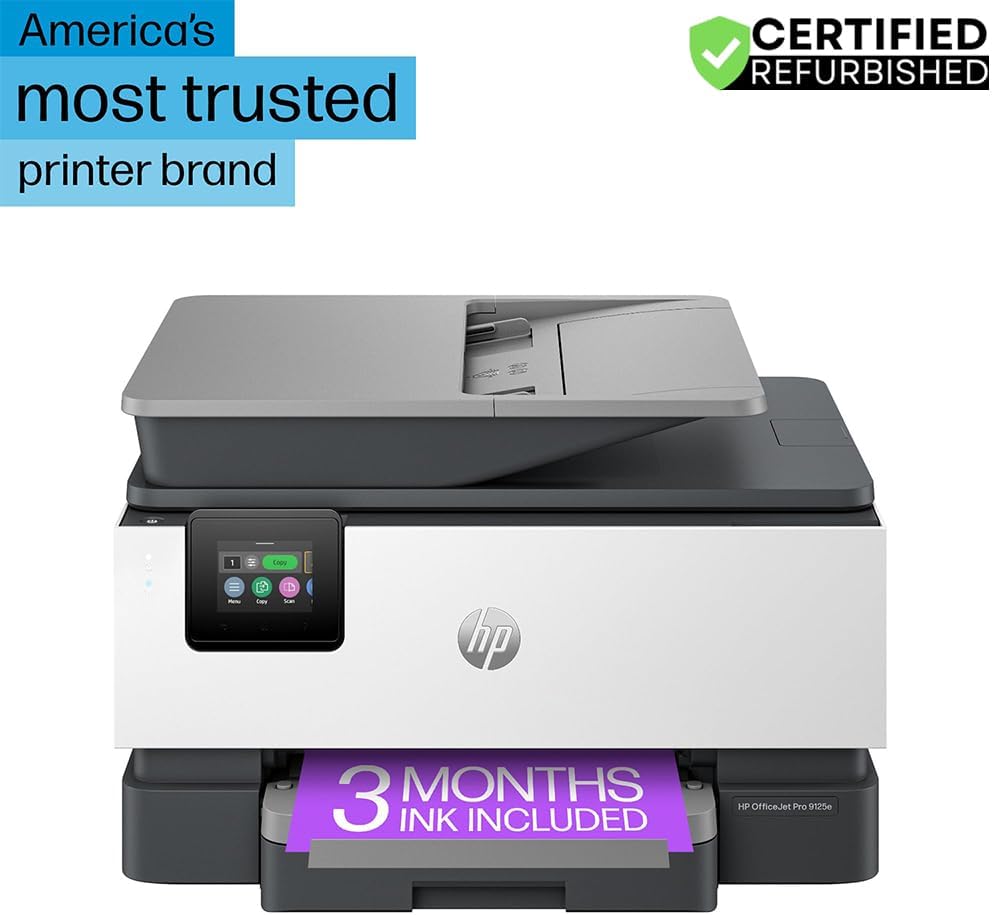
Gambar 1: Hareupeun view of the HP OfficeJet Pro 9125e All-in-One Printer.
Fitur konci:
- Fungsi Sadaya-dina-Hiji: Kamampuh nyetak, nyalin, nyeken, sareng fax.
- Percetakan Kacepetan Tinggi: Nepi ka 22 kaca per menit (ppm) kanggo hideung sareng 18 ppm kanggo warna.
- Konéktipitas nirkabel: Reliable dual-band Wi-Fi with automatic connection issue resolution.
- Aplikasi HP Smart: Enables printing, scanning, copying, and faxing directly from a smartphone.
- Kaamanan HP Wolf Pro: Integrated security tools to protect data and networks.
- Layar rampa Warna 2.7 inci: Intuitive user interface for easy navigation.
- Feeder Dokumén Otomatis (ADF): Pikeun nyeken sareng nyalin multi-kaca anu efisien.
- Percetakan dupleks: Nyitak dua sisi otomatis.
- Desain Sustainable: Constructed with over 40% recycled plastic.

Gambar 2: Leuwihview of the HP OfficeJet Pro 9125e's primary functions and features.
2. Parentah Setup
2.1 Ngabongkar jeung Eusi
Carefully unpack the printer and ensure all components are present. The package should contain the following:
- Printer HP OfficeJet Pro 9125e Sadayana-dina-Hiji
- Nyetél Kartrid Tinta Hideung HP 936
- Kartrid Tinta Cyan HP 936 Setel
- Nyetél Kartrid Tinta Magenta HP 936
- Nyetél Kartrid Tinta Konéng HP 936
- Kabel listrik
- Flyer pangaturan
- Tinta Awas Flyer
- Poster Setup
- Panungtun Rujukan

Figure 3: Included items in the HP OfficeJet Pro 9125e package.
2.2 Setelan Printer Awal
- Sambungan Daya: Sambungkeun kabel daya kana printer teras kana stop kontak témbok.
- Daya Hurung: Pencét tombol daya pikeun ngaktipkeun printer.
- Pamasangan Kartrid Tinta: Follow the on-screen instructions on the 2.7-inch touchscreen to install the HP 936 setup ink cartridges. Ensure each cartridge clicks into place.
- Pamuatan kertas: Load plain paper into the 250-sheet input tray. Adjust the paper guides to fit the paper size.
- Basa jeung Wewengkon: Select your preferred language and region on the touchscreen.
- Sambungan jaringan: Connect the printer to your wireless network using the touchscreen. The dual-band Wi-Fi will help ensure a stable connection.
- HP Smart App Installation: Download the HP Smart App on your smartphone or computer for guided setup and advanced features.
- HP+ Activation (Optional): If you wish to enroll in the Instant Ink delivery service and extend your warranty, activate HP+ during the setup process. This may include 3 months of Instant Ink.
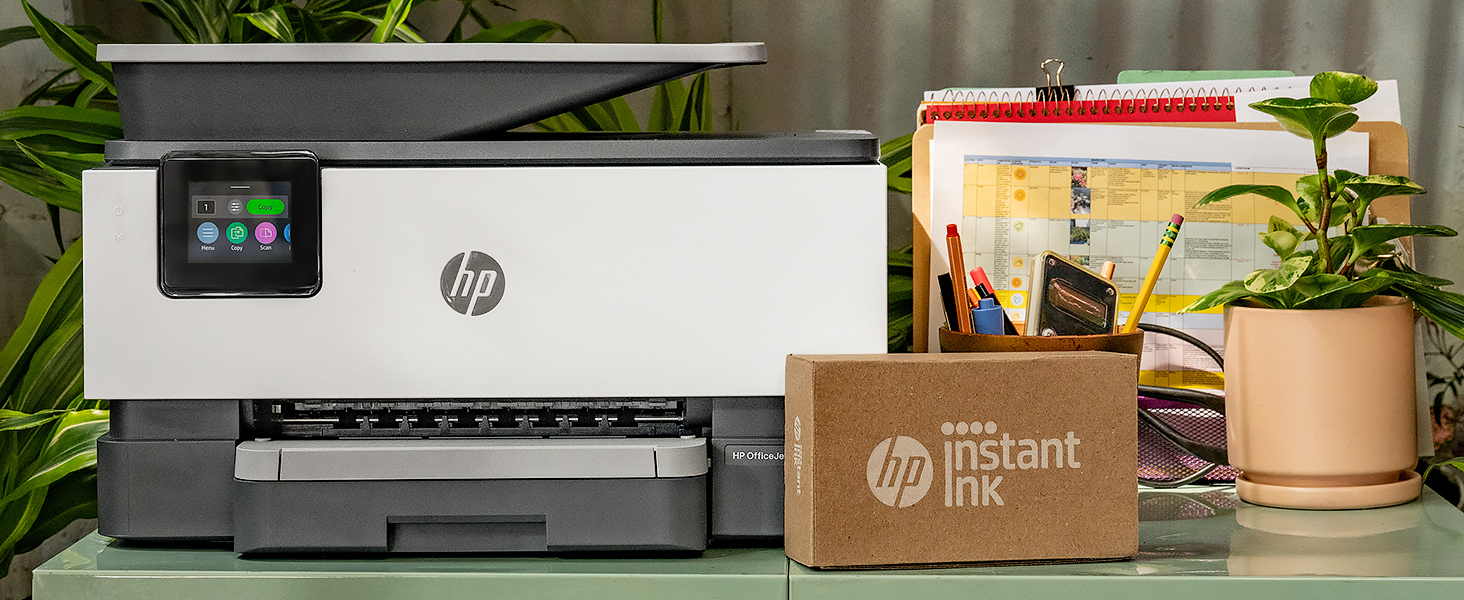
Figure 4: Printer ready for setup, showing the Instant Ink box.
3. Parentah Operasi
3.1 Nyitak Dokumén
The HP OfficeJet Pro 9125e supports printing from various devices, including computers and smartphones.
- Tina Komputer: Ensure the printer drivers are installed. Select "Print" from your application, choose the HP OfficeJet Pro 9125e, and adjust settings as needed (e.g., color, black and white, duplex printing).
- Tina Alat Sélulér (Aplikasi HP Smart): Buka Aplikasi HP Smart, pilih "Cetak Dokumén" atanapi "Cetak Poto", pilih file, and send it to the printer.
- Laju nyitak: Nepi ka 22 ppm pikeun hideung sareng 18 ppm pikeun warna.
- Percetakan dupleks: The printer supports automatic two-sided printing. This option can be selected in your print settings.
3.2 Nyeken Dokumén
Dokumén tiasa di-scan nganggo flatbed scanner atanapi Automatic Document Feeder (ADF).
- Ngagunakeun Flatbed: Place a single document face down on the scanner glass. Close the lid. Select "Scan" on the printer's touchscreen or through the HP Smart App.
- Ngagunakeun ADF: Load multiple pages face up into the ADF. The ADF supports dual-pass 2-sided scanning. Select "Scan" on the printer's touchscreen or through the HP Smart App and choose the ADF option.
- Tujuan Scan: Scanned documents can be sent to a computer, email, or cloud services via the HP Smart App.
3.3 Nyalin Dokumén
The printer allows for quick and efficient copying.
- Mimitian Salinan: Press the "Copy" icon on the printer's touchscreen.
- Dokumén tempat: Place the document on the flatbed scanner or in the ADF.
- Saluyukeun Setélan: Select the number of copies (up to 99), color or black and white, and other options like resizing or quality.
- Mimitian Salin: Pencét tombol "Mimitian Salin" dina layar rampa.
3.4 Faxing Dokumén
The HP OfficeJet Pro 9125e includes fax functionality.
- Muat Dokumén: Place the document on the flatbed scanner or in the ADF.
- Lebetkeun Nomer: Press the "Fax" icon on the touchscreen and enter the recipient's fax number.
- Kirim Fax: Confirm settings and send the fax.
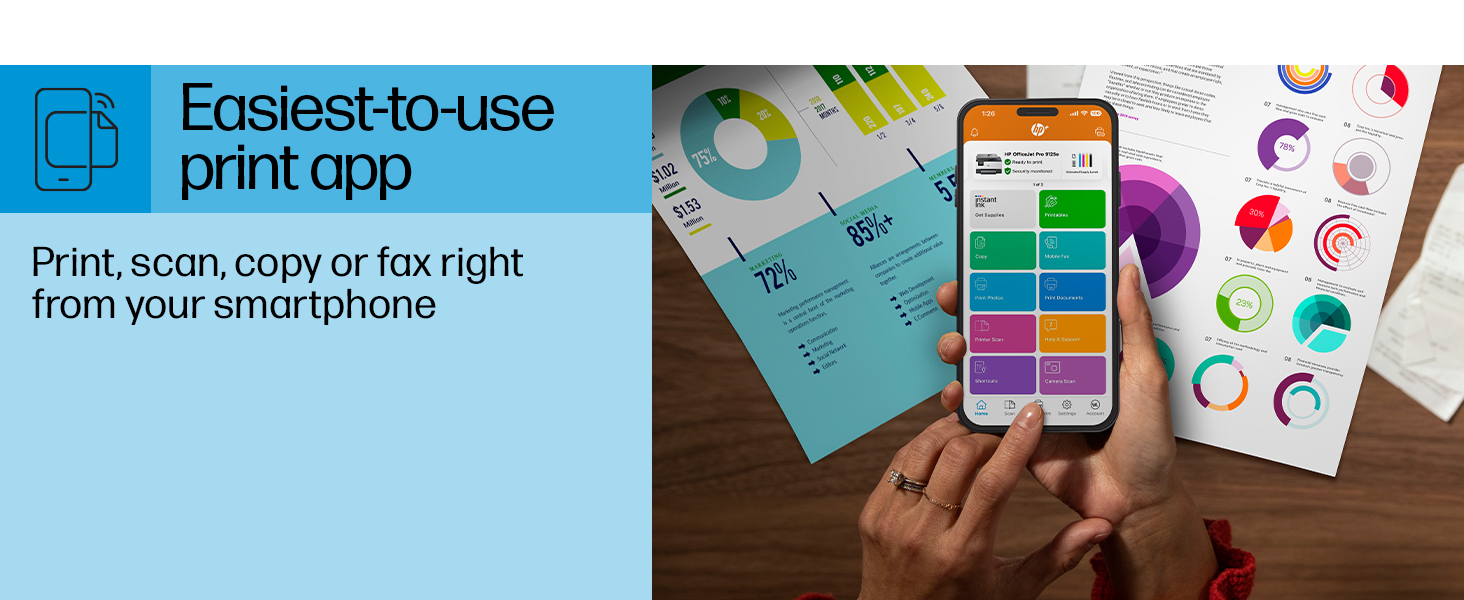
Figure 5: The HP Smart App allows control of print, scan, copy, and fax functions from a smartphone.
4. Pangropéa
4.1 Ink Cartridge ngagantian
The printer uses HP 936 series ink cartridges (Black, Cyan, Magenta, Yellow). The touchscreen will indicate when ink levels are low or when a cartridge needs replacement.
- Buka panto aksés kartrid tinta.
- Pencét tab dina kartrid anu lami pikeun ngaleupaskeunana, teras tarik kaluarkeunana.
- Unpack the new HP 936 cartridge, being careful not to touch the electrical contacts or ink nozzles.
- Selapkeun kartrij anyar kana slot anu cocog dugi ka ngaklik kana tempatna.
- Tutup panto aksés kartrid tinta.
4.2 Pananganan kertas
- Baki Input: The printer features a 250-sheet input tray. Ensure paper is loaded correctly and paper guides are adjusted to prevent jams.
- Baki kaluaran: The output tray has a capacity of 60 sheets.
- Média anu Dirojong: The printer supports various paper types and sizes, including plain paper, photo paper, and envelopes. Supported sizes range from 3 x 5 inches to 8.5 x 14 inches.
- Envelope Stopper: Utilize the built-in envelope stopper to prevent jams when printing envelopes.
4.3 beberesih
Beberesih rutin ngabantosan ngajaga kualitas citak sareng umur printer anu langkung lami.
- Luar: Ngusap bagian luar printer ku lemes, damp, lawon bébas lint.
- Kaca scanner: Bersihkeun kaca pamindai nganggo lawon lemes sareng pembersih kaca anu henteu abrasif.
- ADF Rollers: Tingali dukungan HP website or the HP Smart App for instructions on cleaning ADF rollers if paper feed issues occur.
5. Cara ngungkulan
This section provides solutions to common printer issues. For more detailed troubleshooting, refer to the HP support websitus atanapi Aplikasi HP Smart.
5.1 Masalah konektipitas
- Printer Offline: Ensure the printer is powered on and connected to the correct Wi-Fi network. Restarting both the printer and your router can often resolve temporary network glitches.
- Pegatkeun sambungan Wi-Fi: The printer's dual-band Wi-Fi is designed to automatically resolve connection issues. If problems persist, try reconnecting through the printer's touchscreen or the HP Smart App.
- USB/Ethernet Connection: If using a wired connection, ensure cables are securely plugged into both the printer and the computer/router.
5.2 Masalah Kualitas Cetak
- Cetakan Pudar atanapi Streaky: Check ink levels and replace any low or empty cartridges. Perform a printhead cleaning cycle through the printer's maintenance menu.
- kelir salah: Ensure you are using genuine HP ink cartridges. Run a printhead alignment from the printer's maintenance menu.
- Kertas macét: Follow the on-screen instructions to clear any jammed paper. Ensure paper is loaded correctly and not overfilled in the input tray.
5.3 Scanning/Copying Issues
- Blank Scans/Copies: Ensure the document is placed correctly on the scanner glass or in the ADF.
- Lines on Scans/Copies: Clean the scanner glass and the ADF rollers.
6. Spésifikasi Téknis
| Fitur | Spésifikasi |
|---|---|
| Ngaran modél | HP OfficeJet Pro 9125e |
| Fungsi | Print, Copy, Scan, Fax |
| Téhnologi percetakan | Inkjet (Four-color inkjet cartridges) |
| Laju Nyitak Maks (Hideung) | 22 ppm |
| Laju Nyitak Maks (Warna) | 18 ppm |
| Résolusi Citak Maks (Hideung) | 1200 x 1200 dpi |
| Resolusi Cetak Maks (Warna) | Nepi ka 4800 x 1200 dpi dioptimalkeun |
| Percetakan duplex | Otomatis |
| Jenis scanner | Kaca anu gampang di geser, ADF 2 sisi dual pass |
| Résolusi Salinan Maks. | 600 x 600 dpi (Black & Color) |
| Salinan Maks. per Jalankeun | 99 |
| Konektipitas | Ethernet, USB, Wi-Fi (Dual-band) |
| Métode kontrol | Aplikasi, Layar rampa |
| Ukuran layar rampa | 2.7 inci |
| Kapasitas Lambaran Input | 250 lembar |
| Kapasitas Lambaran Kaluaran | 60 lembar |
| Ukuran Media Dirojong | 3 x 5 inches to 8.5 x 14 inches |
| Kapasitas Panyimpenan Mémori | 512 MB |
| Ukuran produk (D x W x H) | 13.48" x 17.3" x 10.94" |
| Item Beurat | 20.5 pon |
| Konsumsi Daya | 5.06 Watt |

Figure 6: Physical dimensions of the HP OfficeJet Pro 9125e.
7. Garansi jeung Rojongan
7.1 Émbaran jaminan
- Certified Refurbished Warranty: This unit comes with a 90-day manufacturer warranty, ensuring reliable, like-new performance.
- Extended Protection Pack: The product bundle includes a 2-year CPS Enhanced Protection Pack.
- HP+ Offer Warranty: A one-year limited hardware warranty is provided, with an option to extend to two years upon acceptance of the HP+ Offer during setup.
For specific terms and conditions regarding your warranty, please refer to the documentation included with your product or visit the official HP support websitus.
7.2 Rojongan Palanggan
For further assistance, technical support, or to access detailed user guides and drivers, please visit the official HP support websitus:
You can also utilize the HP Smart App for troubleshooting and accessing support resources directly from your mobile device.