Bubuka
Hatur nuhun pikeun meuliasing the PRUNUS J-360TS Cassette Tape Player Boombox. This versatile device combines classic cassette playback and recording with modern features like Bluetooth connectivity, AM/FM/SW radio, and multiple power options. This manual provides detailed instructions to help you set up, operate, and maintain your new device.

Image: The PRUNUS J-360TS unit, showcasing its solar panel, flashlight, and overall design.
Eusi pakét
Mangga cék kotak pikeun item di handap ieu:
- PRUNUS J-360TS Radio Unit
- Kabel Ngecas USB-C
- Manual Pamilik (dokumén ieu)
- Batré anu tiasa dicas deui (tos dipasang atanapi kalebet misah)
Disetél
Powering Alat
The PRUNUS J-360TS offers three power options:
- Batré anu tiasa dicas deui: The unit comes with pre-installed rechargeable batteries. Ensure they are charged before first use.
- USB-C ngecas: Connect the supplied USB-C cable to the DC 5V IN port on the unit and to a 5V/1A or 5V/2A USB power adapter (not included). The unit will charge while connected.
- Panel surya: For outdoor use, the built-in solar panel can charge the internal batteries. Place the unit in direct sunlight for optimal charging.
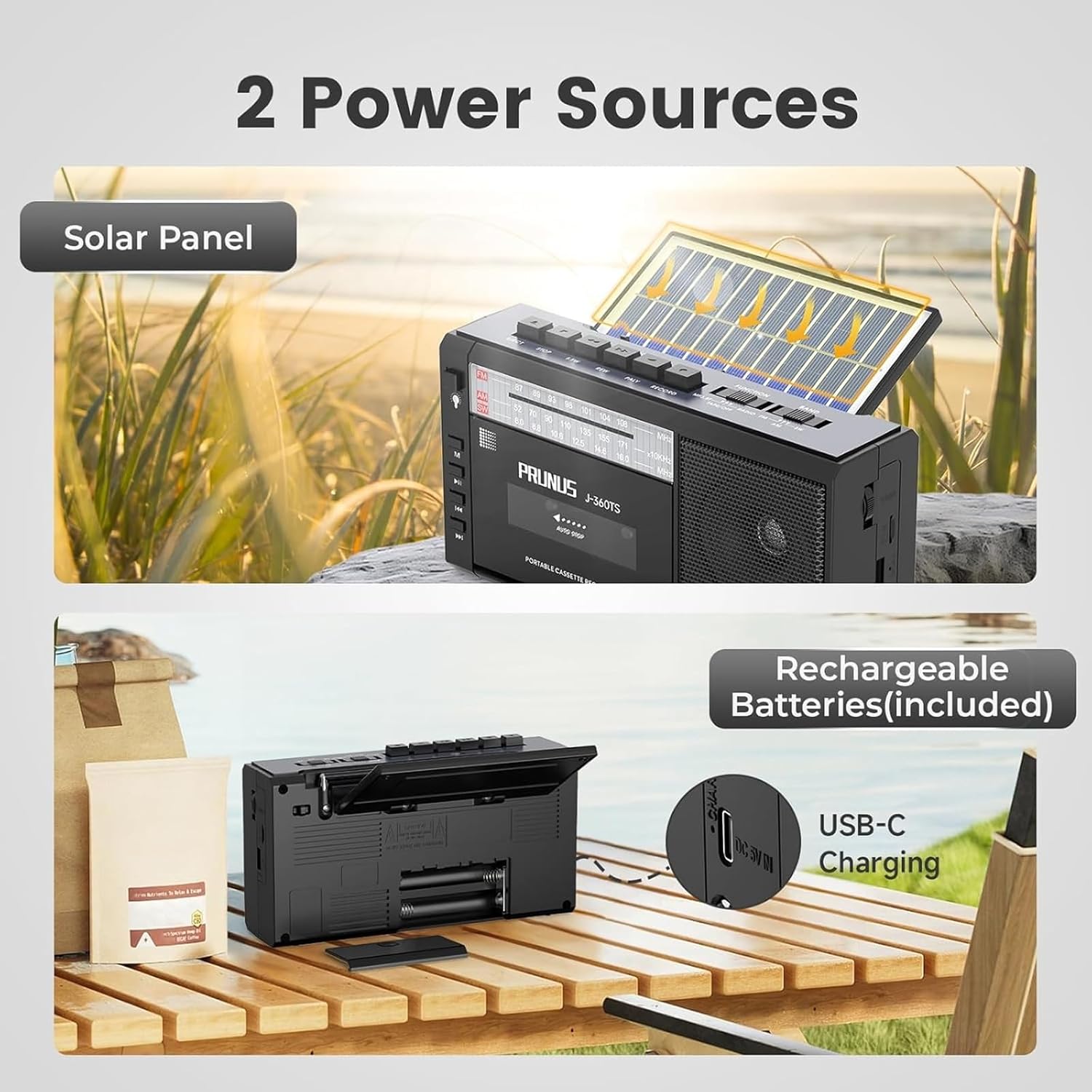
Image: Illustration of the two primary power sources: the solar panel and the rechargeable batteries accessible via USB-C charging.
Muatan Awal
Before first use, it is recommended to fully charge the device using the USB-C cable for approximately 4-6 hours.
Parentah Operasi
Pamuter kaset sareng pangrékam
To play a cassette tape:
- Pencét éta EJECT tombol pikeun muka kompartemen kaset.
- Insert a cassette tape with the open side facing you.
- Tutup kompartemen kasét.
- Pencét éta ulin tombol pikeun ngamimitian playback.
- Ngagunakeun éta EUREUN tombol pikeun ngeureunkeun playback.
- Paké REW (Rewind) and FF (Fast Forward) buttons to navigate the tape.
Pikeun ngarekam audio:
- Insert a blank cassette tape or a tape you wish to record over.
- Pencét éta REC (Record) button. The unit will automatically start recording from the built-in microphone.
- Pencét éta EUREUN tombol pikeun ngeureunkeun rékaman.
Note: The Cassette Player does not have an anti-erasure function. Recording over a tape will overwrite its existing content.

Image: The PRUNUS J-360TS in use, highlighting its cassette playback and recording capabilities.
AM/FM/SW Radio Operation
Pikeun ngadangukeun radio:
- Panjangkeun anteneu teleskopik pikeun panarimaan anu langkung saé.
- Use the band switch to select FM, AM, atawa SW.
- Puterkeun TUNING pencét pikeun mendakan stasiun anu dipikahoyong.
- Saluyukeun VOLUME dial to your preferred listening level.
The radio supports the following frequency bands:
- FM: 87-108MHz
- AM: 520-1710KHz
- SW: 8.0-16.0MHz
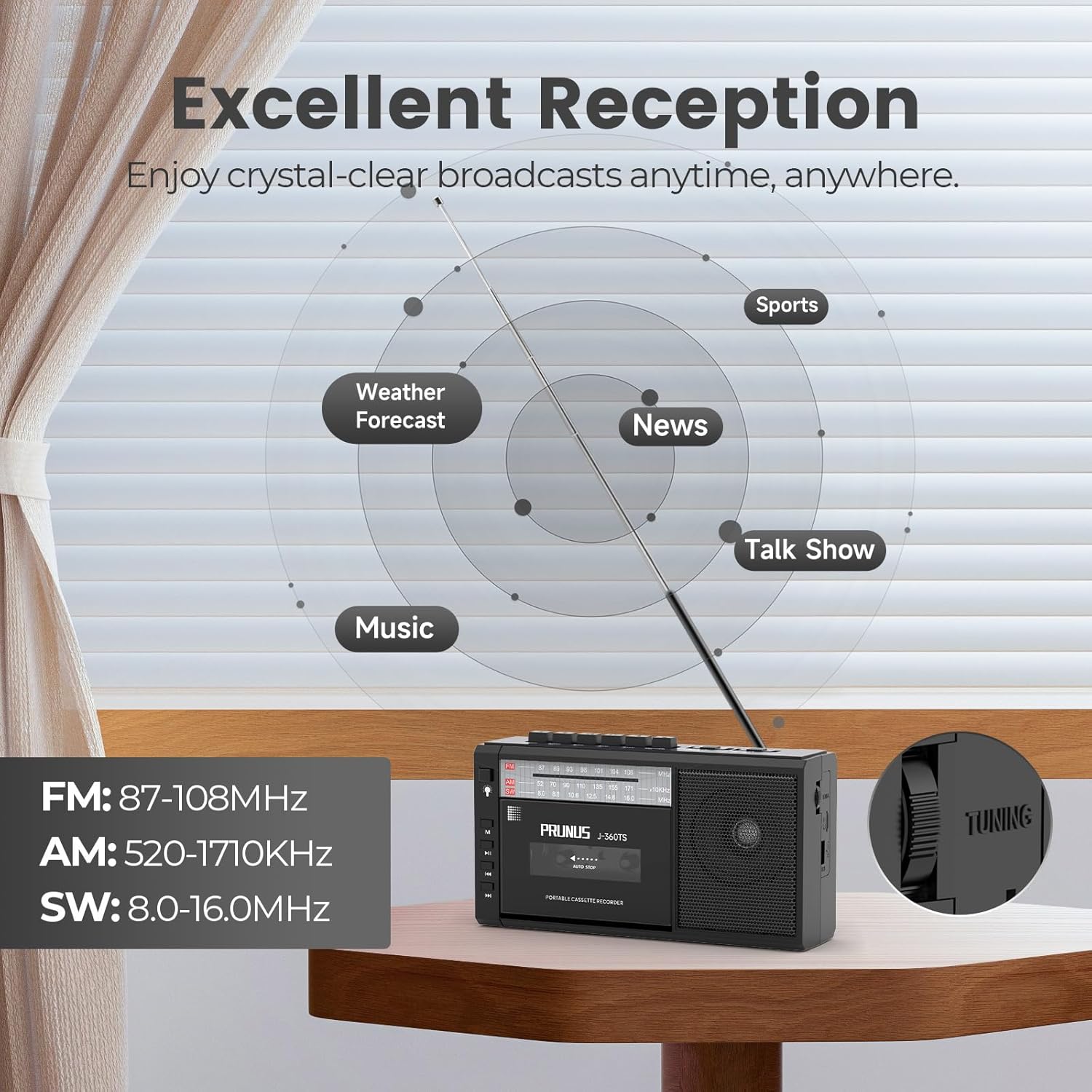
Image: The PRUNUS J-360TS demonstrating its radio reception capabilities with an extended antenna and listed frequency bands.
Konektipitas Bluetooth
Pikeun nyambung via Bluetooth:
- Turn on the PRUNUS J-360TS.
- Switch the mode to Bluetooth (usually indicated by an LED or voice prompt).
- Dina smartphone atanapi tablet anjeun, aktipkeun Bluetooth sareng milarian alat anu sayogi.
- Select "J-360TS" from the list to pair.
- Once connected, you can play audio from your device through the boombox speaker.

Image: The PRUNUS J-360TS functioning as a wireless Bluetooth speaker, connected to a mobile phone.
USB Drive and TF Card Playback
The unit supports playback from USB drives and TF (Micro SD) cards.
- Insert a USB drive into the USB port or a TF card into the KARTU TF slot.
- The unit should automatically detect and begin playing audio files.
- Anggo kontrol puter balik (Puter/Jeda, Salajengna/Sateuacanna) pikeun ngatur musik anjeun.

Gambar: Detil view of additional features including TF card slot, USB drive port, LED flashlight, and 3.5mm earphone jack.
Nganggo senter
The built-in LED flashlight can be activated by a dedicated switch, typically located near the flashlight itself on the side of the unit. This feature is useful for emergencies or low-light conditions.
Jack headphone
Connect standard 3.5mm headphones to the TELEPON jack for private listening. The main speaker will be muted when headphones are connected.
Pangropéa
- beberesih: Ngusap unit ku kaén anu lembut sareng garing. Ulah make cleaners abrasive atawa pangleyur.
- Panyimpenan: Lamun teu dipaké pikeun période nambahan, nyimpen unit dina tiis, tempat garing jauh ti sinar panonpoé langsung jeung hawa ekstrim.
- Perawatan batré: To prolong battery life, avoid fully discharging the batteries frequently. Charge the unit regularly, especially if stored for a long time.
- Perawatan kaset: Keep cassette tapes clean and free of dust. Avoid exposing tapes to extreme heat or magnetic fields.
Pamérésan masalah
| Masalah | Mungkin Cukang lantaranana | Solusi |
|---|---|---|
| Unit teu hurung. | Low battery or no power source. | Charge the unit using the USB-C cable or place it in direct sunlight. Ensure batteries are properly inserted. |
| panarimaan radio goréng. | Antena teu manjang, sinyal lemah, atanapi gangguan. | Fully extend the telescopic antenna. Try repositioning the unit. Tune slowly to find a clear signal. |
| Cassette tape not playing/recording. | Tape not inserted correctly, tape damaged, or mechanism issue. | Ensure the tape is inserted correctly. Try a different tape. Check if the play/record buttons are fully depressed. |
| Bluetooth teu nyambung. | Unit not in Bluetooth mode, device too far, or pairing issue. | Ensure the unit is in Bluetooth mode. Keep your device within range (approx. 10 meters). Forget "J-360TS" on your device and try pairing again. |
| Taya sora tina speaker. | Volume too low, headphones connected, or speaker malfunction. | Increase the volume. Disconnect any headphones. If the problem persists, contact customer support. |
spésifikasi
| Fitur | Rincian |
|---|---|
| Modél | J-360TS |
| merek | PRUNUS |
| Ukuran (L x W x H) | 20.9 x 6.5 x 11.4 cm (8.2 x 2.6 x 4.5 inci) |
| Beurat | 673 g (1.48 lbs) |
| Sumber Daya | Rechargeable Batteries (included), USB-C (5V/1A or 5V/2A adapter required), Solar Panel |
| Jenis Batré | Lithium Ion (2 Nonstandard Battery batteries) |
| Frékuénsi Radio | FM: 87-108MHz, AM: 520-1710KHz, SW: 8.0-16.0MHz |
| Speaker Kaluaran Power | 10 Watt |
| Konektipitas | Bluetooth, USB Drive, TF (Micro SD) Card, 3.5mm Headphone Jack |
| Fitur husus | Cassette Tape Player/Recorder, Built-in Flashlight, Solar Charging |
| Bahan | palastik |
| Negara asal | Cina |

Image: The PRUNUS J-360TS highlighting its compact and portable design with dimensions and weight.
Garansi sareng Rojongan
For warranty information and customer support, please refer to the contact details provided by PRUNUS at the time of purchase or visit the official PRUNUS websitus. Simpen resi pameseran anjeun salaku bukti pameseran pikeun klaim garansi.
Kontak Pabrikan: PRUNUS, prunus-in@hotmail.com
Kanggo bantosan langkung lanjut, anjeun ogé tiasa ngahubungi langsung anu ngajual ngalangkungan platform tempat produk éta dipésér.


