1. Bubuka
This manual provides essential information for the safe and efficient use of your JVC VIDAA LT-43VDF5455 43-inch Full HD Smart TV. Please read these instructions thoroughly before operating the device and retain them for future reference.
The JVC LT-43VDF5455 is a 43-inch Full HD Smart TV featuring HDR10 support for enhanced contrast and natural colors. It includes an integrated triple tuner (DVB-C/T2/S2) for versatile program reception and runs on the VIDAA operating system, offering access to various streaming applications.
2. Émbaran Kasalametan penting
- Sasayogian tanaga: Pastikeun TV disambungkeun ka colokan listrik kalawan vol nu benertage. Ulah overload outlet listrik.
- Ventilasi: Ulah meungpeuk bukaan ventilasi. Ngidinan spasi nyukupan sabudeureun TV pikeun aliran hawa ditangtoskeun pikeun nyegah overheating.
- Cai sareng Uap: Ulah ngalaan TV ka hujan, beueus, atawa nempatkeun objék ngeusi cairan dina atawa deukeut TV.
- beberesih: Cabut TV sateuacan beberesih. Paké lawon lemes, garing. Entong nganggo pembersih cair atanapi aerosol.
- panempatan: Teundeun TV dina permukaan datar anu stabil. Hindarkeun nempatkeunna dina sinar panonpoé langsung atanapi caket sumber panas.
- Palayanan: Ulah nyobian ngalayanan TV sorangan. Rujuk sadayana jasa ka tanaga jasa anu mumpuni.
3. Eusi Paket
Punten parios yén sadaya barang aya sareng dina kaayaan anu saé:
- JVC VIDAA LT-43VDF5455 43-inch Full HD Smart TV
- Kadali Jauh (kalebet 2 batré AAA)
- Kaki TV (Stand)
- Manual pangguna (dokumén ieu)
4. Setélan
4.1 Ngagantelkeun TV Stand
Carefully place the TV screen-down on a soft, flat surface to prevent damage. Attach the provided feet to the designated slots on the bottom of the TV using the screws supplied. Ensure the stand is securely fastened before placing the TV upright.

Gambar: Hareupeun view of the JVC LT-43VDF5455 Smart TV with its stand attached.
4.2 Diménsi Fisik sarta Nempatkeun
The TV has a width of 96.5 cm, a height of 60 cm (with stand), and a depth of 26.1 cm (with stand). The screen diagonal is 43 inches (108 cm). For wall mounting, the VESA standard is M4 100x100. Ensure adequate space for ventilation.

Image: Diagram illustrating the physical dimensions of the JVC LT-43VDF5455 television, including width, height with stand, depth with stand, and screen diagonal.
4.3 Sambungan Daya
Connect the power cord to the TV's power input and then to a suitable wall outlet.
4.4 Wizard Setup Awal
Upon first power-on, the TV will guide you through an initial setup wizard. This includes language selection, country, network connection (Wi-Fi), and channel scanning for the integrated triple tuner (DVB-C/T2/S2).
5. Ngoperasikeun TV Anjeun
5.1 Fungsi Remote Control
The provided remote control allows you to navigate the TV's features. Key functions include:
- Tombol Daya: Hurungkeun/pareuman TV atawa keur sayaga.
- Tombol Input: Selects input sources (HDMI, USB, Tuner).
- Tombol Nomer: Pilihan saluran langsung.
- Volume +/-: Nyetél polumeu.
- Saluran +/-: Robah saluran.
- Tombol Navigasi (Kaluhur/Turun/Kénca/Katuhu) & OK: Pikeun menu navigasi jeung pilihan.
- Tombol potong kompas aplikasi: Direct access to popular streaming services like Netflix, YouTube, Prime Video, Disney+.

Image: The remote control for the JVC Smart TV, highlighting dedicated buttons for popular streaming applications such as YouTube, Netflix, Prime Video, and Disney+.
5.2 Fitur Smart TV (VIDAA OS)
Your JVC TV runs on the VIDAA operating system, providing a user-friendly interface for accessing a wide range of applications and services.
- App Store: Browse and download additional applications.
- Layanan streaming: Enjoy pre-installed apps like Netflix, Prime Video, Disney+, YouTube, and DAZN.
- Web Browser: Aksés internét langsung tina TV anjeun.
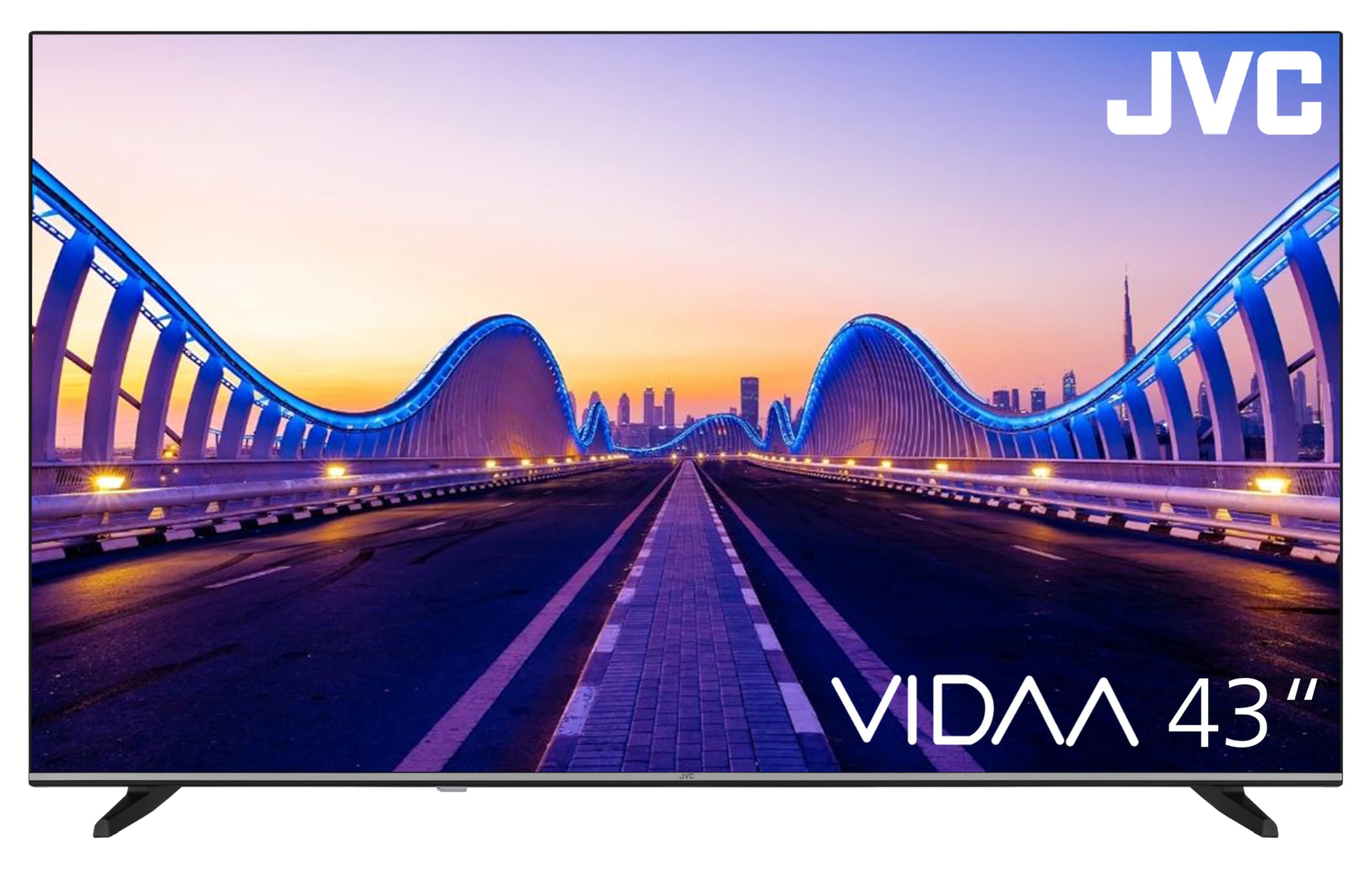
Image: The JVC Smart TV displaying the VIDAA operating system home screen, featuring a selection of popular streaming applications and content recommendations.
5.3 Gambar jeung Sora Setélan
Access the TV's menu to adjust picture settings (brightness, contrast, color, sharpness, HDR mode) and sound settings (equalizer, sound mode). The TV supports HDR10 for enhanced dynamic range.

Image: A JVC Smart TV screen showcasing content with high dynamic range (HDR), demonstrating improved detail and contrast.
6. Panyambungan
Your JVC TV offers various connection options for external devices:
- Port HDMI (x2): Connect devices such as Blu-ray players, game consoles, or set-top boxes. One port supports ARC (Audio Return Channel) for simplified audio connections to soundbars or AV receivers, and both support CEC (Consumer Electronics Control).
- Port USB (x1): Sambungkeun alat panyimpenan USB pikeun muterkeun media files (photos, music, videos) using the integrated media player.
- Input anteneu: Connect an antenna for DVB-T2 (terrestrial) reception or a cable for DVB-C (cable) reception.
- Input Satelit: Connect a satellite dish for DVB-S2 (satellite) reception.
- Port LAN: Pikeun sambungan internét kabel.
- Kaluaran Audio Digital: Connect to an external audio system for high-quality digital sound.
- Jack headphone: Sambungkeun headphone pikeun ngupingkeun swasta.
- Slot CI: For Common Interface modules, typically used with pay-TV services.
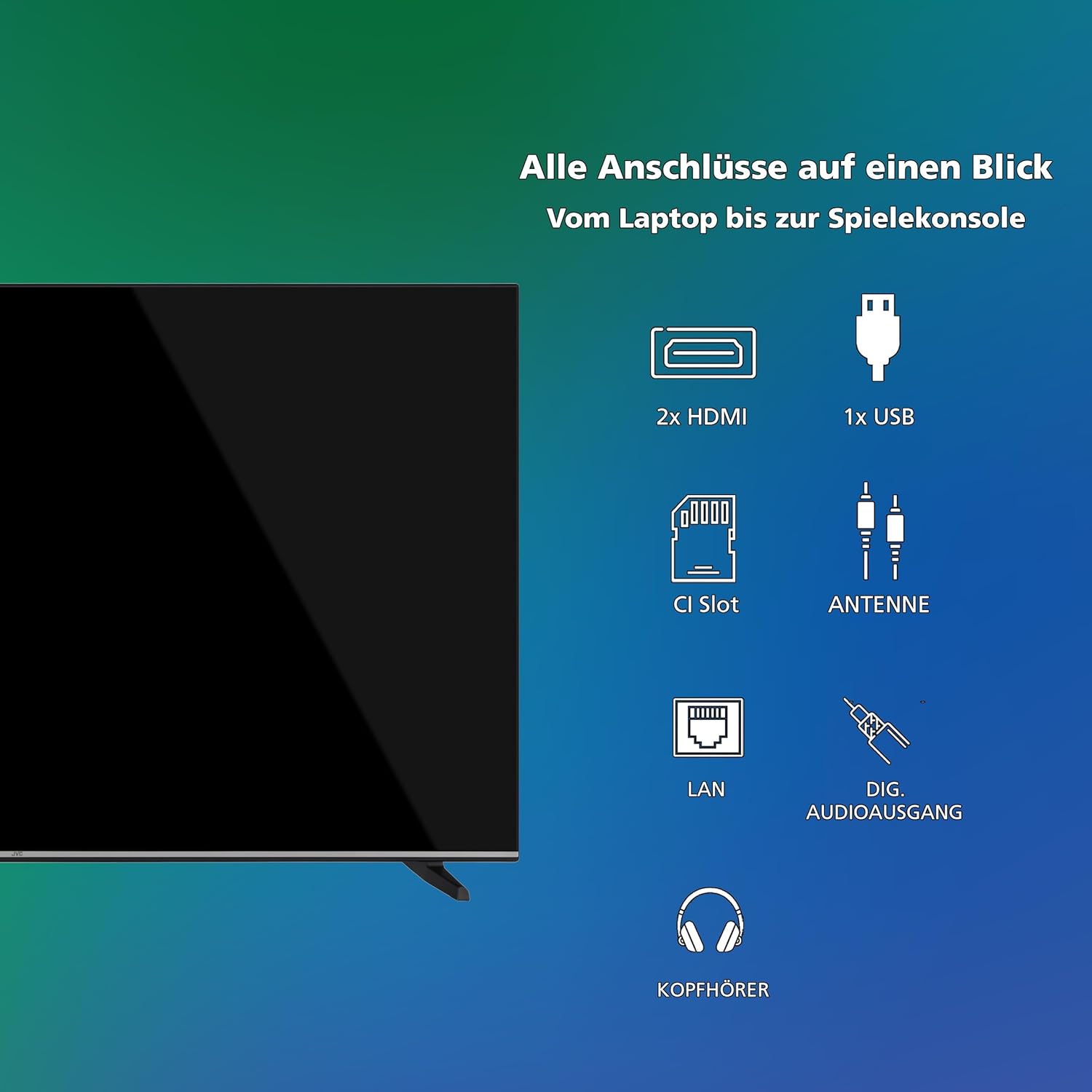
Gambar: Visualisasi di luhurview of all available connection ports on the JVC Smart TV, including HDMI, USB, CI Slot, Antenna, LAN, Digital Audio Output, and Headphone jack.
7. Pangropéa
- Ngabersihan layar: Lembut usap layar nganggo lawon anu lemes sareng teu aya serat. Pikeun tanda nekad, rada dampen lawon kalawan cai atawa cleaner layar husus (larapkeun kana lawon, teu langsung ka layar).
- beberesih Kabinet: Anggo lawon anu garing sareng lemes pikeun ngabersihan kabinet TV.
- Ngaleungitkeun lebu: Regularly dust the ventilation openings to prevent dust buildup, which can affect performance and lifespan.
- Kabel listrik: Périodik pariksa kabel kakuatan pikeun karuksakan nanaon.
8. Cara ngungkulan
Upami anjeun ngalaman masalah sareng TV anjeun, tingal solusi umum ieu:
- Henteu aya kakuatan:
- Pariksa naha kabel listrik dicolokkeun sacara aman kana TV sareng stop kontak témbok.
- Ensure the wall outlet is functioning by testing it with another device.
- Pencét tombol daya dina kadali jauh atawa dina TV sorangan.
- Taya Gambar/Sora:
- Verify that the correct input source is selected (e.g., HDMI 1, DTV).
- Pariksa sadaya sambungan kabel (HDMI, anteneu, jsb) aman.
- Pastikeun polumeu teu diam atawa disetel ka minimum.
- Kualitas Gambar goréng:
- Pariksa sambungan anteneu atanapi kabel.
- Saluyukeun setelan gambar (kacaangan, kontras, seukeutna gambar) dina menu TV.
- Lamun make alat éksternal, pariksa resolusi kaluaran na.
- Remote Control Teu Gawé:
- Ganti batréna (2 AAA).
- Pastikeun teu aya halangan antara jauh sareng sénsor IR TV.
- Smart TV Apps Not Loading/Working:
- Check your internet connection (Wi-Fi or LAN).
- Restart the TV by unplugging it for a few minutes and plugging it back in.
- Pastikeun parangkat lunak TV parantos diropéa.
9. Spésifikasi
| Nomer modél | LT-43VDF5455 |
| merek | JVC |
| Ukuran layar | 43 Inci (108 cm) |
| Resolusi | 1080p (HD lengkep) |
| Téknologi tampilan | LCD, LED |
| Refresh Laju | 120 Hz |
| Sistem operasi | VIDAA |
| Fitur husus | VIDAA Smart TV, HDR10 |
| Konektipitas | 2x HDMI (CEC, ARC), 1x USB, Wi-Fi, LAN, Digital Audio Out, Headphone, CI Slot |
| Tipe Tuner | Integrated DVB-C/T2/S2 Triple Tuner |
| Dimensi (kalayan stand) | 96.5 cm (W) x 60 cm (H) x 26.1 cm (D) |
| SDR Energy Consumption | 42 kWh / 1000h |
| Konsumsi énergi HDR | 62 kWh / 1000h |
| Kasadiaan suku cadang | 7 Taun |
9.1 Inpormasi Énergi
Detailed energy consumption data and product information can be found on the EU EPREL database.

Image: The EU Energy Label for the JVC LT-43VDF5455 television, showing energy efficiency class E and consumption values.
Kanggo inpo nu leuwih lengkep, mangga buka Pangkalan data EPREL (kode QR 2198541).

Image: The official product data sheet for the JVC LT-43VDF5455 television, detailing technical parameters and compliance information.
Inpo nu salajengna sadia dina Pangkalan data EPREL (kode QR 2198541).
9.2 Optimal Viewing Jarak
For the JVC LT-43VDF5455 (43-inch Full HD), the recommended optimal viewing distance is approximately 216 cm.

Image: A table providing recommended optimal viewing distances based on TV screen size and resolution (4K, Full HD, HD).
10. Garansi jeung Rojongan
JVC products are manufactured to high standards and are designed for reliable performance.
- Suku cadang: Spare parts for this model are guaranteed to be available for up to 7 years from the date of market placement.
- Apdet parangkat lunak: Inpormasi ngeunaan apdet parangkat lunak anu dijamin teu sayogi.
- Rojongan Palanggan: For technical assistance, warranty claims, or further inquiries, please contact JVC customer support. Refer to the official JVC websitus atanapi dokuméntasi pameseran anjeun pikeun detil kontak.


