1. Bubuka
The VirtuFit MB400 pedal exerciser combines a compact and portable design with optimal user comfort. This motion trainer allows you to improve your health and mobility easily and effectively, whether at home, in the office, or during rehabilitation. Its space-saving construction and ease of use make the MB400 suitable for people of all ages and fitness levels.
fitur konci ngawengku:
- 8 levels of magnetic resistance for joint-friendly training.
- 2.5 kg flywheel for smooth and uniform movement.
- Stable and non-slip design with wide feet and anti-slip studs.
- Comfortable pedals with adjustable Velcro straps, suitable for both hands and feet.
- LCD display showing time, distance, and calories burned.
- Compact, portable, and equipped with an ergonomic carrying handle.
- Battery-operated (AAA) – no power outlet required.
2. Émbaran Kasalametan
Please read all instructions carefully before using the VirtuFit MB400. Keep this manual for future reference.
- Taroskeun ka dokter anjeun sateuacan ngamimitian program latihan naon waé, khususna upami anjeun ngagaduhan kaayaan kaséhatan anu tos aya.
- Ensure the exerciser is placed on a stable, flat, and non-slip surface before use.
- Jauhkeun barudak sareng piaraan tina alat salami operasi.
- Wear appropriate athletic footwear during leg exercises.
- Do not stand on the pedal exerciser. It is designed for seated use.
- Eureunkeun langsung olahraga upami anjeun ngaraos nyeri, lieur, atanapi seueul.
- Regularly inspect the equipment for any signs of wear or damage. Do not use if damaged.
- The maximum user weight capacity for this device is 100 kg.
3. Eusi Paket
Buka bungkus kotak sareng pastikeun sadaya barang aya:
- VirtuFit MB400 Pedal Exerciser main unit
- Pedals with adjustable straps
- Stabilizer bars (if separate)
- Hardware for assembly (screws, washers, tools)
- Manual pamaké
- AAA Batteries (pre-installed or separate)
4. Majelis
The VirtuFit MB400 typically requires minimal assembly. Follow these general steps:
- Pasangkeun Stabilizer Bars: If your unit has separate front and rear stabilizer bars, attach them to the main unit using the provided screws and tools. Ensure they are securely fastened to provide a stable base.
- Pasang pedal: Identify the left (L) and right (R) pedals. Screw each pedal into its corresponding crank arm. Note that the left pedal often screws counter-clockwise. Tighten firmly.
- Selapkeun Batré: Open the battery compartment on the LCD display unit and insert the AAA batteries, observing polarity.
Ensure all connections are tight and the unit is stable before first use.
5. Setélan
Proper setup ensures effective and safe use of your pedal exerciser.
panempatan
Place the MB400 on a flat, stable surface. The anti-slip feet will help keep it in place during exercise. For leg exercises, position it in front of a sturdy chair or sofa. For arm exercises, place it on a stable table.

Image: User performing leg exercises with the VirtuFit MB400, highlighting its quiet operation and suitability for home use.
Nyaluyukeun Résistansi
The MB400 features 8 levels of magnetic resistance. To adjust the resistance, turn the tension control knob located on the top of the unit. Turn clockwise for higher resistance (more challenging) and counter-clockwise for lower resistance (easier).

Gambar: Detil view of the tension control knob and LCD screen, illustrating how to adjust the 8 resistance levels.
6. Parentah Operasi
Latihan suku
- Sit comfortably in a sturdy chair with your feet flat on the floor.
- Place the MB400 in front of you, ensuring it is stable.
- Place your feet onto the pedals and secure them with the adjustable Velcro straps.
- Mimitian pedaling dina gerakan lemes, dikawasa.
- Adjust the resistance as desired using the tension control knob.

Image: An elderly user engaging in leg exercises with the MB400, emphasizing its benefits for circulation and joint health.
Latihan panangan
- Place the MB400 on a stable table at a comfortable height.
- Sit in front of the unit.
- Place your hands onto the pedals and secure them with the adjustable Velcro straps.
- Mimitian pedaling ku panangan anjeun dina gerakan lemes, dikawasa.
- Adjust the resistance as desired using the tension control knob.

Image: A close-up of the comfortable pedals with adjustable Velcro straps, designed for secure use with both hands and feet.
Ngagunakeun LCD Display
The integrated LCD display tracks your workout progress. It typically shows:
- WAKTU: Durasi latihan anjeun ayeuna.
- DIST (Jarak): Estimasi jarak katutupan.
- CNT (Jumlah): Number of rotations during the current session.
- T-CNT (Total Count): Total number of rotations since the last reset.
- KAL (kalori): Diperkirakeun kalori dibeuleum.
- SCAN: Otomatis siklus ngaliwatan sagala fungsi tampilan.
Pencét éta MODÉ button to cycle through the display functions or to select a specific function. To reset the values, press and hold the MODÉ tombol pikeun sababaraha detik.
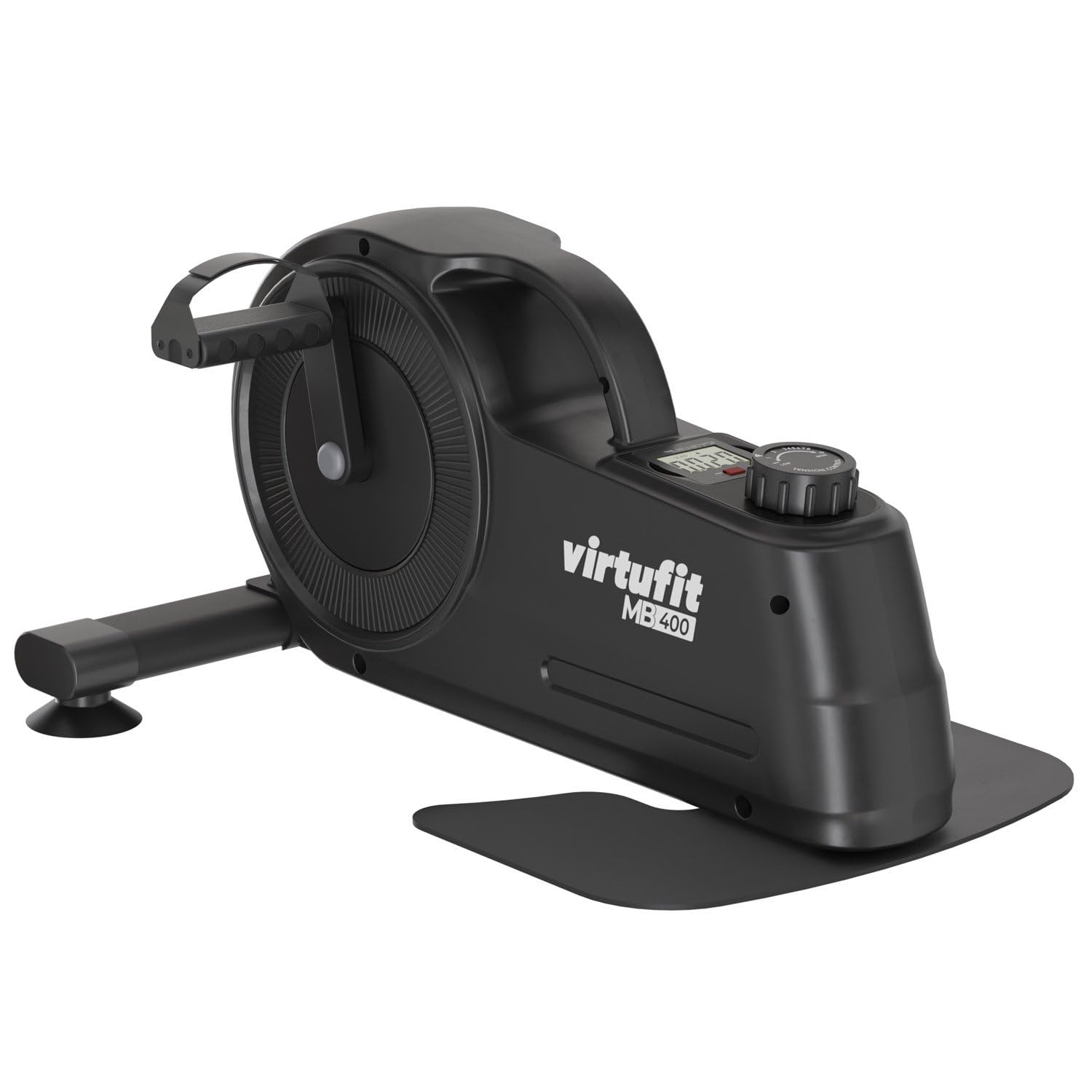
Image: A close-up of the LCD display, illustrating the various metrics tracked during exercise, such as time, distance, and calories.
7. Pangropéa
Regular maintenance ensures the longevity and optimal performance of your VirtuFit MB400.
- beberesih: Hapus unit nganggo iklanamp lawon sanggeus unggal pamakéan pikeun miceun kesang jeung lebu. Ulah make cleaners abrasive atawa pangleyur.
- Pamariksaan: Periodically check all screws and bolts to ensure they are tight. Inspect pedals and straps for wear and tear.
- Panyimpenan: Store the exerciser in a cool, dry place away from direct sunlight and extreme temperatures. Its compact design and carrying handle make it easy to store.

Image: The ergonomic carrying handle of the MB400, demonstrating its ease of transport and storage.
8. Cara ngungkulan
| Masalah | Mungkin Cukang lantaranana | Solusi |
|---|---|---|
| tampilan LCD teu jalan | Batré pareum atanapi pamasangan batré anu teu leres. | Pariksa polaritas batréna atanapi gentos ku batré AAA anu énggal. |
| Résistansi karasa teuing gampang / teuas | Kenop lalawanan teu disaluyukeun leres. | Turn the tension control knob clockwise for more resistance, counter-clockwise for less. |
| Unit is unstable or wobbles | Sekrup leupas atanapi permukaan anu henteu rata. | Ensure all assembly screws are tight. Place the unit on a flat, level surface. |
| Pedals are loose or make noise | Pedals not securely tightened. | Re-tighten the pedals onto the crank arms. Remember the left pedal may be reverse-threaded. |
9. Spésifikasi
- merek: VirtuFit
- Jumlah modél: VF20605 (MB400)
- warna: Hideung
- Tipe Bahan: palastik
- Mékanisme résistansi: Magnét
- Tingkat résistansi: 8
- Beurat Flywheel: 2.5 kg
- Sumber Daya: Battery Powered (AAA)
- Batré Kaasup: Sumuhun
- Kapasitas beurat maksimum: 100 kg
- Ukuran produk (L x W x H): 54.5 x 29 x 44.5 cm
- Beurat barang: 9.65 kg
- Dianjurkeun pamakéan: jero rohangan
- Fitur husus: Multifunctional and adaptable

Image: Visual representation of the VirtuFit MB400 with its key dimensions labeled.
10. Garansi jeung Rojongan
For warranty information or technical support, please refer to the documentation provided with your purchase or contact VirtuFit customer service. Keep your proof of purchase for any warranty claims.


