1. Bubuka
Thank you for choosing the Roborock Q10 VF Robot Vacuum and Mop. This device is designed to provide efficient and thorough cleaning of your home, combining powerful vacuuming with advanced mopping capabilities. This manual will guide you through the setup, operation, maintenance, and troubleshooting of your new robot cleaner to ensure optimal performance and longevity.
2. Émbaran Kasalametan
Mangga baca sadaya pitunjuk kaamanan kalayan saksama sateuacan nganggo produk ieu. Upami henteu nuturkeun pitunjuk ieu tiasa nyababkeun sengatan listrik, kahuruan, atanapi tatu parah.
- Alat ieu tiasa dianggo ku murangkalih umur 8 taun ka luhur sareng jalma anu kakurangan kamampuan fisik, indrawi atanapi mental atanapi kurang pangalaman sareng pangaweruh upami aranjeunna dipasihan pangawasan atanapi petunjuk ngeunaan panggunaan alat dina cara anu aman sareng ngartos bahaya anu aya. .
- Barudak kedah diawaskeun pikeun mastikeun yén aranjeunna henteu maén sareng alatna.
- Beberesih sareng pangropéa pangguna henteu kedah dilakukeun ku murangkalih tanpa pangawasan.
- Anggo ngan ukur adaptor daya sareng dok ngecas asli anu disayogikeun ku produsén.
- Ulah dianggo robot dina lingkungan anu aya seuneu muka atanapi bahan anu gampang kaduruk.
- Jauhkeun rambut, pakean longgar, ramo, sareng sadaya bagian awak tina bukaan sareng bagian anu obah.
- Ulah ngalelepkeun robot atanapi dok ngecasna dina cai atanapi cairan sanésna.
- Ensure the robot is placed on a stable surface to prevent falls.
3. Setélan
3.1 Unboxing jeung Nempatkeun
Carefully remove all components from the packaging. Place the charging dock against a wall on a hard, level surface, ensuring there is adequate space around it for the robot to maneuver. Connect the power adapter to the charging dock and plug it into a power outlet.

Image: The Roborock Q10 VF robot vacuum and mop with its charging dock, ready for initial setup.
3.2 Muatan Awal
Place the robot on the charging dock. Ensure the charging contacts on the robot align with those on the dock. The robot will begin charging automatically. For first-time use, it is recommended to fully charge the robot before operation.
3.3 Ngundeur Aplikasi sareng Sambungan
Download the Roborock app from your mobile device's app store. Follow the in-app instructions to connect your robot to your home Wi-Fi network. Note: The robot supports only 2.4GHz Wi-Fi networks.
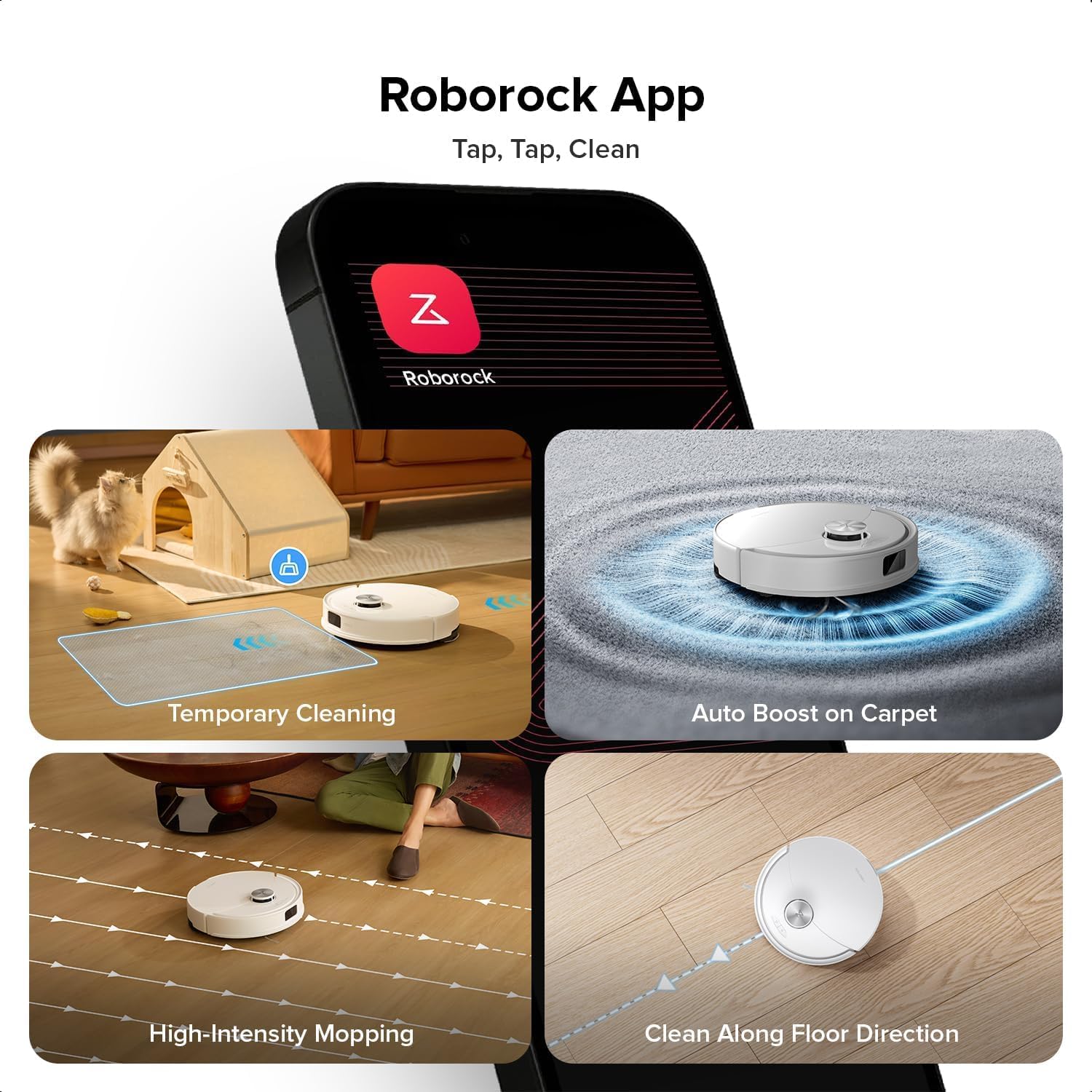
Image: A smartphone displaying the Roborock app interface, showing various cleaning options and controls.
3.4 Pemetaan Awal
Once connected, initiate a full cleaning cycle from the app. The robot will use its PreciSense LiDAR Navigation system to create a detailed map of your home. This map is crucial for efficient cleaning and allows for advanced features like zone cleaning and no-go zones.

Image: The Roborock Q10 VF robot vacuum using its LiDAR sensor to scan and map the surrounding environment for navigation.
4. Parentah Operasi
4.1 Mimitian jeung Ngeureunkeun beberesih
Press the power button on the robot or use the Roborock app to start a cleaning cycle. Press the button again or use the app to pause or stop cleaning. The robot will automatically return to its charging dock when cleaning is complete or when its battery is low.
4.2 Modeu beberesih
The Roborock Q10 VF offers various cleaning modes accessible via the app:
- Vakum Ngan: Pikeun miceun runtah garing.
- Ngepel wungkul: Pikeun beberesih baseuh tina lanté teuas.
- vakum & pel: Simultaneous vacuuming jeung mopping.
- Custom beberesih: Select specific rooms or zones to clean.
4.3 Fitur canggih
- HyperForce Suction: The robot provides an impressive 10000Pa suction power, effectively lifting hair, crumbs, and debris from deep carpets and floor crevices.
- ReactiveTech Obstacle Avoidance: Powered by structured light, this advanced system detects and navigates around obstacles effortlessly, even in cluttered rooms.

Image: The Roborock Q10 VF robot vacuum transitioning from a hard floor to a carpet, with its mop module automatically lifting to avoid wetting the carpet.
- Auto-Lifting Mopping System: The mop automatically lifts when carpet is detected, allowing for seamless cleaning of both hard floors and carpets in a single session without manual adjustments.

Image: The Roborock Q10 VF robot vacuum intelligently detecting and navigating around various household obstacles on the floor.
- Zona Smart No-Go: The app allows you to define virtual no-go zones and invisible walls to restrict the robot from entering certain areas or crossing boundaries.
5. Pangropéa
Regular maintenance ensures your Roborock Q10 VF operates at peak performance. Always power off the robot before performing any maintenance.
5.1 Ngosongkeun tong sampah
Open the robot's top cover and remove the dustbin. Empty its contents into a trash can. It is recommended to empty the dustbin after each cleaning cycle.
5.2 Cleaning the Main Brush and Side Brush
The Dual Anti-Tangle Design features a main brush and a side brush that work together to minimize hair tangles. Remove the main brush cover and lift out the main brush. Use the cleaning tool to remove any tangled hair or debris. Clean the side brush similarly. Reinstall all components securely.

Gambar: A close-up view of the Roborock Q10 VF's underside, highlighting its dual anti-tangle main brush and side brush design.
5.3 Cleaning the VibraRise 2.0 Mopping System
Remove the mop pads from the robot. Wash the mop pads thoroughly with water and mild detergent. Allow them to air dry completely before reattaching. The VibraRise 2.0 system tackles stubborn stains with high-frequency scrubbing.
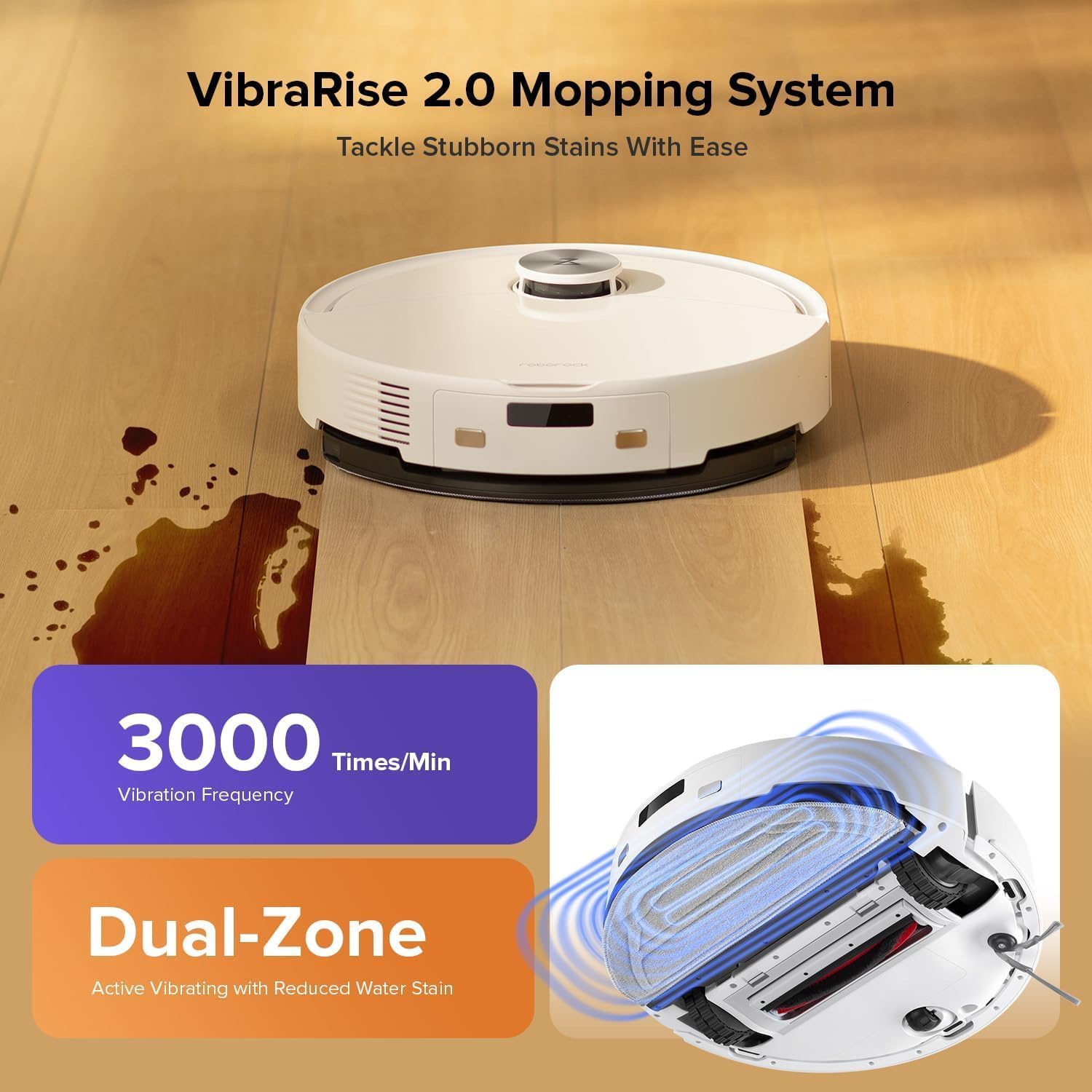
Image: The Roborock Q10 VF robot vacuum actively mopping a hard floor, illustrating the VibraRise 2.0 high-frequency scrubbing action.
5.4 Cleaning Filters and Sensors
Tap the filter to remove dust. The filter can be rinsed with water; ensure it is completely dry before reinstalling. Wipe all sensors (LiDAR, cliff sensors, wall sensors) with a soft, dry cloth to maintain optimal navigation and obstacle detection.
6. Cara ngungkulan
Upami anjeun ngalaman masalah sareng robot anjeun, tingali masalah sareng solusi umum ieu:
| Masalah | Mungkin Cukang lantaranana | Solusi |
|---|---|---|
| Robot teu hurung | batré lemah; Tombol daya teu dipencet leres | Charge the robot; Press and hold the power button for 3 seconds |
| Teu bisa nyambung ka Wi-Fi | Incorrect Wi-Fi password; Not 2.4GHz network; Router issues | Verify password; Ensure 2.4GHz network; Restart router and robot |
| Kinerja beberesih goréng | Full dustbin; Clogged brushes/filter; Dirty sensors | Empty dustbin; Clean brushes and filter; Wipe sensors |
| Robot sering macét | Obstacles on floor; Dirty cliff sensors | Clear floor of small objects; Clean cliff sensors |
| Mop not lifting on carpet | Carpet detection sensor dirty or blocked | Clean the carpet detection sensors on the underside of the robot |
7. Spésifikasi
| Fitur | Rincian |
|---|---|
| merek | Roborock |
| Nomer modél | Q10VF02-00 |
| Warna | Bodas |
| Dimensi produk | 39.2 x 46.8 x 14 cm |
| Item Beurat | 15.2 kg |
| Voltage | 220.0 V |
| Tingkat Noise | 65 dB |
| Max Runtime | 250 minutes (4 hours 10 minutes) |
| Fitur husus | LiDAR Navigation, ReactiveTech Obstacle Avoidance, Auto-Lifting Mop |
| Surface Rekomendasi | Carpet, Hardwood Floor |
| Tipe Controller | Kontrol Aplikasi |
| Komponén Kaasup | Batré |
| Jenis Filter | Cloth and Foam |
| Kapasitas tong sampah | 500 ml |
| Kapasitas Tangki Cai | 200 ml |
| Maximum Vacuuming Area | 1,937 sqft |
8. Garansi jeung Rojongan
Your Roborock Q10 VF Robot Vacuum and Mop comes with a standard manufacturer's warranty. For detailed warranty information, please refer to the warranty card included in your product packaging or visit the official Roborock website. For technical support, troubleshooting assistance, or to purchase replacement parts, please contact Roborock customer service through their official channels.
You can visit the official Roborock store on Amazon for more information and support: Roborock Amazon Store