
iflytek AINOTE Air 2
iflytek AINOTE Air 2 AI Note Taking Tablet User Manual
Model: AINOTE Air 2 | Brand: iflytek
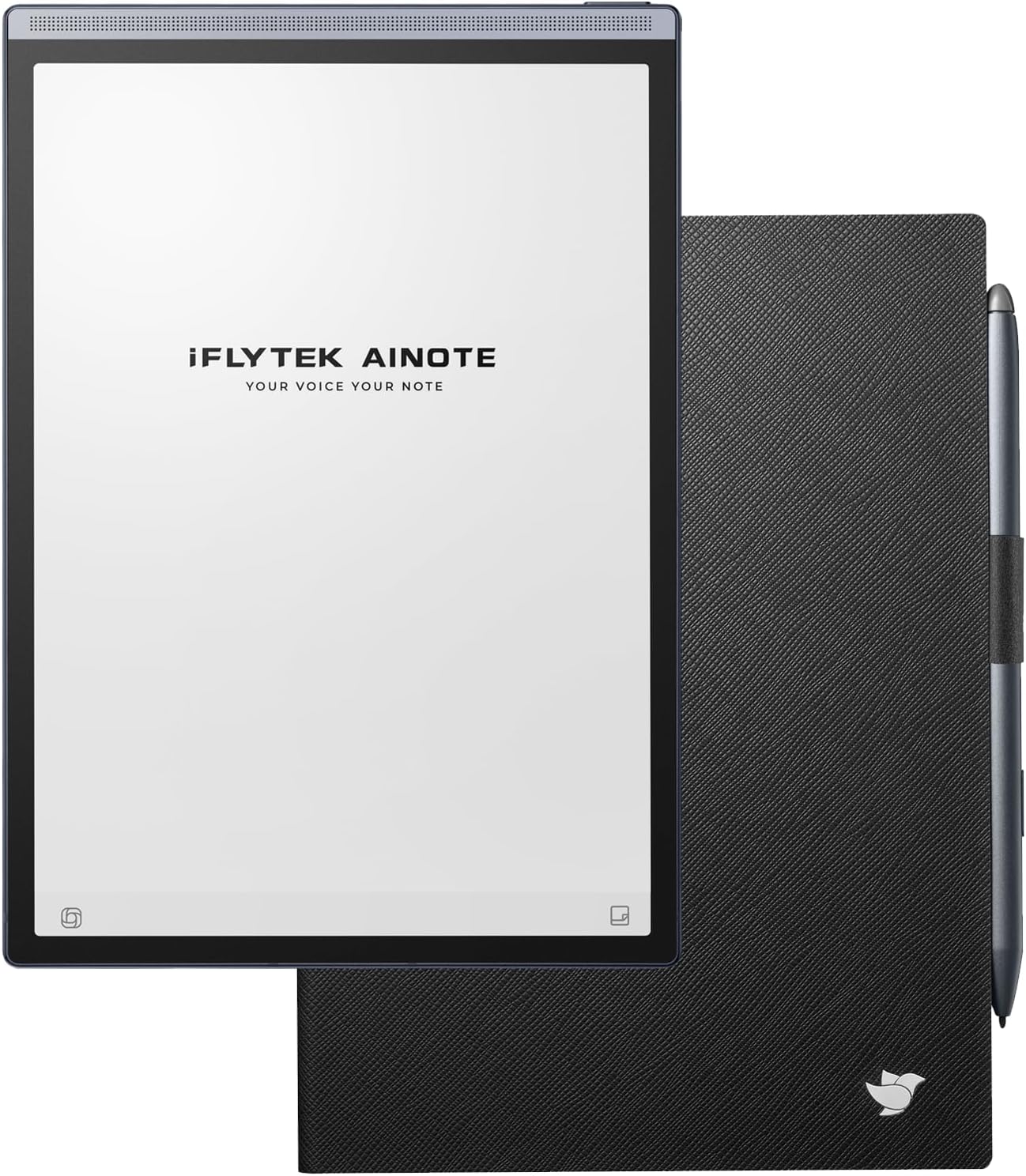
The iflytek AINOTE Air 2 AI Note Taking Tablet, shown with its accompanying black folio case and stylus.
Bubuka
The iflytek AINOTE Air 2 is an 8.2-inch AI paper tablet designed to enhance productivity through advanced note-taking, transcription, and reading features. This device integrates real-time voice-to-text translation, AI meeting summaries, and smart schedule management. It offers a paper-like writing experience with low latency and supports handwriting recognition in multiple languages. Powered by ChatGPT, it assists with study notes, meeting summaries, and writing tasks. The device also features cloud synchronization, comfortable e-reading with adjustable frontlights, long battery life, ample storage, and OCR document scanning.
Video: Hiji leuwihview highlighting the key features and benefits of choosing the iflytek AINOTE Air 2.
Naon dina Box
- 1 x iflytek AINOTE Air 2 AI Note Taking Tablet
- 1 x stylus
- 1 x Black Folio Case
Disetél
Daya Awal Hurung
- Press and hold the power button (located on the side of the device) for 3 seconds to power on the AINOTE Air 2.
- Follow the on-screen prompts to complete the initial setup, including Wi-Fi connection and account login.
Attaching the Folio Case
The included black folio case provides protection and enhances usability. Align the tablet with the case's connectors and gently press to secure it. The case features a magnetic closure that automatically turns the screen off when closed, conserving battery.

The black folio case for the AINOTE Air 2, highlighting its premium material and stylus holder.
Stylus Features
The stylus magnetically attaches to the side of the AINOTE Air 2 for convenient storage. It features a dedicated button for quick functions and an eraser tip for easy corrections, providing a paper-like writing experience with 4096 pressure levels.

A hand holding the iflytek AINOTE Air 2 stylus, writing on the tablet's e-ink screen, illustrating the paper-like feel.
Video: A quick guide on getting started with the iFLYTEK AINOTE Air 2, demonstrating initial setup and basic functions.
Ngoperasikeun Alat
Napigasi
The device features a user-friendly interface with distinct tabs for Notes, Schedule, and Reading, allowing for easy organization and access to your content.
Note-taking Features
The AINOTE Air 2 provides a natural writing experience with its 8.2-inch e-ink screen and stylus. You can select various pen types (ballpoint, marker, brush) and adjust stroke thickness. Handwriting is recognized in 83 languages and can be converted to text. The stylus's eraser function allows for quick corrections.
Video: Demonstration of how to write and convert handwriting to text on the iFLYTEK AINOTE Air 2.
Voice-to-Text & Translation
Leverage real-time voice-to-text transcription in 15 languages (English, Spanish, Chinese, French, Arabic, Vietnamese, Korean, Russian, German, Japanese, Hungarian, Thai, Indonesian, Malay, Hindi) and mutual translation in 10 languages (Chinese, English, Hungarian, Japanese, Korean, French, German, Spanish, Arabic, Russian). The device's quad microphone system ensures clear audio capture for accurate transcription and meeting summaries.

The iflytek AINOTE Air 2 displaying its AI note-taking capabilities, including real-time voice-to-text transcription and handwriting conversion.
Video: Tutorial on how to record, transcribe, and translate in real-time using the iFLYTEK AINOTE Air 2.
Manajemén Jadwal
Utilize various planner templates (daily, weekly, monthly) to organize your tasks and appointments. Mark important items with special symbols (star, triangle, circle) using the stylus to automatically create to-dos and attention items. Manage your personal schedule and generate weekly work reports.

The iflytek AINOTE Air 2 showing its AI schedule management features, with handwritten annotations and automatically generated to-do items.
bacaan
The 8.2-inch e-ink screen with 24 levels of adjustable cold and warm dual-color frontlights provides a comfortable, eye-friendly reading experience. The device supports various e-book formats including PDF, EPUB, MOBI, TXT, and AZW. You can adjust font size, contrast, margins, and line spacing. AI read-aloud functionality is also available.
OCR Document Scanning
The built-in 5MP camera allows you to instantly scan handwritten notes, sketches, and documents into crisp, optimized digital files. The OCR (Optical Character Recognition) feature converts scanned images into editable text.
Cloud Sync & Applications
The AINOTE Air 2 supports secure cloud sync with OneDrive and integrates with Google Play, allowing access across multiple devices and safe storage of historical notes. You can download and use various applications like Kindle and WPS Office, and even sideload APKs for extended functionality.

The iflytek AINOTE Air 2 showing its integrated ChatGPT interface for smart note-taking and management.
Video: A short demonstration of the iFLYTEK AINOTE Air 2's ability to automate note-taking and summarization.
spésifikasi
- Screen Display Size: 8.2 inci
- Resolusi layar: 800x600 (Max: 1920 x 1440 Pixels Per Inch)
- Merek Chipset: ARM
- Sistem operasi: Android
- Beurat barang: 8 ons
- Ukuran Mémori Flash: 4 GB
- Batré: 2600mAh (up to 7 days continuous use)
- Konektipitas: Bluetooth, WiFi
- Fitur husus: Érgonomis
- Ngaran modél: iflytek AINOTE Air 2 Bundle
- Pabrikan: iFLYTEK
Pangropéa
Kahirupan batré
The digital notepad is equipped with a 2600mAh battery, providing continuous usage for up to 7 days on a single charge. To maximize battery life, ensure the magnetic folio case is closed when not in use to automatically turn off the screen.
Panyimpenan
The device comes with 32GB of large-capacity local storage space and 100GB of cloud storage, allowing you to take notes without worries. Regularly sync your notes to the cloud to ensure data safety and accessibility across multiple devices.
Pamérésan masalah
Masalah konektipitas
- If experiencing Wi-Fi or Bluetooth connectivity problems, ensure the device is within range of the network/device and that the network is functioning correctly.
- Restart the device and your router/Bluetooth device if issues persist.
Handwriting Recognition Accuracy
- For optimal handwriting recognition, ensure your handwriting is clear and legible.
- Check the language settings for handwriting recognition to ensure the correct language is selected.
Screen Responsiveness
- If the screen feels slow or unresponsive, ensure the stylus tip is clean and free from debris.
- A quick screen refresh (often available in the device's quick settings) can sometimes resolve minor responsiveness issues.
Garansi & Rojongan
The manufacturer, iFLYTEK, provides warranty support for the AINOTE Air 2. For detailed warranty terms and conditions, or to access customer support, please refer to the documentation included in your product packaging or visit the official iFLYTEK websitus.
Ask a question about this manual
Ask about setup, troubleshooting, compatibility, parts, safety, or missing instructions. Manuals+ will review the question and use this page’s manual context to help answer it.