Bubuka
This user manual provides comprehensive instructions for the setup, operation, maintenance, and troubleshooting of your Oakcastle Hifi400 Home Stereo System. The Hifi400 is a versatile audio system featuring Bluetooth connectivity, an FM radio, a multi-format CD player, USB playback, and an auxiliary input, all housed in a solid wood build with powerful 40W stereo sound and dual alarm functionality. Please read this manual thoroughly before using the device to ensure proper and safe operation.
Naon dina Box
Upon unpacking, please ensure all items listed below are present and in good condition. If any items are missing or damaged, contact customer support.
- 1x Oakcastle HIFI400 compact stereo system
- 1x Kadali Jauh
- 1 x adaptor kakuatan
- 1 x Manual Pamaké

Image: The Oakcastle Hifi400 stereo system, its remote control, power adapter, and user manual as packaged in the box.
Produk Leuwihview
Panel hareup

Image: The Oakcastle Hifi400 stereo system, showcasing its front panel with the display, CD tray, and main controls, alongside the remote control.

Gambar: A lengkep view of the Hifi400's front panel, highlighting the buttons for mode selection, volume control, and other functions.
The front panel features the main display, CD tray, and essential control buttons including Power, Mode, Volume, Play/Pause, Skip, and Scan/Program. The integrated speakers are located on the top surface.
Panel tukang
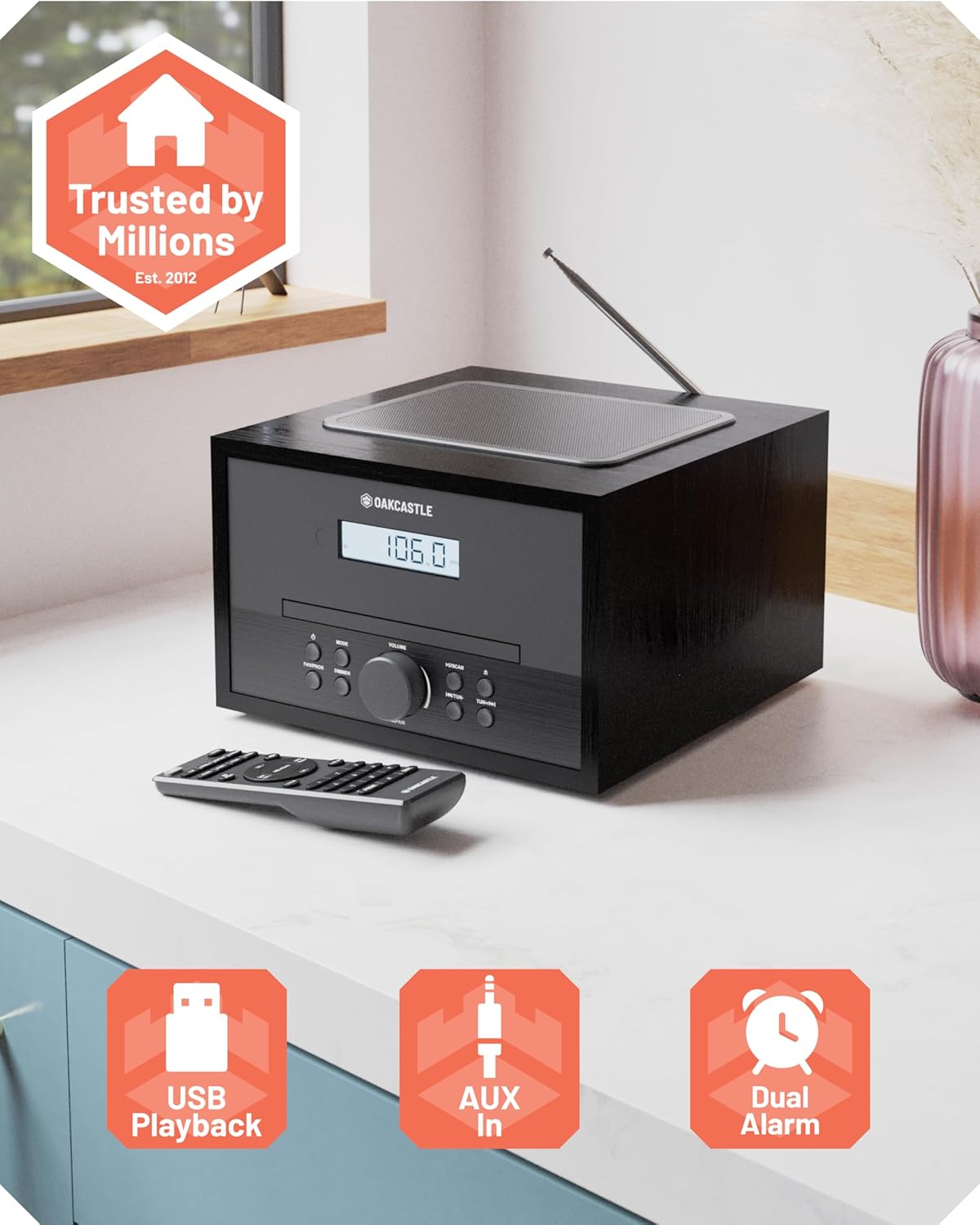
Image: The rear panel of the Hifi400, displaying the DC IN port for power, AUX IN for external audio devices, and a USB port for media playback.

Gambar: A close-up view of the connectivity ports on the back of the Hifi400, including DC IN, AUX IN, and USB.
The rear panel includes the DC IN port for power connection, an AUX IN port for connecting external audio sources, and a USB port for playing media from USB flash drives. An extendable FM antenna is also located at the rear.
Kadali jauh

Image: The remote control for the Oakcastle Hifi400, featuring buttons for power, mode, volume, track control, EQ, and alarm settings.

Gambar: A lengkep view of the remote control, showing the layout and labeling of its various function buttons.
The included remote control allows for convenient operation of all functions from a distance, including power, mode selection, volume adjustment, track navigation, EQ control, and alarm settings.
Disetél
- Ngabongkar bungkusan: Carefully remove the Hifi400 unit and all accessories from the packaging.
- panempatan: Place the unit on a stable, flat surface away from direct sunlight, heat sources, and excessive moisture. Ensure adequate ventilation around the unit.
- Sambungkeun Kakuatan: Insert the power adapter cable into the "DC IN" port on the rear of the unit. Plug the other end of the power adapter into a standard wall outlet.
- Extend FM Antenna: For optimal FM radio reception, fully extend the telescopic antenna located at the rear of the unit. Adjust its position for the best signal.
- Daya mimiti Hurung: Pencét tombol Daya dina panel hareup atanapi remot kontrol pikeun ngahurungkeun unit. Layar bakal hurung.
Parentah Operasi
Operasi Umum
- Hurungkeun/Pareuman: Pencét éta Kakuatan tombol dina unit atanapi remot.
- Pilihan Mode: Pencét éta Modus button repeatedly to cycle through available modes: CD, FM Radio, Bluetooth, USB, AUX.
- Kontrol volume: Puterkeun Jilid kenop dina panel hareup atawa ngagunakeun éta VOL + / VOL- tombol dina jauh.
- Kontrol EQ: Ngagunakeun éta EQ button on the remote to adjust sound equalization (Bass/Treble). Note: EQ settings may reset upon power off.
Mode Bluetooth

Image: The Hifi400 unit displaying "Bluetooth" on its screen, with a smartphone playing music wirelessly, demonstrating Bluetooth connectivity.
- Pencét éta Modus button until "Bluetooth" appears on the display. The unit will enter pairing mode, indicated by a flashing Bluetooth icon or "PAIRING" message.
- Dina telepon pinter, tablet, atanapi alat Bluetooth anu sanés, aktipkeun Bluetooth teras milarian alat anu sayogi.
- Select "Oakcastle Hifi400" from the list of devices. Once connected, the unit will confirm with an audible tone or a steady Bluetooth icon/message.
- You can now play audio from your connected device through the Hifi400. Use your device or the Hifi400's controls for playback (Play/Pause, Skip).
Pamuter CD

Image: The CD tray of the Hifi400 extended, with a compact disc partially inserted, illustrating the loading process.
The Hifi400 supports MP3 CDs, standard CDs, CD-Rs, and HDCDs.
- Pencét éta Modus button until "CD" appears on the display.
- Gently insert a CD into the disc tray with the label side facing up. The tray will automatically pull the disc in.
- Playback will usually begin automatically. If not, press the Play / Reureuh kancing.
- Ngagunakeun éta Skip kancing (|< / >> |) pikeun napigasi antara lagu.
- Pencét Play / Reureuh pikeun ngareureuhkeun atawa neruskeun playback.
Radio FM
- Pencét éta Modus pencét tombol "FM" nepi ka muncul dina layar.
- Scan Otomatis: Pencét jeung tahan tombol Nyeken tombol (atawa Play / Reureuh button on some models) to automatically scan and save available FM stations. The unit can store up to 30 presets.
- Tuning Manual: Pencét sakeudeung Skip kancing (|< / >> |) to fine-tune the frequency. Press and hold to automatically search for the next strong station.
- Pilih Preset: Ngagunakeun éta Preset +/- buttons on the remote to cycle through saved stations.
USB Playback
- Insert a USB flash drive into the USB port on the rear of the unit.
- Pencét éta Modus tombol dugi "USB" nembongan dina tampilan.
- Unit bakal otomatis ngadeteksi sareng mimiti muterkeun audio anu cocog files (contona, MP3) tina drive USB.
- Use the playback controls (Play/Pause, Skip) to manage your music.
Input AUX
- Connect one end of a 3.5mm audio cable (not included) to the AUX IN port on the rear of the Hifi400.
- Connect the other end of the cable to the headphone jack or audio output of your external device (e.g., MP3 player, smartphone).
- Pencét éta Modus tombol dugi "AUX" nembongan dina tampilan.
- Kontrol putereun sareng volume utamina tina alat éksternal anjeun.
Fungsi Alarm Dual
The Hifi400 allows you to set two independent alarms.
- Pencét éta Alarem tombol dina kadali jauh.
- Ngagunakeun éta Skip buttons to select Alarm 1 or Alarm 2.
- Pencét Lebetkeun (atawa Play / Reureuh) pikeun mastikeun.
- Set the alarm time using the Skip tombol tur mastikeun kalawan Lebetkeun.
- Select the alarm source (Buzzer, FM, CD) and desired volume level.
- Confirm settings to activate the alarm. An alarm icon will appear on the display.
Pangropéa
- beberesih: Anggo kaén anu garing sareng lemes pikeun ngabersihan bagian luar unit. Ulah make cleaners abrasive, lilin, atawa pangleyur.
- Perawatan CD Player: Handle CDs by their edges to avoid fingerprints. If the CD player experiences issues, try cleaning the disc with a soft, lint-free cloth. Do not attempt to clean the internal lens.
- Ventilasi: Pastikeun liang ventilasi dina unit henteu katutup pikeun nyegah panas teuing.
- Panyimpenan: Upami nyimpen unit kanggo waktos anu lami, pegatkeun sambungan tina stop kontak listrik teras simpen di tempat anu tiis sareng garing.
Pamérésan masalah
If you encounter issues with your Hifi400, please consult the following table before contacting customer support.
| Masalah | Mungkin Cukang lantaranana | Solusi |
|---|---|---|
| Unit teu hurung. | Power adapter not connected properly or power outlet is faulty. | Pastikeun adaptor daya dipasang pageuh kana unit sareng stop kontak témbok anu tiasa dianggo. Cobi stop kontak anu sanés. |
| Taya sora. | Volume is too low or muted; incorrect mode selected; external device not connected properly. | Increase volume. Check if the unit is muted. Ensure the correct input mode (CD, BT, FM, USB, AUX) is selected. For AUX/BT, check volume on external device. |
| CD teu diputer atawa skip. | CD is dirty, scratched, or inserted incorrectly; unsupported disc format. | Clean the CD with a soft cloth. Ensure the CD is inserted correctly (label side up). Try a different CD. Verify disc format is supported. |
| panarimaan radio FM goréng. | Antenna not extended or positioned poorly; strong interference. | Fully extend and adjust the telescopic antenna. Try repositioning the unit away from other electronic devices that may cause interference. |
| Masalah papasangan Bluetooth. | Device is too far; Bluetooth not enabled on external device; unit already paired with another device. | Ensure the external device is within 10 meters (33 feet) of the Hifi400. Make sure Bluetooth is enabled on your device and the Hifi400 is in pairing mode. Disconnect from other Bluetooth devices. |
| EQ settings reset after power off. | Ieu mangrupikeun ciri tina desain alat ieu. | The Hifi400 may not retain EQ settings after being powered off or entering standby. Adjust EQ settings as needed upon each use. |
spésifikasi
| Fitur | Rincian |
|---|---|
| Modél | Hifi400 |
| merek | Oakcastle |
| Ukuran produk (L x W x H) | 8.58 x 8.7 x 5.31 inci (21.8 x 22.1 x 13.5 cm) |
| Item Beurat | 6.32 pon (2.87 kg) |
| Téhnologi konektipitas | Bluetooth, FM Radio, CD Player, USB Flashdrive Playback, 3.5mm Headphone Jack, Auxiliary Input |
| Tipe Speaker | Stereo |
| Daya Kaluaran Audio | 40W |
| Prasetél Radio FM | 30 |
| Kasaluyuan CD | MP3 CDs, standard CDs, CD-Rs, HDCDs |
| Fungsi Alarm | Alarm Ganda |
| Warna | Hideung |
Garansi sareng Rojongan
The Oakcastle Hifi400 Home Stereo System comes with a garansi 3 taun, ensuring peace of mind and reliable support for your product. For warranty registration, technical assistance, or any inquiries not covered in this manual, please visit the official Oakcastle support websitus atanapi ngahubungan tim layanan palanggan maranéhanana.
For the most up-to-date support information, please refer to the contact details provided on the Oakcastle official websitus atanapi kartu garansi anu kalebet sareng produk anjeun.


