1. Bubuka
Thank you for choosing the AINAVI 6.9-Inch Single Din Touchscreen Car Stereo. This device integrates advanced features such as wired/wireless CarPlay, Android Auto, GPS navigation, Bluetooth 5.1, and a high-definition touchscreen display to enhance your driving experience. This manual provides essential information for proper installation, operation, and maintenance to ensure optimal performance and longevity of your car stereo.

Image 1.1: AINAVI 6.9-Inch Single Din Touchscreen Car Stereo with included backup camera.
2. Naon Kaasup
Mangga pariksa yén sadaya komponén anu didaptarkeun di handap ieu aya dina pakét anjeun:
- 1x AINAVI 6.9-Inch Single Din Touchscreen Car Stereo (1280*480 resolution)
- 1x AHD 1080P Rear View Kaméra
- 1x Mikropon
- 1x Frame Removal Tool
- 1 x Antena GPS
- 1x USB 6Pin Cable
- 1 x Manual Pamaké
- 1 x Kabel Daya
- Reversing Control Cable
- RCA Kabel

Image 2.1: Diagram of included components.
3. Spésifikasi
| Fitur | Katerangan |
|---|---|
| Ngaran modél | RM |
| Ukuran tampilan | 6.9 inci |
| Resolusi | 1280x480 |
| Sistem operasi | Android 13 |
| Mémori | 2GB RAM + 64GB ROM |
| Konektipitas | Bluetooth 5.1, USB (Type-C & Standard), Wi-Fi, Wired, Wireless |
| Fitur husus | CarPlay, Android Auto, Mirror Link, GPS Navigation, DSP, 48-EQ, Steering Wheel Control, 1080P Video Playback, Split Screen Function |
| Mode Kaluaran Audio | Sakuliling stereo |
| Tipe Pamasangan | Dashboard Mount (Single Din) |
| Item Beurat | 3.58 pon |
| Ukuran Paket | 13.82 x 9.96 x 5.16 inci |
4. Setup jeung Instalasi
Proper installation is crucial for the functionality and safety of your car stereo. If you are unsure about any steps, it is recommended to seek professional assistance.
4.1. Léngkah Instalasi Umum
- Step 1: Separate the Short Sleeve
Carefully separate the metal mounting sleeve from the main radio body. - Step 2: Insert Short Sleeve
Insert the short sleeve into your car's radio mounting window. Ensure it fits securely. - Step 3: Fasten the Sleeve
Using the provided mounting tools, press the iron pieces on the short sleeve to fasten it securely to the car's dashboard. - Step 4: Push Radio Body
Gently push the main radio body into the secured short sleeve until it snaps into place.

Image 4.1: Car stereo installation steps.
4.2. Sambungan Kaméra Tukang
Connect the AHD 1080P Rear View Camera according to the wiring diagram provided. Ensure the trigger wire is correctly connected to the reversing light power for automatic display when reversing.

Image 4.2: Rear camera connection diagram.
4.3. Installation Effect

Image 4.3: Before and after installation view.
5. Parentah Operasi
5.1. CarPlay sareng Android Auto
This car stereo supports both wired and wireless CarPlay and Android Auto. Connect your smartphone to access navigation, phone contacts, email, notifications, and music through the stereo's display. Utilize voice control via Siri or Google Assistant for hands-free operation.

Image 5.1: CarPlay, Android Auto, and MirrorLink functionality.

Image 5.2: Apple CarPlay and Android Auto compatibility.
5.2. HD Touch Screen and Display
The 6.9-inch HD capacitive touchscreen offers a responsive and clear viewing experience with 1280x480 resolution, 178-degree viewing angles, and support for 1080P video playback.

Image 5.3: Display features and capabilities.
5.3. Fungsi Bluetooth
The upgraded Bluetooth 5.1 module allows for hands-free calling and audio streaming. Easily pair your device to make calls and play music wirelessly.

Image 5.4: Bluetooth features for calls and music.
5.4. GPS Napigasi
The built-in GPS navigation supports various map types including Europe, North America, South America, and Worldwide. Access popular navigation apps directly from the stereo.
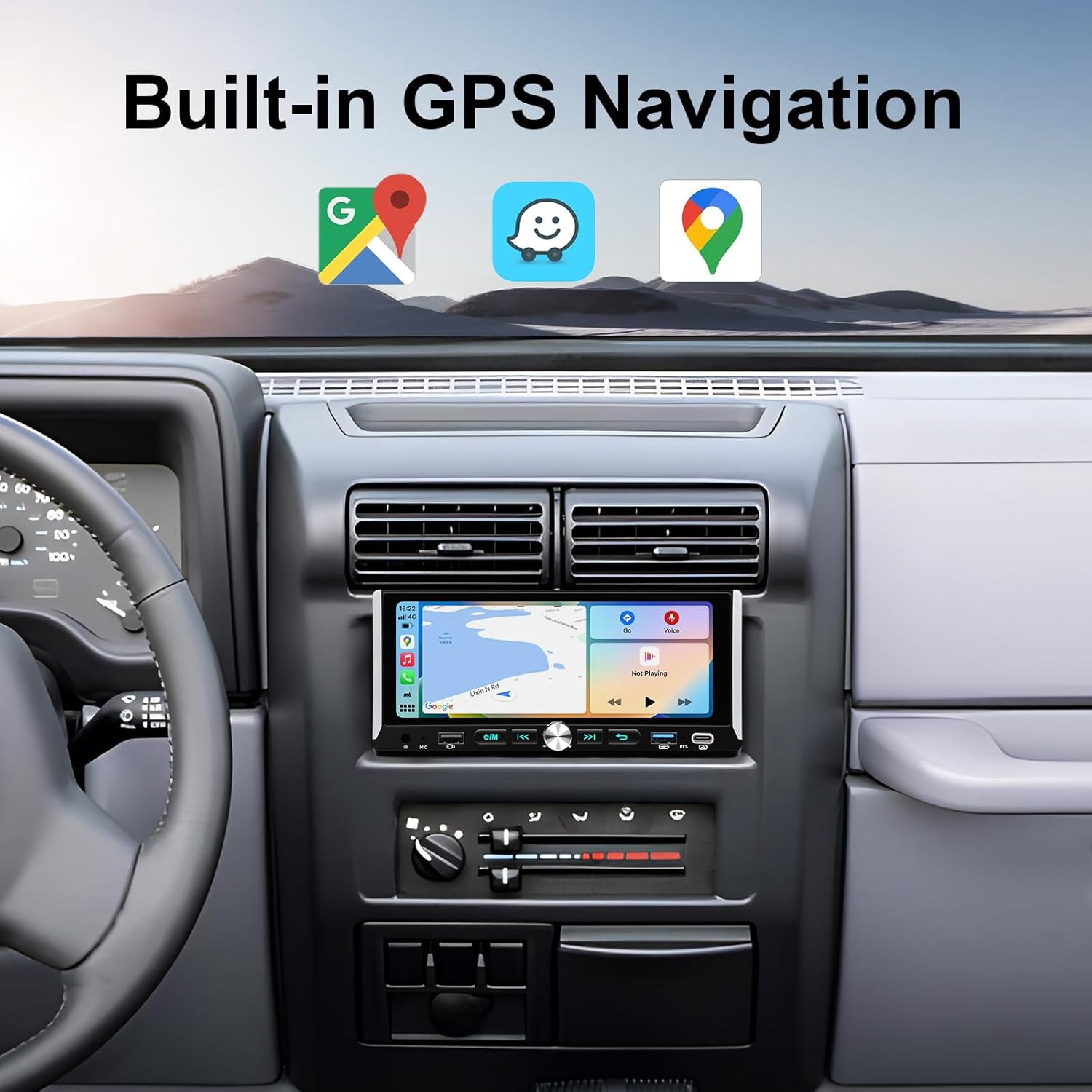
Image 5.5: Built-in GPS navigation.
5.5. USB and Type-C Connectivity
The unit features one Type-C port and two USB ports for data transfer, charging, and media playback. Connect USB drives for music and video files.
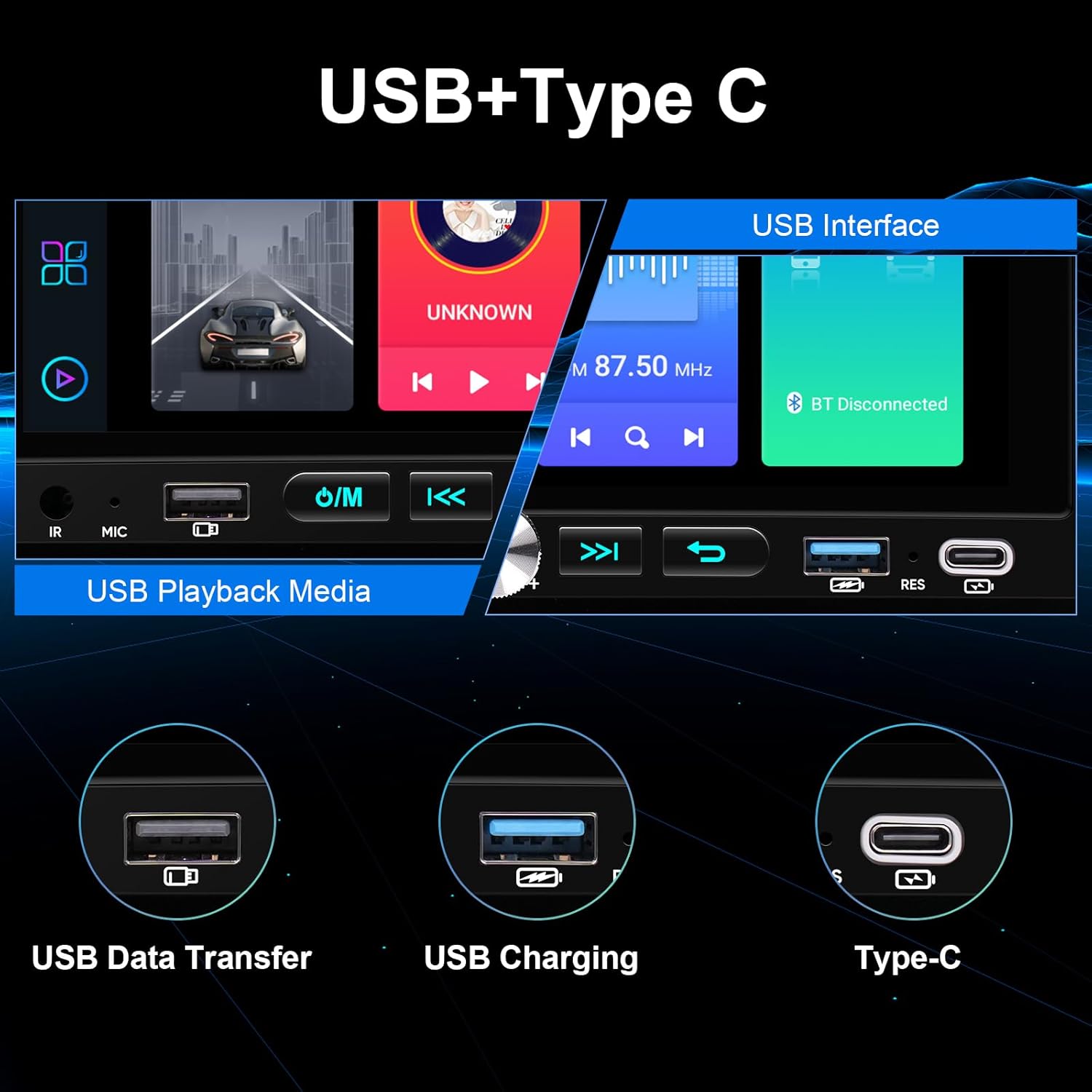
Image 5.6: USB and Type-C ports.
5.6. Audio Features (DSP & EQ)
Benefit from the professional DSP and 48-band equalizer with voice point touch control. Adjust sound settings including Normal, Jazz, Pop, Classical, Heavy Metal, Vocal, and Soft modes, along with 6 surround sound patterns and bass boost, for a customized audio experience.
5.7. Kontrol Setir (SWC)
The stereo supports existing steering wheel controls, allowing you to manage music playback, volume, and calls without taking your hands off the wheel. The system includes a learning function for custom button assignments.

Image 5.7: Steering Wheel Control interface.
5.8. General Media Playback
Enjoy various media options including music, video, FM radio, and phone calls directly from the unit.
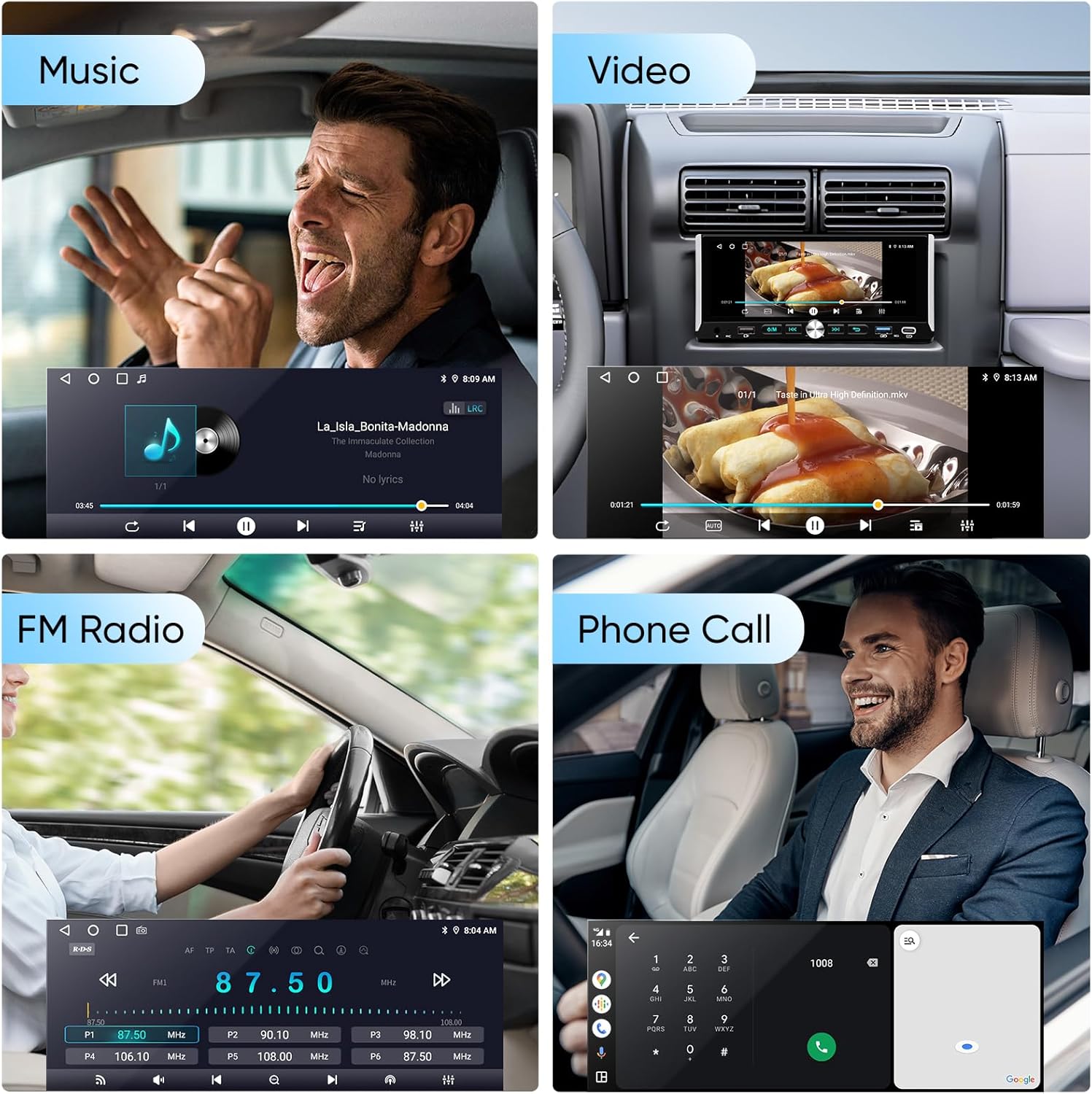
Image 5.8: Music, Video, FM Radio, and Phone Call functions.
6. Pangropéa
To ensure the longevity and optimal performance of your AINAVI car stereo, follow these maintenance guidelines:
- Ngabersihan layar: Anggo lawon anu lemes sareng henteu lint pikeun ngusap layar rampa. Pikeun smudges nekad, rada dampen lawon jeung cai atawa cleaner aman layar. Hindarkeun bahan kimia anu kasar atanapi bahan abrasive.
- Kontrol Suhu: Ulah nepi ka unit ieu kakeunaan suhu anu ekstrim. Paparan sinar panonpoé langsung anu berkepanjangan atanapi kaayaan anu tiis pisan tiasa mangaruhan kinerja sareng umur alat.
- Apdet parangkat lunak: Periodically check for available software updates to ensure you have the latest features and bug fixes. Refer to the manufacturer's website or support section for update instructions.
- Sambungan kabel: Pastikeun sadaya kabel disambungkeun aman. sambungan leupas bisa ngakibatkeun masalah intermittent.
7. Cara ngungkulan
Upami anjeun ngalaman masalah sareng stereo mobil anjeun, tingali léngkah-léngkah ngungkulan masalah umum ieu:
- Henteu aya kakuatan:
- Pariksa sadaya sambungan listrik pikeun mastikeun éta aman.
- Verify the car's fuse for the stereo is intact and not blown.
- Ensure the car battery has sufficient charge.
- Henteu aya sora:
- Pariksa sambungan kabel speaker.
- Pastikeun polumeu teu diam atawa disetel ka minimum.
- Pariksa setélan kaluaran audio dina menu stereo.
- Layar rampa teu ngaréspon:
- Restart the unit by turning off the car ignition and restarting.
- Perform a factory reset if the issue persists (refer to the settings menu).
- CarPlay/Android Auto Teu Nyambung:
- Pastikeun sistem operasi telepon anjeun tos diénggalan.
- Try a different USB cable (for wired connection).
- Pariksa setélan telepon pikeun idin CarPlay/Android Auto.
- Restart both the stereo and your smartphone.
- Masalah Sinyal GPS:
- Pastikeun anteneu GPS dipasang kalawan bener sareng gaduh tampilan anu jelas view ti langit.
- Check GPS settings in the stereo menu.
Upami léngkah-léngkah ieu henteu ngabéréskeun masalah, mangga ngahubungi dukungan palanggan.
8. Garansi
The AINAVI 6.9-Inch Single Din Touchscreen Car Stereo comes with a 12 Months Manufacturer Guarantee ti tanggal pameseran. Garansi ieu ngawengku cacad dina bahan sareng padamelan dina panggunaan normal. Mangga simpen bukti pameseran anjeun pikeun klaim garansi. Garansi henteu ngawengku karusakan anu disababkeun ku pamasangan anu teu leres, salah panggunaan, kacilakaan, atanapi modifikasi anu teu sah.
9. Rojongan
For technical assistance, installation support, or any other inquiries, please contact our customer service team:
- Telepon: +1 (833) 858-5016
- Surélék: info@ainavi.com
- Jam Gawé: 01:00 PM to 00:00 AM PST
Our professional technical support team is available to assist you with pre-sale and after-sale services.

Image 9.1: Customer Installation Support access.

Image 9.2: Superior Customer Care information.

Image 9.3: Customer service contact details.


