
Bubuka
This manual provides essential instructions for setting up, operating, maintaining, and troubleshooting your SPYPOINT Flex-S-Dark Solar Cellular Trail Camera. Please read this guide thoroughly to ensure optimal performance and longevity of your device. The Flex-S-Dark is designed for reliable outdoor surveillance, capturing high-resolution photos and videos with advanced features like a built-in solar panel and no-glow night vision.
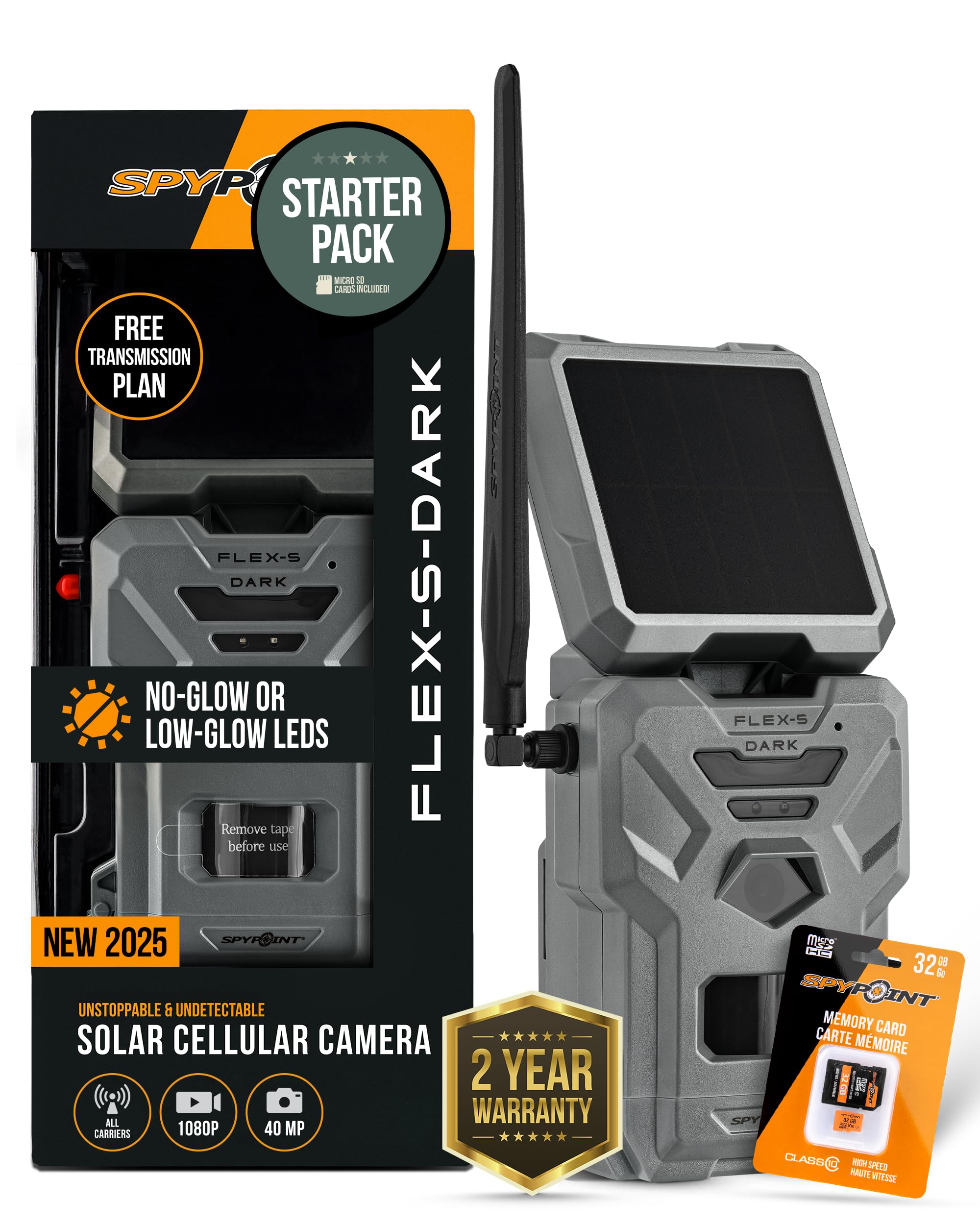
Image: The SPYPOINT Flex-S-Dark Solar Cellular Trail Camera, showcasing its robust design and integrated solar panel.
Disetél
1. Unboxing sarta komponén
Pastikeun yén sadaya komponén aya:
- SPYPOINT Flex-S-Dark Camera
- anteneu
- Tali Pamasangan
- SD Card (if included in starter pack)
2. Battery Installation and Power
The Flex-S-Dark features a built-in solar panel and internal battery. For initial setup or if the internal battery is depleted, ensure the camera receives adequate sunlight or use the optional LIT-22 rechargeable lithium battery pack for extended power.
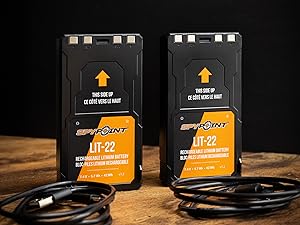
Image: The SPYPOINT LIT-22 rechargeable lithium battery pack, an optional accessory for extended camera operation.
3. SD Card Insertion and Formatting
- Buka wadah kaméra.
- Insert a Class 10 Micro SD Card (up to 32GB recommended) into the designated slot.
- With the camera powered on, press the wujud jeung ukuran button to format the SD card. This prepares the card for use with the camera.

Image: A SPYPOINT 32GB MicroSD memory card, suitable for use with the cellular camera.
4. Pamasangan anteneu
Screw the provided antenna firmly into the antenna port on the top of the camera. Ensure it is securely attached for optimal cellular signal reception.

Image: Diagram showing where to screw in the antenna, insert the microSD card, and turn on the camera.
5. App Download and Camera Activation
- Download the free SPYPOINT app from your smartphone's app store.
- Jieun akun atawa asup.
- Follow the in-app instructions to add your camera by scanning the QR code located inside the camera housing.
6. Initial Power-On and Status Check
Turn the camera ON using the OFF/ON switch. The status lights will cycle through, indicating battery level, signal strength, and camera readiness. Wait for the lights to stabilize, indicating a successful connection.

Image: Instructions to format the SD card and push the test button on the SPYPOINT Flex-S-Dark camera.

Image: The SPYPOINT app displaying camera status, indicating whether the camera has reported or is ready.
Parentah Operasi
1. Modeu Poto sareng Pidéo
The Flex-S-Dark captures 40MP photos and 1080p videos with sound. You can configure these settings remotely via the SPYPOINT app.

Image: A clear daytime photo of a deer, demonstrating the 40MP photo capability of the Flex-S-Dark.

Image: A still from a 1080p video captured by the Flex-S-Dark, showing a deer in its natural habitat.
2. Night Vision Settings
The camera offers both No-Glow jeung Low-Glow night vision options. No-Glow LEDs emit no visible light, ensuring discretion. Low-Glow provides a subtle flash. These settings can be adjusted remotely through the SPYPOINT app.

Image: A clear nighttime photo of wildlife, captured using the Flex-S-Dark's no-glow night vision feature.
3. Deteksi gerak
The camera features motion-activated recording with a fast 0.3-second trigger speed. Ensure the camera is positioned to cover the desired area without excessive false triggers from moving branches or tall grass.
4. Remote Control via SPYPOINT App
The SPYPOINT app allows you to:
- Request on-demand photos and videos (Instant Mode).
- Adjust camera settings (e.g., photo/video mode, night vision, multi-shot, time-lapse+).
- View média anu direkam.
- Access in-app maps and customizable scheduling.
5. Cross-Carrier Coverage
The Flex-S-Dark automatically connects to the strongest cellular carrier signal available in your area, ensuring reliable transmission of photos and videos.
Pangropéa
1. Kaperawatan batré
The built-in solar panel helps maintain the internal battery charge. Periodically check the battery status via the SPYPOINT app. In areas with limited sunlight, consider using the LIT-22 battery pack or external power sources to ensure continuous operation.
2. beberesih
Regularly clean the camera lens and solar panel with a soft, dry cloth to ensure clear images and efficient solar charging. Keep the housing free of dirt, dust, and debris.
3. Manajemén Kartu SD
Périodik ulangview and delete unwanted files from your SD card to free up space. Formatting the SD card every few months can help prevent data corruption.
Pamérésan masalah
Teu Aya Daya/Kaméra Teu Nyala
- Ensure the internal battery is charged. Allow the solar panel sufficient time in direct sunlight or charge with an external power source.
- Verify that the OFF/ON switch is in the 'ON' position.
No Signal/Photos Not Transmitting
- Check the antenna connection; ensure it is screwed in tightly.
- Relocate the camera to an area with better cellular coverage.
- Verify your data plan status in the SPYPOINT app.
Kualitas Gambar/Video Leres
- Ngabersihan lénsa kaméra.
- Pastikeun kaméra dipasang pageuh pikeun nyegah gerakan.
- Check night vision settings (No-Glow vs. Low-Glow) for optimal nighttime capture.
spésifikasi
| Fitur | Rincian |
|---|---|
| Modél | Flex-S-Dark |
| Resolusi Poto | 40MP |
| Resolusi Video | 1080p with Sound |
| Sumber Daya | Built-in Solar Panel, Internal Battery, Optional LIT-22 |
| Konektipitas | Cellular (Cross-Carrier) |
| Visi Peuting | No-Glow LEDs |
| Laju micu | 0.3 detik |
| Tipe Pamasangan | Tangkal Gunung |
| Ukuran (L x W x H) | 3.15 x 3.93 x 8.7 inci |
| Beurat | 1.85 pon |
Émbaran jaminan
Your SPYPOINT Flex-S-Dark camera is covered by a manufacturer's warranty. Please refer to the official SPYPOINT website or your product packaging for specific warranty terms and conditions. Keep your proof of purchase for warranty claims.
Ngarojong
For further assistance, technical support, or to access additional resources, please visit the official SPYPOINT support website or contact their customer service. You can find contact details on the SPYPOINT websitus atanapi dina bungkusan produk Anjeun.
Official SPYPOINT Store: Visit the SPYPOINT Store on Amazon