
1. Produk Langkungview
The JONSBO NV10 is a compact Mini ITX PC case designed for small form factor builds. It features a durable aluminum alloy shell with a sandblasted finish and North American walnut trim, offering both aesthetic appeal and robust construction. The case has a portable capacity of approximately 4.5 liters and supports flexible placement in both standing and lying positions. It comes standard with a PCI-E 4.0 extended cable and is compatible with low-profile graphics cards up to 190mm in length.
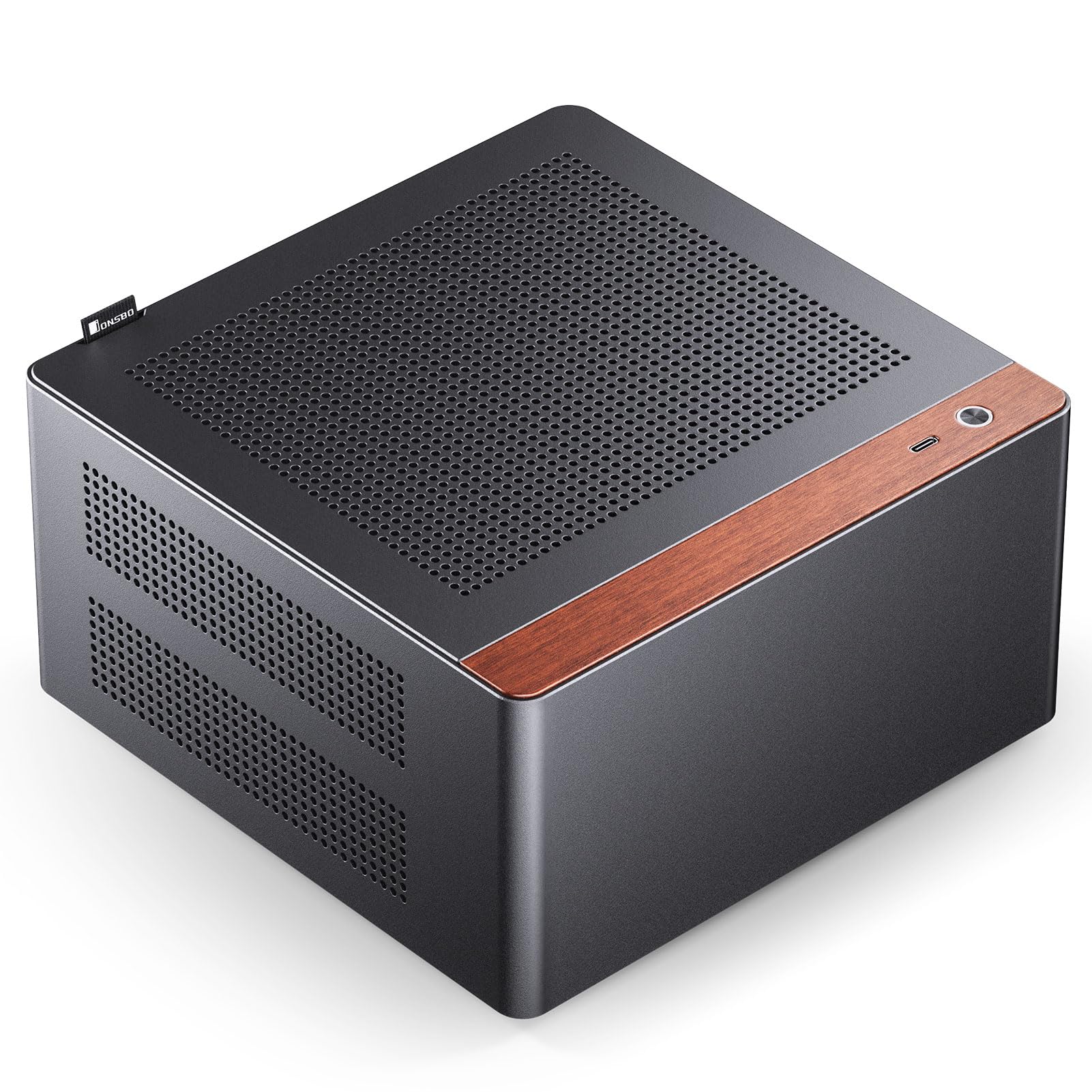
Figure 1: JONSBO NV10 Mini ITX PC Case in a desktop setup.

Figure 2: Dimensions of the JONSBO NV10 case: 205mm (W) x 205mm (D) x 108mm (H).
2. Spésifikasi
| Ngaran modél | NV10 |
| Ukuran (W x D x H) | 205mm x 205mm x 108mm |
| Bahan | Aluminium Alloy, Baja |
| Motherboard kasaluyuan | Mini ITX |
| Rojongan PSU | 1U FLEX Power Supply (Max Length 150mm) |
| Panjang Kartu Tampilan Maks. | ≤190mm (Low Profile) |
| Rojongan hard disk | 4 x 2.5-inch SSDs |
| Rojongan cooling hawa | CPU Cooler Height ≤38mm |
| Port I/O | Type-C (USB 3.2 Gen 2) |
| PCI-E Extension Cable | Standard with PCI-E 4.0 Extended Cable |
3. Setup Guide
3.1 Disassembly and Access
The JONSBO NV10 features a quick-release design for the top plate, allowing for easy access to internal components for installation and maintenance. To open the case, gently pull the top cover using the integrated handle.

Figure 3: Top panel removed for internal access.
3.2 Pamasangan motherboard
Install your Mini ITX motherboard into the designated area within the case. Ensure all standoffs align correctly and secure the motherboard with screws. The case is designed to accommodate Mini ITX motherboards.
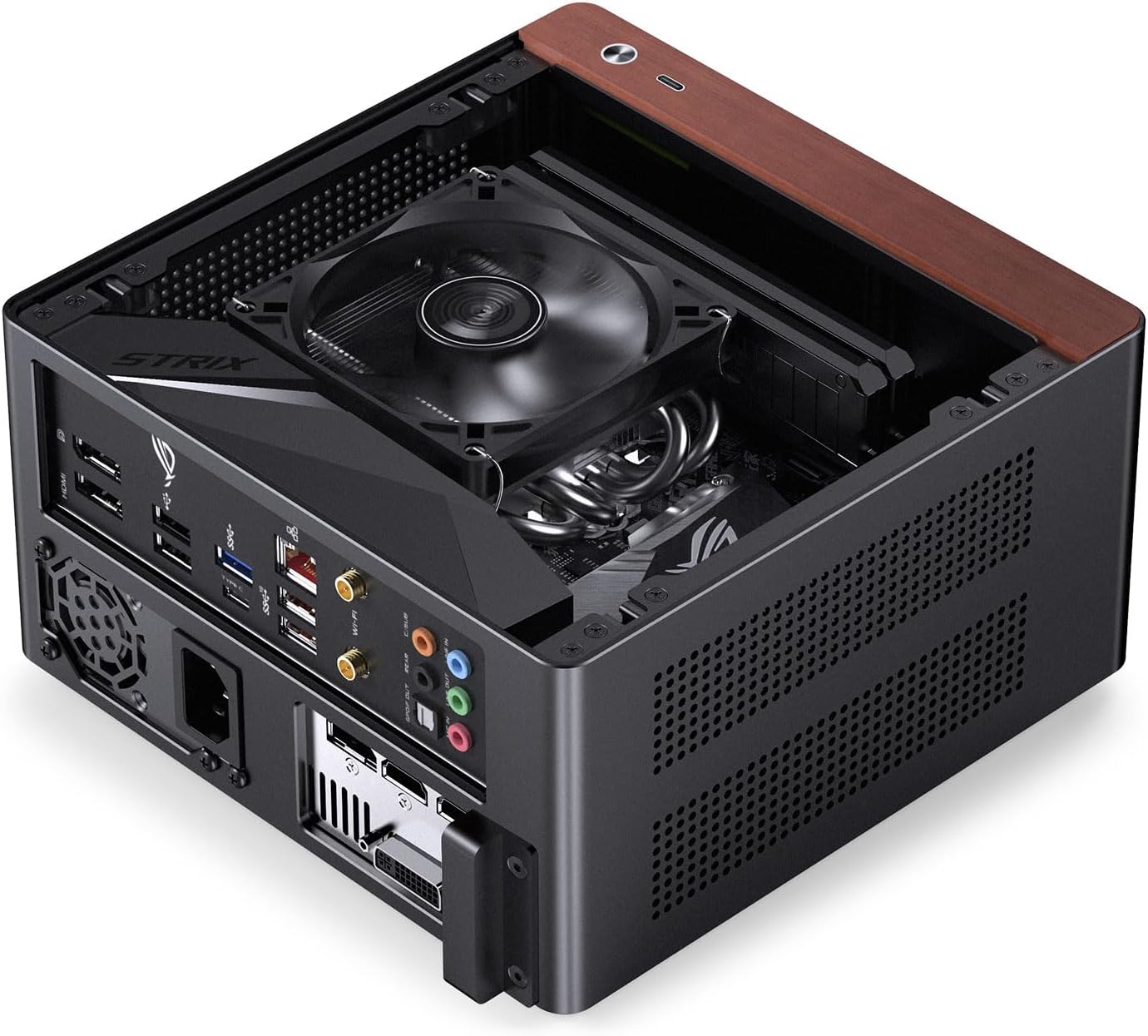
Figure 4: Mini ITX motherboard installed in the case.
3.3 Pamasangan Power Supply Unit (PSU).
The NV10 supports 1U FLEX power supplies with a maximum length of 150mm. Install the PSU into its dedicated compartment, typically located at the bottom of the case. Secure it with the appropriate screws.
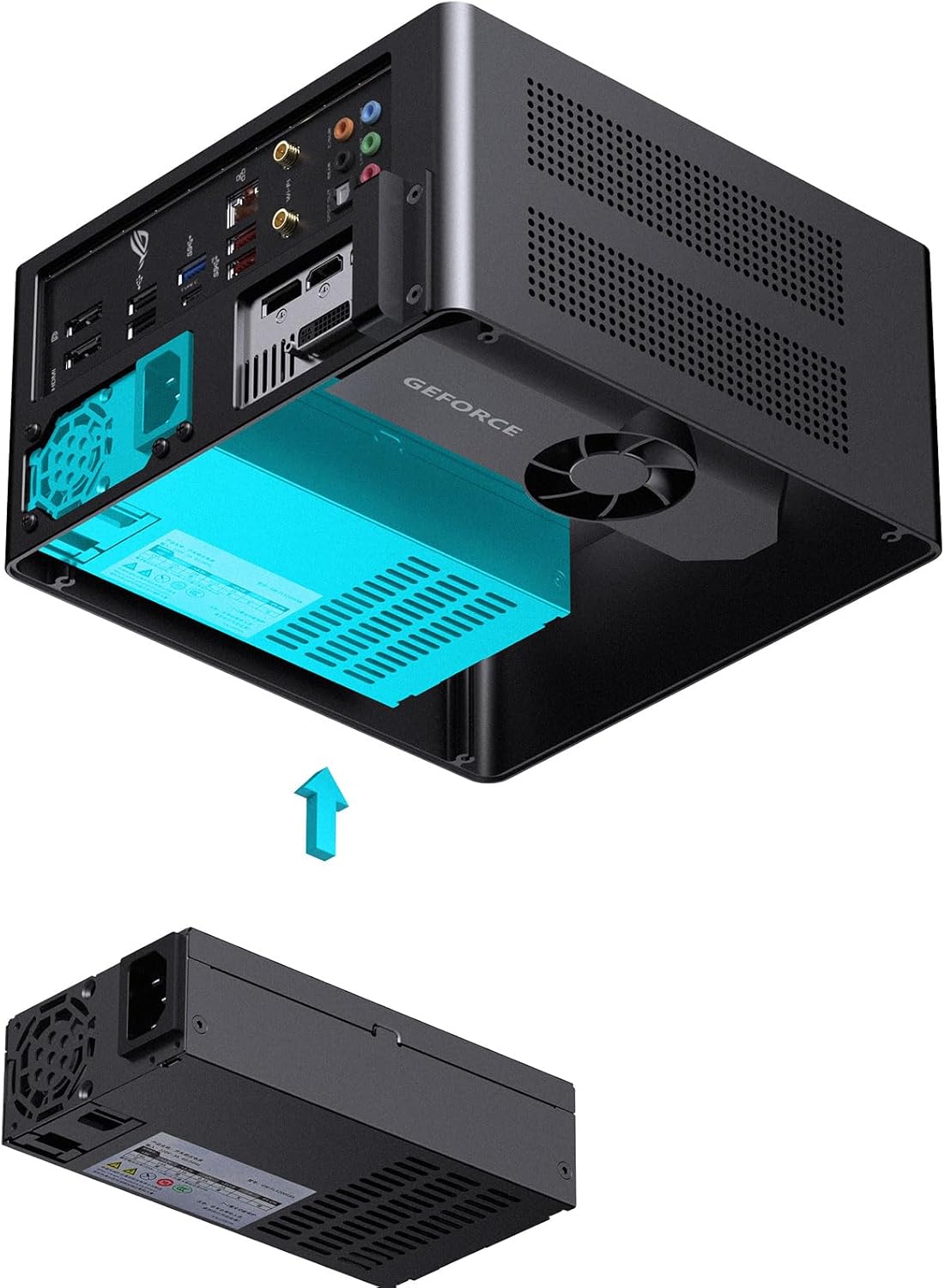
Figure 5: Installation of a 1U FLEX power supply.
3.4 Pamasangan Kartu Grafika (GPU).
The case includes a standard PCI-E 4.0 extended cable for installing a low-profile graphics card. Ensure your GPU is no longer than 190mm. Connect the PCI-E riser cable to the motherboard and then install your low-profile GPU into the riser. Secure the GPU and cable as needed.

Figure 6: PCI-E 4.0 extended cable connection.

Figure 7: Installing a low-profile kartu grafik.
3.5 Pamasangan Panyimpenan
The NV10 supports up to four 2.5-inch SSDs. Locate the designated mounting points for these drives and secure them using the provided hardware.
3.6 Air Cooler Installation
Ensure your CPU air cooler has a maximum height of 38mm to fit within the case. Install the cooler according to its manufacturer's instructions, ensuring proper contact with the CPU and secure mounting.
3.7 Manajemén kabel
Route all power and data cables neatly to ensure optimal airflow and a clean internal appearance. Utilize any available cable tie-down points or channels within the case.
4. Parentah Operasi
After assembling all components, connect your peripherals (monitor, keyboard, mouse, etc.) to the appropriate ports on the motherboard and graphics card. Connect the power cable to the PSU and a wall outlet. Press the power button on the front I/O panel to start your system.
The case features multi-component perforated design to enhance heat dissipation and improve airflow circulation. Ensure these ventilation areas are not obstructed for optimal performance.

Figure 8: Perforated design for enhanced heat dissipation.
5. Pangropéa
- beberesih: Regularly clean the exterior of the case with a soft, dry cloth. For dust accumulation inside, use compressed air to gently clear out vents and components. Ensure the system is powered off and unplugged before cleaning.
- Tiupan hawa: Periodically check that all ventilation holes are free from obstructions to maintain optimal airflow and cooling performance.
- Cék komponén: Occasionally inspect internal components for loose connections or excessive dust buildup.
6. Cara ngungkulan
6.1 Sistim Teu Powering On
- Pariksa naha kabel daya parantos nyambung kalayan pageuh kana PSU sareng stop kontak dina témbok.
- Verify that the power switch on the PSU is in the "ON" position.
- Pastikeun kabel tombol kakuatan panel hareup disambungkeun bener ka motherboard nu.
- Confirm all internal power connections (24-pin ATX, CPU power, GPU power) are firmly seated.
6.2 Taya Kaluaran Témbongkeun
- Ensure your monitor is connected to the graphics card output, not the motherboard's integrated graphics ports (unless you are using integrated graphics).
- Verify the graphics card is properly seated in its PCI-E slot and the PCI-E riser cable is correctly connected.
- Pariksa lamun monitor dihurungkeun tur disetel ka sumber input bener.
6.3 Isu overheating
- Ensure the CPU cooler is properly installed and making good contact with the CPU, with thermal paste applied.
- Check that all case ventilation holes are unobstructed.
- Verify that the CPU cooler fan is spinning correctly.
7. Video Produk Resmi
Video 1: Official JONSBO N10/NV10 ITX PC Case overview, demonstrating features and design. Duration: 1 minute 15 seconds.
8. Garansi jeung Rojongan
The JONSBO NV10 PC Case comes with a 2-Taun Garansi Produsén. For warranty claims or technical support, please contact JONSBO customer service through their official websitus atanapi pangecér dimana produkna dibeuli.
Standard return policy allows for returns within 30 dinten for refund or replacement, subject to retailer terms.
Kanggo inpo sareng sumber tambahan, mangga buka JONSBO Store on Amazon.


