1. Bubuka
This manual provides essential information for the safe and efficient use of your TCL 55Q6C 55-inch QD-Mini LED Smart TV. Please read it thoroughly before operating the device and retain it for future reference. Your new television features 4K HDR Premium 1000nits display, Google TV technology, Dolby Vision IQ and Atmos, an Onkyo 2.1 audio system, Motion Clarity Pro at 144 Hz, and Game Master capabilities.
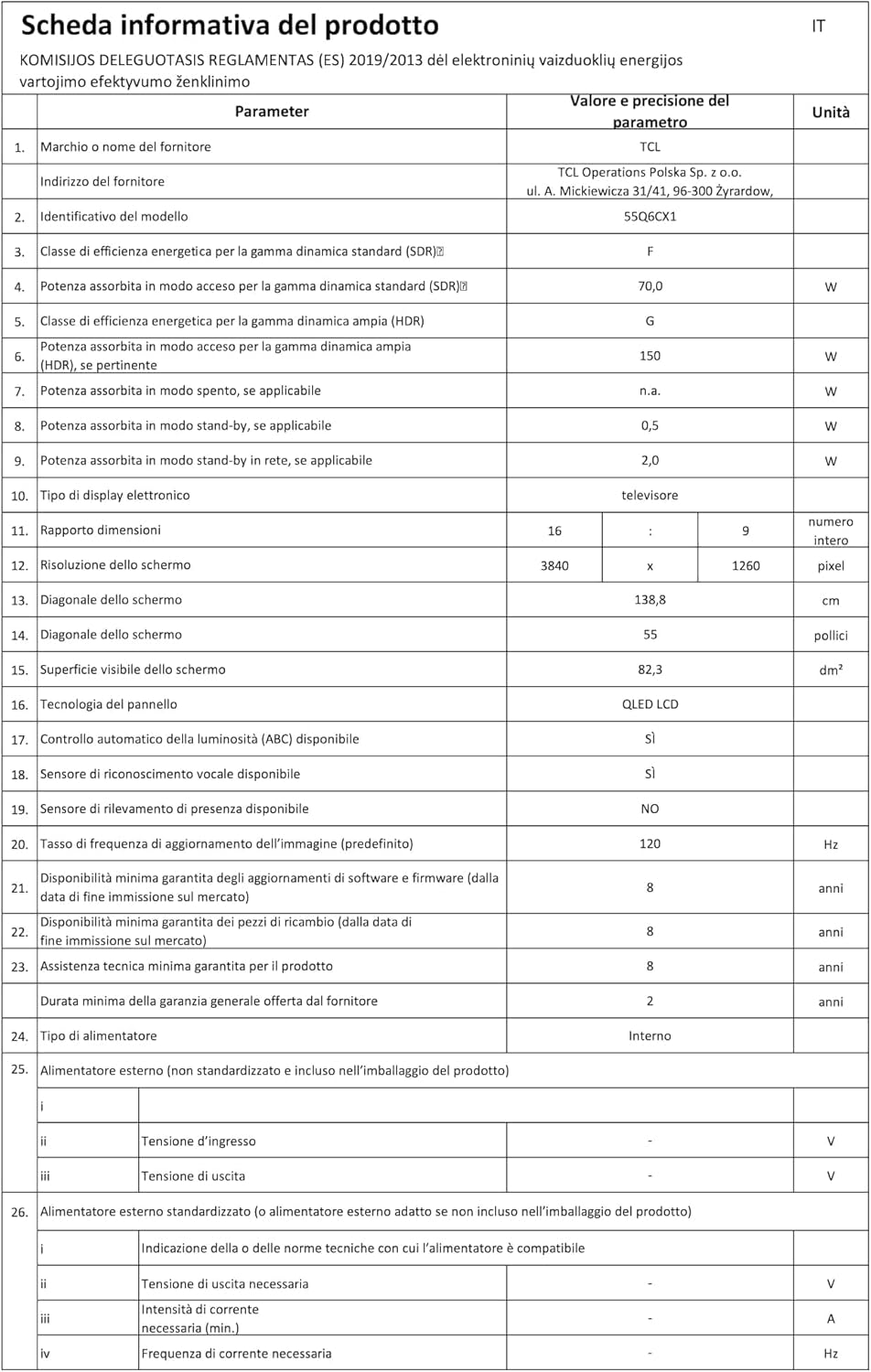
Figure 1: The TCL 55Q6C 55-inch QD-Mini LED Smart TV integrated into a modern living room.
2. Émbaran Kasalametan
Salawasna turutan pancegahan kaamanan dasar ieu nalika nganggo televisi anjeun:
- Ulah ngalaan TV ka hujan atawa beueus pikeun nyegah seuneu atawa shock listrik.
- Ulah meungpeuk bukaan ventilasi. Pastikeun spasi nyukupan sabudeureun TV pikeun aliran hawa ditangtoskeun.
- Entong nempatkeun TV dina karanjang, stand, tripod, bracket, atanapi méja anu teu stabil.
- Anggo ukur kabel listrik anu disayogikeun sareng TV.
- Nangtayungan kabel kakuatan tina keur leumpang dina atawa pinched.
- Cabut colokan TV nalika badai kilat atanapi nalika henteu dianggo kanggo waktos anu lami.
- Rujuk sadayana jasa ka tanaga jasa anu mumpuni.
- Jauhkeun bagian leutik sareng batré jauh tina jangkauan barudak.
3. Setélan
3.1 Ngabongkar jeung Majelis
Carefully remove the TV from its packaging. Ensure all components (Power Cable, Remote Control, Stand) are present. Follow the instructions provided in the separate quick start guide for stand assembly or wall mounting.
3.2 Nyambungkeun Alat
Your TCL 55Q6C TV offers various connectivity options. Refer to the diagram below for port locations and connect your external devices such as gaming consoles, Blu-ray players, or sound systems.
Gambar 2: Tukangeun view of the TCL 55Q6C TV showing HDMI, USB, LAN, Optical, Cable, Satellite, and CI Slot ports.
- HDMI: Connect up to 4 HDMI devices for high-definition video and audio.
- USB: Sambungkeun alat panyimpenan USB pikeun playback media.
- LAN (Ethernet): Connect to your wired network for internet access.
- Optik: Pikeun kaluaran audio digital ka soundbar atawa sistem home theater.
- Kabel / Satelit: Sambungkeun anteneu atanapi parabola anjeun.
- Slot CI: For Conditional Access Modules (CAM) from your service provider.
- Wi-Fi & Bluetooth: Built-in wireless connectivity for internet and accessories.
3.3 Mimiti Power-On
After connecting all necessary cables, plug the power cord into an electrical outlet. Press the power button on the remote control or the TV itself. Follow the on-screen instructions to complete the initial setup, including network connection and Google TV configuration.
4. Parentah Operasi
4.1 Panganteur Google TV
Your TCL 55Q6C TV runs on Google TV, providing a personalized entertainment experience. Navigate through the interface using your remote control to access apps, streaming services, and live TV. You can also use Google Assistant for voice commands.
Video 1: Leuwihview of TCL Q6C features, including QD-Mini LED, QLED, Onkyo audio, AiPQ processor, Game Master, and Google TV interface.
4.2 Gambar jeung Sora Setélan
Access the settings menu to adjust picture modes (e.g., Standard, Movie, Game), brightness, contrast, and color settings. The TV features QD-Mini LED and QLED technology for vibrant colors and deep blacks, enhanced by TCL All-domain Halo Control for precise dimming.

Figure 3: Diagram illustrating the QD-Mini LED backlight technology for enhanced picture quality.

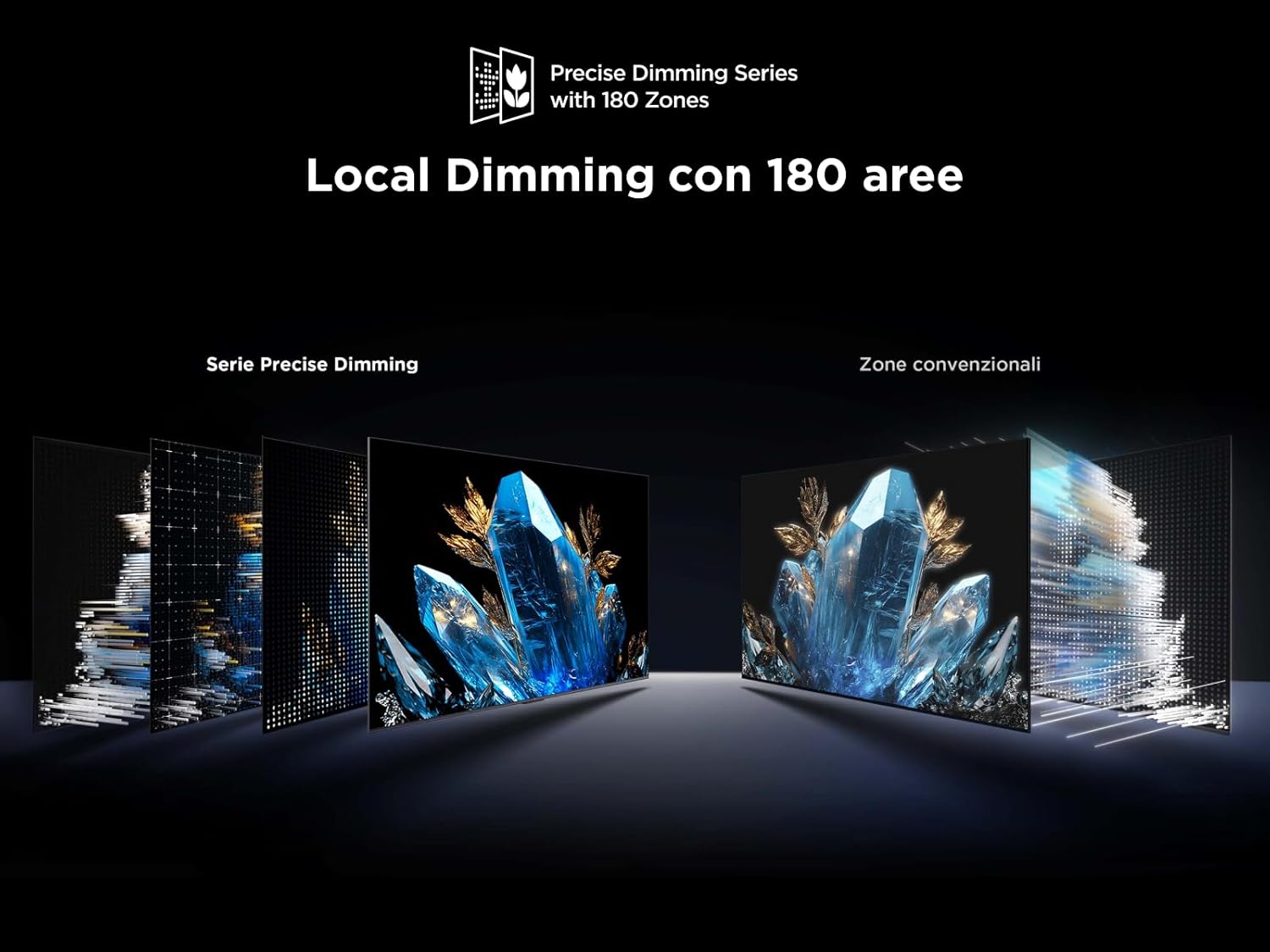
Figure 4: Visual representation of Local Dimming technology with 180 zones, improving contrast compared to conventional zones.
For audio, the integrated Onkyo 2.1 sound system with Dolby Atmos provides an immersive experience. Adjust sound modes and equalizer settings to your preference.
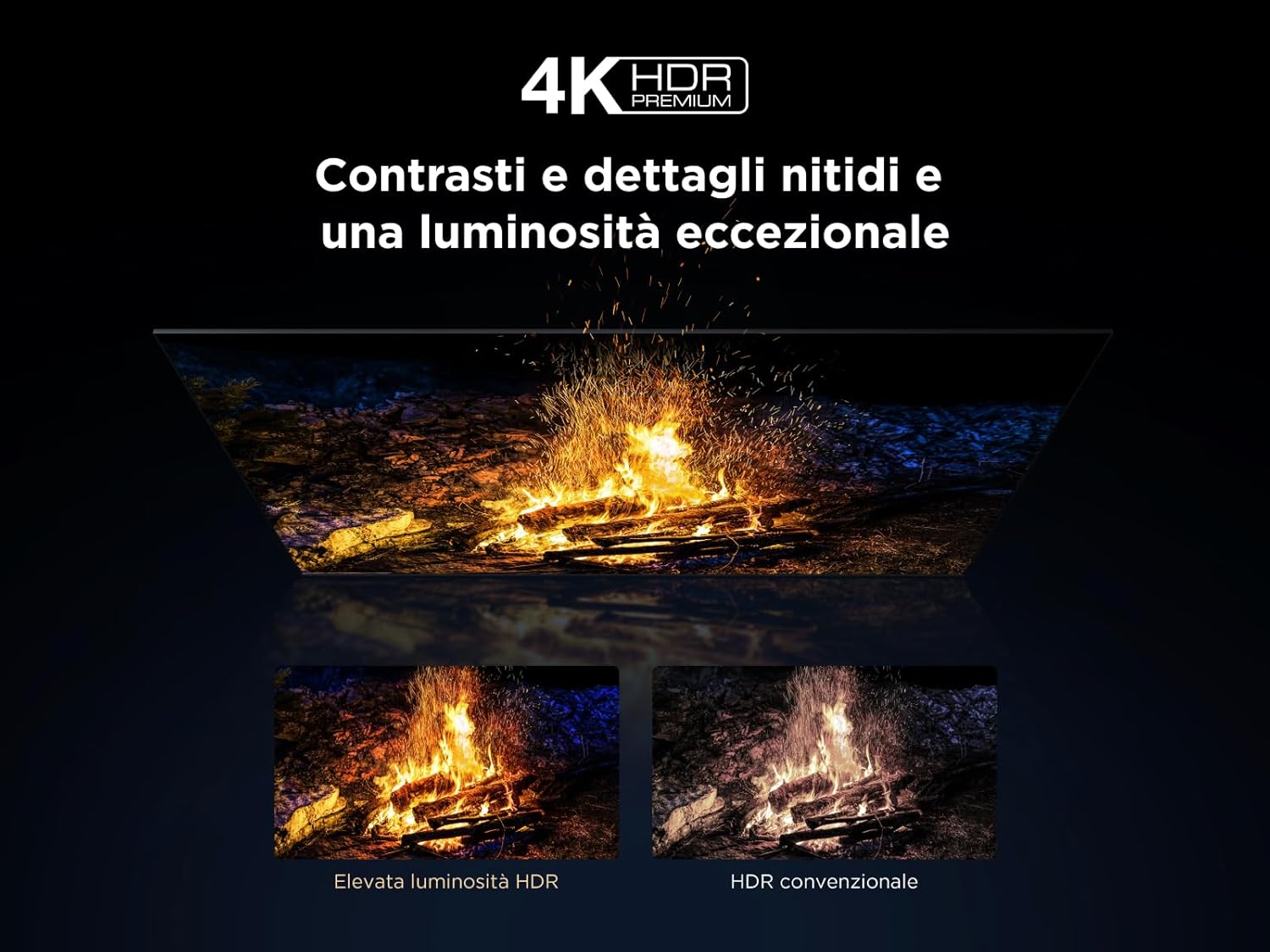
Figure 5: Illustration of the Onkyo 2.1 Hi-Fi audio system components, delivering cinematic sound.
4.3 Fitur kaulinan
The TV's Game Master features, combined with a 144 Hz Motion Clarity Pro display, ensure smooth and responsive gaming. Enable Game Mode in settings for optimized input lag and refresh rates.
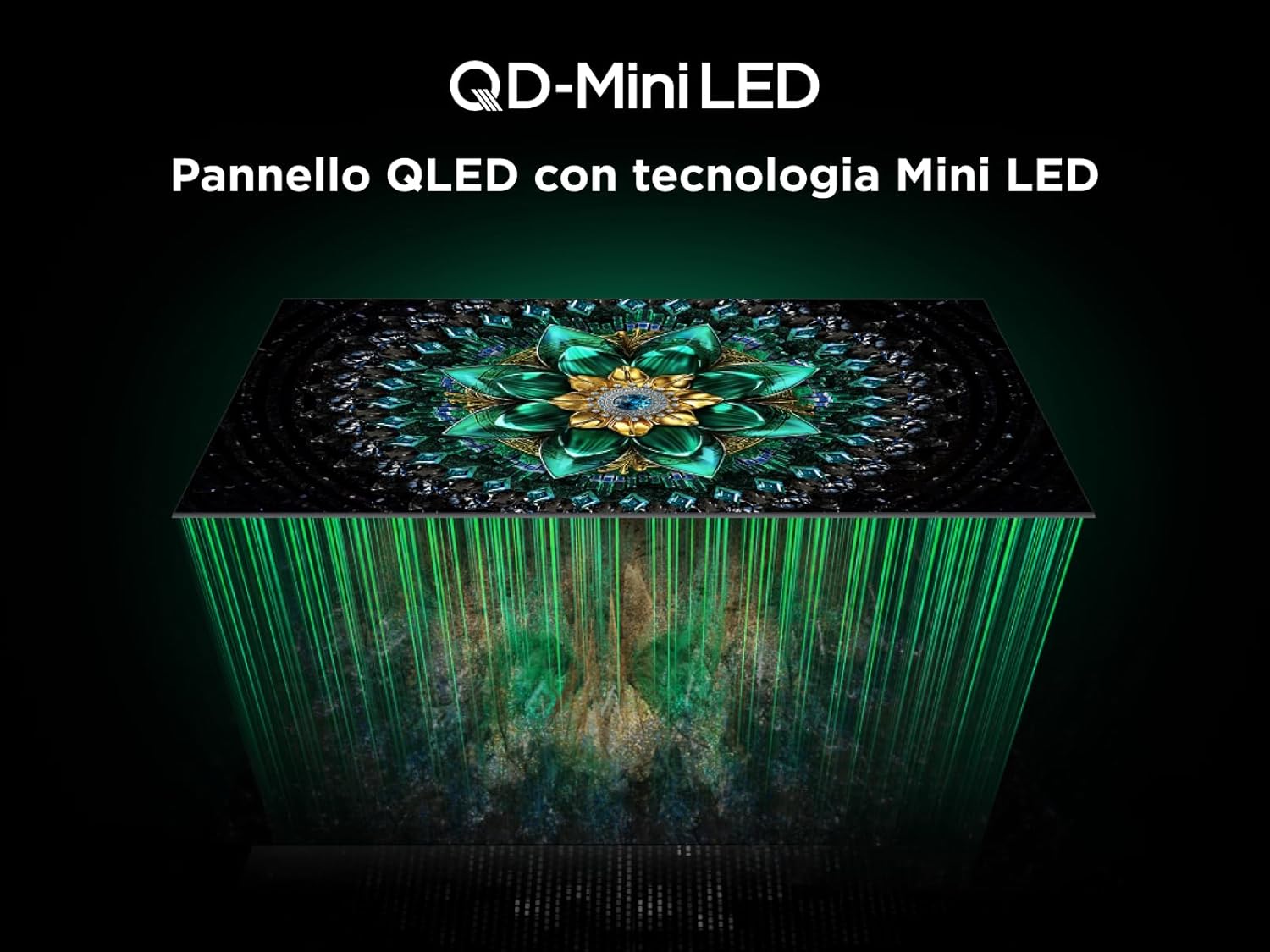
Figure 6: Visual demonstrating the 144Hz Motion Clarity Pro for fluid images, ideal for fast-paced content and gaming.
4.4 AiPQ Pro Processor
The integrated AiPQ Pro Processor optimizes picture and sound in real-time, enhancing contrast, color, clarity, and motion for an improved viewpangalaman.

Figure 7: Diagram illustrating the AiPQ Pro Processor and its various AI-driven optimization functions for picture quality.
4.5 Casting jeung Screen Mirroring
Utilize Miracast, Google Cast, and Airplay 2 to wirelessly stream content from your smartphone, tablet, or PC directly to your TV screen.
5. Pangropéa
Pikeun mastikeun umur panjang sareng kinerja optimal TV anjeun, turutan tungtunan pangropéa ieu:
- Ngabersihan layar: Lembut usap layar nganggo lawon anu lemes sareng teu aya serat. Pikeun tanda nekad, rada dampen lawon jeung cai atawa cleaner layar husus. Hindarkeun bahan kimia anu kasar.
- Ngabersihkeun pigura: Anggo kaén anu lembut sareng garing pikeun ngusap pigura TV sareng nangtung.
- Ventilasi: Pastikeun liang ventilasi di tukang TV teu katutupan ku lebu atawa barang.
- Kabel listrik: Rutin pariksa kabel kakuatan pikeun karuksakan nanaon.
- Panyimpenan: Upami nyimpen TV kanggo waktos anu langkung lami, cabut sareng tutupna pikeun ngajaga tina lebu.
6. Cara ngungkulan
Sateuacan ngahubungi dukungan palanggan, cobian léngkah-léngkah ngungkulan ieu umum:
| Masalah | Mungkin Cukang lantaranana | Solusi |
|---|---|---|
| Taya kakuatan | Power cord unplugged; power outlet not working. | Pariksa sambungan kabel kakuatan; test outlet jeung alat sejen. |
| Henteu aya gambar, tapi aya sora | Sumber input salah dipilih; masalah lampu tukang. | Verify input source; try another HDMI port; contact support if issue persists. |
| Henteu aya sora, tapi aya gambar | Volume muted; incorrect audio output setting; external audio device issue. | Unmute volume; check audio output settings; verify external audio device connections. |
| Kadali jauh teu jalan | Batteries dead or incorrectly inserted; obstruction between remote and TV. | Ganti batré; pastikeun garis paningal anu jelas ka panarima IR TV. |
| Masalah sambungan jaringan | Sinyal Wi-Fi lemah; kecap akses salah; masalah router. | Pareuman terus hurungkeun deui router; lebetkeun deui kecap akses Wi-Fi; cobian sambungan Ethernet kabel. |
7. Spésifikasi
Below are the key technical specifications for the TCL 55Q6C 55-inch QD-Mini LED Smart TV:
| Fitur | Rincian |
|---|---|
| merek | TCL |
| Modél | Q6C Series 2025 |
| Ukuran layar | 55 inci |
| Téhnologi layar | QD-Mini LED, QLED, HVA Panel |
| Resolusi | 4K (3840 x 2160 piksel) |
| Refresh Laju | 144 Hz (Motion Clarity Pro) |
| Rojongan HDR | 4K HDR Premium 1000nits, Dolby Vision IQ |
| Sistim Audio | Onkyo 2.1, Dolby Atmos |
| Sistem operasi | Google TV |
| Prosesor | Prosesor AiPQ Pro |
| Konektipitas | 4x HDMI, 1x USB, Ethernet (LAN), Optical Audio Out, Cable/Satellite, CI Slot, Wi-Fi, Bluetooth |
| Rasio Aspék | 16:9 |
| Ukuran produk (DxWxH) | 30P x 122.4l x 77T cm |
| Komponén Kaasup | Kabel Daya, Kadali Jauh, Nangtung |

Figure 8: Energy efficiency label for the TCL 55Q6C TV. For more details, visit the official EPREL database: https://eprel.ec.europa.eu/qr/2179781

Figure 9: Detailed product information sheet for the TCL 55Q6C TV, including power consumption and other technical data.
8. Garansi jeung Rojongan
Your TCL 55Q6C TV comes with a manufacturer's warranty. Please refer to the warranty card included in the packaging for specific terms and conditions. For technical support, service, or additional information, please visit the official TCL websitus atanapi hubungi pusat layanan palanggan lokal anjeun.
You can also find more information on the TCL brand store: TCL Brand Store


