1. Bubuka
Thank you for choosing the Pelonis 5L Evaporative Cooler. This 3-in-1 device combines the functions of an air cooler, fan, and humidifier, providing a comfortable environment for your home or office. Please read this manual thoroughly before operation to ensure proper use, maintenance, and safety.
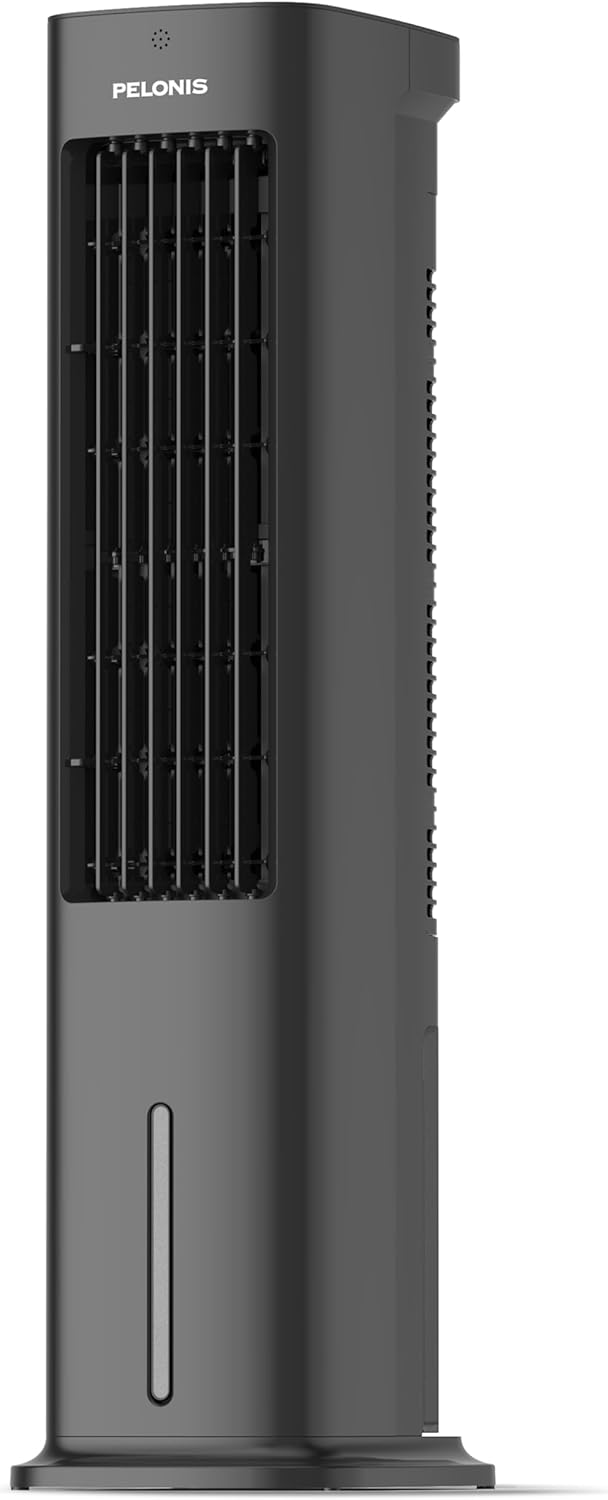
Figure 1.1: Pelonis 5L Evaporative Cooler (Side View)

Figure 1.2: The 3-in-1 functionality of the Pelonis Evaporative Cooler, illustrating its use as a fan, humidifier, and air cooler.
2. Parentah Kasalametan penting
Pikeun ngurangan résiko seuneu, shock listrik, atawa tatu, salawasna turutan pancegahan kaamanan dasar ieu:
- Baca sadaya parentah sateuacan nganggo alat ieu.
- Entong nganggo kipas nganggo kabel atanapi colokan anu rusak. Piceun kipas atawa balik deui ka fasilitas layanan otorisasi pikeun ujian jeung / atawa perbaikan.
- Ulah ngajalankeun ari handapeun karpét. Ulah nutupan ari ku karpet lémparan, runners, atawa coverings sarupa. Ulah jalur tali handapeun parabot atawa parabot. Atur tali jauh ti wewengkon lalulintas sarta dimana eta moal tripped leuwih.
- Always unplug the appliance from the power outlet when not in use, when moving it from one location to another, and before cleaning.
- Ulah neuleumkeun alat dina cai atawa cairan séjén.
- Ulah ngidinan barudak pikeun beroperasi atawa ulin jeung alat.
- Anggo alat ngan ukur pikeun panggunaan rumah tangga anu ditujukeun sakumaha anu dijelaskeun dina manual ieu.
- Pastikeun voltage dituduhkeun dina alat anu saluyu sareng vol lokal anjeuntage sateuacan nyambungkeun alat.
- Do not block air openings or operate near curtains or other objects that may block air intake.
- Salawasna tempatkeun alat ieu dina permukaan anu rata sareng stabil.
3. Eusi Paket
Mangga parios pakét kanggo barang-barang ieu:
- Pelonis 5L Evaporative Cooler Unit
- Remote Control (2 batré AAA kaasup)
- 2 Cooling Pads
- Manual pamaké
4. Produk Langkungview
Familiarize yourself with the main components of your Pelonis Evaporative Cooler.

Gambar 4.1: Hareupeun view of the cooler, highlighting its fan, humidification, and cooling functions.

Figure 4.2: Illustration of the 60-degree oscillation feature for wide air distribution.

Figure 4.3: The evaporative cooler being controlled by its remote, emphasizing wireless convenience.
5. Setélan
Follow these steps to set up your evaporative cooler:
5.1 Majelis Dasar
- Sacara saksama piceun unit tina bungkusanna.
- Attach the base to the bottom of the main unit. Ensure it is securely fastened, typically by screwing it into place.
5.2 Ngeusian Tangki Cai
The unit features a 5L water tank for humidification and cooling functions.
- Tangtukeun lokasi tank cai di handapeun unit.
- Taliti tarik kaluar tank cai.
- Eusian bak ku cai bersih. Ulah ngaleuwihan garis eusian maksimum.
- For enhanced cooling, place the two cooling pads in the freezer until frozen, then place them into the water tank.
- Geser bak cai deui kana unit dugi ka ngaklik kana tempatna.

Figure 5.1: Instructions for filling the 5L water tank, showing the maximum fill line and warning against overfilling or tipping.
5.3 Pamasangan Batré Remote Control
The remote control requires 2 AAA batteries (included).
- Buka kompartemen batré dina tonggong kadali jauh.
- Pasangkeun 2 batré AAA, pastikeun polaritasna bener (+/-).
- Tutup kompartemen batré.
6. Parentah Operasi
Your Pelonis Evaporative Cooler offers multiple functions and settings for optimal comfort.
6.1 Daya Hurung/Pareuman
- Colokkeun kabel listrik kana stop kontak listrik anu cocog.
- Pencét éta Kakuatan tombol dina panel kontrol atawa kadali jauh pikeun ngahurungkeun atawa mareuman unit.
6.2 Pamilihan Mode
The unit has three primary modes: Fan, Evaporative Cooler, and Humidifier.
- Pencét éta Modus tombol pikeun siklus ngaliwatan mode sadia.
- Modeu kipas: Circulates air without humidification or cooling.
- Evaporative Cooler Mode: Uses water and cooling pads to provide a cooling effect. Ensure the water tank is filled.
- Modeu humidifier: Adds moisture to the air. Ensure the water tank is filled.

Figure 6.1: Visual representation of the three operational modes: Humidifier, Air Cooler, and Fan.
6.3 Setélan Gancang
Choose from three fan speeds: Quiet, Standard, or Strong.
- Pencét éta Laju tombol pikeun ngarobih kagancangan kipas.
- The current speed setting will be indicated on the display.
6.4 Fungsi Osilasi
The unit features a 60° automatic oscillation for wider air distribution.
- Pencét éta Osilasi button to activate or deactivate the automatic swing function.
- You can also manually adjust the vertical angle of the air outlet.
6.5 Fungsi Timer
Set the unit to automatically turn off after a specified period, up to 7 hours.
- Pencét éta Timer button repeatedly to set the desired operating time in 1-hour increments.
- The timer indicator will show the selected duration.
6.6 Modeu Angin
Select from Natural, Sleep, or Normal wind modes for varied airflow patterns.
- Pencét éta Modeu Angin button to cycle through Natural, Sleep, and Normal modes.
- Mode alam: Ngasimulasikeun angin alami kalayan kecepatan kipas anu béda-béda.
- Modeu Bobo: Beroperasi dina kecepatan anu langkung handap sareng langkung sepi pikeun bobo anu teu kaganggu.
- Modeu Normal: Kagancangan kipas anu tetep.

Figure 6.2: The evaporative cooler operating in a bedroom, emphasizing its quiet night mode for optimal cooling during sleep.
7. Pangropéa
Pangropéa rutin ngajamin kinerja optimal sareng umur panjang tina cooler evaporative anjeun.
7.1 Ngabersihan Tangki Cai
Ngabersihan tanki cai sacara teratur pikeun nyegah kapang sareng jamur.
- Cabut colokan unit tina stop kontak listrik.
- Leupaskeun tank cai.
- Kosongkeun cai sésana.
- Ngabersihan tanki ku lawon lemes sareng detergent hampang. Bilas ku cai bersih.
- Ngidinan tank ka hawa garing lengkep saméméh reinserting.
7.2 Cleaning the Filter Screen
The removable filter screen should be cleaned periodically.
- Cabut unit.
- Locate and remove the filter screen from the back of the unit.
- Rinse the filter screen under running water to remove dust and debris. For stubborn dirt, use a soft brush.
- Allow the filter screen to dry completely before reinserting it into the unit.

Figure 7.1: Illustration of the removable filter screen and the process of cleaning it for improved air quality.
7.3 beberesih exterior
- Ngusap bagian luar unit kalayan lemes, damp lawon.
- Ulah make cleaners abrasive atawa pangleyur.
7.4 Panyimpenan
- If storing the unit for an extended period, ensure the water tank is empty and clean, and the filter screen is dry.
- Simpen unit di tempat anu tiis sareng garing, jauh tina sinar panonpoé langsung.
8. Cara ngungkulan
If you encounter issues with your Pelonis Evaporative Cooler, refer to the following table for common problems and solutions.
| Masalah | Mungkin Cukang lantaranana | Solusi |
|---|---|---|
| Unit teu hurung | Taya catu daya Tombol daya teu dipencet | Pariksa naha kabel listrik dicolokkeun sacara aman. Pencét tombol Daya dina unit atanapi remot. |
| Teu aya hawa tiis / Pendinginan lemah | Tangki cai kosong Cooling pads not frozen Filter screen clogged | Eusian bak cai. Freeze the cooling pads before use. Ngabersihan layar saringan. |
| Unit ribut | Unit henteu dina permukaan datar Obyék asing di jero | Teundeun unit dina permukaan datar anu stabil. Unplug and check for any obstructions. |
| Kadali jauh teu jalan | Batré paéh atanapi teu leres dipasang Halangan antara remot sareng unit | Ganti batré sareng pariksa polaritasna. Ensure a clear line of sight to the unit's receiver. |
Lamun masalah persists sanggeus nyobian solusi ieu, mangga ngahubungan rojongan customer.
9. Spésifikasi
| Fitur | Rincian |
|---|---|
| Nomer modél | PFC50A4AWGBDE |
| Ukuran (L x W x H) | 29.5 x 23 x 85 cm |
| Beurat | 9.06 kg |
| Kapasitas Tangki Cai | 5 liter |
| Voltage | 220 volt |
| Tipe Kontrol | Kadali jauh |
| Fitur husus | Timer, Tower Base, Remote Controlled, Oscillating, Quiet Operation, Safety Certified |
| Sertifikasi | CE, RoHS |
| Komponén Kaasup | Kadali jauh |
10. Jaminan & Dukungan
This Pelonis Evaporative Cooler comes with a garansi 2 taun ti tanggal beuli. Garansi ieu nyertakeun cacad dina bahan sareng pagawean dina panggunaan normal.
For warranty claims, technical support, or any questions regarding your product, please contact Pelonis customer service through the retailer where you purchased the product or visit the official Pelonis websitus pikeun inpo kontak.
Punten mertahankeun bukti pameseran anjeun pikeun tujuan garansi.


