1. Bubuka
Thank you for choosing the Angrox Universal Remote Control. This manual provides essential information for setting up, operating, and maintaining your new remote control. Please read it carefully to ensure optimal performance and longevity of your device.
This remote control is designed specifically for Roku Built-in TVs from brands such as TCL, ONN, Hisense, Sharp, Element, Westinghouse, and Philips. It is an infrared remote control and does TEU work with external Roku streaming players (e.g., Roku Box, Roku Stick, Roku Express, Roku Player) or Roku audio devices.
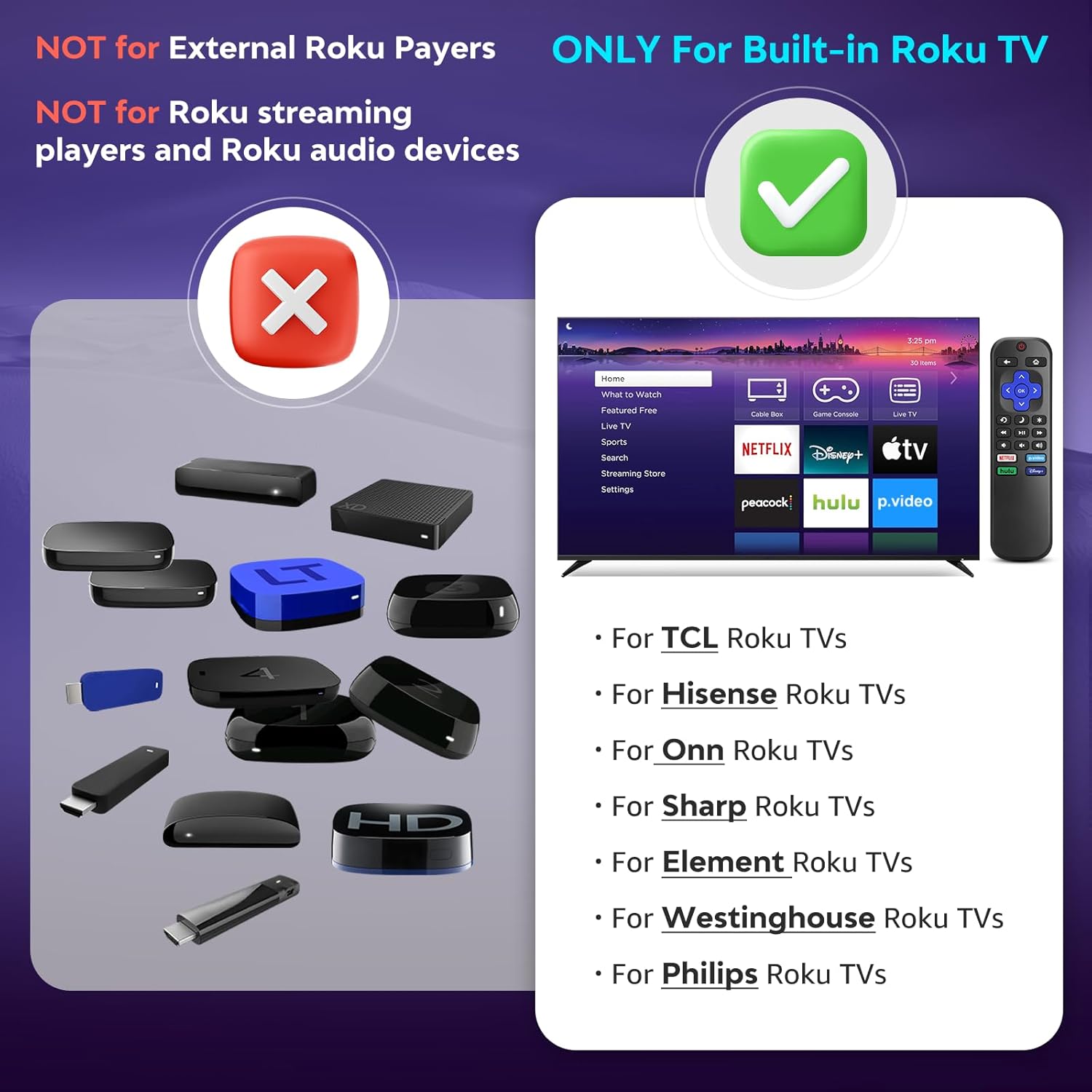
Gambar 1.1: Kasaluyuan leuwihview. The remote is compatible with TVs that have Roku built-in, but not with standalone Roku streaming devices.
2. Setélan
2.1 Pamasangan batré
- Panggihan kompartemen batré dina tonggong kadali jauh.
- Geser panutup batré ka handap pikeun mukakeunana.
- Selapkeun dua (2) batré alkalin AAA, mastikeun terminal positif (+) jeung négatip (-) cocog jeung diagram di jero kompartemen.
- Geser panutup batré deui kana tempatna nepi ka ngaklik aman.
Catetan: Batteries are not included with the remote control.
2.2 Pamakéan awal
This Angrox Universal Remote Control requires no programming or pairing. Once batteries are correctly installed, it is ready for immediate use with your compatible Roku Built-in TV.

Image 2.1: Battery installation guide. The remote requires two AAA batteries and no setup.
3. Parentah Operasi
The remote control features a standard layout for intuitive navigation and control of your Roku Built-in TV.
3.1 Tombol Fungsi Leuwihview

Image 3.1: Detailed button layout and functions of the Angrox Universal Remote Control.
- TV Power (Red Button): Ngahurungkeun atawa mareuman TV.
- Balik: Mulih ka layar atawa ménu saméméhna.
- imah: Navigates to the Roku home screen.
- Directional Pad (Up, Down, Left, Right) & OK: Dipaké pikeun navigasi menu jeung pilihan.
- Modeu Bobo: Activates the TV's sleep timer function.
- Replay Instan: Luncat deui sababaraha detik dina playback video.
- Pilihan: Accesses context-sensitive options or settings.
- Rewind Scan (RWD Scan): Rewinds video playback.
- Puter / Reureuh: Muterkeun atanapi ngareureuhkeun eusi pidéo.
- Fast Forward Scan (FWD Scan): Fast forwards video playback.
- Kontrol Volume (+/-): Nyaluyukeun polumeu TV.
- Jempé: Ngajempékeun atanapi nganonaktipkeun audio TV.
3.2 Tombol potong kompas
Remotna ngawengku opat tombol potong kompas khusus pikeun aksés gancang ka layanan streaming anu populer:
- NETFLIX
- p.video (Prime Video)
- hulu
- Disney +
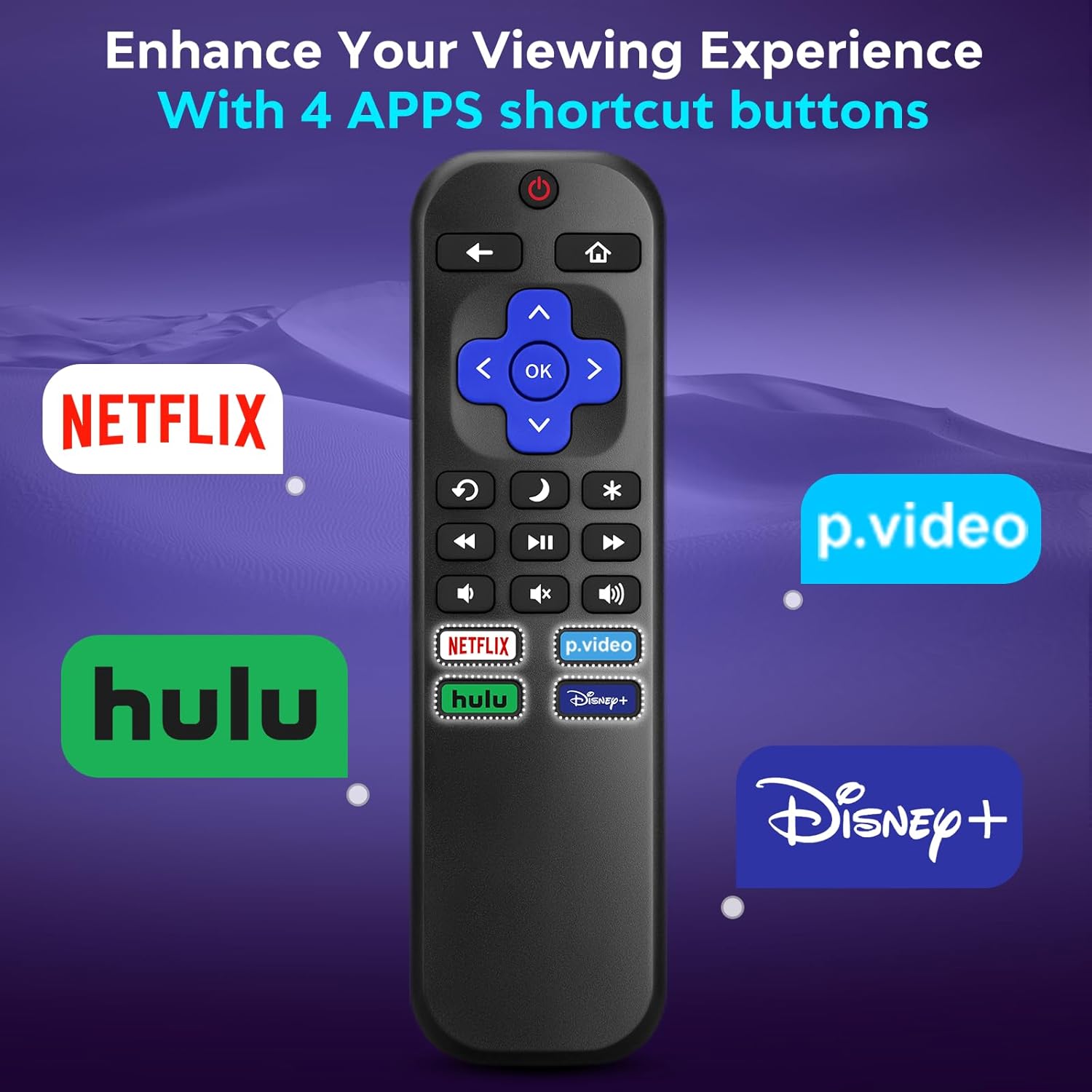
Image 3.2: The remote features dedicated shortcut buttons for popular streaming services.
3.3 Kinerja
The remote operates using infrared technology, providing a sensitive response and precise control. It has an effective transmission distance of up to 10 meters (32 feet).

Image 3.3: The remote offers fast response and a wide transmission range.
4. Pangropéa
4.1 beberesih
Pikeun ngabersihan kadali jauh anjeun, usap gently eta ku lawon lemes, garing. Keur kokotor bandel, rada dampen the cloth with water. Avoid using harsh chemicals, abrasive cleaners, or solvents, as these can damage the remote's surface or internal components.
4.2 Ngagantian batré
Replace batteries when the remote's response becomes sluggish or it stops functioning. Always replace both AAA batteries at the same time with new ones. Do not mix old and new batteries, or different types of batteries.
4.3 Panyimpenan
When not in use for extended periods, it is recommended to remove the batteries to prevent leakage, which could damage the remote. Store the remote in a cool, dry place away from direct sunlight and extreme temperatures.
The remote is constructed from high-quality ABS plastic and silicone for durability.
5. Cara ngungkulan
- Jauh teu ngabales:
- Pastikeun batré diselapkeun leres kalayan polaritasna anu leres.
- Ngaganti accu heubeul kalawan accu AAA basa anyar.
- Check for any obstructions between the remote and the TV's infrared sensor. Ensure a clear line of sight.
- Pariksa heula yen remotna diarahkeun langsung ka TV.
- Remote only controls some functions:
- This remote is designed for Roku Built-in TVs. Ensure your TV has Roku integrated and is not an external Roku player connected to a standard TV.
- Some advanced TV functions not directly related to Roku may not be supported by this universal remote.
- TV does not turn on/off:
- Confirm the TV is plugged into a power source and is not in a deep sleep mode that requires a manual power button press on the TV itself.
6. Spésifikasi
| Fitur | Rincian |
|---|---|
| merek | Angrox |
| Modél | B0DW7SW5C4 |
| Fitur husus | Ergonomic, No Programming Required, Universal |
| Warna | Hideung |
| Jumlah Max Alat Dirojong | 1 (Roku Built-in TV) |
| Alat nu cocog | Television (Roku Built-in TVs: TCL, ONN, Hisense, Sharp, Element, Westinghouse, Philips, etc.) |
| Sumber Daya | 2 x Batré AAA (teu kalebet) |
| Téknologi | Infrabeureum (IR) |
| Jarak Operasi | Nepi ka 10 méter (32 suku) |
| Bahan | High-quality ABS plastic and silicone |
7. Garansi jeung Rojongan
For warranty information, please refer to the documentation provided with your purchase or contact your retailer. Angrox is committed to providing quality products and customer satisfaction.
For further assistance or inquiries, please visit the official Angrox store on Amazon: Angrox Store.
