Produk Leuwihview
The Acer Predator Connect T7 Wi-Fi 7 BE11000 Mesh Gaming Router is engineered to deliver a high-performance wireless gaming experience. It features Wi-Fi 7 technology for lightning-fast speeds, ultra-low latency, and robust reliability, utilizing Multi-Link Operation (MLO) and Multi-Link Mesh technology.
Fitur konci
- TRIPLE-THREAT CONNECTIVITY: Wi-Fi 7 BE11000 for peak data transmission and minimal latency, with potential latencies as low as 1ms.
- WIRELESS GAMING: Multi-Link Operation (MLO) technology aggregates multiple channels across various bands for reduced latency and boosted reliability.
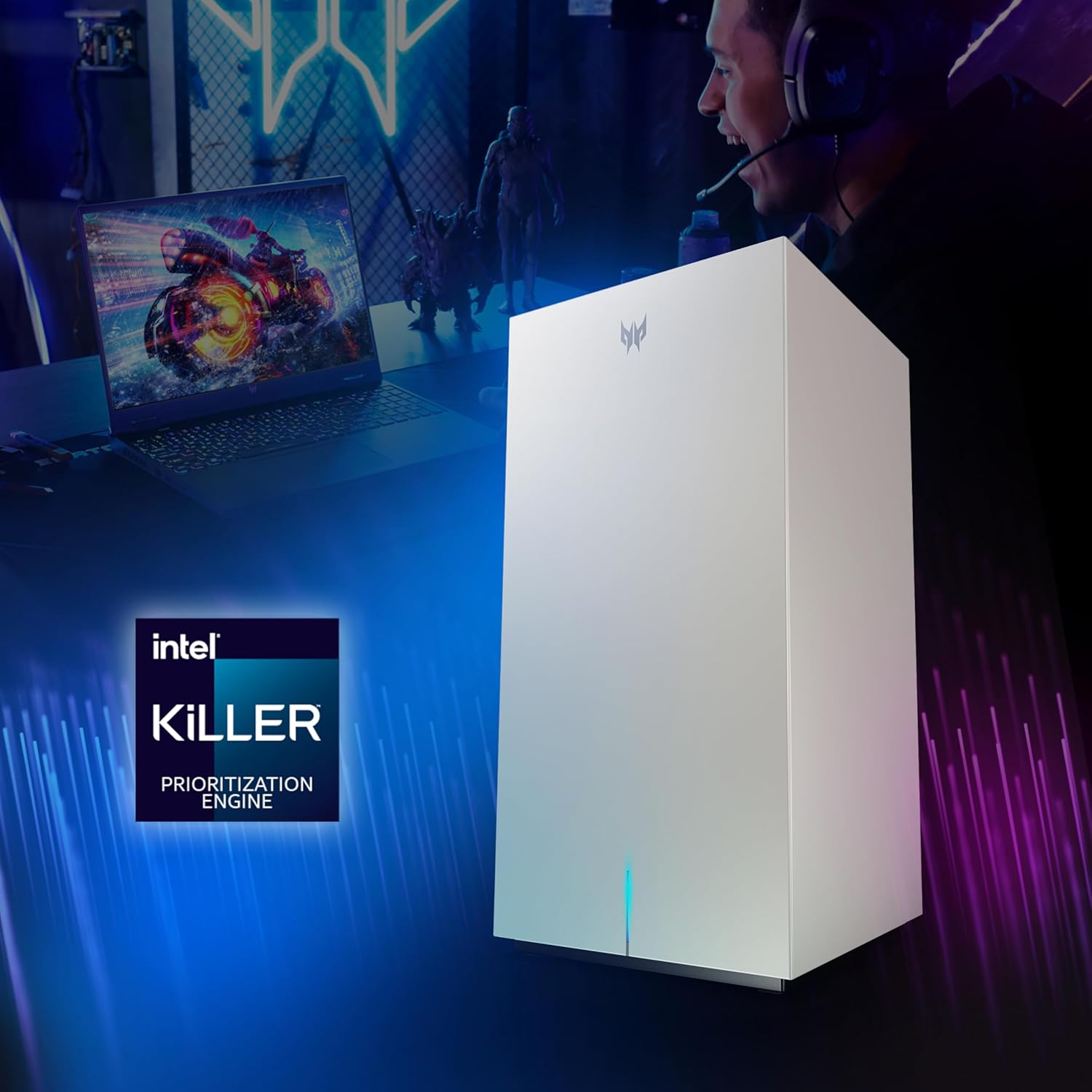
- HYBRID QoS: Compatible with Intel Killer Prioritization Engine for optimized bandwidth. Intelligent Device Recognition prioritizes devices and applications.
- ENHANCED MESH CONNECTIVITY: Multi-Link Mesh allows nodes to use several connections simultaneously, improving throughput and minimizing interference.
- TOP OF ITS CLASS: Quad-core ARM Cortex processor prevents slowdown, congestion, or latency.
- PANUTUP: Up to 3000 Sq. Ft. and connects up to 200 devices.
- Palabuhan: 1 x 2.5Gbps WAN and 2 x 1Gbps LAN Ethernet Connections.
- KAAMANAN: Lifetime Protection with TrendMicro Home Network Security.
Eusi pakét
Pastikeun sadaya item aya dina pakét anjeun:
- Predator Connect T7 Wi-Fi 7 Mesh Router
- Kabel listrik
- Kabel Jaringan
- Application (for setup and management)
- Pitunjuk Gancang
Setup Awal
Connecting Your Router
- Posisi router: Place your Predator Connect T7 router in a central location to maximize Wi-Fi coverage throughout your home. Avoid placing it near large metal objects, concrete walls, or other devices that emit radio waves (e.g., microwaves, cordless phones).
- Nyambung ka Daya: Plug the provided Power Cord into the router's power port and then into a wall outlet. The router's LED indicator will light up.
- Nyambung ka Modem: Connect one end of the provided Network Cable to the 2.5Gbps WAN port (labeled 'Internet') on the router and the other end to your modem's Ethernet port.
- Daya Hurung: Press the Power button on the router to turn it on. Wait for the router to boot up completely. This may take a few minutes.
- Sambungkeun Alat: You can connect devices via Wi-Fi using the default SSID and password found on the label on the bottom of the router, or via Ethernet cables to the LAN ports.
- Setup Aplikasi: Download the Predator Connect App (available on iOS and Android) to complete the setup process, customize settings, and manage your network.

Ngoperasikeun Router Anjeun
Wi-Fi 7 Téhnologi
The Predator Connect T7 leverages Wi-Fi 7 (802.11be) for enhanced performance. This includes support for 320 MHz channels and Multi-Link Operation (MLO), which allows devices to transmit and receive data across multiple frequency bands (2.4GHz, 5GHz, and 6GHz) simultaneously, significantly reducing latency and increasing throughput.
Intel Killer Prioritization Engine
The router integrates a Hybrid Quality of Service (QoS) system compatible with the Intel Killer Prioritization Engine. This technology intelligently identifies and prioritizes gaming traffic and other critical applications, ensuring they receive preferential bandwidth and minimal latency, even under heavy network load.
Mesh Connectivity
For extended coverage and seamless roaming, the Predator Connect T7 supports Multi-Link Mesh. This allows multiple T7 units to form a unified network, providing strong and consistent Wi-Fi signals across large areas (up to 3000 sq. ft.). Devices automatically connect to the strongest signal as you move around your home.

Pangropéa
To ensure optimal performance and security of your Predator Connect T7 router, regular maintenance is recommended:
- Pembaruan firmware: Periodically check for and install the latest firmware updates via the Predator Connect App. Updates often include performance improvements, new features, and security patches.
- Bersihan fisik: Keep the router's vents clear of dust and debris to prevent overheating. Use a soft, dry cloth for cleaning. Do not use liquid cleaners.
- Pangimeutan jaringan: Use the Predator Connect App to monitor network activity, connected devices, and potential security threats.
Pamérésan masalah
Guide Indikator LED
The LED indicator on your Predator Connect T7 router provides visual cues about its status:
| Status LED | Katerangan |
|---|---|
| Silih Beureum & Biru | Router dimimitian. |
| Pangaruh RGB Dipilih (Standar: Pangaruh seuneu) | Router tiasa dianggo leres. |
| Kedip-kedip Beureum | Taya sambungan internét. |
| Kedip-kedip Oranyeu | Wi-Fi pareum. |
| Ngacapruk Konéng | Wi-Fi pareum sareng teu aya konéksi internét. |
| Kedip-kedip Biru | Router nuju ningkatkeun firmware, ngadamel sambungan WPS, atanapi ngareset kana setélan standar pabrik. |
Ngareset router
If you encounter persistent issues, you may need to reset your router. There are two types of resets:
- Reset Lemes (Siklus Daya): Simply unplug the power adapter from the router, wait for 10-15 seconds, and then plug it back in.
- Pabrik Reset: To restore the router to its factory default settings, press and hold the 'Reset' button (located on the top of the router) for about 2 seconds using a paperclip or the provided reset tool until the LED blinks blue. This will erase all your custom settings.

Spésifikasi teknis
| Fitur | Rincian |
|---|---|
| Tipe Wireless | 802.11.be, 802.11ac, 802.11ax, 802.11g, 802.11n |
| merek | acer |
| Runtuyan | Predator |
| Nomer modél barang | Predator Connect T7 |
| Sistem operasi | ZyNOS |
| Item Beurat | 3.31 pon |
| Dimensi produk | 4.29 x 4.29 x 8.35 inci |
| Warna | Bodas |
| Produsén | Acer |
| Ngaran modél | Predator |
| Fitur husus | Internet Security, QoS |
| Frékuénsi Band Kelas | Tri-Band |
| Standar Komunikasi Nirkabel | 802.11.be, 802.11ac, 802.11ax, 802.11g, 802.11n |
| Alat nu cocog | Konsol Kaulinan, Komputer Pribadi, Televisi Pinter, Smartphone, Tablet |
| Dianjurkeun Mangpaat Pikeun Produk | Bisnis, Kaulinan, Imah |
| Komponén Kaasup | Application, Network Cable, Power Cord, Predator Connect T7 Wi-Fi 7 Mesh Router, Quick Guide |
| Téhnologi konektipitas | Ethernet, Wi-Fi |
Garansi sareng Rojongan
The Predator Connect T7 Wi-Fi 7 Mesh Gaming Router includes Lifetime Protection with TrendMicro Home Network Security, ensuring your network and connected devices are protected against online threats.
For further assistance, refer to the Quick Guide included in your package or download the Predator Connect App (available on iOS and Android) for comprehensive support and management tools.


