1. Bubuka
This manual provides instructions for the Belkin Everyday Keyboard Case with Cradle, designed to enhance the functionality and protection of your iPad 10th Generation 10.9". This accessory integrates a backlit Bluetooth keyboard, a multi-gesture trackpad, and a protective case with magnetic Apple Pencil storage, transforming your iPad into a versatile workstation.
2. Produk Langkungview
Fitur konci
- Backlit Bluetooth Keyboard: Enhances productivity in low-light conditions.
- Multi-Gesture Controls: Large, click-anywhere trackpad supports gestures for scrolling, navigating, and zooming.
- Magnetic Apple Pencil Storage: Integrated design ensures secure storage without obstructing the iPad's magnetic charging area.
- Tombol Multimedia: Dedicated keys for quick access to common functions.
- Kasus pelindung: Premium faux leather exterior and soft anti-slip interior protect your device.
Eusi pakét
- 1 x Belkin Everyday Keyboard Case with Cradle for iPad 10th Generation 10.9"
- 1 x Kabel Ngecas USB-C (pikeun kibor)
3. Setélan
3.1 Check iPad Compatibility
Ensure your iPad is compatible with this keyboard case. This product is designed for the iPad 10th Generation 10.9".

Image: Compatible iPad models. This case is specifically for iPad 10th Gen (A2696/A2757).
To find your iPad model number:
- Pilihan 1: Look on the back of your iPad for the model number.
- Pilihan 2: Open Settings > General > About. Tap the part number to reveal the model number.
3.2 Ngapasangkeun iPad
The case features a magnetic snap-on attachment for easy and secure installation of your iPad.
- Align your iPad with the protective cradle portion of the case.
- The iPad will magnetically snap into place, securing it within the case.

Image: Magnetic snap-on attachment for the iPad.
3.3 Nyapasangkeun Bluetooth
The keyboard connects to your iPad via Bluetooth. It needs to be paired independently.
- Ensure the keyboard is charged (see section 3.4).
- Turn on the keyboard (if applicable, usually by opening the case or a dedicated power button).
- Dina iPad anjeun, buka Setelan > Bluetooth.
- Look for "Belkin Keyboard" or a similar name in the list of available devices and tap to connect.
- Turutan ajakan dina layar pikeun ngarengsekeun prosés papasangan.
3.4 Ngecas kibor
The keyboard has an internal rechargeable battery and must be charged separately from your iPad.
- Panggihan port ngecas USB-C dina kibor.
- Connect the provided USB-C cable to the keyboard and a compatible USB power adapter (not included).
- Lampu indikator ngecas bakal nunjukkeun status ngecas.

Image: The keyboard features a 450mAh battery for long-lasting power.
4. Parentah Operasi
4.1 Pamakéan kibor
The keyboard provides a tactile typing experience with several useful features.
- Tombol Backlit: Press the dedicated backlight key (often represented by a sun icon) to cycle through brightness levels or turn the backlight off to conserve battery.
- Tombol Multimedia: Use the dedicated function keys for quick access to media playback controls, volume adjustment, and other system functions.

Image: Backlit Bluetooth Keyboard and Multimedia Keys in use.
4.2 Panggunaan Trackpad
The large, click-anywhere trackpad supports multi-gesture controls for intuitive navigation on your iPad.
- Ngagulung: Anggo dua ramo pikeun ngagulung ka luhur atanapi ka handap.
- Napigasi: Swipe with three fingers to switch between open applications.
- Ngazum: Ciwit ku dua ramo pikeun ngagedekeun atanapi ngaleutikan eusi.
- Ngaklik: Press down on any part of the trackpad for a click action.

Image: Multi-Gesture Controls on Touchpad.
4.3 Stand Functionality
The integrated cradle and kickstand allow for adjustable viewdina sudut.
- Open the case and position the iPad in the cradle.
- Adjust the kickstand at the back of the keyboard portion to achieve your desired viewsudut ing.
4.4 Apple Pencil Storage
The case is designed with compatibility for Apple Pencil storage.
- Place your Apple Pencil on the designated magnetic strip on the side of the iPad.
- The case ensures the Apple Pencil remains securely attached and accessible.
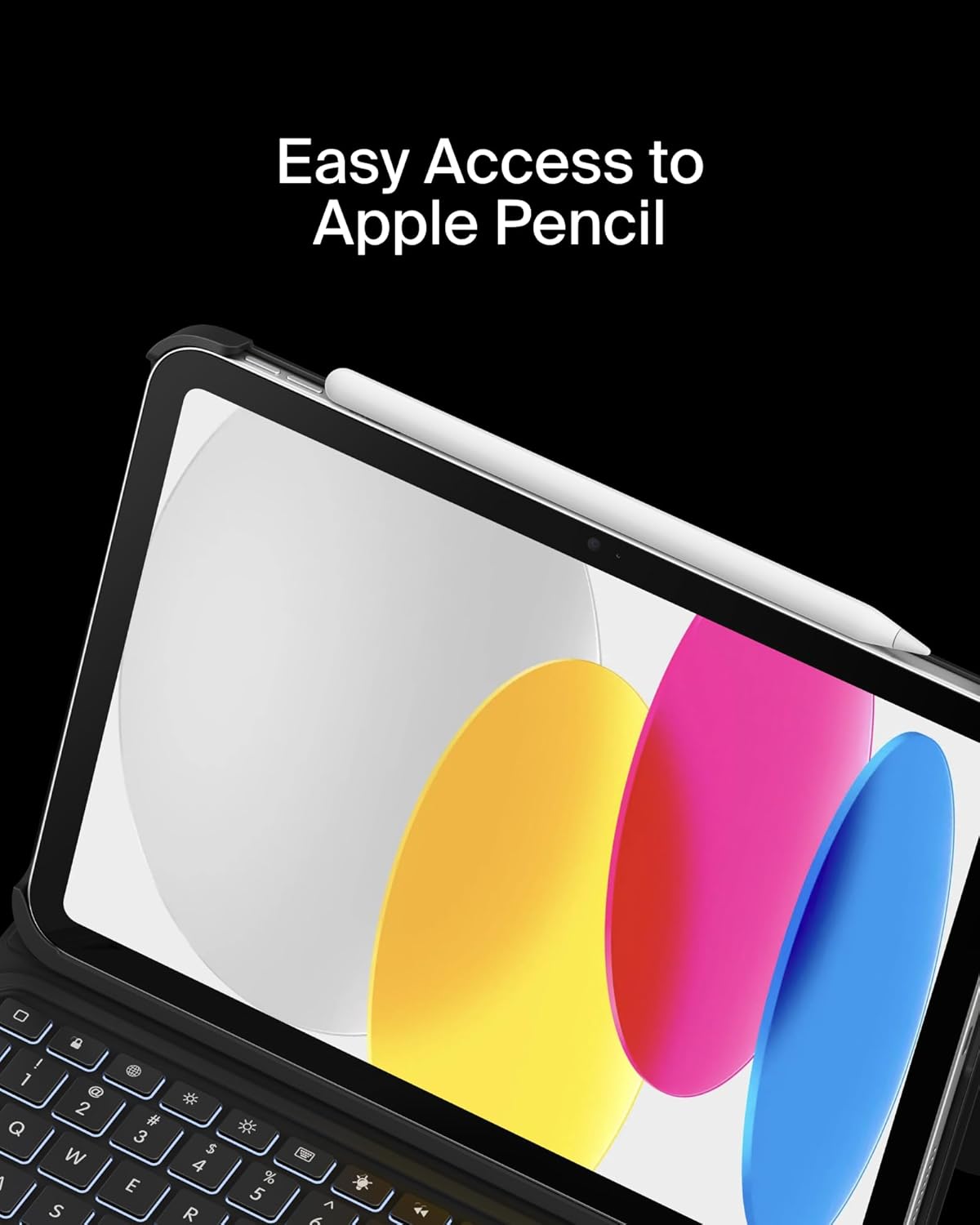
Image: Easy Access to Apple Pencil.
5. Pangropéa
5.1 beberesih
Pikeun ngajaga penampilan sareng fungsi wadah keyboard anjeun:
- Ngusap luar ku hipu, damp lawon. Hindarkeun bahan kimia anu kasar.
- For the keyboard keys and trackpad, use a soft, dry cloth or a gentle brush to remove dust and debris.
5.2 Perawatan Batré
The keyboard is equipped with a 450mAh lithium battery.
- Ngecas keyboard sapinuhna sateuacan dianggo heula.
- Recharge the keyboard when the battery indicator shows low power.
- Pikeun umur batre anu optimal, ulah sering-sering ngosongkeun batre.
- If not in use for an extended period, charge the keyboard every few months to prevent deep discharge.
6. Cara ngungkulan
6.1 Kibor Teu Ngabales
- Pariksa batré: Pastikeun keyboard tos dieusi cekap.
- Pasangkeun deui Bluetooth: Go to iPad Settings > Bluetooth, forget the device, and re-pair the keyboard.
- Balikan deui Alat: Pareuman terus hurungkeun deui iPad sareng kibor anjeun.
6.2 Trackpad Teu Jalan
- Pariksa sambungan Bluetooth: Pastikeun kibor dipasangkeun kalayan leres via Bluetooth.
- Clean Trackpad: Pastikeun permukaan trackpad bersih sareng bébas tina halangan.
- Setélan iPad: Verify trackpad settings in iPadOS are enabled and configured as desired.
6.3 Lampu Latar Teu Fungsional
- Pariksa batré: Backlight consumes power; ensure the keyboard has enough charge.
- Penyesuaian Caang: Use the dedicated backlight key to increase brightness.
7. Spésifikasi
| merek | Belkin |
| Nomer modél | BBZ001tt-V3 |
| Alat nu cocog | iPad 10th Generation 10.9" |
| Téhnologi konektipitas | Bluetooth |
| Katerangan kibor | Multimédia |
| Fitur husus | Apple Pencil Storage, Backlit, Multimedia Keys, Trackpad |
| Warna | Hideung |
| Keyboard Backlighting Rojongan Warna | Warna Tunggal |
| Gaya | Case w/ Cradle |
| Bahan | Faux Leather (Exterior), Soft Non-Slip Material (Interior) |
| Item Beurat | 1.6 pon |
| Ukuran produk (L x W x H) | 10.9 x 7.7 x 0.9 inci |
| Sumber Daya | Batré Powered |
| Batré | 450mAh lithium battery (standby time: 365 days) |

Image: Slim, Portable Design with approximate dimensions and weight.
8. Jaminan & Dukungan
8.1 Garansi kawates
This Belkin Everyday Keyboard Case with Cradle comes with a 2-taun jaminan kawates. Garansi ieu nyertakeun cacad dina bahan sareng pagawean dina panggunaan normal.

Image: Belkin Product Protection - 2 Year Coverage.
8.2 Rojongan Palanggan
Pikeun bantosan téknis, klaim garansi, atanapi inpormasi salengkepna, mangga buka dukungan resmi Belkin websitus atanapi ngahubungan layanan palanggan maranéhna.
Dukungan Belkin: www.belkin.com/support/


