1. Bubuka
The GOBOULT Crown R Pro 2 Smartwatch is designed to enhance your daily life with advanced features and health monitoring capabilities. It features a 1.43-inch HD AMOLED display, Bluetooth Calling 5.2, and a comprehensive health suite. This manual provides instructions for setup, operation, and maintenance of your smartwatch.

Image: The GOBOULT Crown R Pro 2 Smartwatch, showcasing desain sleek sarta tampilan vibrant.
2. Naon dina Box
Mangga parios eusi pakét nalika unboxing:
- GOBOULT Crown R Pro 2 Smartwatch
- Kabel Ngecas
- Manual pamaké
- Kartu Garansi
3. Ngamimitian
3.1. Ngecas Alat
Saméméh dipaké mimiti, eusian pinuh jam tangan pinter anjeun. Sambungkeun kabel ngecas magnét ka titik ngecas dina tonggong arloji jeung nyolok tungtung USB kana adaptor kakuatan (teu kaasup) atawa port USB komputer.
- Waktu Ngecas: Kira-kira 150 menit kanggo ngecas pinuh.
- Battery Life: Up to 7 days on a single charge, depending on usage.
3.2. Powering on / Pareum
- Daya Hurung: Press and hold the side button for a few seconds until the GOBOULT logo appears.
- Pareum listrik: Pencét terus tahan tombol sisi, teras pilih pilihan 'Pareuman' dina layar.
3.3. Instalasi App sarta Papasangan
To unlock the full potential of your smartwatch, download and install the companion application on your smartphone.
- Scan the QR code in the manual or search for the 'BoultFit' app (or similar, as specified in the included manual) on your smartphone's app store (Google Play Store or Apple App Store).
- Pasang aplikasi teras jieun akun atanapi lebet.
- Pastikeun Bluetooth diaktipkeun dina smartphone Anjeun.
- Open the app, navigate to 'Device' or 'Add Device', and select 'GOBOULT Crown R Pro 2' from the list of available devices.
- Konfirmasi pamundut papasangan dina smartphone sareng jam tangan pinter anjeun.
4. Smartwatch Features and Operation
4.1. Layar sareng Beungeut Arloji
The smartwatch features a 1.43-inch HD AMOLED display with 600 Nits brightness for clear visibility in various lighting conditions.
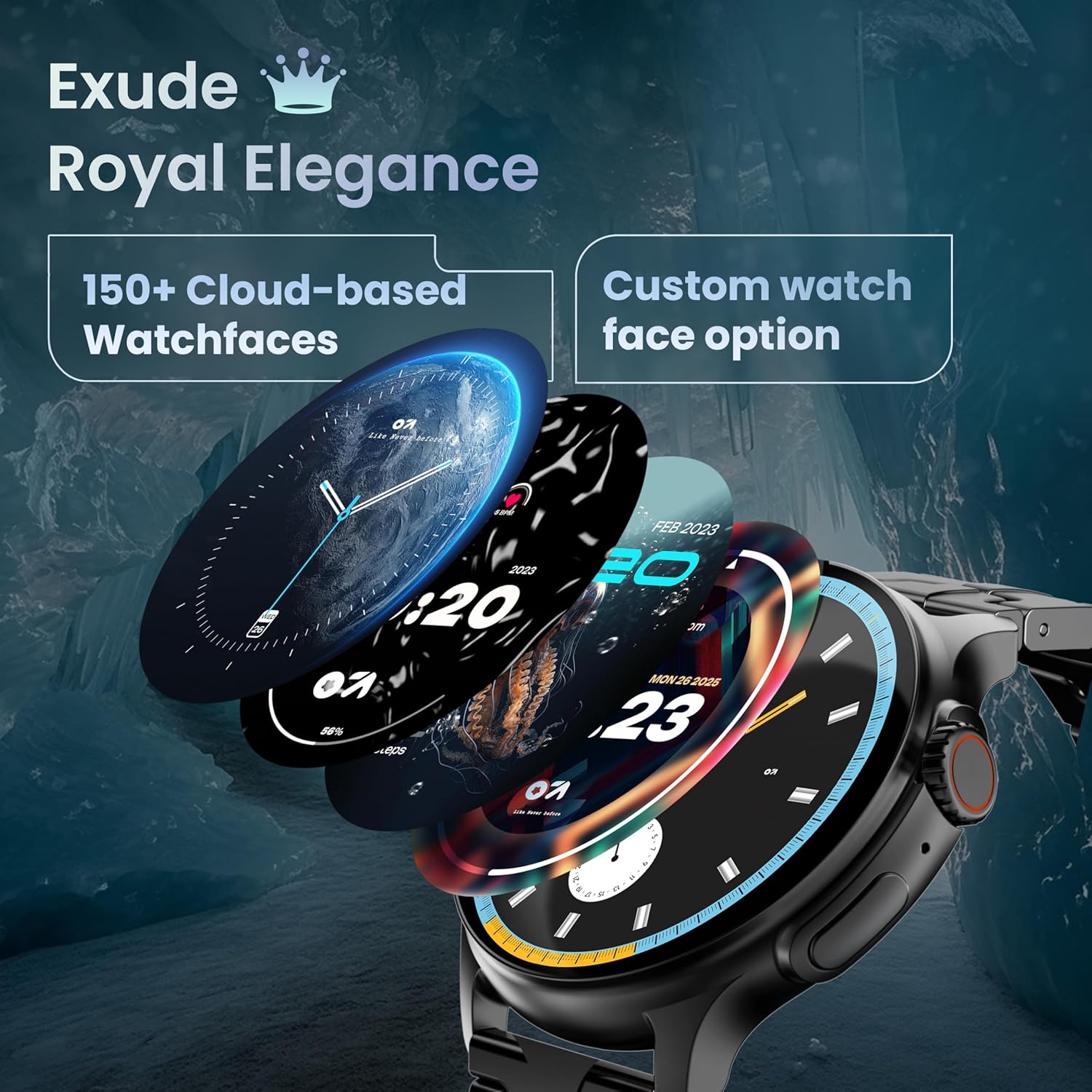
Image: A selection of over 150 watch faces available for customization.
- Ngarobah Rupa Jam: Long-press the home screen to access watch face options. Swipe left or right to browse and tap to select. More watch faces are available through the companion app.
4.2. Napigasi jeung kadali
Navigate the smartwatch interface using touch gestures and the functional 'Working Crown'.

Image: Detail of the working crown, used for navigation and customization.
- Gesek ka handap: Aksés setélan gancang (contona, kacaangan, DND, panghemat batré).
- Gesek ka luhur: View bewara.
- Gesek Kénca/Katuhu: Access widgets and main features (e.g., activity, heart rate, weather).
- Working Crown: Rotate to scroll through menus or lists. Press to return to the home screen or confirm selections.
4.3. Telepon Bluetooth
The smartwatch supports Bluetooth Calling v5.2, allowing you to make and receive calls directly from your wrist.

Image: Illustration of the smartwatch's Bluetooth calling capabilities with integrated microphone and speaker.
- Ngajawab Telepon: Tap the green phone icon on the screen when a call comes in.
- Nelepon: Access the dial pad or contacts list from the smartwatch menu.
- Nolak Telepon: Tap the red phone icon.
4.4. Olahraga Mode
Track over 120 sports and fitness activities with detailed analytics.

Image: The smartwatch interface showing active sports tracking and various sports icons.
- Access the 'Sports' menu to select your desired activity.
- The watch will record data such as duration, calories burned, and heart rate during your workout.
4.5. Pangimeutan Kaséhatan
Monitor key health metrics in real-time.

Image: The health suite features, including heart rate, SpO2, and sleep monitoring.
- Monitor Detak Jantung: Provides 24x7 heart rate tracking.
- Monitor Saturasi Oksigén Getih SpO2: Ukur tingkat oksigén getih.
- Pangimeutan Saré: Ngalacak pola sareng kualitas bobo.
- Nyukcruk Siklus Menstruasi Awéwé: Ngabantosan ngalacak sareng ngaduga siklus menstruasi.
- Tracker kagiatan: Ngarekam léngkah, jarak, sareng kalori anu diduruk sapopoe.
- Latihan napas: Dipandu latihan engapan pikeun rélaxasi.
4.6. Asisten Sora AI
Control your smartwatch hands-free using voice commands.

Image: The AI voice assistant feature, activated by pressing a button for 3 seconds.
- Press the dedicated button (or specified gesture) for 3 seconds to activate the AI voice assistant.
- Use voice commands to ask questions, set reminders, or manage tasks.
4.7. Notifications and Utilities
Receive SMS and push notifications directly on your wrist. The smartwatch also includes useful utilities.

Image: The 'Find My Phone' feature, which causes the connected phone to ring or vibrate.
- Bewara: Ensure notification permissions are enabled in the companion app for your desired applications.
- Kalkulator: Access the calculator from the app menu for quick calculations.
- Manggihan Telepon abdi: Use this feature from the smartwatch to make your connected phone ring or vibrate, helping you locate it.
4.8. Tahan Cai sareng Lebu (IP67)
The smartwatch is IP67 rated, providing protection against dust and temporary immersion in water.
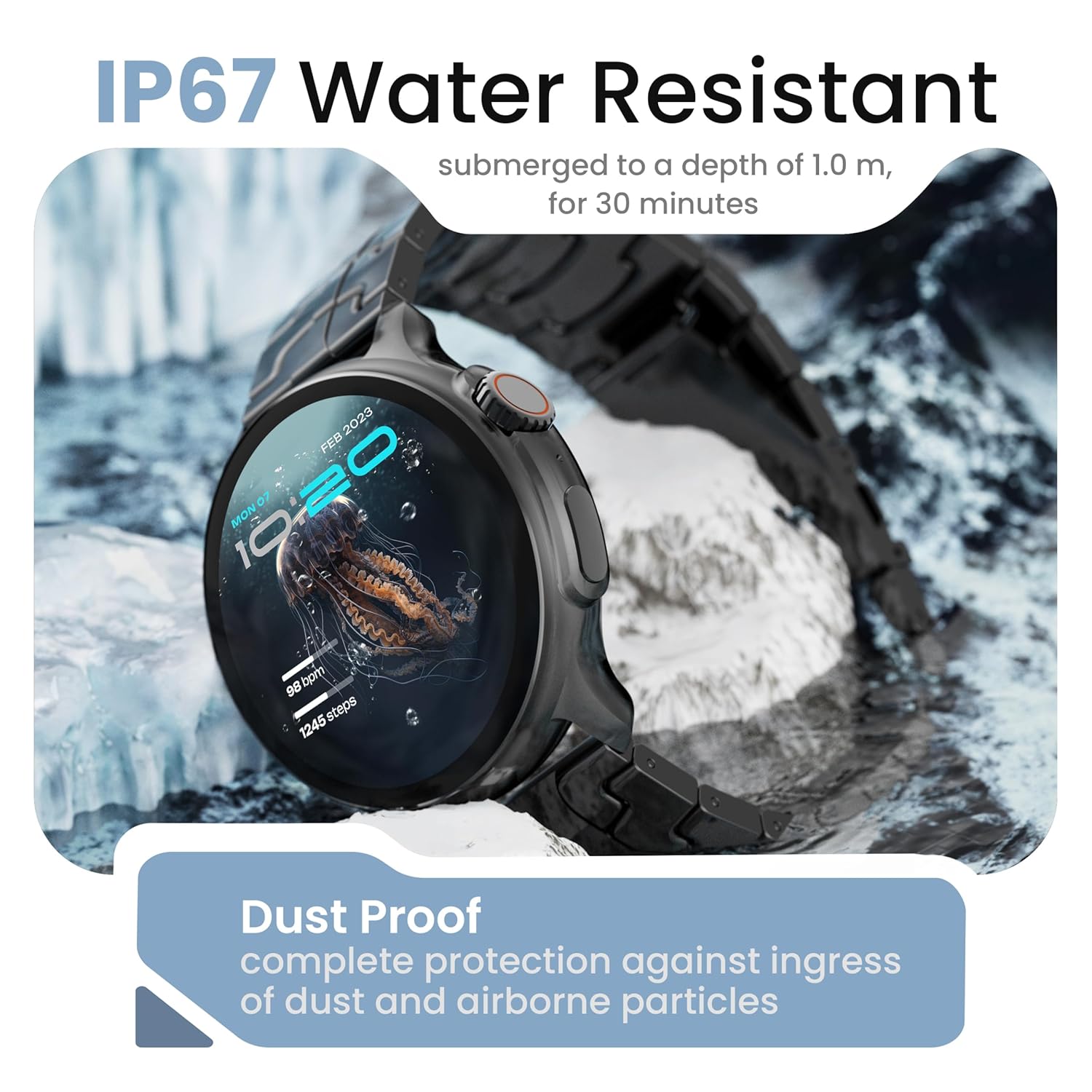
Image: The smartwatch demonstrating its IP67 water resistance, capable of being submerged up to 1 meter for 30 minutes.
- The device is resistant to sweat, splashes, and brief immersion in water up to 1 meter for 30 minutes.
- Avoid using the watch in hot water, saunas, or steam rooms.
- Do not press buttons while the watch is submerged.
5. Perawatan sareng Pangropéa
- beberesih: Ngusap arloji sareng tali sacara teratur nganggo lawon anu lembut sareng garing. Upami diperlukeun, make rada damp lawon sarta garing tuntas.
- Hindarkeun Bahan Kimia: Ulah make bahan kimia kasar, pangleyur beberesih, atawa detergents kuat, sabab ieu bisa ngaruksak finish jeung segel arloji urang.
- Panyimpenan: Simpen jam tangan pinter dina tempat anu tiis sareng garing upami henteu dianggo.
- Ngecas: Paké ngan kabel ngecas disadiakeun.
6. Cara ngungkulan
6.1. Smartwatch Not Turning On
- Pastikeun arloji dicas pinuh. Sambungkeun ka carjer sahenteuna 30 menit.
- Press and hold the side button for an extended period (10-15 seconds) to force a restart.
6.2. Teu Bisa Dipasangkeun jeung Smartphone
- Pastikeun Bluetooth diaktipkeun dina telepon pinter sareng jam tangan pinter anjeun.
- Make sure the smartwatch is within the Bluetooth range of your phone (typically 10 meters).
- Balikan deui smartphone anjeun sareng jam tangan pinter.
- Hapuskeun cache Bluetooth dina telepon anjeun (upami aya) teras cobian pasangkeun deui.
- Pastikeun aplikasi pendamping diropéa ka versi panganyarna.
6.3. Data Kaséhatan teu akurat
- Pastikeun yén arloji dipaké pas dina pigeulang anjeun, henteu ketat teuing atanapi longgar teuing.
- Ngabersihan sénsor dina tonggong arloji.
- Hindarkeun gerakan kaleuleuwihan salami pangukuran.
- Note that smartwatch health data is for reference only and should not be used for medical diagnosis.
6.4. Bewara Teu Nembongan
- Check if notification permissions are granted for the companion app and individual applications on your smartphone.
- Ensure the smartwatch is connected to your phone via Bluetooth.
- Disable 'Do Not Disturb' mode on both your phone and smartwatch.
7. Spésifikasi
| merek | GOBOULT |
| Ngaran modél | R Pro 2 |
| Ukuran tampilan | 1.43 inci |
| Tipe tampilan | HD AMOLED |
| Caang | 600 niis |
| Vérsi Bluetooth | 5.2 |
| Tahan cai | IP67 |
| Kahirupan Batré (Rata-rata) | 7 poé |
| Waktu Ngeusi batre | 150 Menit |
| Sistem operasi | Android (kompatibel) |
| Item Beurat | 56.5 g |
| Komponén Kaasup | Jam tangan pinter, kabel ngecas, buku panduan, kartu garansi |
8. Garansi jeung Rojongan
8.1. Émbaran jaminan
Your GOBOULT Crown R Pro 2 Smartwatch comes with a standard manufacturer's warranty. Please refer to the included Warranty Card for specific terms, conditions, and duration of the warranty.
8.2. Rojongan Palanggan
For any product-related queries, technical assistance, or warranty claims, please contact GOBOULT customer support through the following channels:
- Websitus: Visit the official GOBOULT websitus pikeun FAQs jeung sumber rojongan.
- Surélék: Refer to your warranty card or the official websitus pikeun alamat surélék layanan palanggan.
- Telepon: Contact numbers may be available on the official GOBOULT website or warranty card.
Please have your product model number (R Pro 2) and purchase details ready when contacting support.


