Bubuka
Thank you for choosing Raycon Bone Conduction Headphones. These open-ear Bluetooth sports earbuds are designed to provide a unique listening experience, allowing you to enjoy audio while remaining aware of your surroundings. With IP68 water resistance and a lightweight build, they are ideal for workouts, running, and daily use. This manual provides detailed instructions on how to set up, operate, maintain, and troubleshoot your new headphones.

Raycon Bone Conduction Headphones, Gray model.
Naon dina Box
Your Raycon Bone Conduction Headphones package includes the following items:
- Raycon Bone Conduction Headphones
- Magnetic Ping Charging Cable
Produk Leuwihview jeung Fitur
The Raycon Bone Conduction Headphones are engineered for comfort and performance, featuring an open-ear design that transmits sound through your cheekbones, leaving your ears open to ambient sounds. This design enhances safety during outdoor activities.
Desain Ceuli Buka: Stay aware of your surroundings and remain connected for a safer, smarter way to listen. The design allows for a 35-degree rotation for optimal fit.

Wangunan ringan: Designed for extended wear, these featherlight headphones combine a comfortable frame with an ergonomic design, allowing free movement without discomfort.
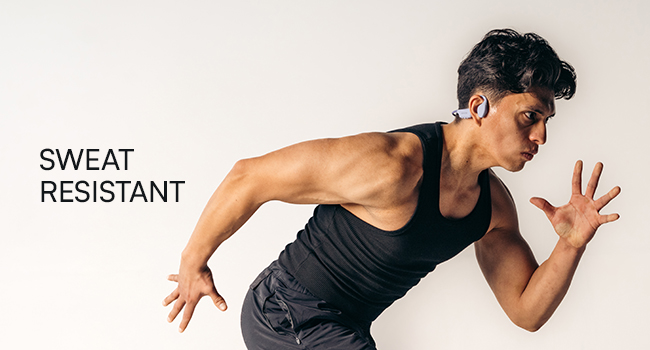
IP68 Water-Resistance: Your headphones are built to withstand rain, sweat, storms, and spills, ensuring your music continues without interruption, regardless of weather conditions.
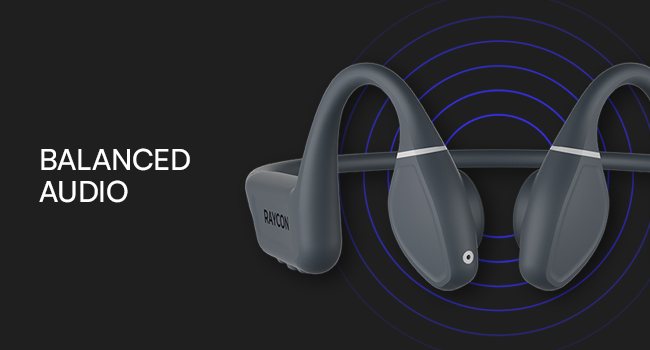
Balanced Tunes: Innovative bone conduction technology delivers clear audio without blocking your ears. The adjustable conduction buds allow you to slide them closer for louder sound or pull them back for more environmental awareness.
Disetél
1. Ngecas Headphone
Before first use, fully charge your Raycon Bone Conduction Headphones. Use the provided Magnetic Ping Charging Cable. Connect the magnetic end to the charging port on the headphones and the USB end to a compatible power source (e.g., computer USB port, wall adapter).
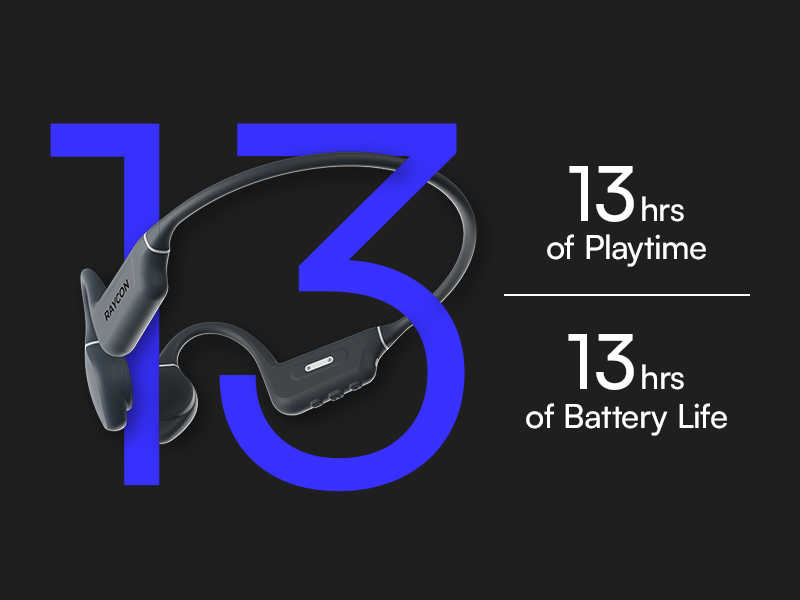
- Muatan pinuh nyayogikeun kirang langkung 13 jam waktos maén.
- Ensure charging connections are properly aligned for efficient charging.
2. Papasangan Bluetooth
Pikeun nyambungkeun headphone anjeun ka alat:
- Pastikeun headphone dipareuman.
- Pencét jeung tahan tombol daya nepi ka indikator LED hurung, nunjukkeun mode papasangan.
- On your Bluetooth-enabled device (smartphone, tablet, laptop, desktop), go to the Bluetooth settings.
- Select "Raycon Bone Conduction Headphones" from the list of available devices.
- Once connected, the LED indicator will change to a steady light, and you will hear an audible confirmation.
The headphones utilize Bluetooth 5.3 technology, providing a stable connection up to 33 feet (10 meters).
Parentah Operasi
Your Raycon Bone Conduction Headphones feature intuitive button and touch controls for easy management of your audio and calls.
Kadali dasar
- Hurungkeun/Pareuman: Pencét jeung tahan tombol daya.
- Puter / Reureuh: Pencét sakali tombol multi-fungsi.
- Volume Kaluhur/Turun: Anggo tombol volume khusus.
- Lagu salajengna: Pencét dua kali tombol multi-fungsi.
- Lagu Sateuacanna: Pencét tilu kali tombol multi-fungsi.
Manajemén Telepon
- Ngajawab / mungkas Telepon: Pencét sakali tombol multi-fungsi nalika aya telepon asup atanapi telepon aktif.
- Nolak Telepon: Pencét jeung tahan tombol multi-fungsi nalika keur nelepon asup.
Adjustable Conduction Buds
The conduction buds can be adjusted to optimize sound and awareness. Slide the buds closer to your ear for a louder, more immersive sound experience, or pull them back slightly to increase your awareness of ambient sounds.
Pangropéa
Perawatan anu leres bakal manjangkeun umur sareng kinerja headphone anjeun.
- beberesih: Ngusap headphone ku hipu, damp lawon. Ulah make bahan kimia kasar atawa bahan abrasive.
- Tahan cai: The headphones are IP68 water-resistant, meaning they can withstand submersion up to 1.5 meters for 30 minutes. However, it is recommended to dry them thoroughly after exposure to water, sweat, or spills. Do not charge if wet.
- Panyimpenan: Simpen headphone dina tempat anu tiis sareng garing jauh tina suhu ekstrim sareng sinar panonpoé langsung.
Pamérésan masalah
If you encounter issues with your Raycon Bone Conduction Headphones, refer to the following common solutions:
| Masalah | Mungkin Cukang lantaranana | Solusi |
|---|---|---|
| Headphone teu hurung | batré lemah | Charge the headphones fully using the provided cable. |
| Teu tiasa dipasangkeun sareng alat | Headphones not in pairing mode; device Bluetooth off; out of range | Ensure headphones are in pairing mode. Turn Bluetooth off and on on your device. Make sure headphones are within 10 meters (33 feet) of the device. |
| Sound cutting out or poor quality | Low battery; too far from device; interference | Check battery level. Move closer to your device. Avoid environments with strong Wi-Fi or other Bluetooth signals. |
| Masalah ngecas | Cable not properly connected; dirty charging contacts | Ensure the Magnetic Ping Charging Cable is properly aligned and securely connected. Clean the charging contacts on both the cable and headphones. |
| No official product videos found. | No relevant seller-created videos available in product data. | Refer to the text descriptions and images for product information. |
spésifikasi
Detailed technical specifications for your Raycon Bone Conduction Headphones:
| Fitur | Spésifikasi |
|---|---|
| Ngaran modél | Headphone konduksi tulang |
| Nomer Modél Item | RBB842-24E-PUR |
| Téhnologi konektipitas | Nirkabel (Bluetooth) |
| Vérsi Bluetooth | 5.3 |
| Rentang Bluetooth | 33 suku (10 méter) |
| Tipe Supir Audio | Supir Konduksi Tulang |
| Ukuran Supir Audio | 16 milimeter |
| Réspon Frékuénsi | 20 Hz - 20,000 Hz (20 KHz) |
| Sensitipitas | 91 dB |
| Impedansi | 8 ohm |
| Kahirupan batré | 13 Jam |
| Tingkat Résistansi Cai | IP68 Tahan Cai |
| Tipe Kontrol | Tombol Control, Toél |
| Bahan | Acrylonitrile Butadiene Styrene (ABS), Silikon |
| Item Beurat | 6.4 ons |
| Warna | kulawu |
| Panempatan Ceuli | Buka Ceuli |
| Produsén | Raycon Global |
| UPC | 811162032552 |
Garansi sareng Rojongan
For warranty information and customer support, please visit the official Raycon website or contact Raycon customer service directly. Keep your proof of purchase for any warranty claims.
Raycon also offers optional protection plans for extended coverage. Details on these plans can typically be found where the product was purchased or on the Raycon websitus.


