Bubuka
Thank you for choosing Raycon Bone Conduction Headphones. This manual provides essential information for the proper use, setup, and maintenance of your device. Please read it thoroughly before use.
These headphones utilize bone conduction technology, allowing you to hear audio while keeping your ears open to your surroundings. They are designed for active lifestyles, featuring a lightweight, water-resistant build and a secure fit.
Eusi pakét
- Raycon Bone Conduction Headphones
- Kabel Ngecas magnét
- Manual pangguna (dokumén ieu)
Produk Leuwihview
Familiarize yourself with the components of your Raycon Bone Conduction Headphones.

Gambar 1: Hareupeun view of the Raycon Bone Conduction Headphones. The image shows the purple headphones with the Raycon logo visible on the left side, highlighting the open-ear design and the flexible band connecting the two ear pieces.

Gambar 2: Sisi view of the Raycon Bone Conduction Headphones. This image displays the control buttons located on the right ear piece, along with the charging port area. The overall lightweight and ergonomic design is visible.
Fitur konci:
- Desain Ceuli Buka: Allows situational awareness.
- Téknologi Konduksi Tulang: Delivers audio through cheekbones.
- Tahan cai IP68: Protection against sweat, rain, and spills.
- Wangunan ringan: Comfortable for extended wear.
- Adjustable Conduction Buds: For personalized sound and awareness balance.
- Bluetooth 5.3: Stable wireless connectivity.
- 13-Jam Playtime: Extended battery life.
Disetél
1. Ngecas Headphone
Sateuacan dianggo anu munggaran, eusian pinuh headphone anjeun.
- Connect the magnetic charging cable to the charging port on your headphones.
- Sambungkeun tungtung kabel anu sanés ka adaptor kakuatan USB (teu kalebet) atanapi port USB komputer.
- Indikator LED bakal nembongkeun status ngecas (misalna beureum keur ngecas, biru keur dicas pinuh).
- Ngeusi batre pinuh biasana butuh 1.5-2 jam.
2. Powering on / Pareum
- Pikeun Ngahurungkeun: Press and hold the Power button for 3 seconds until the LED indicator flashes blue and you hear a power-on prompt.
- Pikeun mareuman: Press and hold the Power button for 5 seconds until the LED indicator flashes red and you hear a power-off prompt.
3. Papasangan Bluetooth
Masangkeun headphone anjeun sareng alat anu diaktipkeun Bluetooth (smartphone, tablet, laptop).
- Pastikeun headphone dipareuman.
- Press and hold the Power button for 5-7 seconds until the LED indicator flashes red and blue alternately, indicating pairing mode.
- Dina alat Anjeun, buka setelan Bluetooth tur aktipkeun Bluetooth.
- Milarian pikeun available devices and select "Raycon Bone Conduction" (or similar name).
- Once connected, the LED indicator will flash blue slowly, and you will hear a connection confirmation.
- Headphone bakal otomatis nyambung deui ka alat anu terakhir dipasangkeun nalika dihurungkeun, upami aya dina jangkauan.
Parentah Operasi
Ngagem Headphone
Place the headphones with the transducers resting on your cheekbones, just in front of your ears. The band should wrap around the back of your head.
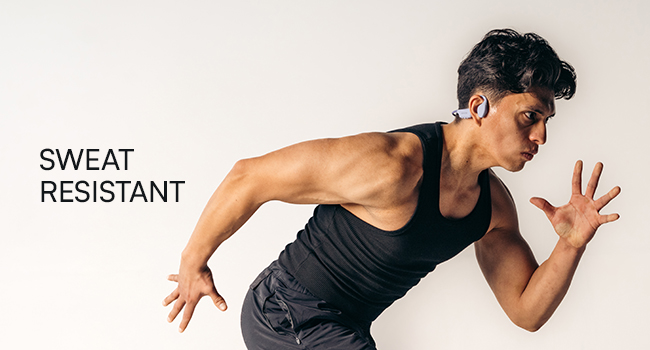
Figure 3: Illustration demonstrating the correct placement of the bone conduction headphones on the head, with the transducers positioned on the cheekbones near the ears. This image emphasizes the open-ear design.
The adjustable conduction buds allow you to slide them closer to your ear for louder sound or pull them back for increased environmental awareness. Experiment to find your preferred balance.
Fungsi Tombol
| Tombol/Aksi | Fungsi |
|---|---|
| Power Button (Press & Hold 3s) | Daya Hurungkeun |
| Power Button (Press & Hold 5s) | Power Off / Enter Pairing Mode |
| Tombol Multi-fungsi (Pencét Tunggal) | Puter / Reureuh Musik, Jawab / Tungtung Telepon |
| Tombol Multifungsi (Pencét Ganda) | Lagu salajengna |
| Tombol Multi-fungsi (Triple Pencét) | Lagu saméméhna |
| Volume Up (+) Button (Single Press) | Ningkatkeun Jilid |
| Volume Down (-) Button (Single Press) | Ngurangan Volume |
| Volume Up (+) Button (Press & Hold) | Aktipkeun Asisten Sora |
Nelepon jeung Narima Telepon
- Ngajawab Telepon: Pencét tombol Multi-fungsi sakali.
- Tungtung Telepon: Pencét Tombol Multi-fungsi sakali nalika nelepon.
- Nolak Telepon: Pencet sareng tahan Tombol Multi-fungsi salami 2 detik.
- Asistén Sora: Press and hold the Volume Up (+) button to activate your device's voice assistant (Siri, Google Assistant, etc.).
Pangropéa sareng Perawatan
- beberesih: Ngusap headphone ku hipu, damp lawon. Ulah make bahan kimia kasar atawa cleaners abrasive.
- Tahan cai (IP68): These headphones are IP68 rated, meaning they are protected against dust and can withstand immersion in water up to 1.5 meters for up to 30 minutes. However, they are not designed for swimming or prolonged underwater use. Ensure the charging port is dry before charging.
- Panyimpenan: Simpen headphone dina tempat anu tiis sareng garing jauh tina sinar panonpoé langsung sareng suhu anu ekstrim.
- Perawatan batré: Pikeun manjangkeun umur batre, ulah miceun headphone sacara sering. Ngeusi batre sacara rutin, sanaos henteu dianggo kanggo waktos anu berkepanjangan.
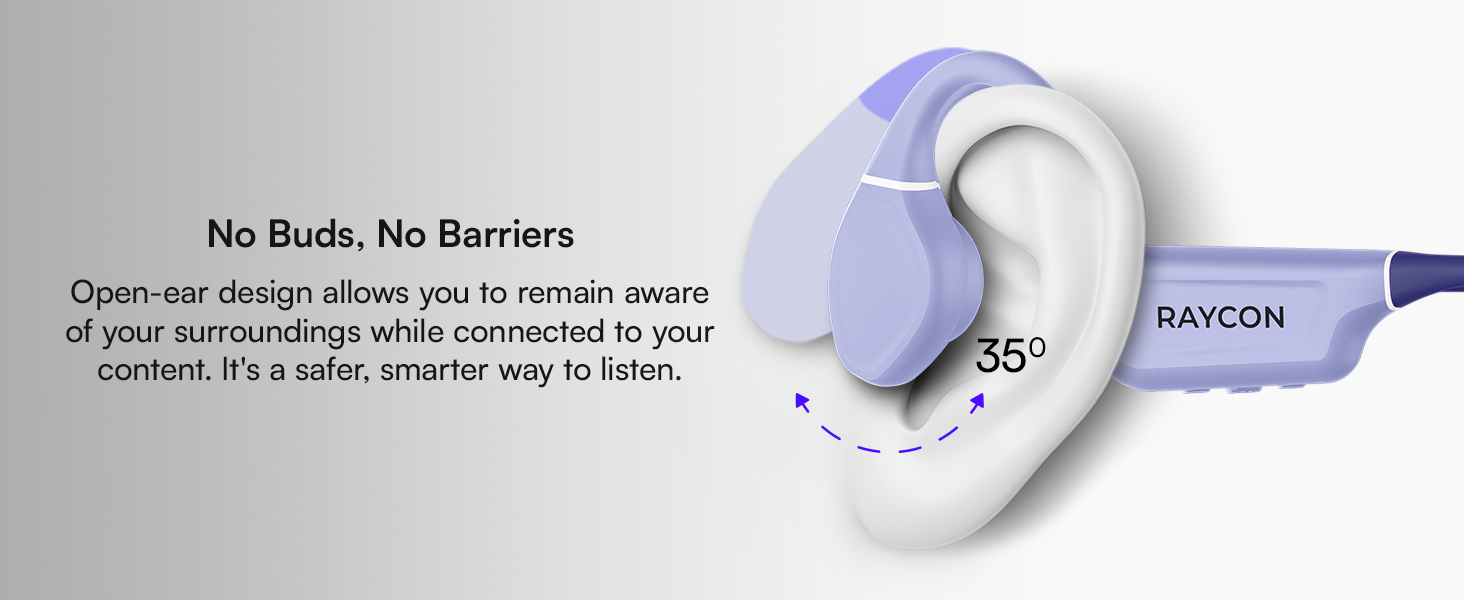
Figure 4: Image illustrating the water-resistant feature of the Raycon Bone Conduction Headphones, with water droplets splashing around them. This visually confirms their suitability for use in various weather conditions or during workouts.
Pamérésan masalah
| Masalah | Solusi anu mungkin |
|---|---|
| Headphone teu hurung. | Ensure the headphones are charged. Connect to the charging cable and check the LED indicator. |
| Teu tiasa dipasangkeun sareng alat. |
|
| Taya sora atawa volume low. |
|
| Kualitas panggero goréng. |
|
spésifikasi
| Fitur | Rincian |
|---|---|
| Ngaran modél | Headphone konduksi tulang |
| Nomer modél | RBB842-24E |
| Téhnologi konektipitas | Nirkabel (Bluetooth 5.3) |
| Rentang Bluetooth | Nepi ka 33 suku (10 méter) |
| Tipe Supir Audio | Supir Konduksi Tulang |
| Ukuran Supir Audio | 16 milimeter |
| Rentang Frékuénsi | 20 Hz - 20 KHz |
| Sensitipitas | 91 dB |
| Impedansi | 8 ohm |
| Kahirupan batré | Nepi ka 13 jam |
| Tingkat Résistansi Cai | IP68 |
| Bahan | Acrylonitrile Butadiene Styrene (ABS), Silikon |
| Item Beurat | 5.6 ons |
| Komponén Kaasup | Kabel Ngecas magnét |
| UPC | 811162032804 |
Garansi sareng Rojongan
For warranty information and customer support, please refer to the official Raycon websitus atanapi ngahubungan layanan palanggan maranéhanana langsung. Simpen bukti pameseran anjeun pikeun klaim garansi.
Dukungan Online: Nganjang Raycon Global Support pikeun FAQ, pituduh ngungkulan, sareng pilihan kontak.
Émbaran Kasalametan
- Ulah ngabongkar, ngalereskeun, atawa ngaropéa produk.
- Do not expose the product to fire or extreme heat.
- Hindarkeun dengekeun dina volume anu luhur pikeun période anu panjang pikeun nyegah karusakan dédéngéan.
- Anggo ati-ati nalika nganggo headphone dina kaayaan anu peryogi kasadaran ngeunaan sakuliling anjeun.
- Jauhkeun tina jangkauan barudak.


