Bubuka
This manual provides detailed instructions for the setup, operation, and maintenance of your GOBOULT Rover Pro Smartwatch. Please read this manual thoroughly before using your device to ensure proper functionality and to maximize your user experience.

Image: GOBOULT Rover Pro Smartwatch, showcasing its sleek design and digital time display.
Eusi pakét
Upon opening your GOBOULT Rover Pro Smartwatch package, verify that all items listed below are present:
- GOBOULT Rover Pro Smartwatch
- Kabel Ngecas
- Manual pangguna (dokumén ieu)
Disetél
1. Ngecas Smartwatch
Before initial use, fully charge your GOBOULT Rover Pro Smartwatch. Connect the provided charging cable to the charging port on the back of the smartwatch and to a standard USB power adapter (not included). A full charge typically takes approximately 150 minutes (2.5 hours).

Image: Illustration of the smartwatch charging, highlighting battery life and charging duration.
2. Powering on / Pareum
- Daya Hurung: Pencét terus tahan tombol sisi nepi ka layar hurung.
- Pareum listrik: Pencét terus tahan tombol sisi, teras pilih "Pareuman" dina layar.
3. Instalasi App sarta Papasangan
To unlock the full potential of your smartwatch, download and install the companion application on your smartphone. The application can typically be found by scanning a QR code in the watch's settings or by searching for "GloryFit" in your smartphone's app store. Once installed:
- Aktipkeun Bluetooth dina smartphone Anjeun.
- Open the companion app and follow the on-screen instructions to add your device.
- Select "GOBOULT Rover Pro" from the list of available devices to pair.
- Konfirmasi pamundut papasangan dina smartphone sareng jam tangan pinter anjeun.
Pikeun ngundeur aplikasi, buka: GloryFit App Download
Ngoperasikeun Smartwatch
Pintonan sareng Napigasi
The GOBOULT Rover Pro features a 1.43-inch AMOLED display with 1000 nits brightness, ensuring clear visibility even in direct sunlight. The display supports an Always-on mode for continuous time display.

Gambar: Detil view of the smartwatch's 1.43-inch round AMOLED curved display.

Image: Visual comparison highlighting the superior brightness and clarity of the Rover Pro's AMOLED display.
- Gesek ka Luhur/Ka handap/Ka kénca/Katuhu: Navigasi ngaliwatan menu, bewara, sareng setelan gancang.
- Ketok: Pilih hiji item atawa buka aplikasi.
- Tombol samping: Press to return to the home screen or access the app list.
Pangimeutan Kaséhatan
The GOBOULT Rover Pro Smartwatch offers comprehensive health tracking features to help you monitor your well-being:
- Pangimeutan Denyut Jantung 24/7: Terus ngalacak denyut jantung anjeun sapopoe.
- SpO2 Blood Oxygen Saturation: Measures the oxygen level in your blood.
- Pangimeutan Saré: Nganalisis pola sare anjeun, kalebet sare tibra, sare hampang, sareng waktos hudang.
- Nyukcruk Siklus Menstruasi Awéwé: Méré wawasan sareng prediksi pikeun siklus menstruasi.
- Tracker kagiatan: Rékam léngkah, jarak, sareng kalori anu diduruk.
- Panginget: Includes reminders to drink water and stay active.
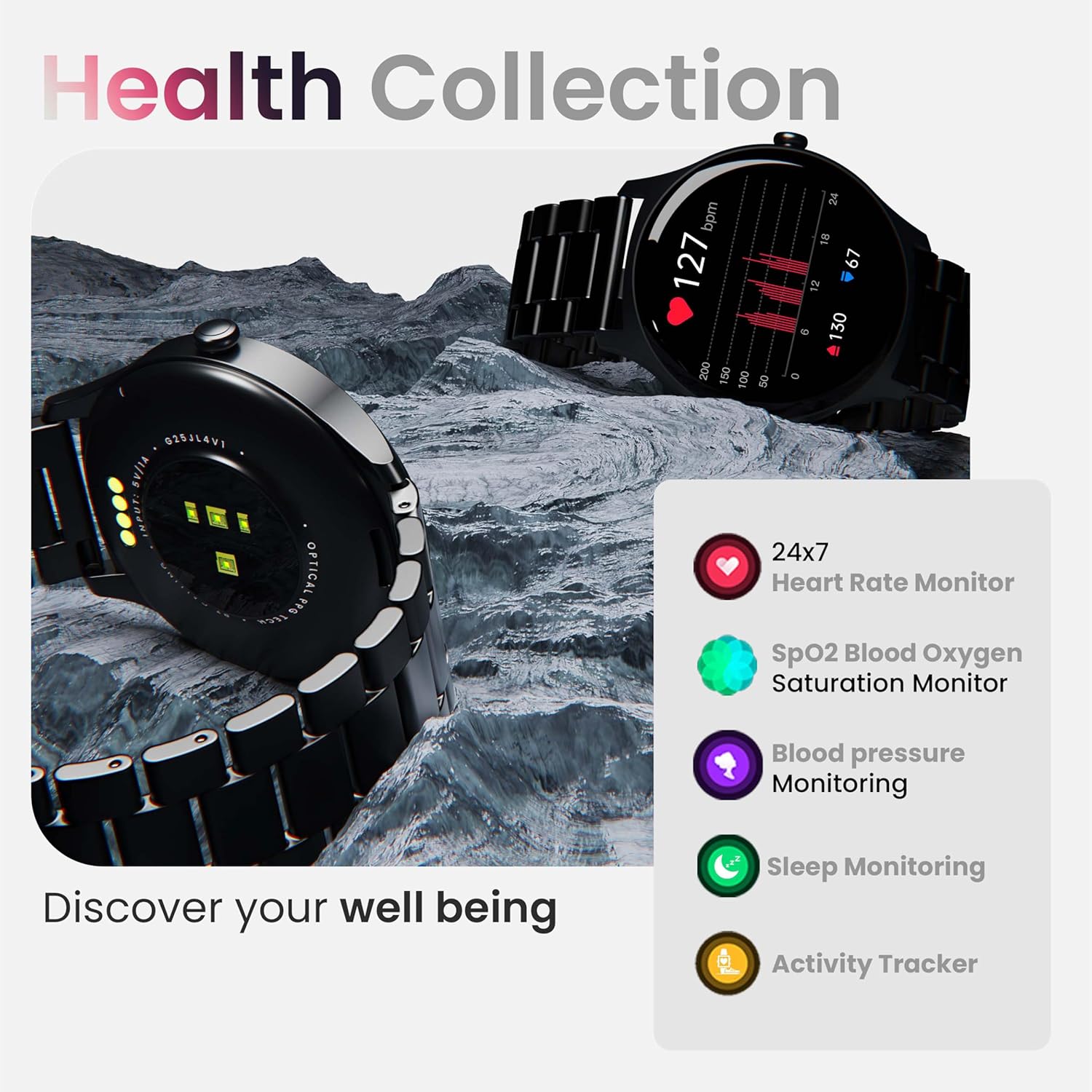
Gambar: Leuwihview of the smartwatch's health monitoring capabilities.
Catetan: This device is not a medical instrument. Health data is for reference only and should not be used for medical diagnosis or treatment.
Modeu Olahraga
With over 120 sports modes, the GOBOULT Rover Pro Smartwatch is designed to track a wide range of physical activities. Select your desired sport from the watch's menu to record specific metrics such as duration, calories burned, and heart rate during your workout.

Image: Display of various sports modes available on the smartwatch.
Kustomisasi
Watch Faces
Personalize your smartwatch with over 150 cloud-based watch faces available through the companion app. You can also create custom watch faces using your own photos.

Gambar: Examples of various watch faces and customization options.
Nelepon Bluetooth
The GOBOULT Rover Pro Smartwatch features Bluetooth 5.2 single-chip technology, enabling direct calls from your wrist. It includes a dedicated speaker and microphone for clear communication.
- Nelepon: Access the dial pad or contact list on your watch to initiate calls.
- Ngajawab / Nolak Telepon: Swipe on the screen to answer or reject incoming calls.
- Contact Sync: Sync your phone's contacts to the smartwatch via the companion app.

Image: Visual representation of the smartwatch's Bluetooth calling interface and features.
Asisten sora AI
Interact with your smartwatch hands-free using the built-in AI voice assistant. Simply activate the assistant and speak your commands to perform various functions, such as setting alarms, checking weather, or initiating calls. Supports popular voice assistants like Siri and Google Assistant when connected to a compatible smartphone.
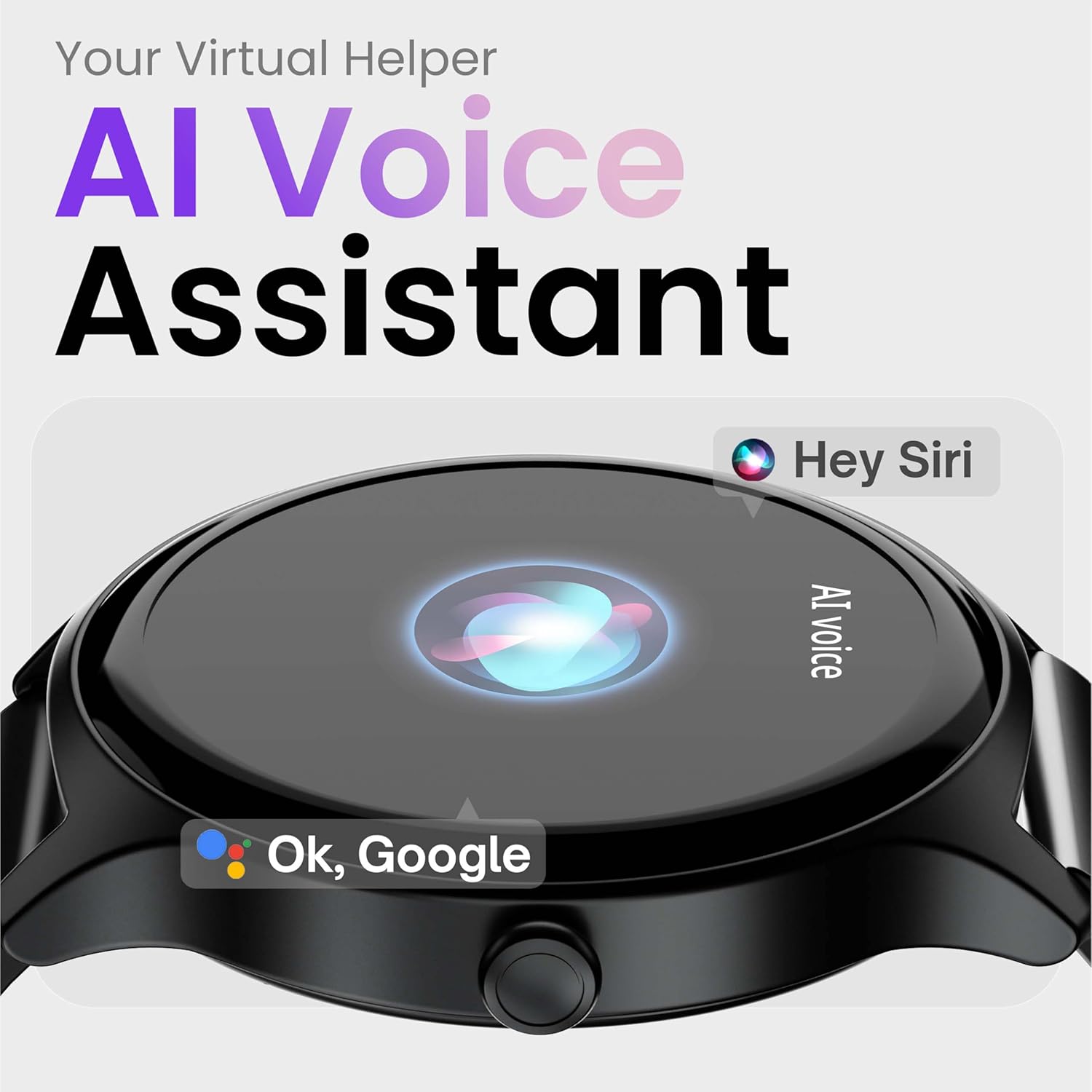
Image: Depiction of the AI Voice Assistant functionality on the smartwatch.
Smart Notifications & Safety Features
Bewara pinter
Receive SMS, call, and app notifications directly on your wrist. Manage which notifications appear through the companion app settings.

Image: Smartwatch screen showing notification alerts and the 'Find my phone' function.
Fitur Kasalametan
- 4-Digit PIN: Secure your smartwatch with a PIN for enhanced privacy.
- One-Tap SOS Alert: In an emergency, activate the SOS feature to notify pre-set emergency contacts.
- Secure Sign-in Methods: Utilize easy and secure methods for accessing your device.
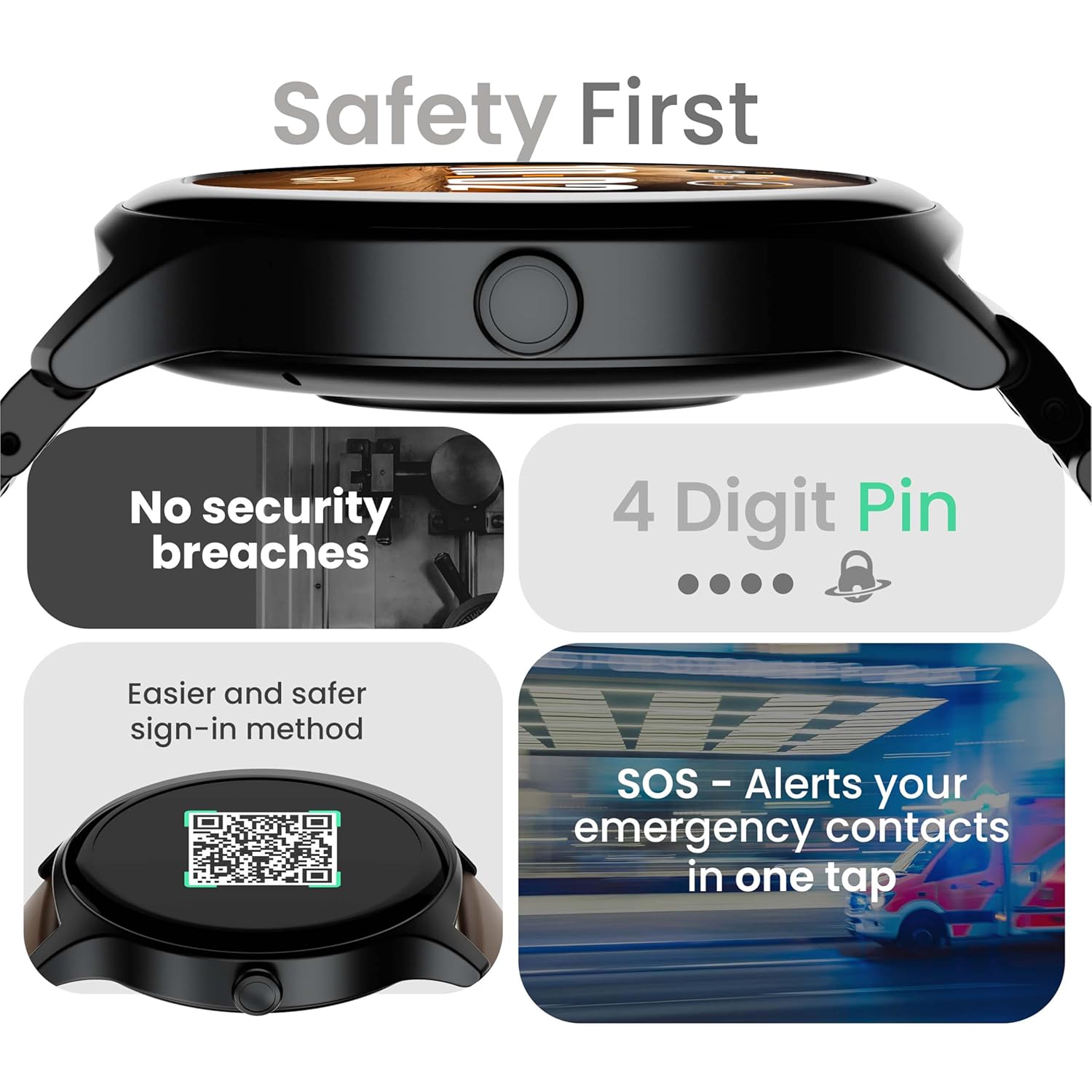
Image: Visuals illustrating the smartwatch's security and emergency features.
Hirup Batré & Ngecas
The GOBOULT Rover Pro Smartwatch is equipped with a battery designed for extended use:
- Pamakéan Biasa: Nepi ka 7 dinten umur batre.
- Waktu sayaga: Dugi ka 20 dinten.
- Ngecas gancang: Approximately 10 minutes of charging provides up to 2 days of battery life.
- Waktu Ngecas Pinuh: Approximately 90 minutes for a complete charge.
Use only the provided charging cable to ensure optimal charging performance and to prevent damage to the device.
Tahan cai (IP68)
The GOBOULT Rover Pro Smartwatch has an IP68 rating, meaning it is dustproof and water-resistant. It can withstand immersion in water up to 1.5 meters deep for up to 30 minutes. This makes it suitable for daily use and various outdoor activities, but it is not recommended for diving or high-pressure water activities.

Image: Illustration of the smartwatch's IP68 water and dust resistance.
Pangropéa
Pikeun mastikeun umur panjang sareng kinerja anu optimal tina jam tangan pinter anjeun, turutan pedoman perawatan ieu:
- beberesih: Lap layar sareng tali jam tangan sacara rutin nganggo lawon anu lemes sareng garing. Upami diperyogikeun, anggo sakedikamp cloth for the strap, then dry thoroughly.
- Hindarkeun Bahan Kimia: Ulah make bahan kimia kasar, pangleyur beberesih, atawa detergents kuat, sabab ieu bisa ngaruksak finish jeung segel arloji urang.
- Port ngecas: Tetep kontak ngecas beresih jeung garing.
- Panyimpenan: Simpen jam tangan pinter dina tempat anu tiis sareng garing upami henteu dianggo.
- Hindarkeun Suhu Ekstrim: Ulah ngalaan jam tangan kana suhu anu panas pisan atanapi tiis pisan kanggo waktos anu lami.
Pamérésan masalah
If you encounter issues with your GOBOULT Rover Pro Smartwatch, refer to the following common solutions:
| Masalah | Solusi |
|---|---|
| Smartwatch teu bisa dihurungkeun. | Pastikeun arloji dicas pinuh. Sambungkeun ka carjer sahenteuna 30 menit. |
| Teu tiasa dipasangkeun sareng smartphone. |
|
| Data kaséhatan anu teu akurat. |
|
| Bewara teu katampa. |
|
| hirup batré pondok. |
|
spésifikasi
| Fitur | Rincian |
|---|---|
| merek | GOBOULT |
| Modél Series | Rover Pro |
| Ukuran tampilan | 1.43 inci |
| Tipe tampilan | AMOLED |
| Caang | 1000 niis |
| Konektipitas | Bluetooth 5.2 |
| Sistem operasi | Android (kompatibel) |
| Tahan cai | IP68 |
| Kahirupan Batré (Typical) | Nepi ka 7 Dinten |
| Waktu Ngeusi batre | Approx. 150 Minutes (Full Charge) |
| Item Beurat | 43 g |
| Komponén Kaasup | Kabel Ngecas, Buku Panduan |
Garansi sareng Rojongan
Émbaran jaminan
Your GOBOULT Rover Pro Smartwatch comes with a 1-Taun Garansi ti tanggal pameseran. Garansi ieu ngawengku cacad manufaktur sareng gangguan fungsi dina panggunaan normal. Éta henteu ngawengku karusakan anu disababkeun ku salah panggunaan, kacilakaan, modifikasi anu henteu sah, atanapi karusakan normal.
Rojongan Palanggan
For technical assistance, warranty claims, or any other inquiries, please contact GOBOULT customer support through their official website or the contact information provided with your purchase documentation. Please have your product model and purchase details ready when contacting support.


