1. Bubuka
Thank you for choosing the AOC 27B35HM Full HD 27-inch monitor. This display is designed to provide a high-quality visual experience with features such as a 120 Hz refresh rate, 1ms MPRT response time, and Adaptive Sync technology for smooth, responsive images. It also incorporates eye-care technologies like Low Blue Light and Flicker-Free to enhance viewing comfort during extended use. This manual will guide you through the setup, operation, and maintenance of your new monitor.
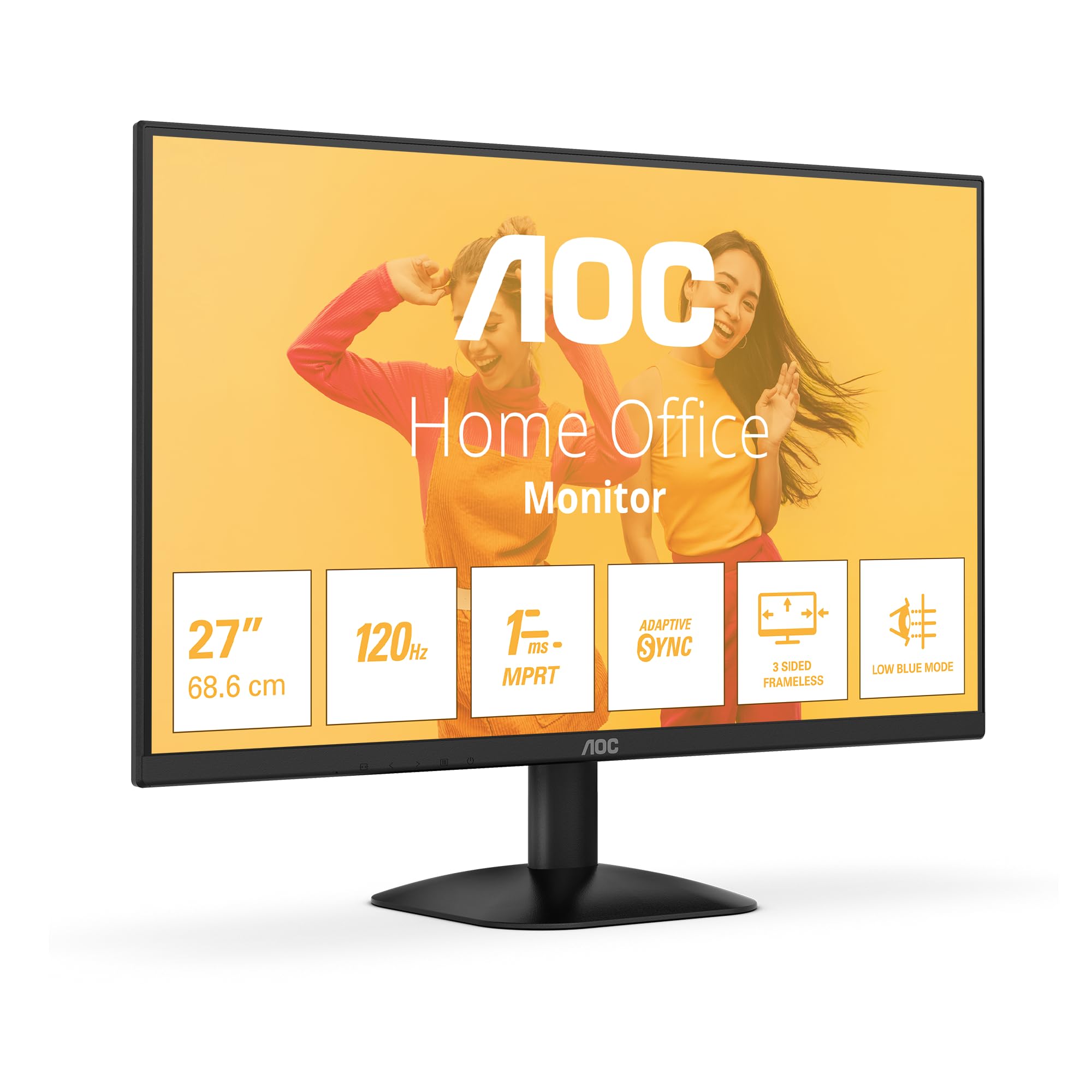
Gambar 1: Hareupeun view of the AOC 27B35HM monitor, showcasing its 27-inch screen, 120Hz refresh rate, 1ms MPRT, Adaptive Sync, 3-sided frameless design, and Low Blue Light mode.
2. Émbaran Kasalametan
Mangga baca sakabeh parentah taliti saméméh ngagunakeun produk ieu. Simpen manual ieu pikeun rujukan ka hareup.
- Do not place the monitor near water or in humid environments.
- Pastikeun ventilasi ditangtoskeun sabudeureun monitor. Ulah meungpeuk bukaan ventilasi.
- Paké ngan adaptor kakuatan disadiakeun kalawan monitor.
- Hindarkeun nempatkeun barang beurat dina kabel listrik.
- Ulah nyobian ngalayanan monitor sorangan. Rujuk sadayana jasa ka tanaga anu mumpuni.
- Cabut colokan monitor tina stop kontak listrik nalika badai kilat atanapi nalika henteu dianggo kanggo waktos anu lami.
3. Eusi Paket
Verify that all the following items are present in your product package:
- AOC 27B35HM Monitor
- Stand Monitor (Dasar sareng Beuheung)
- Kabel Daya
- Kabel HDMI
- D-Sub (VGA) Cable (may vary by region)
- Manual pamaké sarta Kartu Garansi
4. Setélan
4.1 Ngarakit Stand
- Taliti teundeun monitor ka handap dina permukaan anu lemes sareng bersih pikeun nyegah goresan.
- Pasangkeun beuheung penyangga kana panel tukang monitor. Pasangkeun nganggo sekrup anu disayogikeun.
- Attach the stand base to the stand neck. Tighten the thumb screw at the bottom of the base.
4.2 Nyambung kana Komputer
The AOC 27B35HM monitor supports HDMI and D-Sub (VGA) connections.
- Sambungan HDMI: Sambungkeun hiji tungtung kabel HDMI kana port HDMI dina kartu grafis komputer anjeun sareng tungtung anu sanésna kana port HDMI 1.4 dina monitor.
- Sambungan D-Sub (VGA): Connect one end of the D-Sub cable to the VGA port on your computer's graphics card and the other end to the D-Sub port on the monitor.
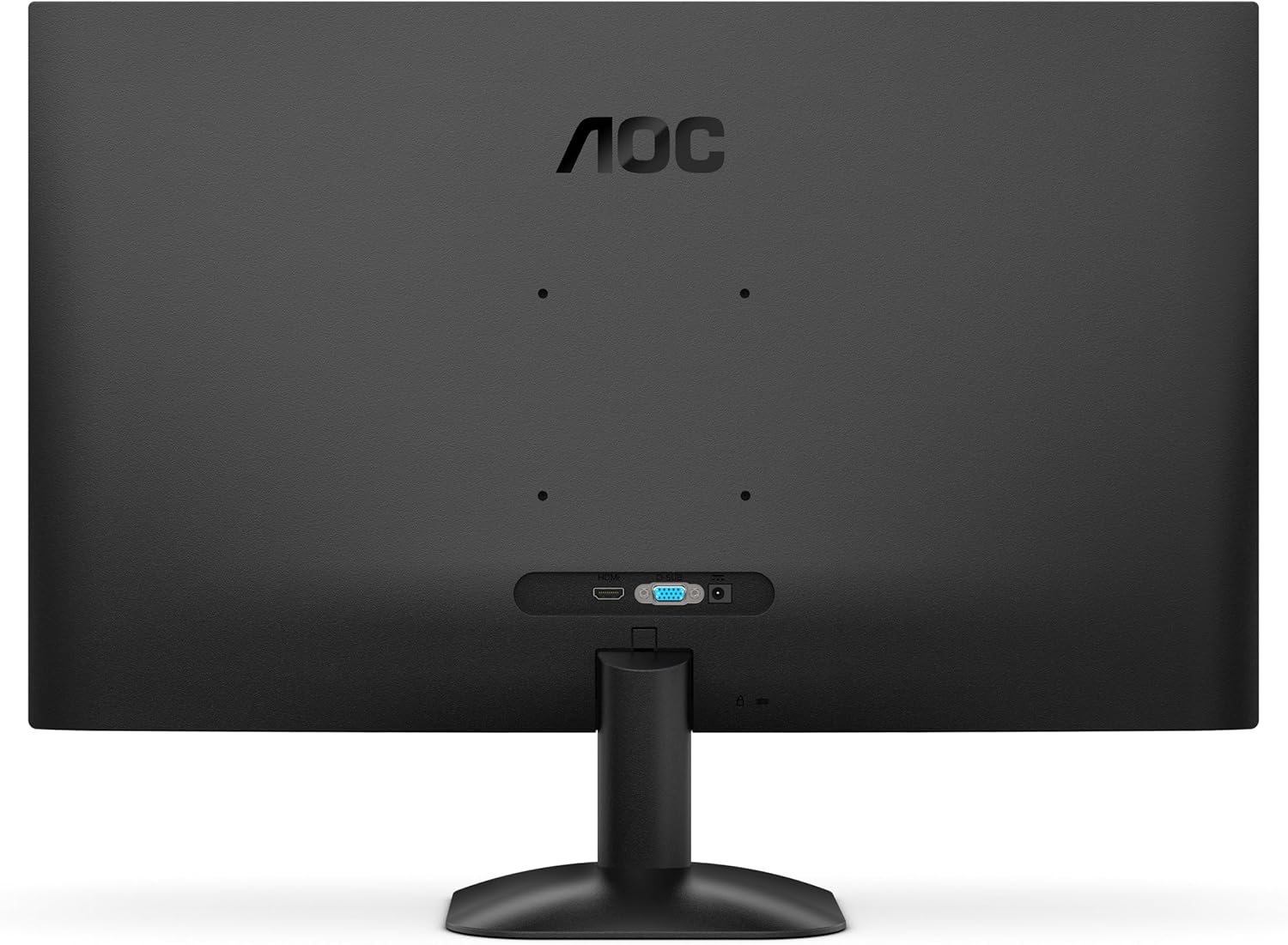
Gambar 2: Tukangeun view of the monitor, illustrating the location of the HDMI and D-Sub input ports.
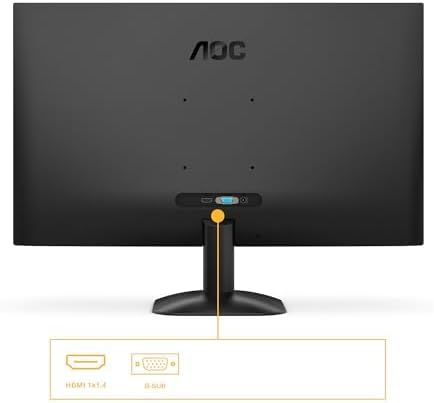
Gambar 3: Detil view of the monitor's connectivity options, specifically highlighting the HDMI 1.4 and D-Sub ports.
4.3 Sambungan Daya
- Connect the power cable to the monitor's power input.
- Colokkeun tungtung kabel daya anu sanés ka stop kontak listrik anu dibumikeun.
5. Parentah Operasi
5.1 Powering on / Pareum
Press the power button located on the bottom right of the monitor to turn it on or off. The power indicator light will illuminate when the monitor is on.
5.2 Menu dina layar (OSD).
The OSD menu allows you to adjust various monitor settings. Use the buttons or joystick (if applicable) on the monitor's bezel to navigate the menu.
Key OSD Functions:
- Caang/Kontras: Saluyukeun luminance sareng kontras sakabéh tampilan.
- Setélan warna: Robah suhu warna, gamma, sareng tingkat RGB individu.
- Pilih Input: Manually switch between HDMI and D-Sub input sources.
- Modeu Gambar: Select from preset display modes (e.g., Standard, Text, Game, Movie).
- Singkronisasi adaptif: Enable or disable Adaptive Sync for tear-free gaming (requires a compatible graphics card).
- Mode Lampu Biru Rendah: Ngurangan émisi cahaya biru pikeun ngirangan tegangan panon.
- Téknologi Tanpa Flicker: This monitor features flicker-free technology to reduce eye fatigue during prolonged use.
- HDR10: The monitor supports HDR10 for enhanced color and contrast, providing a more vivid visual experience.
6. Pangropéa
6.1 Ngabersihan Layar
Ngusap layar nganggo kaén anu lembut sareng teu aya serat. Pikeun tanda nekad, dampen the cloth with a small amount of screen cleaner (non-ammonia based) and wipe gently. Do not spray cleaner directly onto the screen.
6.2 Ngabersihan Exterior
Wipe the monitor's exterior with a soft, dry cloth. Avoid using abrasive cleaners or solvents.
7. Cara ngungkulan
Upami anjeun mendakan masalah sareng monitor anjeun, tingal masalah sareng solusi umum ieu:
| Masalah | Mungkin Cukang lantaranana | Solusi |
|---|---|---|
| Taya Daya | kabel kakuatan teu disambungkeun; stop kontak listrik lepat. | Pastikeun sambungan kabel listrik aman disambungkeun ka monitor jeung stop kontak; Nguji outlet sareng alat sejen. |
| Taya Sinyal | Video cable not connected; Incorrect input selected. | Check video cable connections (HDMI/D-Sub); Use OSD menu to select correct input source. |
| Gambar poék/caang teuing | Setélan kacaangan/kontras salah. | Adjust Brightness and Contrast settings via the OSD menu. |
| Image is distorted/blurry | Incorrect resolution; Faulty cable. | Atur resolusi tampilan ka 1920 x 1080; Coba kabel vidéo anu béda. |
| Layar kedip-kedip | Refresh rate mismatch; Graphics card issue. | Ensure graphics card drivers are updated; Check monitor refresh rate settings in OS. |
8. Spésifikasi
Detailed technical specifications for the AOC 27B35HM monitor:
| Fitur | Spésifikasi |
|---|---|
| merek | AOC |
| Nomer modél | 27B35HM |
| Ukuran layar | 27 inci (68.6 cm) |
| Resolusi | 1920 x 1080 (HD lengkep) |
| Rasio Aspék | 16:9 |
| Refresh Laju | 120 Hz |
| Waktu Tanggapan | 1 ms (MPRT) |
| Tipe Panel | LCD LED |
| Pedaran beungeut | Matte |
| Babandingan Kontras | 1000:1 ka 3000:1 |
| Konektipitas | 1 x HDMI 1.4, 1 x D-Sub (VGA) |
| Fitur husus | Eye Care (Low Blue Light, Adaptive Sync), HDR10 |
| Warna | Hideung |
| Produsén | AOC Internasional |
| Negara asal | Cina |
8.1 Inpormasi Énergi
For detailed energy efficiency information, please refer to the EPREL database:
- Nomer Pendaptaran EPREL: 2046639
- EPREL Link: https://eprel.ec.europa.eu/qr/2046639
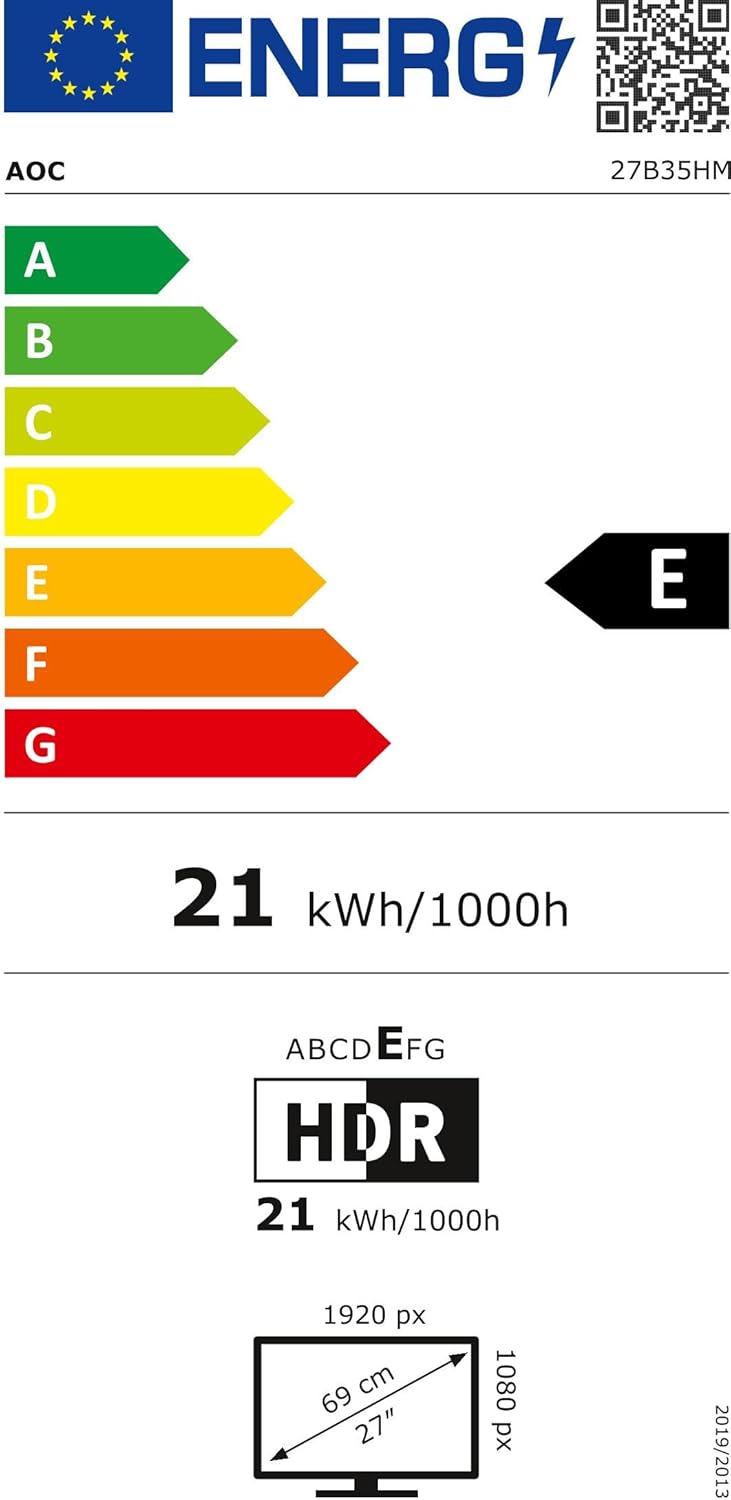
Figure 4: EU Energy Label for the AOC 27B35HM monitor, showing its energy efficiency class E and consumption of 21 kWh/1000h.
9. Garansi jeung Rojongan
9.1 Émbaran jaminan
This product comes with a minimum guaranteed product support period of 8 years and a minimum guarantee period of 3 years offered by the supplier.
9.2 Rojongan Palanggan
For technical assistance, warranty claims, or other inquiries, please contact AOC International (Europe) B.V. using the following information:
- Websitus: https://eu.aoc.com
- Surélék: kevin.yang@tpv-tech.com
- Telepon: +31 (0)20 504 6962
- Alamat: Prins Bernhardplein 200 1097 JB Amsterdam, Netherlands


