1. Bubuka
This manual provides essential information for the safe and efficient operation of your Sharp 40GF2265E Smart TV. This 40-inch Full HD television features Google TV, DVB-T2, and HEVC/H.265 support, offering a comprehensive entertainment experience with integrated Google Assistant and Chromecast built-in.
2. Émbaran Kasalametan
Mangga baca sadaya pitunjuk kaamanan kalayan saksama sateuacan nganggo televisi. Simpen buku panduan ieu kanggo rujukan ka hareup.
- Sasayogian tanaga: Pastikeun TV disambungkeun ka colokan listrik kalawan vol nu benertage. Ulah overload outlet listrik.
- Ventilasi: Ulah meungpeuk bukaan ventilasi. Ngidinan spasi nyukupan sabudeureun TV pikeun aliran hawa ditangtoskeun.
- Cai sareng Uap: Ulah ngalaan TV ka hujan atawa beueus. Ulah nempatkeun barang-barang anu dieusi cairan, sapertos vas, dina TV.
- beberesih: Cabut TV sateuacan beberesih. Paké lawon lemes, garing. Entong nganggo pembersih cair atanapi aerosol.
- panempatan: Place the TV on a stable, level surface. Avoid direct sunlight, heat sources, and extreme temperatures.
- Palayanan: Ulah nyobian ngalayanan TV sorangan. Rujuk sadayana jasa ka tanaga jasa anu mumpuni.
3. Naon dina Box
Verify that all the following components are included with your Sharp 40GF2265E Smart TV:
- Sharp 40GF2265E Smart TV
- Kadali jauh
- Stand TV (2 buah)
- Kabel Daya
- Manual pangguna (dokumén ieu)
- Batteries (2 AAA for remote control)
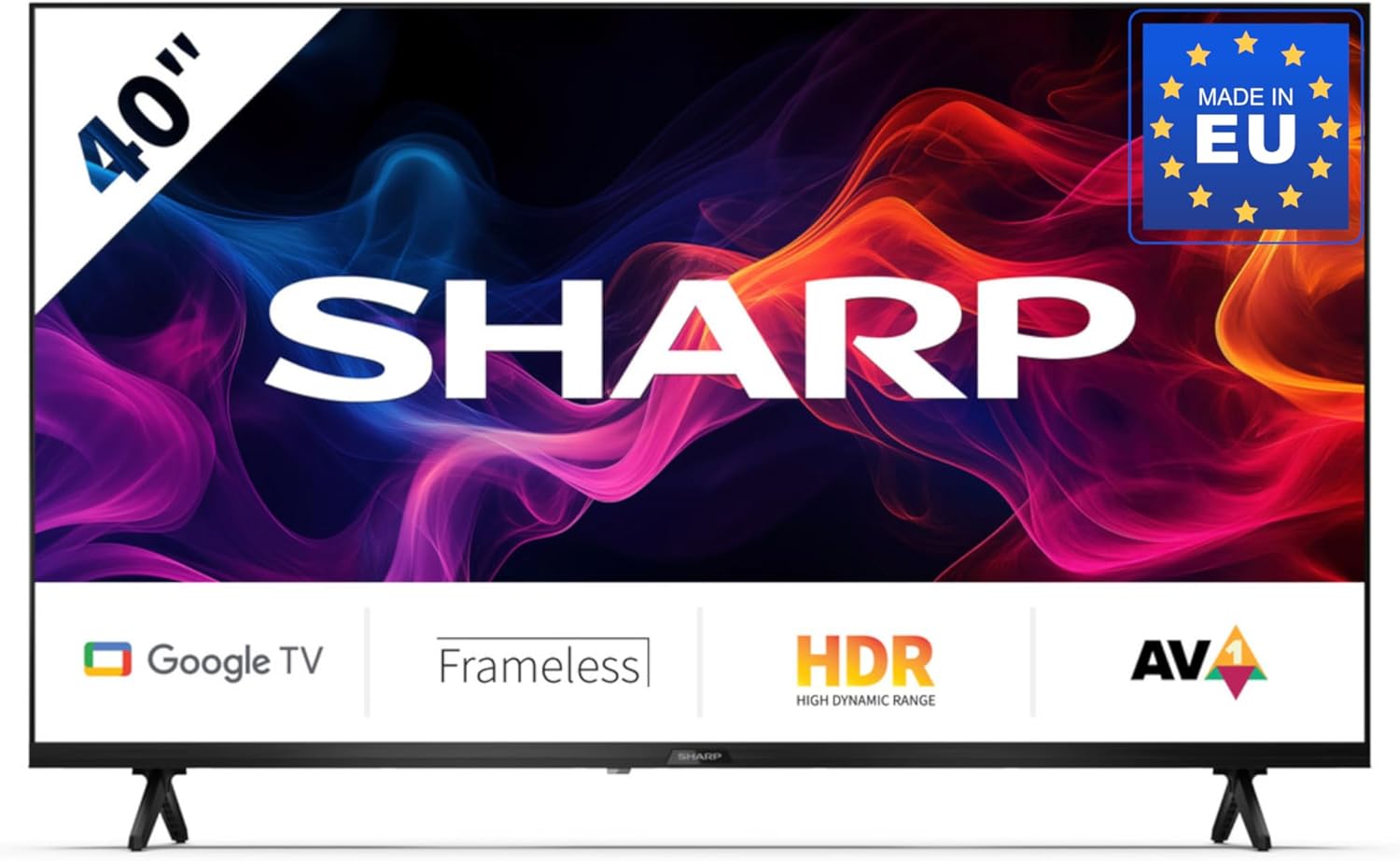
Image 3.1: Sharp 40GF2265E Smart TV with its remote control, stand, and power cable.
4. Setélan
4.1 Ngabongkar bungkusan
- Cabut TV sacara saksama tina bungkusanna.
- Teundeun TV nyanghareup ka handap dina tempat nu lemes, datar (contona, simbut atawa busa) pikeun nyegah karuksakan layar.
4.2 Ngagantelkeun Stand
To attach the included stand to your TV:
- Identipikasi potongan nangtung kénca jeung katuhu.
- Sejajarkeun unggal potongan nangtung sareng slot anu cocog dina handapeun TV.
- Secure the stands using the screws provided. Ensure they are firmly attached.

Gambar 4.1: Hareupeun view of the Sharp 40GF2265E Smart TV with its two-piece stand correctly installed.
4.3 Pamasangan Tembok (Pilihan)
The Sharp 40GF2265E supports VESA wall mounting. A wall mount bracket is not included. Refer to the wall mount manufacturer's instructions for installation. Ensure the wall can support the weight of the TV and the mount.
4.4 Nyambungkeun périferal
Connect your external devices to the TV's rear ports:
- Antena/Kabel: Connect your antenna or cable TV signal to the appropriate input. The TV supports DVB-T2/C/S/S2.
- Alat HDMI: Use HDMI cables to connect Blu-ray players, game consoles, or other HDMI-enabled devices.
- Alat USB: Insert USB drives for media playback or software updates.
- Ethernet: Pikeun sambungan internét kabel anu stabil, sambungkeun kabel Ethernet ka port LAN.
- Audio Kaluar: Use the 3.5mm audio jack or optical digital audio output for external sound systems.

Gambar 4.2: Detil view of the rear connectivity ports on the Sharp 40GF2265E Smart TV, including HDMI, USB, and antenna inputs.
4.5 Powering On
- Sambungkeun kabel kakuatan ka TV terus ka stop kontak témbok.
- Press the power button on the remote control or on the TV itself to turn it on.
5. Ngoperasikeun TV
5.1 Mimiti-Time Setup
Saatos diaktipkeun heula, TV bakal ngabimbing anjeun dina prosés pangaturan awal:
- Pilihan Basa: Pilih basa anu anjeun pikaresep.
- Sambungan jaringan: Sambungkeun ka jaringan Wi-Fi anjeun atanapi nganggo sambungan Ethernet kabel.
- Akun Google: Asup sareng akun Google anjeun pikeun ngaksés pitur Google TV, aplikasi, sareng saran anu dipersonalisasi.
- Scan Channel: The TV will scan for available digital channels.
5.2 Jauh Jauh
The remote control allows you to navigate the TV's interface and control various functions. It includes a dedicated Google Assistant button for voice commands.
5.3 Fungsi TV Dasar
- kakuatan: Hurungkeun atawa mareuman TV.
- Volume: Saluyukeun tingkat sora.
- Saluran: Ganti saluran TV.
- Sumber Input: Select between HDMI, TV tuner, and other inputs.
5.4 Fitur Smart TV (Google TV)
Your Sharp 40GF2265E is powered by Google TV, offering a personalized and integrated entertainment experience.

Image 5.1: The Google TV interface on the Sharp 40GF2265E, showing recommended content and popular streaming applications.
- Aksés Aplikasi: Easily access popular streaming services like Netflix, YouTube, Prime Video, Google Play Movies & TV, and the Google Play Store for more applications.
- Asisten Google: Press the Google Assistant button on your remote to use voice commands for searching content, controlling smart home devices, managing tasks, and more.

Image 5.2: Visual representation of the Google Assistant feature, highlighting voice interaction.
- Chromecast bawaan: Cast movies, videos, photos, and apps directly from your compatible smartphone, tablet, or laptop to the TV screen.

Gambar 5.3: Hiji example of Chromecast built-in functionality, showing content streaming from a mobile device to the TV.
- Konektipitas Bluetooth: Sambungkeun alat-alat anu nganggo Bluetooth sapertos headphone atanapi soundbar sacara nirkabel.
- Modeu Kaulinan: For an optimized gaming experience, the Game Mode reduces input lag and enhances picture settings for sharp resolution and natural contrasts.

Image 5.4: The left panel illustrates the Game Mode feature, providing a responsive gaming experience.
6. Pangropéa
6.1 beberesih
- layar: Lembut usap layar nganggo lawon anu lemes sareng teu aya serat. Pikeun tanda nekad, rada dampBilas lawon ku cai atanapi pembersih khusus layar (ulah nyemprot langsung kana layar).
- Badan TV: Anggo lawon anu lemes sareng garing pikeun ngabersihkeun TVasing.
6.2 Apdet parangkat lunak
TV Anjeun tiasa nampi apdet parangkat lunak sacara périodik pikeun ningkatkeun kinerja sareng nambihan fitur anyar. Pastikeun TV Anjeun disambungkeun ka internet pikeun nampa apdet ieu sacara otomatis atawa pariksa ku cara manual dina menu setelan.
7. Cara ngungkulan
Upami anjeun ngalaman masalah sareng TV anjeun, tingal solusi umum ieu:
- Henteu aya kakuatan: Pariksa naha kabel daya disambungkeun sacara aman ka TV sareng stopkontak. Coba outlet béda.
- Taya Gambar/Sora: Pastikeun sumber input anu bener dipilih. Pariksa sadaya sambungan kabel (HDMI, anteneu).
- Remote Control Teu Gawé: Ganti batréna. Pastikeun teu aya halangan antara jauh sareng sénsor IR TV.
- Masalah Sambungan Jaringan: Balikan deui router sareng modem anjeun. Pariksa kecap akses Wi-Fi. Pikeun sambungan kabel, pastikeun kabel Ethernet parantos nyambung kalayan leres.
- Masalah Kualitas Gambar: Saluyukeun setelan gambar (kacaangan, kontras, seukeutna gambar). Pastikeun sumber input nyadiakeun sinyal kualitas luhur.
For persistent issues, consult the full user manual available online or contact customer support.
8. Spésifikasi
Detailed technical specifications for the Sharp 40GF2265E Smart TV:
| Fitur | Spésifikasi |
|---|---|
| merek | Seukeut |
| Modél | 40GF2265E |
| Ukuran layar | 40 Inci (101 cm diagonal) |
| Téknologi tampilan | LED |
| Resolusi | HD lengkep (1080p) |
| Rasio Aspék | 16:9 |
| Sistem operasi | Google TV |
| Téhnologi Tuner | DVB-T/T2/C/S/S2 (MPEG4 + H.265/HEVC 10 bit) |
| Konektipitas | Wi-Fi, Bluetooth, Ethernet, HDMI (multiple ports), USB (2 ports) |
| Input Audio | 3.5 mm audio jack, Optical digital audio |
| Konfigurasi Sakuriling | 2.1 |
| Wattage | 37 watt |
| Fitur husus | Built-in speaker, Chromecast, Frameless design, Voice recognition |
| Ukuran produk (kalayan stand) | 85.2 x 21.9 x 56.3 cm (P x L x T) |
| Beurat | 5.3 kg |

Image 8.1: Dimensional diagram of the Sharp 40GF2265E Smart TV, illustrating its width, height, and depth.
9. Garansi jeung Rojongan
Kanggo inpormasi garansi sareng dukungan palanggan, mangga tingal dokuméntasi anu kalebet dina produk anjeun atanapi kunjungan ka Sharp resmi websitus. Anjeun ogé tiasa mendakan langkung seueur inpormasi ngeunaan Sharp Brand Store dina Amazon.
10. Émbaran Lingkungan
This product complies with European energy efficiency standards. For detailed energy consumption data, please refer to the energy label and the EPREL database.

Image 10.1: The EU Energy Label for the Sharp 40GF2265E, indicating an energy efficiency class of E.
For more information, visit the EPREL database: https://eprel.ec.europa.eu/qr/2165902


