1. Bubuka
The TOPTRO TR23 Mini Projector is a portable and versatile device designed for high-quality visual and audio experiences. Its compact size, durable metal body, and ergonomic handle make it easy to transport for various uses, from home entertainment to outdoor events. Featuring 1080P support, 5G WiFi, Bluetooth 5.2, and intuitive touch controls, the TR23 delivers clear images and immersive sound.
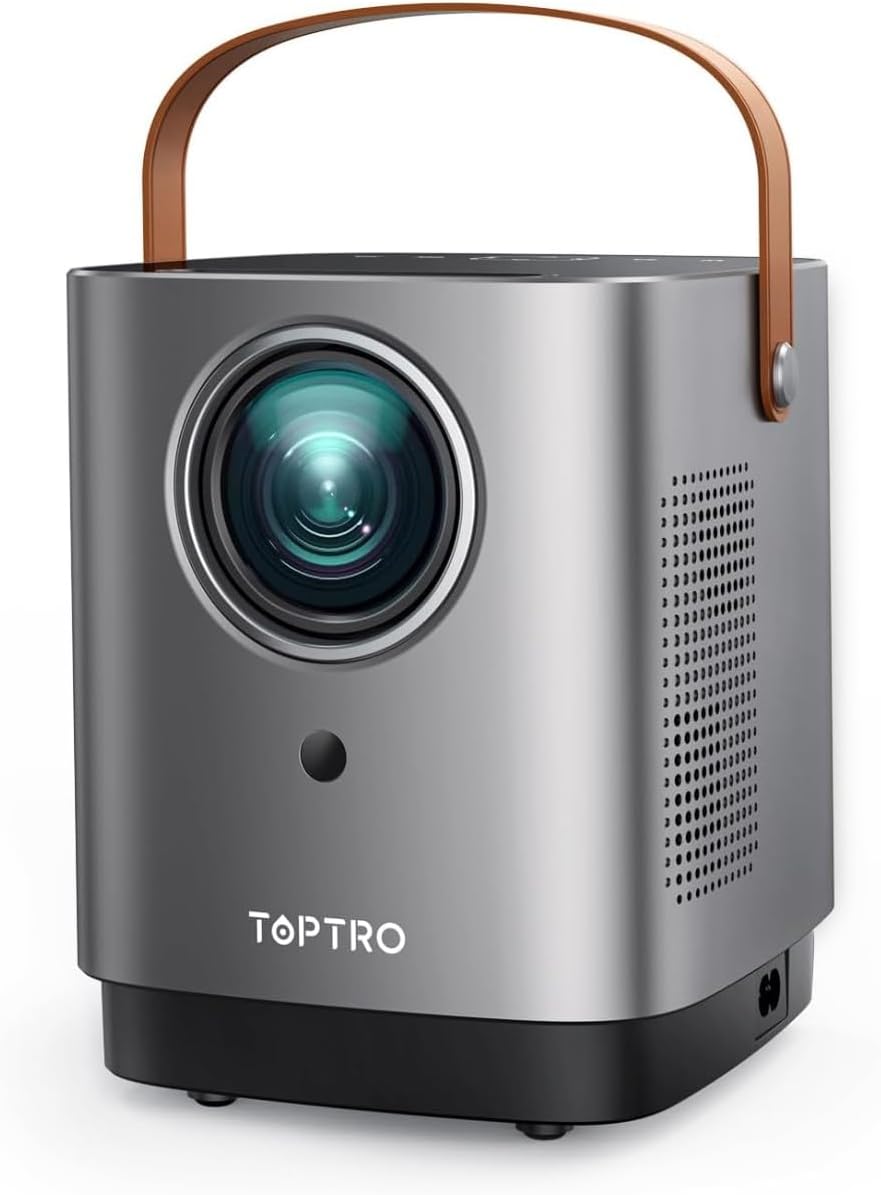
Figure 1.1: TOPTRO TR23 Mini Projector with its unique handle design.
2. Naon dina Box
Upon unboxing your TOPTRO TR23 Mini Projector, please ensure all the following items are included:
- 1* TR23 Projector
- Kabel listrik
- Kadali jauh
- Kabel HDMI
3. Spésifikasi
| Fitur | Katerangan |
|---|---|
| merek | TOPTRO |
| Nomer modél | TR23 |
| Resolusi tampilan | Native 1280 x 720 (Supports 1080P Full HD) |
| Téhnologi konektipitas | Bluetooth 5.2, 5G Wi-Fi, HDMI, USB, AV, 3.5mm Audio Jack |
| Caang | Upgraded 50% (2025 model) |
| NTSC Color Gamut | 98% |
| Babandingan Kontras | 20000:1 |
| Speaker | Built-in 2*6W Hi-Fi Speakers with SRS sound system |
| Tingkat Noise | Di handap 35dB |
| Beurat | 2 pon |
| Diménsi | 8 x 6 x 3.5 inci |
| Pilihan Pamasangan | Front/Rear/Ceiling (360° image flip) |
4. Setélan
4.1 Panempatan Awal
Place the projector on a stable, flat surface. Consider the desired screen size and projection distance. The TR23 supports a 1.33:1 projection ratio, allowing for large images even in smaller spaces.

Figure 4.1: The portable design with an ergonomic handle makes placement flexible.
4.2 Sambungan Daya
Connect the provided power cord to the projector's power input and then to a wall outlet. The projector will power on or enter standby mode.
4.3 Fokus Gambar
The TR23 features a precision manual focus system. Rotate the focus ring on the projector lens until the projected image appears sharp and clear on your screen or wall.

Figure 4.2: Achieve crystal-clear image quality with manual focus.
4.4 Pilihan pamasangan
The projector supports front, rear, and ceiling mounting. Utilize the 360° image flip feature in the settings to adjust the projection orientation as needed for your chosen setup.
5. Parentah Operasi
5.1 Intuitive Touch Control
The projector features a sleek mirrored touch panel with LED backlighting for easy navigation, even in low-light conditions. Use the touch controls or the provided remote control to access menus and settings.

Figure 5.1: The touch screen provides effortless control.
5.2 Wireless Connectivity (5G Wi-Fi & Bluetooth)
The TR23 supports ultra-fast 5G Wi-Fi for seamless screen casting and Bluetooth 5.2 for audio output.
- 5G Wi-Fi Screen Mirroring: Connect your iOS (AirPlay) or Android/Windows (Miracast) device to the projector's 5G Wi-Fi network for low-latency screen mirroring. This is ideal for sharing photos, videos, and presentations from your mobile device.
- Bluetooth Audio: Pair the projector with external Bluetooth speakers or headphones for an enhanced audio experience. The built-in 2*6W Hi-Fi speakers with SRS sound system also provide rich, cinema-quality sound.

Figure 5.2: Enjoy seamless screen mirroring with 5G Wi-Fi.

Figure 5.3: Connect to external Bluetooth speakers for immersive audio.
5.3 Konéktivitas Kabel
The projector is equipped with USB, HDMI, AV, and audio ports for wide compatibility:
- HDMI: Connect TV Sticks, TV Boxes, Chromecast, laptops, PCs, PS5, and other HDMI-enabled devices.
- USB: Puterkeun média langsung tina flash drive USB.
- OF: Sambungkeun alat anu langkung lami nganggo kabel AV.
- 3.5mm Audio Jack: Connect wired external speakers or headphones.
5.4 Média Playback
The projector supports various media formats. Navigate through the media browser using the remote or touch controls to select and play your desired content.
Video 5.1: Real-shot high-definition image quality demonstration from the TOPTRO TR23 projector.
Video 5.2: Leuwihview of the TOPTRO TR23 projector's features and design.
6. Pangropéa
6.1 Ngabersihan Lensa
Gently wipe the projector lens with a soft, lint-free cloth designed for optical surfaces. Avoid using abrasive cleaners or excessive force, which can scratch the lens.
6.2 Pencegahan Kekebul
The TR23 features a full-sealed optical engine to minimize dust accumulation. However, regularly clean the exterior of the projector with a dry, soft cloth to prevent dust from entering ventilation areas.
6.3 Dissipation panas
The projector is equipped with an intelligent temperature control chip and an upgraded fan for efficient heat dissipation, ensuring reliable performance and extending device lifespan. Ensure adequate ventilation around the projector and do not block the air vents.
7. Cara ngungkulan
7.1 Teu Aya Gambar / Layar Hideung
- Pariksa kakuatan: Pastikeun kabel daya disambungkeun pageuh sareng proyektor parantos dihurungkeun.
- Sumber Input: Verify that the correct input source (HDMI, USB, AV, Screen Mirroring) is selected.
- Sambungan kabel: If using HDMI or AV, ensure the cables are firmly connected to both the projector and the source device.
7.2 Screen Mirroring Issues (Netflix, Prime Video, Disney+)
Due to copyright compatibility issues, direct screen mirroring from apps like Netflix, Prime Video, and Disney+ is not supported and may result in a black screen with sound only. This is not a malfunction.
- Solusi: To stream content from these platforms, use an external streaming device such as a Fire TV Stick, Roku, or Chromecast connected to the projector's HDMI port.
- Sambungan Laptop: For Windows laptops, connect via an HDMI cable. For Mac laptops, you may need a Type-C to HDMI adapter in addition to an HDMI cable to view content from these apps.
7.3 Gambar Burem
- Saluyukeun fokus: Use the manual focus ring on the lens to sharpen the image.
- Jarak proyéksi: Ensure the projector is within the optimal projection distance for your desired screen size.
7.4 Taya Sora
- Tingkat volume: Check the projector's volume settings and ensure it's not muted.
- Audio éksternal: If using external Bluetooth speakers, ensure they are properly paired and their volume is adjusted. If using wired external speakers, check the cable connection.
- Alat Sumber: Pariksa setélan kaluaran audio dina alat sumber anjeun.
8. Garansi jeung Rojongan
TOPTRO provides a 2-taun jasa saatos-jualan for your peace of mind. For any inquiries, technical assistance, or support, please contact the TOPTRO team:
Surélék: service@toptro.com
The support team is available 24/7 to assist you.


