
Bubuka
This manual provides detailed instructions for the setup, operation, and maintenance of your LENRUE E-1103 Computer Speaker Soundbar. Please read this manual thoroughly before using the product to ensure proper function and longevity.

Image: The LENRUE E-1103 Computer Speaker Soundbar, a sleek black soundbar with RGB lighting on the ends and a USB-A cable with a USB-C adapter.
Eusi pakét
Pastikeun yén sadaya item aya dina bungkusan:
- LENRUE E-1103 Computer Speaker Soundbar
- Adaptor USB-C
- Manual pangguna (dokumén ieu)
Produk Leuwihview
The LENRUE E-1103 features a compact soundbar design with integrated stereo speakers and touch-controlled ambient lighting. It connects via a single USB cable for both power and audio.
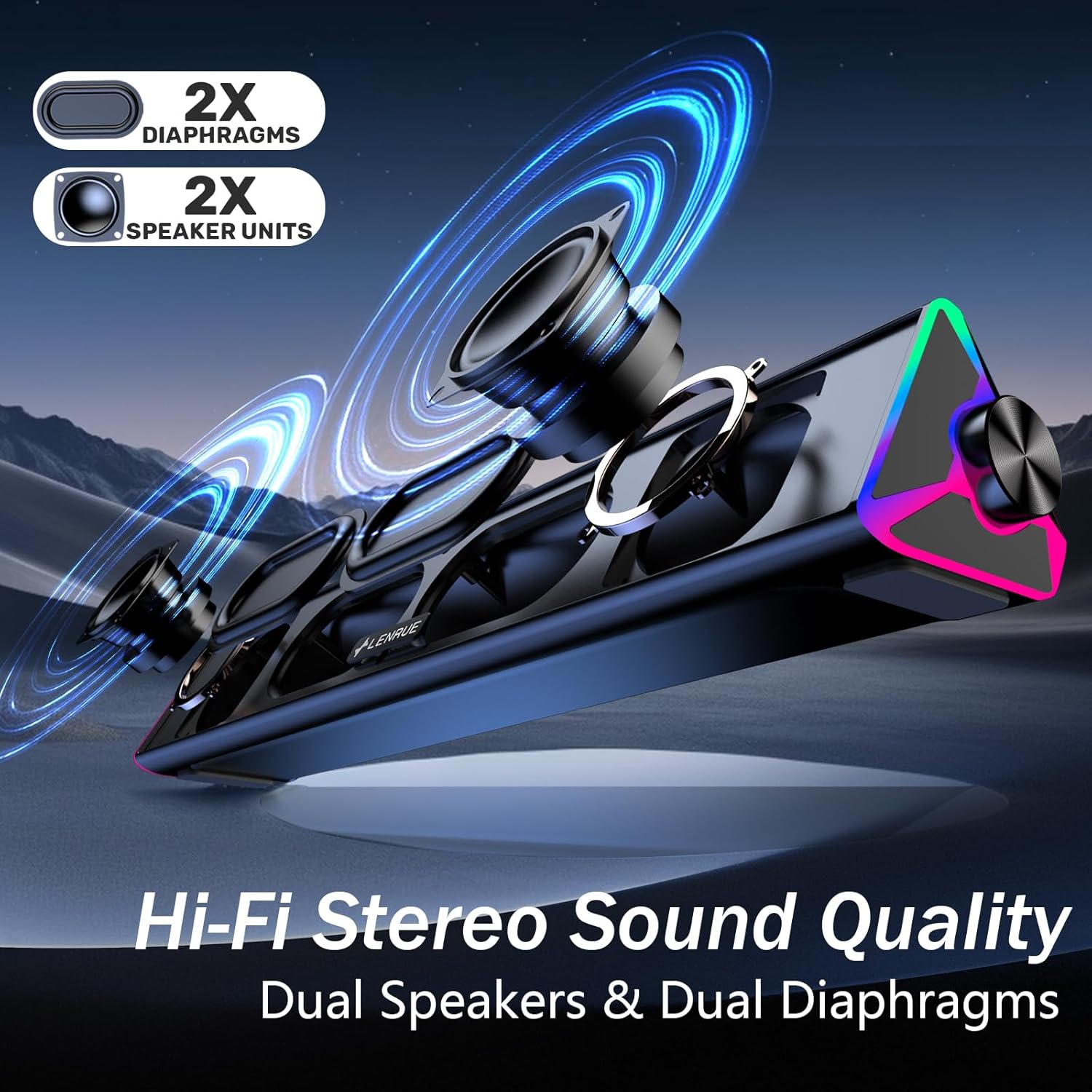
Gambar: Hiji ngabeledug view of the LENRUE E-1103 speaker, highlighting its dual speaker units and dual diaphragms for stereo sound.
Komponén konci:
- Speaker grille: Front-facing mesh covering the speaker drivers.
- Jilid Kenop: Located on the right side, for adjusting audio output level.
- Sénsor toél: Integrated into the right side for controlling the ambient lighting.
- USB Cable (USB-A): Main connection for power and audio.
- Adaptor USB-C: For compatibility with USB-C ports.
- Lampu RGB: Dynamic lighting effects on both ends of the soundbar.
Disetél
Follow these steps to set up your LENRUE E-1103 speaker:
- panempatan: Position the soundbar on a stable surface, such as your desktop, beneath your monitor, or in front of your laptop. Ensure the speaker grille faces towards you for optimal sound delivery.
- Connect to Power and Audio:
- Pikeun Port USB-A: Plug the USB-A connector of the speaker's cable directly into an available USB-A port on your computer (desktop PC or laptop).
- Pikeun Port USB-C: Attach the included USB-C adapter to the USB-A connector of the speaker's cable, then plug the USB-C adapter into an available USB-C port on your computer.

Image: A visual guide demonstrating how to connect the LENRUE E-1103 speaker to a laptop using either the standard USB-A cable or the included USB-C adapter.
The speaker is plug-and-play; no additional drivers or software installation is required.
- Penyesuaian Volume Awal: After connecting, ensure your computer's audio output is set to the LENRUE E-1103 speaker. Adjust the volume using the physical volume knob on the right side of the speaker. It is recommended to start with a lower volume and gradually increase it to a comfortable listening level.

Image: A diagram illustrating the compact dimensions of the LENRUE E-1103 speaker and its single USB cable for both power and audio, designed to minimize cable clutter.
Parentah Operasi
Kontrol volume:
The speaker features a rotary volume knob located on the right side. Rotate the knob clockwise to increase the volume and counter-clockwise to decrease it. For optimal sound, ensure your computer's system volume is also appropriately set.

Image: A three-step visual guide showing how to adjust the volume, including checking computer settings and using the speaker's physical volume knob.
Ambient Lighting Control:
The LENRUE E-1103 includes dynamic RGB lighting on both ends. To control the lighting:
- Hurungkeun/Pareuman: Gently touch the touch-sensitive area near the volume knob on the right side of the speaker. Each touch will toggle the lighting on or off.
- The lighting features a soft breathing effect, providing ambient illumination.

Image: A close-up of the right side of the LENRUE E-1103 speaker, highlighting the touch control icon for activating or deactivating the gentle breathing ambient lighting.
Pangropéa
Pangropéa anu leres mastikeun umur panjang sareng kinerja spiker anjeun:
- beberesih: Use a soft, dry, lint-free cloth to wipe the surface of the speaker. Do not use liquid cleaners, aerosols, or solvents, as these may damage the finish or internal components.
- Panyimpenan: Lamun teu dipaké pikeun période nambahan, nyimpen speaker dina tiis, tempat garing jauh ti sinar panonpoé langsung jeung hawa ekstrim.
- Hindarkeun Uap: Keep the speaker away from water and high humidity environments.
- Nanganan kalayan ati-ati: Hindarkeun lungsur atanapi nahan panyatur kana tabrakan anu kuat.
Pamérésan masalah
If you encounter issues with your LENRUE E-1103 speaker, refer to the following common problems and solutions:
| Masalah | Mungkin Cukang lantaranana | Solusi |
|---|---|---|
| Teu aya sora ti panyatur. |
|
|
| Sorana distort atawa teu jelas. |
|
|
| Ambient lights are not working. |
|
|
| Speaker not recognized by computer. |
|
|
spésifikasi
| Fitur | Rincian |
|---|---|
| merek | LENRUE |
| Ngaran modél | E-1103 |
| Téhnologi konektipitas | USB |
| Mode Kaluaran Audio | Stereo |
| Speaker Maksimum Kaluaran Power | 5 Watt |
| Réspon Frékuénsi | 20 KHz |
| Dimensi produk | 2.5 "D x 15" W x 2.5" H (6.35cm D x 38.1cm W x 6.35cm H) |
| Item Beurat | 15.3 ons (435 gram) |
| Warna | Hideung |
| Dianjurkeun Mangpaat | For Computers (Desktop PCs, Laptops, Monitors) |
| Kasaluyuan | Windows PCs, some macOS and Chrome OS laptops. Not compatible with Xbox gaming systems or Projectors. |
Garansi sareng Rojongan
LENRUE products are designed for reliability and performance. For warranty information or technical support, please refer to the contact details provided on the product packaging or the official LENRUE websitus. Simpen resi pameseran anjeun salaku bukti pameseran pikeun klaim garansi.
Pikeun pitulung salajengna, mangga buka di LENRUE Store on Amazon.